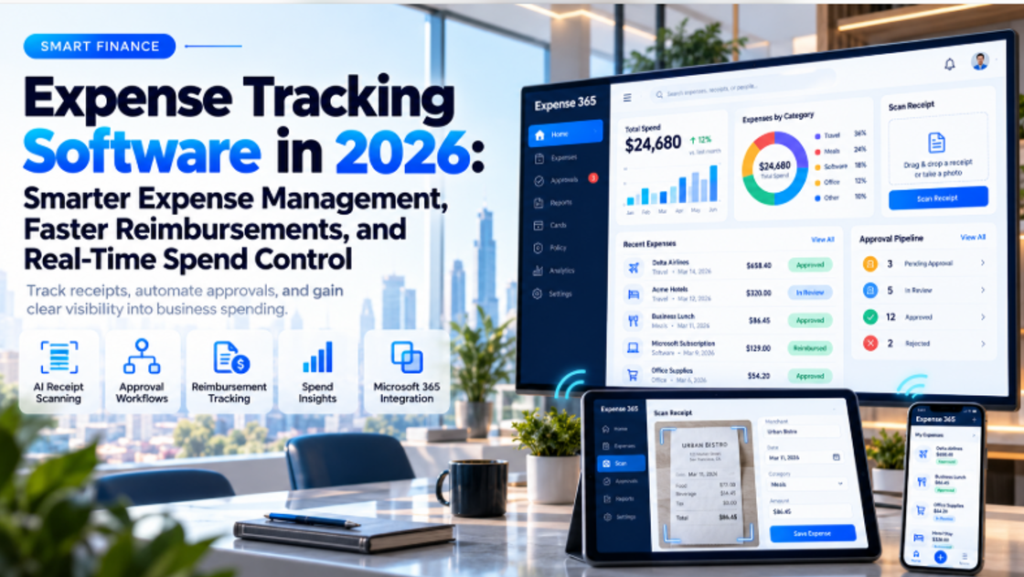
Managing business expenses should not take hours of paperwork, endless email follow-ups, or last-minute searches for missing receipts. Yet this is exactly what happens in many organizations. Employees spend money on travel, meals, subscriptions and office purchases, while finance teams struggle to collect receipts, verify claims and keep spending records up to date.
The real problem begins when all this information is scattered across spreadsheets, emails and different payment systems. A single missing receipt can delay reimbursement, while an overlooked transaction can affect financial reporting.
Expense tracking software helps businesses bring these activities together. From capturing receipts and approving claims to monitoring spending, it makes everyday expense management more organized and easier to handle.
For businesses looking to reduce manual work, solutions such as Expense 365 also bring AI-powered automation into the process, helping employees and finance teams manage expenses with less effort.
What Is Expense Tracking Software?
Expense tracking software is a digital solution that helps businesses record, organize, monitor and manage their everyday expenses. It replaces manual spreadsheets and paper-based processes with a centralized system where employees can submit expenses, attach receipts and track reimbursement requests.
For example, when an employee travels for a client meeting, they might spend money on transportation, accommodation and meals. Instead of collecting receipts and filling out an expense report at the end of the trip, they can upload the receipts directly to the software.
The system records the expense details and sends the claim through the required approval process.
Modern expense tracking tools go beyond recording transactions. They can use AI to scan receipts, automatically categorize expenses, manage approval workflows and generate reports that help finance teams understand where money is being spent.
For growing businesses, this means fewer disconnected records, clearer expense responsibilities and better control over company spending.
How Does Expense Tracking Software Work?
The idea behind expense tracking software is simple: make it easier to manage an expense from the moment it occurs until it is approved, reimbursed and recorded.
Here is how the process typically works.
- An employee records an expense
Suppose an employee pays $120 for a hotel stay during a business trip. They open the expense application, upload the receipt and create a reimbursement claim.
- The software captures the details
AI-powered receipt scanning can extract information such as the merchant name, transaction date, amount and tax. Rather than typing everything manually, the employee reviews the captured details and confirms the submission.
- The expense is categorized
The transaction is assigned to a category, such as travel, accommodation, meals, or office supplies. This helps finance teams organize spending and prepare accurate reports.
- The manager reviews the claim
The expense moves to the appropriate approver based on company rules. The manager can review the receipt, verify the amount and approve or reject the request.
- Finance processes the reimbursement
Once approved, the claim reaches the finance team for reimbursement processing. Employees can track its progress rather than repeatedly contacting finance for updates.
- Reports are updated
The recorded expense becomes part of the company’s spending reports, helping managers monitor department costs, review expense trends and track budgets.
Instead of managing these activities through separate emails and spreadsheets, businesses can follow a structured process from submission to reporting.
Challenges Businesses Face Without Expense Tracking Software
Manual expense management might seem manageable when a company has only a few employees. As transaction volumes increase, however, small administrative problems can become regular frustrations.
· Missing receipts and incorrect entries
Paper receipts are easy to lose and employees do not always remember to record purchases immediately. When claims are submitted days or weeks later, information may be incomplete or incorrect.
Finance teams then have to request missing documents or verify transactions manually.
· Slow approvals and reimbursements
An employee submits an expense report on Monday, but the manager does not review it until the following week. Finance cannot process the reimbursement without approval, leaving the employee waiting.
When approvals depend entirely on email conversations, delays become difficult to avoid.
· Limited visibility into business spending
Imagine a department manager approving several purchases without knowing how much of the monthly budget has already been spent.
When expenses are tracked in different files, getting an accurate picture of spending becomes difficult. By the time the reports are prepared, the department may have already exceeded its budget.
· Difficulty following expense policies
Companies often establish spending limits for meals, travel and accommodation. But checking every claim against those rules manually takes time.
Without a consistent approval process, expenses that exceed policy limits may be overlooked.
· Time-consuming financial reporting
At the end of each month, finance teams must collect receipts, review transactions, correct errors and prepare expense summaries.
The more information they have to gather manually, the less time they have for budgeting, financial analysis and other important responsibilities.
These challenges explain why businesses increasingly need expense tracking software that supports the complete expense process rather than simply storing receipts.
Expense 365 Features: Simplify Expense Tracking with AI and Automation
Businesses already using Microsoft 365 do not necessarily need another disconnected application to manage employee spending.
Expense 365, developed by Apps365, is a Microsoft 365-native expense management solution designed to simplify expense submissions, approvals, reimbursements and reporting.
It brings expense management into familiar tools such as SharePoint, Microsoft Teams and Outlook, helping employees and finance teams manage spending through a connected workflow.
Here are some of its key features.
1. AI-powered receipt scanning
Employees can upload receipts or capture them using their mobile devices. Expense 365 uses AI to extract important information, including the vendor, date, amount and tax details.
This reduces manual entry and helps employees prepare expense claims more quickly.
2. Automatic expense categorization
Manually sorting expenses into travel, meals, accommodation and other categories can take time.
Expense 365 helps categorize transactions using the captured receipt information, making expense records easier to organize and review.
3. Automated approval workflows
Not every expense requires the same approval.
Expense 365 supports configurable workflows that route submissions to the appropriate manager or approval group.
Businesses can establish approval processes that reflect their internal responsibilities, reducing the need to forward claims manually.
4. Reimbursement tracking
Employees should not have to email finance every time they want an update on a claim.
Expense 365 provides visibility into reimbursement requests and their approval progress, helping employees and finance teams stay informed throughout the process.
5. Corporate card expense tracking
Company card transactions can be difficult to manage when receipts and payment records are stored separately.
Expense 365 includes capabilities for managing card-related expenses and matching receipts with expense records. Organizations should confirm the availability of specific card management and import options for their chosen plan.
6. Expense reports and dashboards
Finance teams need more than a list of submitted transactions.
Expense 365 provides reporting and dashboards that help businesses review spending activity, monitor expense categories and identify pending claims.
It also supports integration options such as Microsoft Power BI for further reporting and analysis.
7. Microsoft 365 integration
Expense 365 works with Microsoft SharePoint, Teams and Outlook, allowing organizations to manage expenses within an environment employees already use.
It also offers accounting integration options, including QuickBooks and Xero, to support connected financial workflows.
For businesses exploring expense tracking software, Expense 365 provides a practical option for combining receipt management, automated approvals and expense reporting in the Microsoft 365 ecosystem.
Benefits of Using Expense Tracking Software
The value of expense tracking software becomes clear when employees and finance teams no longer need to spend so much time managing routine expense tasks.
Saves time on administrative work
Automated receipt capture and expense categorization reduce repetitive data entry. Employees spend less time preparing claims, while finance teams have fewer manual records to process.
Helps employees get reimbursed faster
Structured submission and approval workflows can shorten reimbursement delays. Employees also have better visibility into the progress of their requests.
Improves expense accuracy
Capturing information directly from receipts reduces the need to enter transaction details manually. Although records still require review, automation can help prevent common typing and categorization mistakes.
Strengthens financial control
With spending information organized in one system, managers can review department expenses, monitor budgets and identify costs that require attention.
Supports expense policy compliance
Configurable approval rules and consistent expense records make it easier to apply company policies and review exceptions.
Makes audits less stressful
When receipts, expense details and approval histories are available together, finance teams can locate supporting records more easily during financial reviews.
Supports business growth
As companies add employees and departments, a centralized expense process becomes easier to manage than multiple spreadsheets and disconnected approval emails.
The result is not simply faster expense reporting. It is a more consistent way to manage business spending across the organization.
Conclusion
Business expenses are unavoidable, but managing them does not have to be complicated.
When receipts, approvals and reimbursement requests are handled manually, businesses spend valuable time correcting mistakes and searching for information that should already be available.
The right expense tracking software helps solve these problems by bringing receipt capture, automated workflows, expense reporting and financial visibility together.
For organizations using Microsoft 365, Apps 365’s Expense 365 offers a connected way to manage employee expenses without moving away from familiar workplace tools.
With AI-powered receipt scanning, configurable approvals, reimbursement tracking and reporting capabilities, it helps businesses reduce manual effort and maintain better control over spending.