
Expand Image AI Free: Fix Cropped Photos Online Without Photoshop

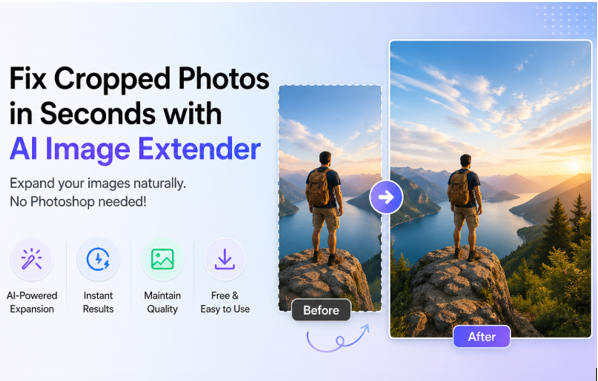
Have you ever taken the perfect photo only to realize it was cropped too tightly? Whether the subject is cut off or the aspect ratio doesn’t fit your social media, you need an easy fix. While Photoshop is an option, it’s often tedious. Fortunately, using an expand image AI free tool like Media.io allows you to fix cropped photos instantly. Discover how this AI image extender free can restore missing parts of your images in seconds.
Part 1: Why Cropped Photos Are a Common Problem
Cropped photos are a common problem. They are even common among professionals. Here are the reasons why:
- Not framing correctly while shooting.
- Sizing issues ( Instagram, YouTube, etc.)
- Reusing images on various platforms
- Cropping during editing.
For example, an image that works well for Instagram might not work for YouTube. Resizing it would crop part of the image.
Part 2: Why Traditional Fixes Don’t Work
Users often start with basic editing methods, but such methods create many problems, such as:
- Resizing may distort the image
- Editing takes time and needs excellent skills.
- Create unnatural images
Part 3: What is an AI Image Extender Free Tool & How Does Outpainting Work?
An AI Image Extender is an intelligent tool for expanding images. Instead of stretching the image, AI will generate new images.
These extenders are programmed with millions of images. They know about textures, light, shade, colours, and patterns, and can use this to fill in gaps.
Here’s the difference:
- Resize: Deforms the image and blurs it
- Cropping: Removes parts of the image
- AI Expansion: Resizes the image without editing it
AI expansion is natural-looking because it creates new pixels instead of modifying old ones.
Now you know how AI expansion works, let’s look at how to fix cropped photos using
a cropped image with the Expand Image AI tool.
Part 4: How to Fix Cropped Photos Using AI Image Extender Free (Step-by-Step)
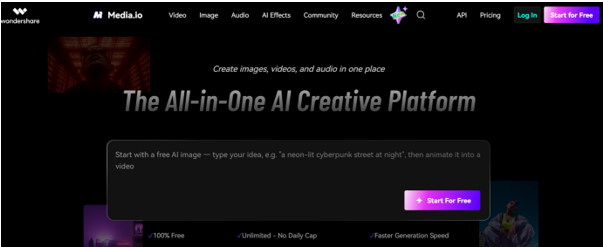
Wondershare’s online media.io image extender tool to fix cropped photos works quickly, is user-friendly, and produces high-quality results.
Step 1: Go to AI Image Extender
Go to the AI Image Extender Free tool online. This AI tool uses neural networks to interpret your image, which expands your photo by estimating its background.
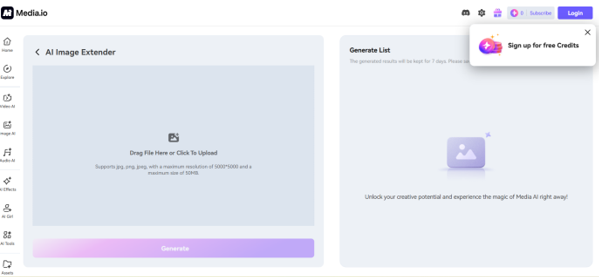
Step 2: Upload Your Cropped Photo
You should upload a high-resolution photo after you import your image file, which can be either JPG or PNG, from your computer or mobile device.
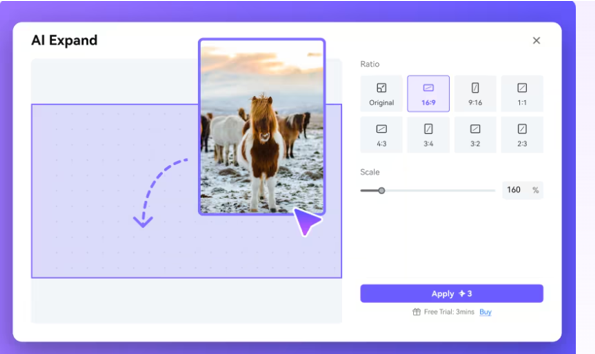
Step 3: Select Direction
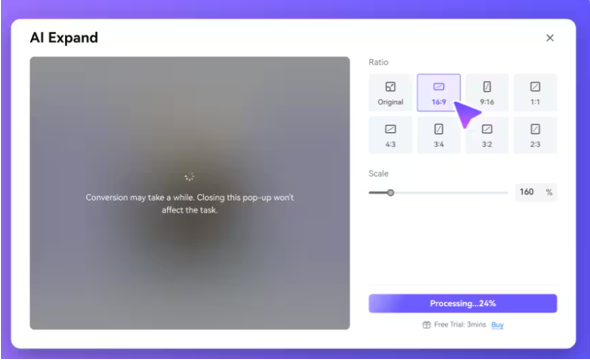
Then, choose the direction you want your photo to expand: left, right, top, or all sides. You can also adjust the canvas size to expand the image.
Step 4: Let AI Fill the Missing Parts
Unlike traditional cloning, the expand image AI free tool uses generative AI to understand the context of your photo, ensuring the new background blends seamlessly with the original lighting and texture.
Step 5: Preview and Download
Preview the extended image. If you are happy with the result, then download the high-quality version of the photo. Otherwise, you can generate another variation.
Part 5: Benefits of Using AI Image Extender Free
Using an Expand Image AI tool comes with several benefits:
- No design skill and software is required
- Saves a lot of time
- Maintains photo quality
Everything happens automatically. Whether you’re a beginner or an experienced editor, AI makes the expansion process quite easy.
Part 6: Pro Tips to Get Better Results
Here are some quick tips to get the most out of AI expansion:
- Use high-resolution images
- Don’t over-expand
- Go for solid backgrounds
- Always preview before downloading
Part 7: AI Image Extender Free vs Photoshop
While AI Image Extenders are quick and simple, you may wonder how they compare with Photoshop. Here’s a simple comparison:
| Feature | AI Image Extender Free | Photoshop
|
| Ease of Use | Very Easy | Required Skills |
| Time Required | Seconds | Minutes or Hours |
| Software Installation | No | Yes |
| AI Background Fill | Automatic | Manual |
| Learning Curve | None | Steep |
| Cost | Free option available | Subscription (paid) |
| Output | Natural | Variable |
| Best For | Quick Fixes | Advanced Editing |
If your restored photo looks a bit pixelated, use our AI Image Upscaler to boost its resolution after using the expand image AI.
Final Insights
Cropped photo fixing is no longer difficult. With AI, the process is fast, easy, and accessible to everyone. You don’t need advanced editing skills or expensive software. Just upload your image and let AI do the work.
The AI Image Extender uses intelligent technology to complete missing parts of images while producing media-ready content that keeps its original quality. The tool provides time-saving benefits to content creators, marketers, and hobbyists who use it.
So go ahead, and give it a try with the AI Image Extender Free tool and increase your images easily.
Read More From Techbullion






Comment