
Dutch IPTV in 2026: How to Choose the Best IPTV in the Netherlands (Checklist + Red Flags)

Search for Dutch IPTV and the results read like a scoreboard. Title after title leads with a channel count in the tens of thousands, each one bigger than the last. None of those numbers tells you whether your channels will still be running on a busy Saturday evening.
So this is not another ranking. It is a buyer's checklist you can hold any Dutch IPTV provider against: seven things a good one gets right, followed by four red flags that should make you close the tab. At the end there is a plan for testing a service in your first week.
Why Channel Counts Tell You Almost Nothing
Big numbers sell. In the search results for Dutch IPTV, many seller pages put a channel count right in the title, because it is the easiest thing to compare.
The problem is that you will watch perhaps twenty of those channels. A household in Utrecht wants NPO 1 for the news, RTL 4 for its evening shows, and a sports channel when the Eredivisie is on. Whether the package holds 30,000 or 40,000 extra channels from other countries changes nothing about that evening.
People who have used IPTV for a while say the same thing in Dutch forum threads on Reddit and Tweakers: after a few weeks, stability matters far more than the size of the list. A guide that loads and a stream that keeps going through a goal count for more than a long list. Add support that answers when something breaks, and you have most of what the checklist below measures.
The Dutch IPTV Checklist: Seven Things a Good Provider Gets Right
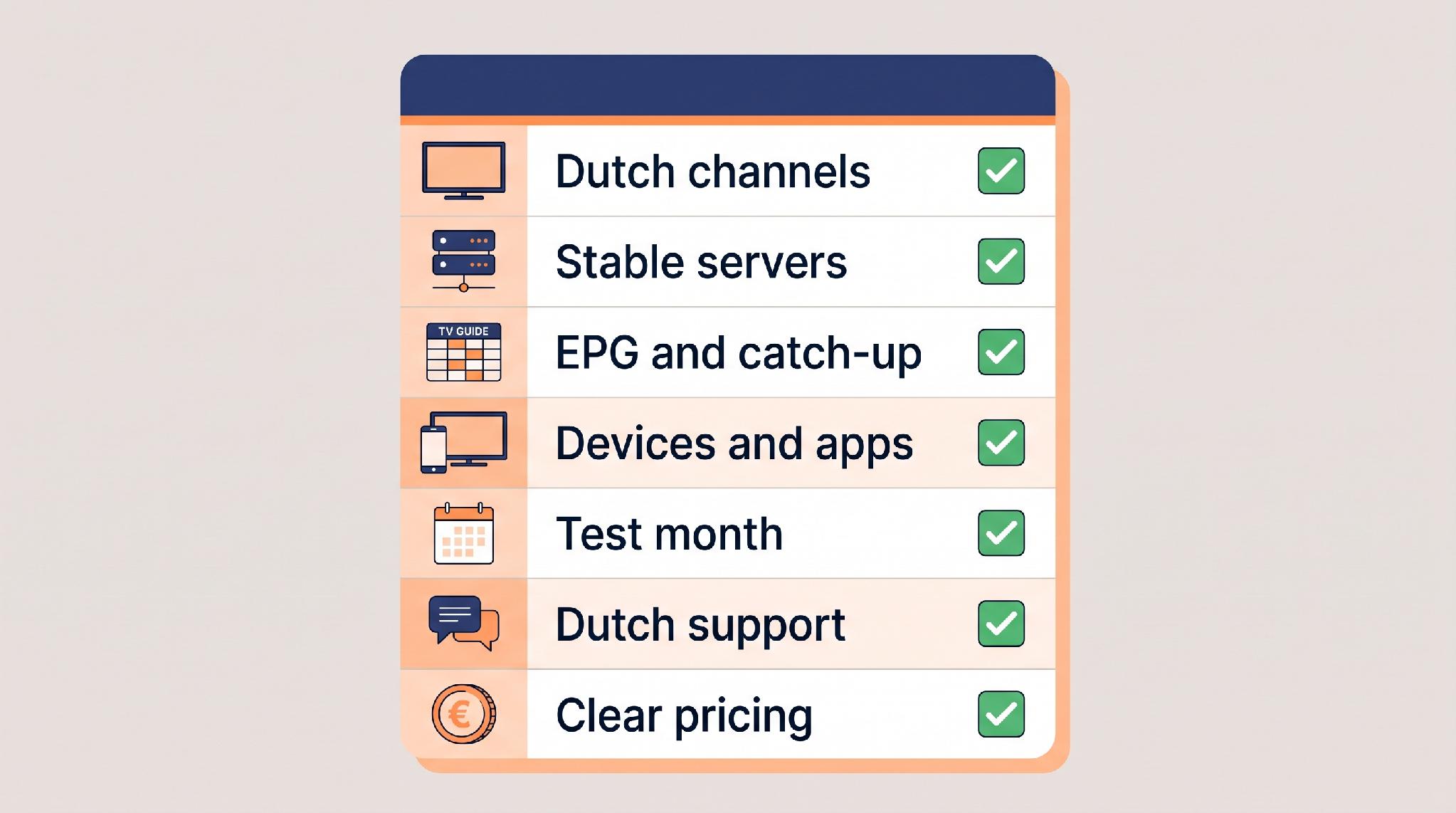
Score every provider on these seven points before you pay, and mark each one as a pass only when the provider shows you the evidence. A strong service passes all seven. If it fails a point that matters to you, such as a channel you watch every day, keep looking.
1. The Dutch Channels You Actually Watch, in HD or 4K
Start with your own list, not theirs. Write down the ten or fifteen channels your household uses every week. Then find the provider's channel list before you buy. When you search for the beste IPTV in nederland, check your own channels before you compare totals, or you can end up with 40,000 channels and still miss your regional station. Look for a provider that publishes its list and groups it clearly.
Tick off the basics first, such as NPO 1, RTL 4 and SBS6, then the channels that are easier to miss. Regional broadcasters like AT5 or Omroep Brabant fall into that group, and so do sports channels such as ESPN, Ziggo Sport and Viaplay. Flemish viewers can check for the VRT channels and VTM. Then check the quality listed for your own channels: HD as a minimum, and FHD or 4K where the provider offers it.
2. Servers That Hold Up in the Evening Peak
A stream that works in the morning tells you little. The hard test is your usual evening viewing time, roughly 20:00 to 23:00 for most households, when the big matches are on as well. That is when the load on IPTV nederland services peaks, and when weak providers start to buffer. Ask what the provider does about it.
Good answers are specific. Some providers publish an uptime figure and explain how it is measured; IPTV Thuis, for example, states 99.9% uptime measured across the service as a whole, including the evening peak, and says it keeps several backup servers ready. A claim alone proves nothing, but it gives you something concrete to test in your first week.
3. A TV Guide and Catch-Up That Actually Work
An electronic programme guide (EPG) turns a long channel list into something you can use. Without it, you are zapping blind. A good Dutch IPTV service includes the guide in every plan and fills it at least a day or two ahead.
Then there is catch-up, which lets you watch a programme from earlier, such as last night's show you missed. It usually works on many channels rather than all of them, and only if your app supports it. So check both the provider's catch-up channels and your app's settings.
4. Support for Your Devices and Apps
Ask which format the provider supplies: an M3U link, an Xtream Codes login, or a portal address for MAG boxes. Then check that your chosen app, for example IPTV Smarters Pro, TiviMate or IBO Player Pro, supports that format on your exact device. The best sign is a provider that names the devices it supports and shows you how to set each one up.
For instance, IPTV Thuis lists Samsung, LG, Philips and Sony TVs alongside the Fire TV Stick, Apple TV, Formuler, MAG and Android devices, and names the apps it recommends. That kind of list saves you from buying a subscription your TV cannot run. If a seller answers "it works on everything" and nothing more, ask which app they would use on your exact model.
5. A Test Month or Short Plans
You should never have to commit to a full year before you have watched a single evening. Look for a trial, a test month or short plans of a few months. A 24-hour free test only helps if you schedule it during the hours you actually watch. A longer test gives you more evenings, and usually a weekend, to repeat your checks.
IPTV Thuis, for example, offers a 30-day test month for €14.99 that you pay once and that stops by itself, with no renewal. Its policy treats that month as the test period, so it is not refunded. Its regular plans start at three months.
6. Support in Dutch, With Real Opening Hours
When the guide goes blank on a Sunday night, you want a person who answers in Dutch, and you want them soon. So check which languages support speaks, when it is open and how you reach it.
A good provider puts this on its site. IPTV Thuis, for instance, answers in Dutch and English, seven days a week from 10:00 to 22:00 CET, through a ticket desk and email. A provider that hides support behind one anonymous chat number deserves a closer look.
7. Clear Prices, Refund Terms and Payment Options
Prices belong on the website, per plan, with the total you pay. Look for one-off payments without automatic renewal, so you are never billed by surprise. Check whether multi-screen plans exist if more than one person watches at the same time.
Then read the refund policy before you buy, not after. A good one says exactly when you get your money back, how fast you need to report a problem, and what proof is needed. Payment options matter too. iDEAL gives Dutch buyers a familiar checkout, while credit cards and PayPal also give you a way to dispute a charge if something goes wrong.
Four Red Flags That Should End the Conversation
Some signs are serious enough to skip the rest of the checklist.
Lifetime deals. A one-time payment for "lifetime" access sounds like a bargain, but running servers costs money every month. Ask what "lifetime" actually means and what happens if the service closes. Plans of three, six or twelve months keep your upfront spending limited and are a much healthier sign.
No contact details. If you cannot find an email address, a support page or terms and conditions anywhere on the site, you have no one to turn to when the service stops.
Crypto-only payment. Some sellers accept nothing but cryptocurrency. That removes your safety net: a card or PayPal payment can be disputed, while a crypto transfer cannot be reversed in the same way.
No trial and no short plan. If the only way in is a twelve-month subscription paid upfront, the seller is asking you to take all the risk.
Is IPTV Legal in the Netherlands?
IPTV is simply a way of delivering television over an internet connection, and the technology itself is legal. Whether a particular service is a sound choice depends on the provider. Pick one that is open about who it is, what it offers and on which terms, with prices on the site, a written refund policy and support you can actually reach.
How to Test a Dutch IPTV Service in Your First Week
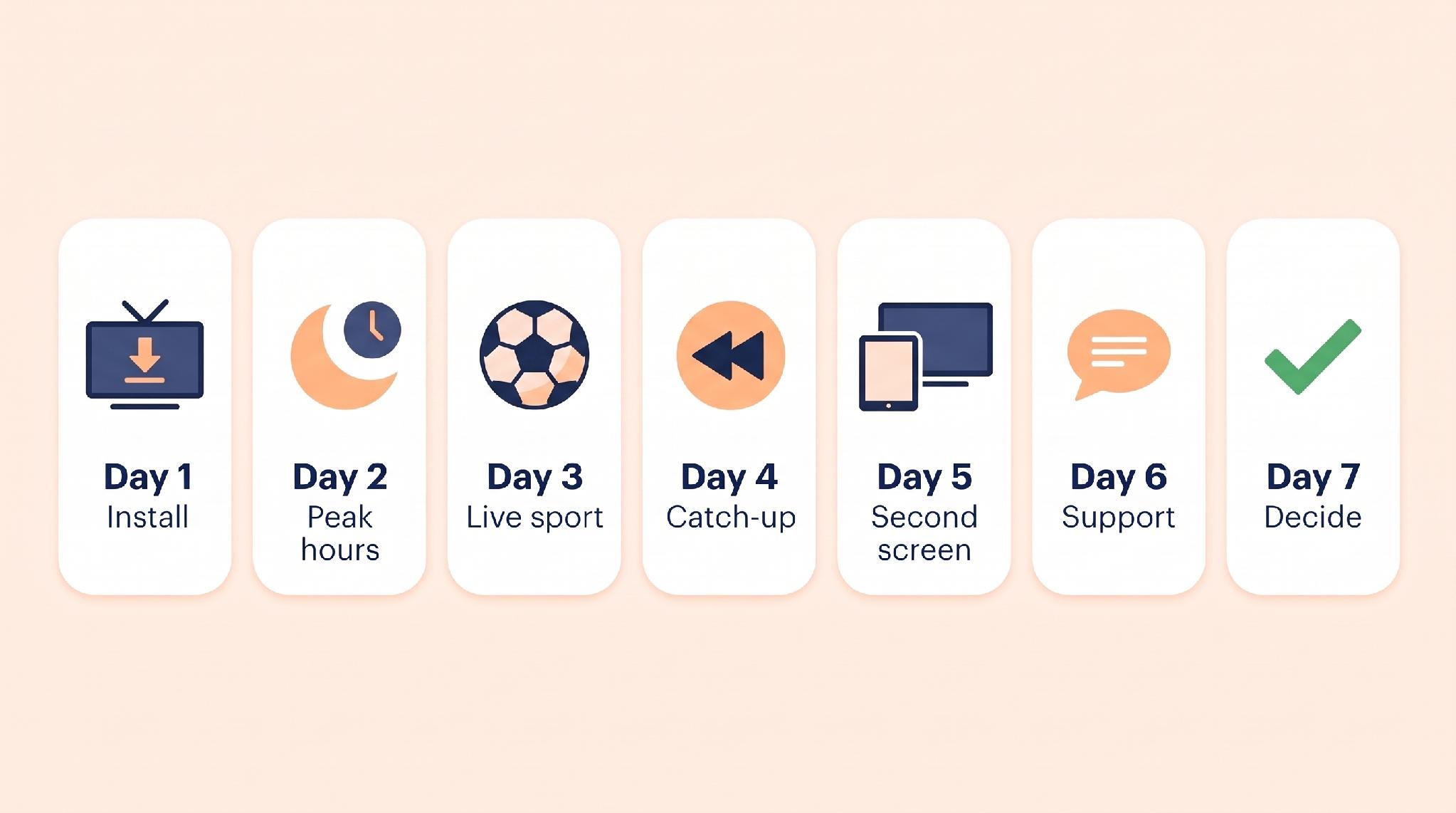
Treat the first seven days as a structured check, and watch the clock if you skipped the test month. Refund windows on regular plans are often short. At IPTV Thuis, for example, you need to report a problem within 48 hours of buying, with photos or a short video. If you are in that situation, squeeze days 1 to 6 into the first two days and use the rest of the week to repeat them.
Day 1: install and check the guide. Set it up on your main screen. Note how long the login details took and whether the EPG filled in.
Day 2: test the evening peak. Watch during your usual evening hours. Zap between NPO 1, RTL 4 and SBS6 and see how fast each one starts.
Day 3: watch live sport. Pick a match on ESPN or Ziggo Sport and watch the whole thing. A full live match is a demanding test for any stream.
Day 4: try catch-up. Play a programme from earlier that day on a catch-up channel and see whether you can skip through it.
Day 5: add a second screen. If your plan allows two screens, use both at once.
Day 6: contact support. Ask a real question, for example which app suits your TV model, and time the reply.
Day 7: decide. Count the problems. A single short hiccup is no reason to quit, but freezing every evening is.
FAQ
What is the best Dutch IPTV provider?
There is no single best provider for everyone. The best one for you carries your channels in good quality, stays stable in the evening and works on your devices, so pick the one that passes the seven-point checklist.
Can I watch Dutch IPTV without a box?
Often, yes. If a compatible IPTV app is available for your TV model, as it is on many Samsung and LG smart TVs, you can watch without extra hardware, and phones, tablets and laptops work too. A separate box or stick mostly helps when your TV is older or its app store is limited.
What does Dutch IPTV cost per year?
Prices vary by provider and plan length, so compare the total price against the full period, including any bonus months. As one example, IPTV Thuis charges €69.99 for twelve months, which currently includes three extra months.
How long should an IPTV test period last?
Long enough to include at least one weekend and one evening with a big match. A short test can work if you time it well, but a week or more gives you more chances to repeat your checks and see a pattern.
Can I use one subscription on two TVs?
That depends on the simultaneous-stream limit of your plan. Installing the app on two TVs does not mean you can watch on both at once, so you may need a multi-screen plan.
Conclusion
Channel counts are where most Dutch IPTV marketing starts, but they are the least useful number on the page. The checks that matter are simpler: your own channels in the evening, support that answers, and terms you can read before paying. Score the next seller against the seven points, run the essential tests inside its reporting window, and give it a week of real evenings before you commit to a longer plan.




Comment