
Cutting the Cord in 2026: How to Tell a Reliable IPTV Service from a Risky One

Cable bills keep climbing, streaming apps keep multiplying, and a growing number of households have stopped trying to make the two add up. Instead, they look at IPTV: live television delivered over the internet to the devices they already own, from a smart TV to a Fire TV Stick or a phone.
The idea is simple. The market is not. Search for an IPTV service and you will find hundreds of near-identical websites, most promising “every channel in 4K” for a few dollars a month. Some are reliable businesses with real support. Many are not. Here is how to tell them apart before you hand over any money.
Why viewers are moving to IPTV
The appeal is not hard to see. One login can bring live channels, sport and an on-demand library to every screen in the house, with no box rental, no installation appointment and no long contract. For families who watch TV from more than one country, it can mean their home channels and their local ones on the same subscription.
But the same low barrier to entry that makes IPTV cheap also makes it easy for anyone to set up a website and start selling. That is why the checks below matter.
Five warning signs
- No trial, or a trial that needs your card. A service confident in its streams lets you test them first, on your own TV, without payment details. If the only way to find out is to pay, the risk is all yours.
- Promises nobody can keep. Streams that never stop, “100% uptime”, “every channel in 4K”. No internet service can guarantee any of these. 4K, for example, depends on the channel, the device, the app and the connection all supporting it at once. Sellers who promise the impossible tend to disappear when it does not happen.
- Payment by gift card, crypto only, or bank transfer to a person. These methods leave you with no protection if something goes wrong. Recognised methods such as cards, Apple Pay, Google Pay or PayPal do.
- No way to reach a human. If the only contact is a form, or a chat that never answers, think about what happens the first time a channel stops working.
- A plan that renews by itself without saying so. Look for the renewal terms before checkout. A one-time payment for a fixed period is easier to control than a subscription you have to remember to cancel.
Five good signs
A real trial. Long enough to watch an evening’s TV, on the device you plan to use. Spend it watching what you normally watch, at the time you normally watch it.
A written refund policy. A clear window, in days, and a plain description of what it covers. “It does not work on my device” should be on the list.
Standard apps and standard logins. Reliable services work through common player apps and provide their logins as Xtream Codes, an M3U playlist link, or both. That keeps you free to switch apps later rather than being locked into one seller’s software.
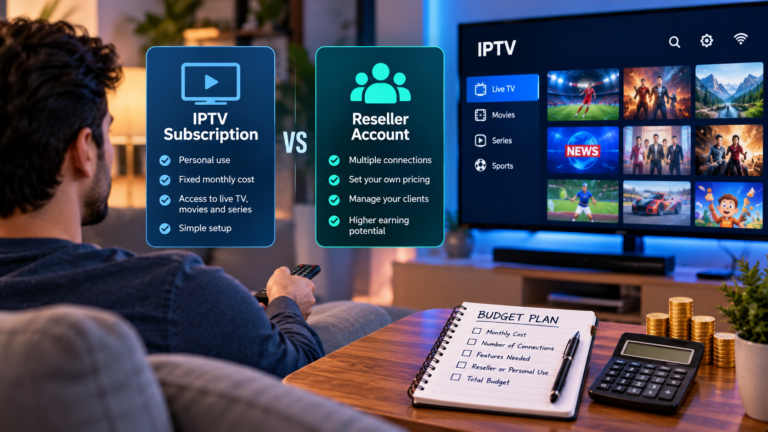
Honest answers about screens. Most services count connections, and one connection covers one device at a time. A good provider tells you up front what each additional screen costs, so the second TV in the house does not become a surprise.
Realistic activation times. “Instant” rarely is. A service that says “usually within 5–15 minutes after payment” and then delivers is more trustworthy than one that promises the impossible.
A ten-minute test during any trial
Once you have a trial login, put it through this before you decide:
Install it on the device you will really use, not just your phone.
Watch at peak time. Evening is when networks are busiest; a service that holds up then will hold up the rest of the day.
Open the channels you would miss. Not the ones on the homepage, the ones you actually watch.
Switch channels quickly a few times. Slow, stuttering changes are a sign of overloaded servers.
Message support with a simple question. Time the reply. That is how long you will wait when something breaks.
If it passes all five, you have most of what you need to know.
The legal question
IPTV is a way of delivering television, not a type of content, so the technology itself is not the issue. What matters is whether the service holds the rights to what it carries, and the rules differ from country to country. Viewers should understand this before subscribing. Reputable providers are open about how their service works and do not make blanket promises about it.
Where to start
If you are comparing options, start with a shortlist of services that offer a trial, a written refund policy, standard logins and a support channel you can actually reach. Then test each one on your own TV for an evening.
One example of what to look for is the StreamPlay4K IPTV service, which offers a free 24-hour trial on WhatsApp with no card required, a 7-day money-back guarantee, both Xtream Codes and M3U logins, and one-time plans of 3, 6 or 12 months with no automatic renewal. Whichever provider you choose, the same checklist applies.
Frequently asked questions
Do I need special equipment for IPTV? No. Most services work through apps on smart TVs, Fire TV Sticks, Android TV boxes, phones, tablets and computers.
How much internet speed do I need? It depends on the stream and the device. A stable connection matters more than a high number, with more headroom if you want 4K.
Can I watch on several TVs at once? Yes, with one connection per screen that is watching at the same time.
What if the service stops working? That is what the refund policy and support channel are for, which is why you check both before you pay.
About the author: the StreamPlay4K Support Team helps viewers set up and troubleshoot IPTV on smart TVs, Fire TV Sticks, phones and computers.






Comment