
Calilio Review 2026: Our Hands-On Test and Honest Verdict

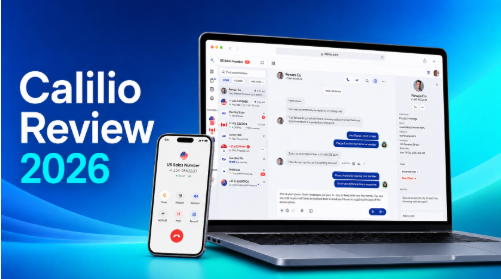
Picking a business phone system is hard once you look past the feature list.
Every provider promises clear calls, smart routing, and fewer missed enquiries. What businesses actually need to know is different: does the platform hold up when several employees share numbers, customers call after hours, sales reps work through contact lists, and managers need to review what was said?
To answer that, we ran Calilio inside a real 6-person service business for ten days. The team handled inbound support calls, outbound sales calls, shared numbers, voicemail, IVR routing, mobile calls, live call monitoring, and AI-generated call reports, the same daily work any small phone-heavy business does.
Our short answer: Calilio is a strong phone-first system for small and growing teams, with AI call reports and wide international number coverage. The trade-off is that most of its best features sit on the Premium plan, and the subscription price is not the full price once numbers and usage charges are added.
The rest of this review walks through what we tested, what worked, what didn’t, and who should (and shouldn’t) buy it.
Calilio review: our quick verdict
Score: 4.2/5. Calilio is a good fit for small and growing businesses that want calls, SMS, voicemail, virtual numbers, and call insights in one cloud system.
It suits:
- Sales teams making regular outbound calls
- Support teams handling incoming enquiries
- Remote teams sharing business numbers
- Small call centers that need monitoring and reporting
- Businesses that want a local phone presence in other countries
It is less suitable for businesses that need built-in video meetings, a large integration marketplace, or a full enterprise collaboration suite.
On pricing, the Standard plan covers basic telephony, but Premium holds most of what makes Calilio worth choosing: IVR, business hours, call transfers, power dialing, live monitoring, and AI reports. Calilio lists Standard at $15 per user per month (or $12 with annual billing) and Premium at $35 per user per month (or $28 annually).
Calilio at a glance
| Product detail | Information |
| Product | Calilio |
| Category | AI-powered cloud business phone system (VoIP) |
| Starting price | $15 per user/month ($12 annual) |
| Premium price | $35 per user/month ($28 annual) |
| Plans | Standard, Premium, Enterprise |
| Virtual numbers | 100+ countries (local, mobile, toll-free where available) |
| Channels | Calls, SMS, MMS, voicemail |
| Key features | Unified Callbox, IVR, call forwarding, power dialer, recording, live monitoring, analytics |
| AI features | Transcription, summaries, sentiment, call reasons |
| Apps | Web, Android, iOS |
| Our verdict | Strong phone-first option for small and growing teams, 4.2/5 |
How we tested Calilio
The test ran inside a 6-person business that handles appointment booking, customer support, and outbound sales. Although our size would fit under the 10-user limit on Calilio’s Standard plan, we tested on Premium because most of the call management, monitoring, and AI features were only available on the Premium plan.
The team:
| Team | Users |
| Sales representatives | 2 |
| Customer-support agents | 2 |
| Supervisors | 1 |
| Operations and admin | 1 |
| Total | 6 |
We set up four numbers: two Canadian local numbers for sales, a UK number for support, and a US number for appointment confirmations.
Over ten days, the team handled 162 calls in total, 94 inbound and 68 outbound, plus 36 SMS conversations. The smaller tests below (40 IVR journeys, a 52-contact dialer campaign, 20 mobile calls, 8 monitored calls, 30 AI-reviewed recordings) were all part of those totals, not extra calls on top. We tested on office Wi-Fi, home Wi-Fi, 4G and 5G mobile data, and on a deliberately weakened connection to see where things break.
Setting up Calilio for a team, 4.5/5
Setup meant creating a workspace, adding 6 users, assigning four numbers, setting business hours, and building separate call flows for sales and support.
The structure was easy to follow. Users, numbers, call settings, and team communication live in separate areas instead of one crowded settings page. Our full setup took about 35 minutes:
| Setup task | Time required |
| Account creation | 4 minutes |
| Adding 6 users and roles | 3 minutes |
| Adding four numbers | 12 minutes |
| Business hours | 5 minutes |
| Basic IVR | 3 minutes |
| Testing routing and voicemail | 8 minutes |
| Total | 35 minutes |
One caution: the workspace is quick, but number verification can slow a real rollout. US, UK, and Canadian numbers only needed basic documents in our case. Some countries ask for identity or business paperwork, and capabilities vary, one number may support voice, SMS, and MMS while another is calls-only. Check the icons, requirements, and rates shown for the exact number before you buy it.
Verdict: Easy enough for non-technical users. The real work is designing your call flows and meeting country-specific number rules, not the software itself.
Everyday call quality, 4.2/5
We tracked all 162 calls across office hours, lunch, after closing, and busy periods when several agents were already on calls.
| Result | Calls |
| Clear throughout | 145 |
| Brief jitter or delay | 12 |
| Temporary audio disruption | 4 |
| Failed under weak network | 1 |
On stable office and home Wi-Fi, calls were consistently clear. On mobile data, most calls stayed stable, though two developed brief jitters in a congested area. The only failure came on the connection we weakened on purpose.
That last point is not unique to Calilio; every cloud VoIP system depends on your internet. It matches public customer feedback too: reviewers occasionally mention call quality dropping when their own connection is poor.
Verdict: Reliable under normal business connectivity. If your office internet is shaky, fix that before trusting any VoIP system with customer calls.
The Unified Callbox, 4.5/5
The Unified Callbox turned out to be the most useful part of the daily workflow. Instead of splitting calls, messages, voicemails, notes, and recordings across separate screens, everything about a contact sits in one thread.
A real example from our support team: a customer called about an appointment, got a follow-up SMS, called again the next day, left a voicemail when the agent was busy, and finally got a confirmation from a different employee. That second employee read the whole history before replying, no “can you explain your issue again?”
Agents also tagged conversations (“Appointment confirmed,” “Billing enquiry,” “High-priority lead,” “Follow-up required”), which worked as a lightweight tracking system.
For small teams without a CRM, this alone replaces a lot of spreadsheet work. Teams already living in a CRM should check integration coverage first: Calilio lists connections with tools like Pipedrive, and Pabbly Connect, but some connectors on its integration pages are still marked as coming soon. Confirm that every integration you depend on is live before migrating, this is the most common request in customer feedback, and it was our biggest reservation too.
Verdict: Excellent for phone-first teams. Integration depth is the gap.
Inbound routing and IVR, 4.3/5
We built a simple menu: press 1 for sales, 2 for support, 3 for billing, 0 for voicemail. Then we ran 40 caller journeys through it, before opening, during hours, and after closing.
| IVR outcome | Journeys |
| Routed correctly to the chosen team | 36 |
| Sent to voicemail after no answer | 2 |
| Handled by after-hours rules | 2 |
| Wrong route | 0 |
Zero misroutes is the headline. During office hours, calls followed the chosen department. After hours, callers heard a closing message and went to voicemail as configured.
The setup is straightforward for a small operation. A company with many departments, regions, or languages will need more planning time, the tools are there, but you build the logic yourself.
The bigger catch is the plan gate: IVR, business hours, and call transfers are Premium features, not Standard. A five-person business may not need everything in Premium, but it may have to upgrade just to get a proper phone menu and an operating schedule. That weakens the entry plan’s value.
Verdict: Accurate and capable for small and mid-sized call flows. Standard’s feature limits are the drawback.
The power dialer, 4.3/5
For outbound testing, sales prepared a list of 60 contacts, cleaned out duplicates and bad records, and ran a campaign with the remaining 52.
| Campaign result | Number |
| Contacts dialed | 52 |
| Calls answered | 19 |
| Meaningful conversations | 11 |
| Voicemail | 13 |
| No answer | 17 |
| Invalid or unreachable | 3 |
Agents got a short preview before each call and time afterward to log the result using dispositions like “Interested,” “Call back later,” “Wrong number,” and “Qualified opportunity.”
Manually finding, copying, and dialing a number, then logging the outcome, usually takes 35–50 seconds per contact. The dialer removed most of that dead time. Agents still reviewed contact details and recorded outcomes, but moving between calls was noticeably faster, and the dispositions fed straight into reporting.
Like IVR, the power dialer and dispositions are Premium features, so Standard is not a realistic option for a team evaluating Calilio mainly for outbound campaigns. Large sales organizations should also compare it against specialist outbound platforms on CRM sync, campaign controls, and compliance tools before deciding.
Verdict: A real time-saver for small outbound teams.
AI call reports, 4.4/5
We put 30 recorded calls through Calilio’s AI reports: sales enquiries, complaints, billing questions, follow-ups, calls with technical terms, and calls with different accents and speaking speeds. For each, we checked five things against the actual recording:
| AI-report element | Correct |
| Main reason for the call | 28 of 30 |
| Outcome | 26 of 30 |
| Follow-up action | 25 of 30 |
| Overall sentiment | 24 of 30 |
| Names, dates, and numbers | 22 of 30 |
The summaries were useful for understanding a call’s purpose and result in seconds instead of listening to the whole recording. Managers used them exactly that way.
The weak spot is detail accuracy, especially with unclear audio or strong accents. In one support call, the customer read out the product code NX-414B; the transcript recorded it as NX-440B. The summary was still understandable, but an employee copying that code without checking the recording would have entered the wrong part.
Sentiment needs the same caution. A calm but unhappy customer was tagged neutral, and an energetic salesperson read as more positive than the actual outcome justified.
Verdict: Treat AI reports as a review and productivity aid, not a record. Verify names, figures, and codes against the recording before acting on them.
Live call monitoring, 4.3/5
Supervisors used the monitoring tools on 8 live calls, covering three modes:
- Listen, hear the call without being heard
- Whisper, coach the agent privately, invisible to the customer
- Barge, join the conversation
The best real moment: a new support agent got stuck explaining a billing issue. The supervisor whispered a short instruction without the customer noticing, and when the issue got more complicated, joined the call directly. That flow, listen, whisper, then barge only if needed, is exactly what training and escalation support should look like.
Two honest caveats. First, monitoring is a higher-plan feature, not Standard. All three modes worked on our Premium workspace during testing, but some of Calilio’s own pages still label parts of its advanced reporting as coming soon, so confirm current feature status for your plan before buying. Second, monitoring creates legal responsibilities: set an internal policy, train supervisors, protect recordings, and follow the call-consent and employee-monitoring laws that apply to you.
Verdict: Useful and easy to operate. Bring your own rules for when to use it.
Mobile and remote work, 3.9/5
We assigned 20 calls to mobile: eight on home Wi-Fi, six on 5G, four on 4G, and two while moving between coverage areas.
| Mobile result | Calls |
| Clear and stable | 17 |
| Brief jitter | 2 |
| Temporary reconnection issue | 1 |
The apps (Android and iOS) did the important job well: employees called and texted from business numbers without exposing their personal numbers, from anywhere.
But this was the least polished part of our test. The reconnection issue happened while switching from Wi-Fi to mobile data, and the handoff was not graceful, the agent had to wait for the app to recover mid-call. Network switching is a weakness of mobile VoIP generally, but it is worth stating plainly: if a rep handles critical calls on the move, they need strong, stable coverage, and even then the desktop experience is smoother.
Verdict: Fine for regular mobile use on good networks. Don’t rely on it in patchy coverage.
Analytics and reporting, 4.1/5
Managers reviewed two kinds of data. Traditional analytics answered the operational questions: total call volume, answered vs. missed calls, agent activity, call duration, busy periods, and campaign outcomes. The AI layer added context: why customers called, whether issues appeared resolved, what follow-up was needed, and how conversations sounded.
The combination is the value. Analytics tells you Tuesday 2–4pm produces the most missed calls; AI reports tell you those calls were mostly billing complaints. Neither piece alone gets you to “hire cover for billing on Tuesday afternoons.”
The dashboards are readable for non-specialist managers, though they take a few days to get comfortable with. Businesses that need heavily customized enterprise reporting should check export, API, and data-retention options carefully before committing.
Verdict: Good, accessible reporting for SMBs. Power users should verify export and API depth.
What Calilio actually costs, 4.2/5
For the testing and review, we subscribed to Calilio’s Premium plan. Calilio’s pricing page lists Premium at $35 per user per month, or $28 with annual billing. For 6 users, that means:
- Monthly billing: $210 per month
- Annual billing equivalent: $168 per month
We used monthly billing for this review, so although our hands-on testing lasted ten days, we paid for a full month of service. Here is our real bill for the test period’s activity:
| Cost item | Cost |
| 6 Premium users (monthly billing) | $210.00 |
| Additional numbers | $2.00, the US and Canada local numbers were included with the plan; only the UK number cost extra |
| Extra calling and SMS usage | $2.17, the bundled package covered US and Canada calls and texts; this charge was only for communication with other countries |
| Total before tax | $214.17 |
The subscription itself is easy to understand, and the included US/Canada local number plus bundled calling is generous for teams working in those markets. The costs to watch are everything outside that bundle: numbers in other countries, calls and SMS beyond US/Canada, number porting, recording storage, and messaging registration fees. None of these made our bill expensive, but a business calling internationally at volume should model its own usage before assuming the sticker price is the real price.
Verdict: Transparent and fair for US/Canada-focused teams. International-heavy usage needs its own math.
What customers say about Calilio
Independent feedback is broadly positive, with a small sample-size caveat.
G2 currently shows Calilio at around 4.7/5, with users praising ease of use, pricing, support, and call quality. Capterra shows 4.3 overall, 4.6 for ease of use, 4.3 for customer service, 4.2 for value, and a notably lower 3.6 for features.
Recurring themes:
Liked: simple interface, affordable virtual numbers, responsive support, call recording, SMS, international calling.
Complaints: number availability in certain countries, a desire for more integrations, no video calling, and call quality on poor internet.
Those complaints line up almost exactly with what we found in testing, which is a good sign the platform behaves consistently. One caution: Calilio’s review volume is still far smaller than long-established competitors’, so treat the ratings as a signal, not proof, for your specific country and use case.
Pros and cons
Pros
- Focused phone-first platform, not a collaboration suite with calling bolted on
- Unified Callbox keeps calls, texts, voicemail, notes, and tags in one thread
- AI call reports genuinely save manager review time
- Serves both inbound (IVR, hours, transfers) and outbound (dialer, dispositions) teams
- Virtual numbers in 100+ countries
- A US/Canada local number and bundled calls/SMS included on paid plans
- Web, Android, and iOS access
- Easy to use for non-technical small teams
Cons
- Most standout features (IVR, transfers, dialer, monitoring, AI reports) require Premium
- Standard caps at 10 users
- Number fees and usage charges can raise the real monthly cost
- Integration catalog is thinner than mature enterprise providers, with some connectors still listed as coming soon
- No built-in video conferencing
- Number availability and capabilities vary by country
- AI reports need human verification on names, codes, and figures
- Mobile call handoff between networks can be rough
- Public review volume is still modest
Who should use Calilio, and who shouldn’t
Small businesses needing business numbers, calls, SMS, voicemail, and forwarding can start on Standard if they have 10 users or fewer.
Sales teams should look at Premium for the power dialer, dispositions, transfers, and AI reports.
Support departments get IVR, shared numbers, business hours, recordings, and monitoring on Premium.
Remote teams get business-number calling without exposing personal phones.
International businesses can build a local presence in target markets, but check number availability and document requirements country by country first.
Look elsewhere if you need native video meetings, a large app marketplace, deep CRM automation, advanced workforce management, or mature omnichannel support across many digital channels. Capterra lists Dialpad, 3CX, and JustCall among comparable alternatives; G2 mentions Quo, Webex Suite, and Dialpad Connect. Teams with those requirements should shortlist Calilio against at least one of them.
Which plan should you choose?
Standard, 10 or fewer users, mainly calls and SMS, basic forwarding and sharing, no need for IVR, monitoring, or AI reports.
Premium, more than 10 users, or any team that needs IVR, business hours, transfers, the power dialer, live monitoring, AI summaries, or fuller analytics. For most growing teams, this is the real plan to evaluate.
Enterprise, custom pricing for organizations needing negotiated usage, dedicated account management, implementation help, or contractual support terms.
Final verdict: is Calilio worth it?
Yes, for the right kind of business.
If your company talks to customers mainly through calls and SMS, Calilio delivers a useful package: one clean communication history, accurate routing, a dialer that removes busywork, supervision tools, and AI reports that shorten review time. In ten days of real use, it handled 162 calls with very few problems, and the problems it did have (network sensitivity, transcription slips on codes and names) are ones we would expect from any VoIP-plus-AI product at this price.
Its limits are just as clear. Premium is the plan most businesses evaluating Calilio’s advanced capabilities should consider. Keep in mind that the total bill includes more than the subscription, the integration catalog deserves verification before migration, and there is no built-in video platform. A one-person business needing a single number and occasional calls could find a simpler, cheaper tool.
For small and growing phone-first teams, though, Calilio earns its 4.2/5.
Review scores
| Category | Score |
| Ease of setup | 4.5/5 |
| Everyday call quality | 4.2/5 |
| Unified Callbox | 4.5/5 |
| Inbound routing & IVR | 4.3/5 |
| Power dialer | 4.3/5 |
| AI call reports | 4.4/5 |
| Live monitoring | 4.3/5 |
| Mobile experience | 3.9/5 |
| Analytics | 4.1/5 |
| Pricing transparency | 4.2/5 |
| Integrations | 3.6/5 |
| Overall | 4.2/5 |







Comment