
Build vs Buy: The Real Math of a High-End Gaming PC

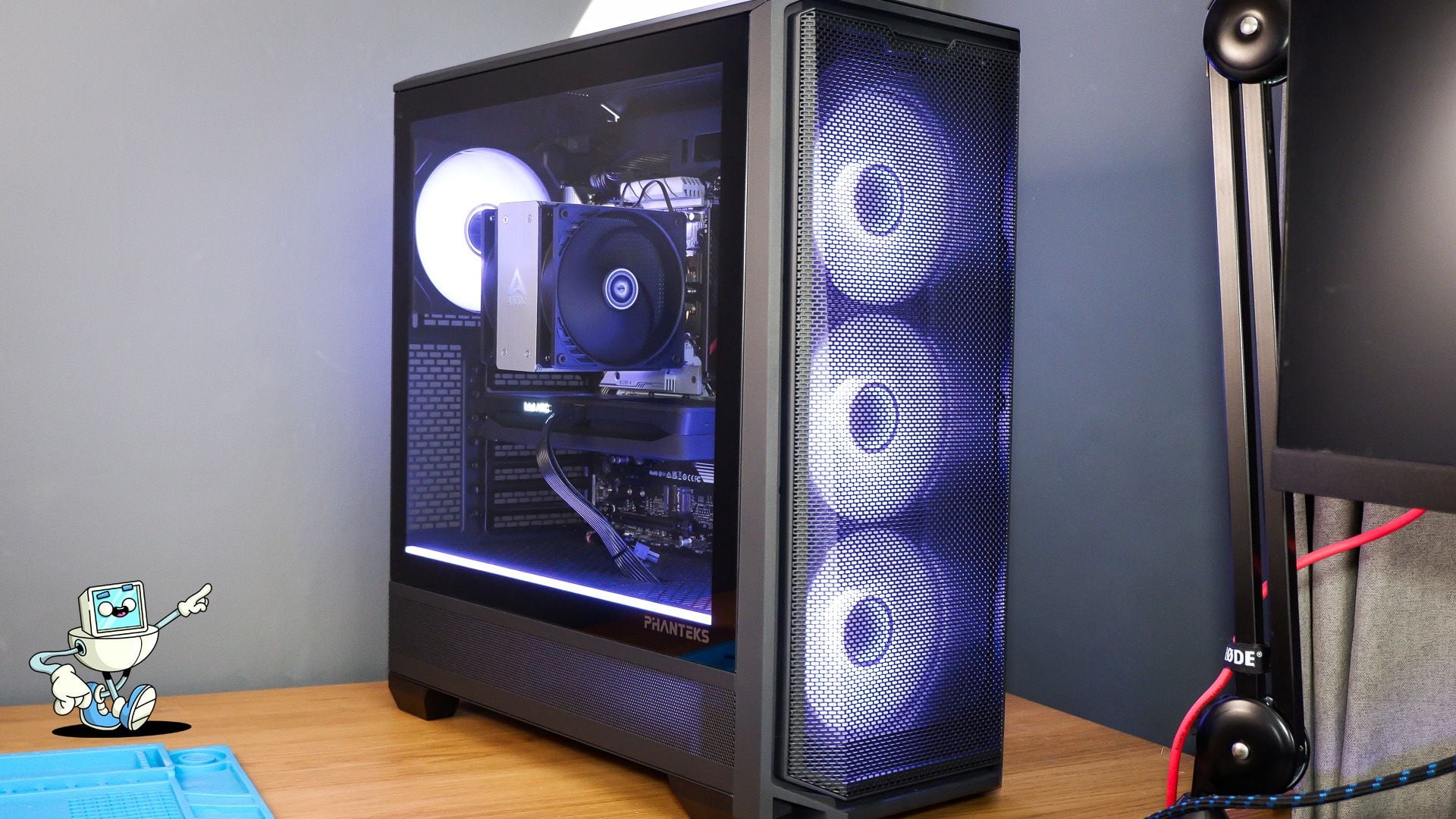
A top-tier gaming desktop now costs about as much as a used car’s down payment. At that price, the old enthusiast argument that building your own is always cheaper deserves the same scrutiny a finance team would give any other capital purchase. The sticker price is only one line in the spreadsheet. Warranty coverage, software licensing, setup time, failure risk and resale value all move the real number, sometimes in opposite directions.
This piece walks through that comparison the way a procurement analyst would, using a current high-end configuration as the example. The goal is not to declare a winner but to show which variables decide the answer.
Start with a like-for-like configuration
Most build-versus-buy debates fall apart because people compare different machines. A fair comparison needs the same graphics card, the same class of processor, the same memory and storage, and the same operating system on both sides.
A useful reference point is NZXT’s Player Three. As listed on NZXT’s site in October 2026, it sells for $3,999 and ships with an AMD Ryzen 7 9800X3D, an NVIDIA GeForce RTX 5080 with 16 GB of memory, 32 GB of DDR5-6000 RAM, a 4 TB NVMe SSD, a 360 mm Kraken Elite liquid cooler, an H6 Flow case, an 850 W 80 PLUS Gold power supply and Windows 11 Home. That is a complete, specific bill of materials, which makes it a good benchmark.
To compare a self-built machine, you price each of those components separately at current retail, then add everything the prebuilt includes that a pile of parts does not.
The line items people forget
The most commonly skipped line is the operating system. A prebuilt with Windows already has a license baked into its price. A new self-built PC needs one, and Microsoft’s own store lists Windows 11 Home at $139. Leave that out and the DIY build looks $139 cheaper than it really is.
Other easy-to-miss costs include:
- Shipping and sales taxacross several separate retailers.
- Tools, for a first-time builder.
- Return shippingon any part that arrives dead or incompatible.
None of these is large on its own. Together they can close a gap that looked comfortable on paper.
Power and compatibility are not optional details
High-end components come with hard requirements, and getting them wrong costs money twice. NVIDIA’s specification sheet for the RTX 5080 lists 360 W of total graphics power and a required system power of 850 W. It also lists the supplementary power connector the card expects: either three PCIe 8-pin cables through the included adapter, or a single 450 W-or-greater PCIe Gen 5 cable.
A prebuilt vendor has already matched the power supply, case clearance and motherboard to the card. A self-builder carries that compatibility risk personally. Buying a power supply that is technically sufficient but lacks the right native connector, or a case that does not fit a long card, means a return, a delay and sometimes a restocking fee. Those are real costs, even if they never appear on the original parts list.
Warranty is an insurance policy, so price it like one
This is where prebuilt systems earn much of their premium. NZXT lists a two-year warranty covering both parts and labor on the Player Three, plus free returns. If something fails, there is one company to call and one box to ship.
A self-built PC also has warranties, but they are spread across every component manufacturer, each with its own terms, length and claims process. When a system becomes unstable, the owner first has to diagnose which part is at fault before any of those warranties can be used. That diagnostic work is unpaid labor, and for someone without spare parts to swap in, it can take days.
For anyone whose PC is also a work machine, downtime has a cost, and a single point of support reduces it. For a hobbyist who enjoys troubleshooting, it may be worth very little.
Time is the cost nobody invoices
Building a PC takes an evening for someone experienced and considerably longer for a first-timer, before counting research, ordering, driver installation and updates. If your hourly rate is high, or your free time is scarce, that labor is part of the price.
There is also an option value to building. A self-builder chooses every part, which matters when a buyer wants a component that no prebuilt pairs with their preferred case, cooler or form factor. I went that route myself: my own desktop is a custom build around an RTX 5080 and an AMD Ryzen 9 9950X3D2, because I wanted that specific processor in my own case. If you are weighing the same path, I keep a parts checklist and the full cost subtraction in a guide to building a custom gaming PC against a comparable prebuilt.
Subscriptions are changing the buying model
One development worth watching for anyone tracking consumer hardware as a business: some system builders now sell high-end PCs on recurring plans rather than only as one-time purchases. NZXT’s product page offers a month-to-month option that the company says can be cancelled and returned at any time without fees, alongside prepaid terms of three, six or twelve months at a lower effective monthly rate.
That shifts the decision from build-versus-buy to build-versus-buy-versus-rent. For a buyer unsure whether they will still want a $4,000 gaming machine in a year, a cancellable plan turns a large capital outlay into an operating expense with an exit. For the vendor, it creates recurring revenue and a steady supply of returned hardware. Whether the total paid over time beats an outright purchase depends entirely on the plan terms and how long the customer keeps the machine, so it is worth running the numbers over the period you actually expect to use it.
Resale and upgrade paths
A desktop keeps value after you are done with it. Parts from a self-built machine can be sold individually, and a prebuilt can be resold whole or parted out. What matters more is upgradability: standard ATX parts and a power supply with headroom make a future graphics card swap cheaper on either path, so check the motherboard form factor and power supply before buying.
A simple decision framework
Strip away brand loyalty and the decision usually comes down to four questions:
- Does the self-built total, including Windows, shipping and tax, actually come in under the prebuilt price for the same parts?If not, the case for building rests on preference, not savings.
- How much is a single warranty contact worth to you?The more costly downtime is, the more the prebuilt premium is justified.
- Do you need a configuration no prebuilt offers?Specific processors, cases or quiet-cooling setups often tip the decision toward building.
- How long will you keep the machine?Short horizons favor flexible plans or easy resale. Long horizons favor standard, upgradeable parts.
The bottom line
Neither option is universally cheaper. Building wins when the parts list genuinely undercuts a comparable prebuilt, when the buyer values control over every component, and when their time is not the scarce resource. Buying wins when a single warranty, a validated power and cooling setup, and a working machine on day one matter more than the last few hundred dollars.
The mistake is comparing a parts cart against a finished system without adding the license, the risk and the hours. Do that math honestly and the right answer for your situation is usually obvious. For more hardware breakdowns and setup guides written from the perspective of a competitive player, see yuvalgg.com.







Comment