If you’ve worked in enterprise IT long enough, you’ve probably inherited a data center that looks busy but doesn’t actually do much. Racks filled with physical servers, cooling systems working overtime, power bills creeping up every quarter, and yet, most of those machines are barely breaking a sweat.
We’ve seen servers run at a very minimum percentage of utilization for years because one “critical” application was tied to one physical box. Nobody wanted to touch it. It’s too risky, too old, and too unknown.
This is exactly why conversations around the benefits of server virtualization for enterprises have shifted from “interesting idea” to “we should’ve done this years ago.” Server virtualization isn’t about chasing trends anymore. It’s about making infrastructure sane again. Wondering how your enterprise should be leaning towards server virtualization? We’ve clarified it for you. Let’s read.
Why Large Enterprises Need Server Virtualization Today
Enterprise IT has changed, whether the infrastructure has or not. Data volumes keep growing. Hybrid cloud is no longer optional. Sustainability targets are now tied to technology decisions. Meanwhile, legacy server models still expect one workload, one server, one long procurement cycle.
That math doesn’t add up. Server virtualization flips that model by decoupling workloads from hardware. Multiple virtual machines run on a single physical server, sharing resources intelligently instead of wasting them. For big organizations, this alone can reduce hardware footprints by a significant margin.
But there’s another reason virtualization matters now: freedom. Modern virtualization software gives enterprises serious flexibility. No more being trapped by rigid licensing or expensive upgrade paths. Virtualization platforms like Sangfor HCI deliver enterprise-grade performance without vendor lock‑in, which becomes increasingly important as costs compound year after year.
Core Benefits of Implementing Server Virtualization
The technology makes sense, works well in today’s hybrid work environments, and also does justice to your budget. The math and reasons aside, here’s what your server virtualization translates into for enterprises:
Lower Costs (And Not Just On Paper)
Yes, hardware consolidation saves money. That’s obvious. What’s less obvious is how quickly the savings stack up. Fewer servers mean less power draw, less cooling, and fewer replacement parts. It also means smaller maintenance windows and even fewer tickets on the ops side.
In real enterprise environments, it’s common to see 70% total cost of ownership savings over time, especially when you opt for VMware alternatives like Sangfor HCI. Most importantly, the TCO reduction part of it is very transparent with Sangfor HCI’s server virtualization capabilities. Also, you need not make lots of hardware changes to migrate or slow your team down in the process.
Better Use Of Existing Resources
Unused capacity is silent waste. Before virtualization, companies bought servers “just in case.” After virtualization, resources are allocated when needed and reclaimed when they’re not. Multiple workloads coexist on the same hardware without stepping on each other.
When demand spikes, capacity scales dynamically. When it drops, you’re not stuck powering idle machines. That alone drives massive gains in operational efficiency.
How does server virtualization help enterprises get more value from existing infrastructure?
Server virtualization allows enterprises to run multiple workloads on fewer physical servers, eliminating wasted capacity and idle hardware. With Sangfor HCI, resources are dynamically allocated and reclaimed in real time, so compute, storage, and memory are always used efficiently. This means enterprises can scale workloads without constantly buying new hardware, extending the lifespan of existing infrastructure while improving overall utilization.
Built‑in Resilience Without Duct Tape
Disaster recovery used to feel like patchwork. Scripts here, tools there, and hope everywhere. Virtualized environments are different. Users here have live migration, proactive failover, and snapshots. These features aren’t add‑ons anymore. They’re baseline expectations.
Sangfor HCI (hyperconverged infrastructure) is built on a server virtualization mechanism that handles this especially well by integrating compute, storage, and networking into one cohesive system. Wait, that’s not all. Sangfor HCI also baked security into the virtualized platform through aSEC.
Therefore, managing thousands of VMs doesn’t feel chaotic. It feels controlled, predictable, and almost boring, and boring is good in IT.
How Server Virtualization Boosts Enterprise Performance
This is where the skepticism used to creep in. “Virtualization is great, but will performance suffer?”
A decade ago, that fear was justified. Today, it really isn’t. Virtualization enables faster deployments, clean workload isolation, and intelligent load balancing. Applications get the resources they need when they need them. Bottlenecks are smoothed out automatically during peak loads. We’ve watched teams spin up environments in hours that once took weeks without exaggeration or drama.
As a full‑stack solution, Sangfor HCI consistently outperforms many traditional virtualization software options by removing unnecessary layers. Also, its built‑in optimization and security reduce overhead. Fewer moving parts mean fewer surprises in production.
Does server virtualization negatively impact application performance in large environments?
Platforms like Sangfor HCI use intelligent load balancing and workload isolation to ensure applications receive the resources they need during peak demand. By removing unnecessary architectural layers and embedding optimization directly into the platform, Sangfor enables faster deployments, smoother performance, and more predictable outcomes for enterprise applications.
What Are the Cost Savings of Server Virtualization for Enterprises?
This is usually the point where finance teams lean forward. Server virtualization cuts capital expenses by reducing the number of physical servers required. That part is easy to justify. But the real win shows up later, in operational costs.
Lower power consumption. Reduced cooling requirements. Smaller physical footprints. Simplified management. Across industries, enterprises report major reductions in infrastructure‑related operating costs after full virtualization.
Sangfor pushes those savings further with its licensing model. Users get perpetual licenses without hidden fees or surprise renewals. That predictability matters a lot once environments start scaling quickly and budgets get closely scrutinized.
Where do enterprises see the biggest cost savings after moving to server virtualization?
The most immediate savings come from reducing physical server counts, but the long‑term gains are even bigger. Enterprises using Sangfor HCI see lower power and cooling costs, smaller data‑center footprints, and simplified operations. Sangfor’s transparent, perpetual licensing model also eliminates surprise renewal costs, making budgeting predictable while driving sustained reductions in total cost of ownership over time.
Is Server Virtualization Suitable for Large Enterprises with Mission‑Critical Workloads?
Absolutely, as long as the platform is built for it, mission-critical workloads don’t tolerate downtime. They don’t care about “planned maintenance.” They just need to run.
Enterprise‑grade server virtualization, such as Sangfor HCI, provides native high availability, multi‑copy redundancy, and reduced‑downtime migrations. Failures are handled automatically, and maintenance happens without disruption.
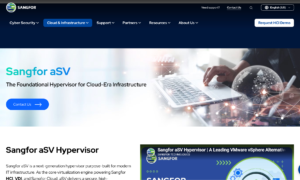
Sangfor aSV hypervisor, a core element of Sangfor HCI (hyperconverged infrastructure), is designed specifically for these environments. It consistently delivers nearly 100% capability for critical applications, even at scale.
A real‑world example is Planetel S.p.A., an Italian ICT and telecommunications provider that streamlined its data‑center operations by adopting Sangfor HCI. By virtualizing servers on Sangfor’s aSV hypervisor, Planetel improved resource utilization, simplified management, and ensured high availability for enterprise workloads.
Check out what is a hypervisor to get a simplified idea about the whole process.
Sangfor HCI: A Standout Virtualization Platform for Enterprises
No doubt, there are plenty of virtualization platforms. But not all of them simplify life. Sangfor HCI stands out because it reduces complexity instead of adding to it. Intent‑based automation removes manual guesswork. Built‑in endpoint security eliminates the need for extra tools. In addition, hyper‑converged infrastructure integration keeps everything under one roof instead of scattered across vendors.
VMware migrations, which often feel intimidating, become structured and predictable. I’ve watched enterprises reduce rack usage by 70% after moving workloads to Sangfor. ROI followed faster than expected, sometimes within the first year. That’s not marketing talk. That’s observed reality.
Sangfor’s expertise and popularity in this space is evident on peer review insight platforms like Gartner and G2, where real users are rating them 4.7 out of 5 (G2) and 4.8 out of 5 (Gartner) for their HCI solutions.
Turning Virtualization Into Enterprise Value
When you strip away the buzzwords, the message is simple. The benefits of server virtualization for enterprises show up where it matters most: higher efficiency, real cost savings, stronger resilience, and infrastructure that finally feels manageable.
Sangfor HCI delivers those outcomes without unnecessary complexity or financial surprises. It scales cleanly, performs reliably, and supports long‑term enterprise growth.
If your data center feels heavier, noisier, and more expensive than it should, server virtualization isn’t just an upgrade. It’s a reset. And done right, it makes IT a lot quieter, in the best possible way.