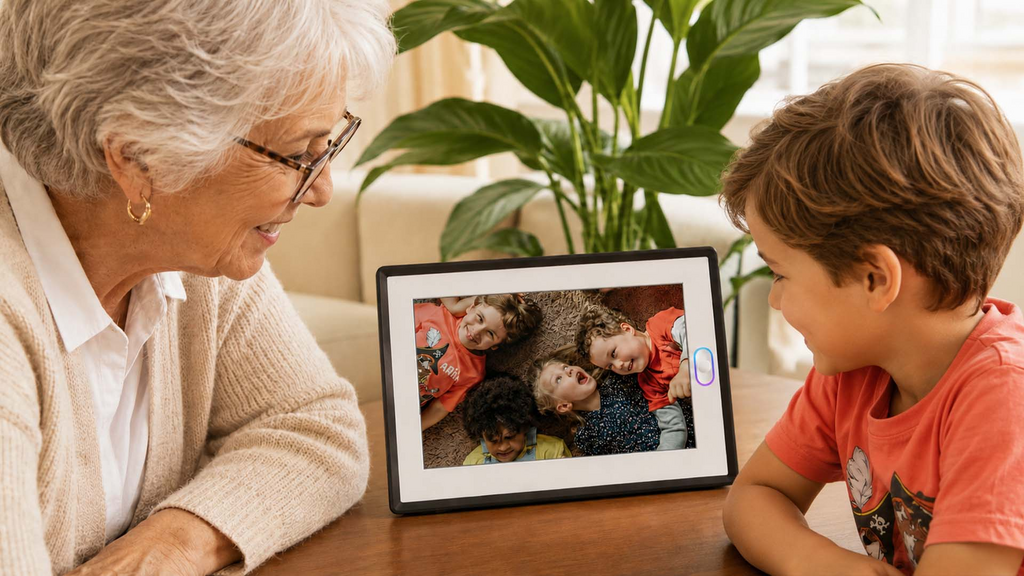
The best digital photo frame in 2026 is no longer just a screen that plays a slideshow. For many families, the real question is whether a frame can help relatives stay connected when everyone is busy, living apart, or trying not to interrupt each other’s day.
That is the context for this AmivoFrame review. AmivoFrame is a 10.1-inch smart digital photo frame built around remote photo and video sharing, wireless cloud storage, written and voice messages, reminders, privacy controls, and optional AI conversation features. Its strongest use case is not passive display. It is family presence: helping the people who matter most feel visible in daily life.
Quick verdict
AmivoFrame smart digital photo frame is worth considering if you want a connected family frame that feels easy for grandparents, parents, couples, and relatives living apart. It is especially strong for families that want multiple people to send photos to one frame, add voice or text messages, and keep memories visible without relying on social media feeds.
It may be more than you need if you only want an offline slideshow frame loaded once by memory card. But if you want a frame that can receive new family moments, respond to simple voice requests, and help older relatives find photos without digging through menus, AmivoFrame starts to feel more like a family companion than a passive screen.
What is AmivoFrame?
AmivoFrame is a smart digital photo frame designed for families who want a lighter way to stay in touch between phone calls and visits. Photos and videos can be sent remotely through the app, and multiple family members can contribute to the same frame. The recipient can enjoy new memories on the frame without managing a complicated photo library.
The product also includes features meant to make shared photos more alive: voice messages, Family Letters, gentle reminders, themed memory playback, and a physical privacy switch. Its AI layer is best understood as a helper for the photo experience. You can describe what you want to see, ask who sent a photo, or talk about what is happening in an image, and the frame can help find or explain the moment.
Key features tested against real family needs
Remote photo and video sharing
The most practical feature is remote sharing. A daughter, son, partner, sibling, or grandchild can send photos and videos from anywhere, and the frame becomes a living family feed rather than a static album.
This matters because many families do not fail to connect because they do not care. They fail because life is full: work, kids, time zones, travel planning, and the small hesitation of not wanting to call at the wrong time. A frame that quietly receives moments can reduce that friction.
Multiple contributors
AmivoFrame is designed for more than one sender. That is important for family gifting because the person who enjoys the frame may not be the person who manages it. Adult children, grandchildren, and relatives can all help keep the frame fresh.
Voice messages and Family Letters
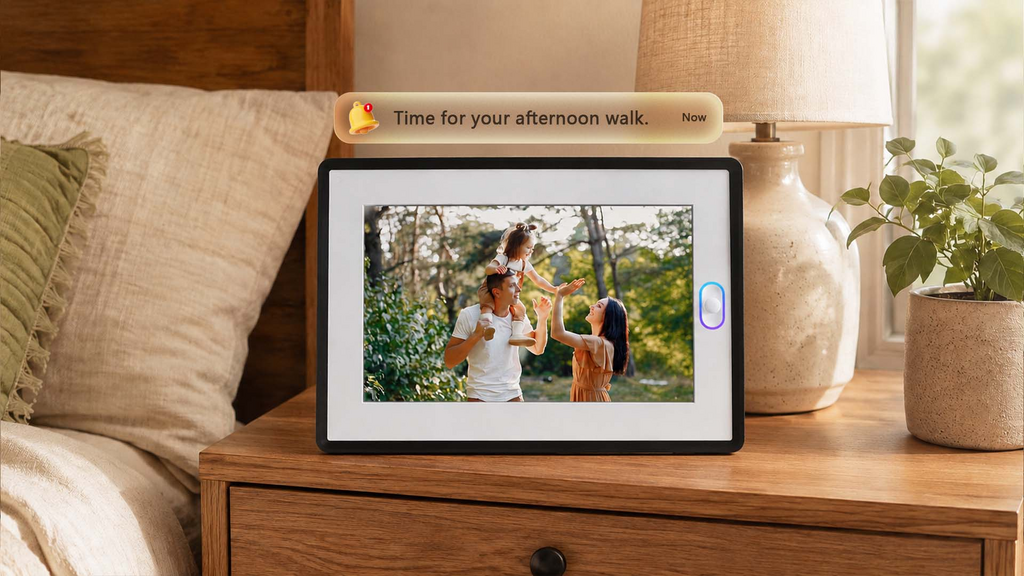
Photos are stronger when they carry context. A short voice message or written note can explain what happened, who sent the photo, or why the moment mattered. Family Letters add another layer by turning small updates into a gentle way for family members to stay informed.
Voice search and AI conversation
The AI layer is useful when it turns photos into conversation. For example, an older adult might ask, “Who sent this photo?” or “What is Lily doing here?” A family member could also ask the frame to show recent photos from Emma, photos of Lily, or a short memory album from a family weekend.
That matters because many older users do not want to learn another app. Voice search makes the frame easier to approach: say what you want, and the frame helps surface the right photos or start a gentle conversation around them.
Privacy switch
A physical privacy switch is a meaningful trust feature for a product placed in a bedroom, kitchen, or living room. Families can also review the AmivoFrame privacy page for more detail before gifting.
Built for private family spaces
A family frame often sits in a bedroom, kitchen, or living room, so privacy and comfort matter. AmivoFrame’s privacy switch helps the device feel appropriate for home, while the private family-sharing experience keeps the focus on the people who matter most rather than a public feed.
AmivoFrame vs. other ways families communicate
AmivoFrame is not trying to replace iMessage, WhatsApp, Instagram, or FaceTime. Those tools are excellent for active communication. Their weakness is that someone usually has to start the conversation, both people may need the timing to work, and meaningful moments disappear into a stream.
AmivoFrame sits in a different category: a private, physical presence layer for family memories. It does not use a public algorithmic feed, and it is not built for strangers, followers, or viral content. It is built around the most important people.
| Option | Best at | Main limitation | Where AmivoFrame differs |
| iMessage or WhatsApp | Fast messages and calls | Requires active sending and checking | Keeps memories visible in a physical home space |
| Visual sharing | Public or semi-public, algorithmic, performance-driven | Private family memories without a social feed | |
| Basic digital frame | Simple slideshow | Can become background and stop feeling fresh | Remote updates, messages, reminders, and voice-led photo discovery |
| Aura, Skylight, Nixplay-style frames | Connected photo display | Feature sets vary by model | Focuses on family presence, voice, privacy, and multi-person sharing |
Pros and cons
| Pros | Cons |
| Remote photo and video sharing from family members | More than necessary for someone who only wants an offline slideshow |
| Voice prompts can help users find photos without menu digging | Best results depend on family members sending fresh moments |
| Voice messages, written messages, and Family Letters add context | A smart frame still needs WiFi for receiving new content |
| Physical privacy switch and privacy-led positioning | Some buyers may prefer a no-app, no-account product |
| Multiple contributors make it feel like a living family feed | Families should still help with the first setup |
Who is AmivoFrame best for?
AmivoFrame is best for adult children buying for parents or grandparents, families spread across cities or countries, long-distance couples, and households that want photos to become part of daily life instead of staying hidden in camera rolls.
It is also a strong fit for busy parents. Many people mean to call more often, send photos tomorrow, or visit when life slows down. A connected frame creates a lighter connection path: send love without interrupting someone’s day.
Setup and everyday use
The easiest setup path is usually for one family member to connect the frame, invite contributors, and send the first set of photos. After that, the recipient can enjoy updates with much less effort. Buyers can check AmivoFrame FAQ and setup help before gifting.
The frame does need WiFi to receive new photos and support voice conversation. Existing photos can still be viewed without an active connection. Supported media includes common photo and video formats such as JPG, PNG, and MP4.
Buying checklist
Before choosing any smart digital photo frame, compare the basics that affect daily use. Can relatives send photos remotely? Can more than one person contribute? Does the frame support videos as well as photos? Are voice messages included? Can the recipient find specific photos without scrolling through everything? What happens if the WiFi drops?
AmivoFrame checks several of the boxes that matter for family use: remote uploads, multiple contributors, wireless cloud storage, voice and written messages, a privacy switch, and voice-led photo discovery. The key difference is not simply that it displays photos. It helps people use those photos as conversation starters.
This is also why AmivoFrame should be evaluated less like a tablet and more like a family connection device. A tablet can show photos, but it usually demands apps, accounts, notifications, and attention. A good family frame should fade into the home while still bringing new moments forward.
Final verdict
AmivoFrame stands out because it treats a digital photo frame as a relationship product, not just a display. Its best features are remote sharing, multiple contributors, text and voice messages, Family Letters, a privacy switch, and AI-assisted photo discovery that helps families talk about shared moments more naturally.
If you are comparing the best digital photo frame options for a family gift, AmivoFrame is strongest when the goal is ongoing connection. It is less about showing old photos and more about making new family moments easier to notice, hear, and talk about.
FAQ
Can AmivoFrame find photos by voice?
Yes. AmivoFrame is designed so users can ask for the photos they want to see, such as recent family photos, photos from a specific person, or photos of a child or pet.
Is AmivoFrame good for grandparents?
Yes. It is a strong fit for grandparents because family members can send new photos remotely, and the frame can make those updates visible without requiring the recipient to manage a phone app.
Can several people send photos to one AmivoFrame?
Yes. AmivoFrame is designed for family sharing, so multiple contributors can send photos and videos to the same frame.
Can AmivoFrame talk about a photo?
Yes. Its AI-assisted experience can help describe a photo, answer simple questions about it, and turn the image into a natural conversation prompt.
Is AmivoFrame better than a basic digital photo frame?
It depends on your goal. A basic frame is enough for a simple offline slideshow. AmivoFrame is better suited to families that want remote updates, messages, privacy controls, and optional AI conversation.