
AI Shorts Studio: An AI Short Video Generator for Multi-Shot Stories

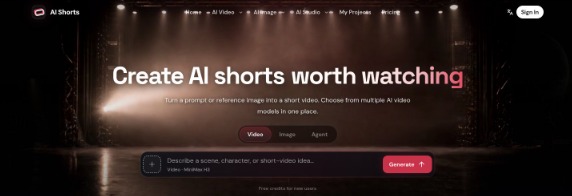
Most AI video generators are built around a single moment: you type a prompt, wait, and get one clip. That works for a quick experiment, but it breaks down as soon as you try to make something people actually watch to the end, such as a short drama episode, a product ad with several angles, or a series of social videos featuring the same character. You end up juggling a script document, an image tool, two or three video tools, and a folder of downloads, and every new shot drifts a little further from the last.
AI Shorts Studio takes a different approach. It is an AI short video studio for drama, advertising, animation, and creator content that brings multiple video and image models into one generator, and adds a canvas where scripts, characters, scenes, reference images, and generated clips live in the same project. This article walks through what the product does, how its main features work, who it is for, and where it fits compared with single-model tools.
What is AI Shorts Studio?
AI Shorts Studio turns a prompt or reference image into a short video clip, and lets you choose from several AI video models in one place. On top of that single-clip generator, it offers a project canvas designed for work that spans many shots: you can add story text, break it down into characters, scenes, and shots, generate storyboard images or video clips for each shot, and keep every asset connected to the project so it can be referenced again.
In short, it covers the path from script and references to storyboards, clips, and final cuts, instead of stopping at a single generation.
Key features
1. Multiple video models in one generator
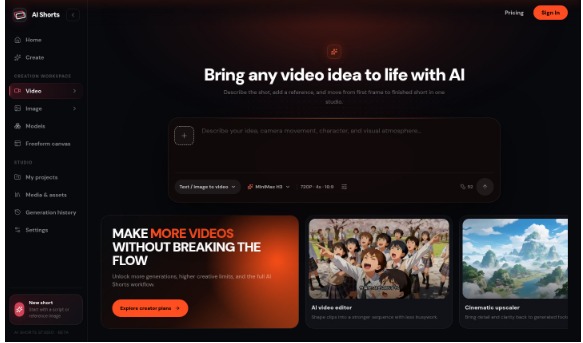
Instead of committing to one model (the AI video generator lets you switch per shot), you pick the model that suits each shot. The video models currently listed on the site include Seedance 2.5, Seedance 2.0, Seedance 2.0 Mini, MiniMax H3, Wan 3.0, and Veo 3.1 Fast. Each has its own supported inputs, durations, aspect ratios, and settings, and you can check those before generating.
This matters in practice because different models are good at different jobs. A common workflow is to draft ideas quickly with a faster model, then regenerate only the strongest shots with a model that handles references or motion better. Having them in one interface removes the account-switching and re-uploading that usually comes with that workflow.
2. Image models for reference frames and keyframes
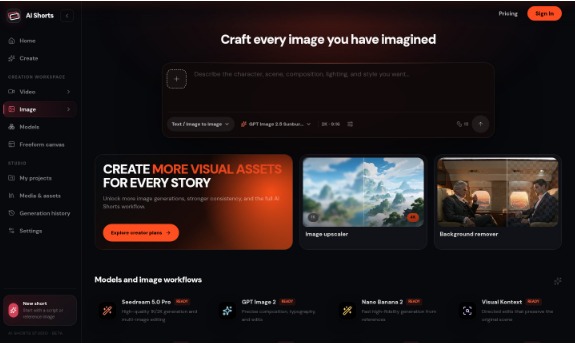
AI Shorts Studio also includes image models such as GPT Image 2.5 (Sunburst and Flare), GPT Image 2, Nano Banana 2, Nano Banana Pro, and the Seedream 5.0 family. These are used to create characters, scenes, product visuals, and reference frames before bringing them into motion.
Starting from an image is one of the most reliable ways to control an AI video: the first frame fixes the subject, lighting, and composition, so the video model only has to decide how things move. Being able to create or edit that frame in the same tool shortens the loop considerably.
3. Text-to-video and image-to-video
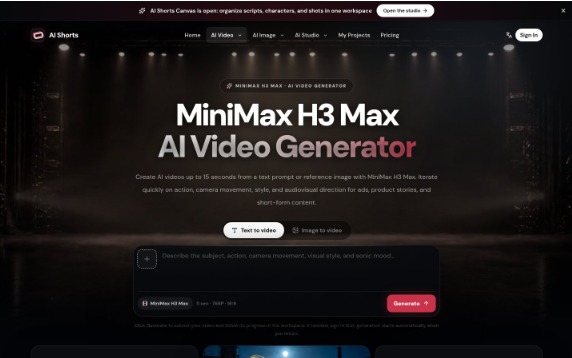
You can start a clip from a text description when you want to explore an idea, or from a reference image when the product, character, or composition already matters. Some models also support additional input modes; for example, the MiniMax H3 Max page describes text-to-video, image-to-video, and first/last-frame creation, which lets you define both the opening and closing image of a transition.
4. Script-to-storyboard on the canvas
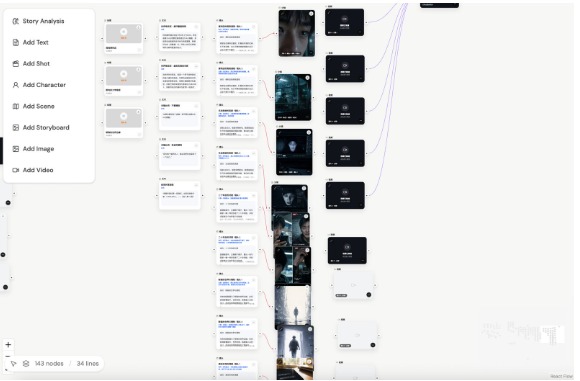
This is where AI Shorts Studio differs most from a typical generator. In the canvas, you paste story text and use story analysis to break it into characters, scenes, and shots. You then review each shot’s details and references before generating storyboard images or video clips for it.
For short dramas and multi-shot ads, planning shots before generating is the difference between a coherent sequence and a pile of unrelated clips. It also saves credits, because you catch problems in the plan rather than in the output.
5. Character bibles and consistency across shots
Keeping the same character recognizable across ten shots is the hardest problem in AI storytelling. AI Shorts Studio lets you save character bibles, reference images, and their usage relationships inside a project so they can be brought into every generation. The goal is to reduce drift in faces, wardrobe, and settings from one shot to the next.
6. Shot rhythm and motion control
Each clip can carry shot size, camera position, motion, duration, and keyframe direction. Thinking in these terms, rather than in adjectives like “cinematic”, is what makes AI footage feel edited and intentional.
7. One project, reusable assets
Every generation can return to the project context, be referenced again, connected to a new shot, and edited further. The paid plans also mention a project asset library and canvas project history, so earlier decisions stay available as the project grows.
8. Templates and recreation guides
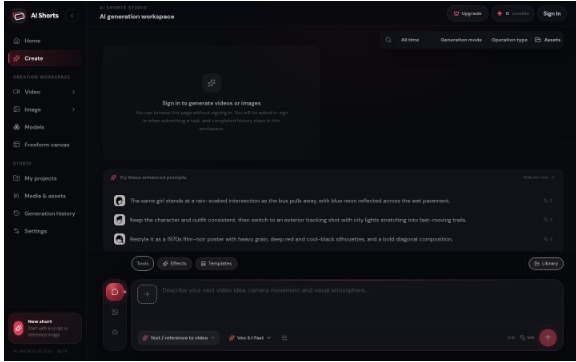
For creators who prefer to start from something concrete, the site offers effect and trend templates with ready-to-edit prompts, plus breakdowns of homepage examples showing their shots and prompts.
How it works: your first video in three steps
- Describe your video. Write the subject, action, and camera movement. Add a reference image if you need a specific look.
- Choose a model. Pick a video model and check its supported duration, aspect ratio, and settings.
- Generate and review. Sign in to generate, play the result, and adjust your prompt or references for the next version.
For anything longer than one clip, move into the canvas: add your story, review the generated shot list, attach references, and generate shot by shot.
Who is AI Shorts Studio for?
- Short drama creators who need the same cast and world to hold together across scenes and episodes.
- Marketers and e-commerce teams testing ad angles around product images, core benefits, and platform requirements.
- Social creators producing fast vertical drafts for TikTok, Reels, and YouTube Shorts.
- Animation and comic IP owners who need character references preserved across formats.
- Filmmakers exploring AI who want to combine shot size, camera position, motion, and sound direction into a deliberate rhythm.
Practical use cases
Serial short drama
Paste an episode script, let story analysis split it into scenes and shots, lock character references, and generate each shot against the same references. Review continuity before extending to the next scene.
Product ads
Start from a product photo, generate a few clean keyframes with an image model, then use image-to-video to test camera moves and atmosphere while checking that the product stays recognizable.
Social shorts
Plan a strong first frame, one visual turn, and an ending that fits a vertical format, then generate each clip as part of that short sequence rather than as isolated prompts.
Pricing
AI Shorts Studio offers paid monthly plans based on credits. Credit costs vary by model and settings, so check the displayed cost before each generation.
How it compares with single-model tools
Dedicated single-model apps are a good choice if you only ever need one kind of clip from one model. Where AI Shorts Studio stands out is the combination: several video and image models side by side, plus a project canvas that connects scripts, characters, references, and shots. If your work involves more than one shot and you care about consistency, that structure tends to matter more than which individual model is marginally better on a given day.
Tips for better results
- Write prompts as subject, action, and camera, one of each per shot.
- Use an image reference whenever identity matters, whether that’s a face, a product, or a brand color.
- Plan the shot list before generating; fix the plan, not the output.
- Change one variable at a time between versions so you learn what each model responds to.
- Keep approved frames as references for the next shot.
FAQ
How is AI Shorts Studio different from a regular AI video generator?
It brings multiple video and image models into one generator, and adds a canvas for organizing scripts, characters, scenes, references, and generated assets across a multi-shot project.
Can it turn a script into a storyboard?
Yes. In the canvas you add story text and use story analysis to break it into characters, scenes, and shots, then generate storyboard images or clips.
Can I start from a reference image?
Yes. Add a reference image and choose a video model that supports image input. You can also create a reference frame first with an image model.
Which model should I choose?
Use a video model for motion and an image model for characters, scenes, and reference frames. Options and credit costs vary by model, so check settings before generating.
Is there a Chinese interface?
Yes, the plans list both English and Chinese interfaces.
Final thoughts
AI video has reached the point where a single good clip is easy. The hard part now is making a sequence: the same character, a consistent world, and shots that cut together. AI Shorts Studio is built around that problem, combining model choice with storyboard planning and reusable references in one workspace. If you are making short dramas, multi-shot ads, or a recurring series, it is worth trying for your next project.






Comment