
IP Lookup Tools: Free Online Services for IP Addresses, Geolocation, ISP Information, and Network Details

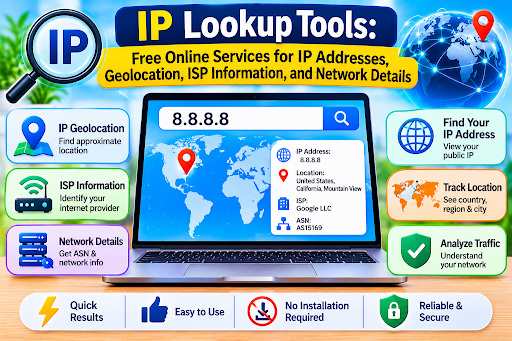 Understanding how devices connect to the internet can be useful for website owners, developers, network administrators, cybersecurity professionals, and everyday users. Every device connected to the internet communicates through an Internet Protocol (IP) address, which helps identify its network connection. Sometimes, users need to find information associated with an IP address, such as its approximate geographical location, Internet Service Provider (ISP), or network details. This is where IP Lookup Tools become useful.
IP Lookup Tools are online services designed to retrieve publicly available information associated with an IP address. A free IP lookup and geolocation platform can display details such as an IP address, approximate location, country, region, city, ISP, and network information. These tools provide a convenient way to understand basic internet connectivity without requiring advanced technical knowledge or installing additional software.
What Are IP Lookup Tools?
IP Lookup Tools are online utilities that help users identify and examine information associated with IPv4 and IPv6 addresses. They retrieve information from IP databases and network registration records to provide an overview of an internet connection.
When someone enters an IP address into a lookup tool, the service processes the information and displays available details. Some platforms can also automatically detect the visitor’s public IP address and show relevant network information.
Depending on the service, the results may include:
- Public IPv4 or IPv6 address
- Approximate country and region
- City-level geolocation estimates
- Internet Service Provider information
- Organization or network owner
- Autonomous System Number (ASN)
- Network and connection details
- Time zone information
These details can help users understand where an IP address is registered or approximately located and which network provider manages the connection.
How Does an IP Lookup Tool Work?
An online IP lookup tool generally follows a simple process. It uses publicly available IP databases and geolocation services to retrieve information associated with an IP address.
The process usually involves the following steps:
Step 1:
Open an IP Lookup Website
Visit an online IP lookup service using a web browser on your computer, smartphone, or tablet.
Step 2:
Enter an IP Address
Type or paste the IPv4 or IPv6 address you want to investigate into the search field. Some platforms automatically detect your current public IP address.
Step 3:
Start the Lookup
Click the lookup or search option to retrieve the available information.
Step 4:
Review the Results
The platform displays the information associated with the submitted IP address. Depending on its database, this may include approximate location, ISP, country, region, and network details.
Step 5:
Understand the Information
Review the results to identify the network provider and general geographical information. Remember that geolocation results are estimates rather than guaranteed physical locations.
Understanding IP Geolocation Information
One of the most popular features of IP Lookup Tools is IP geolocation. This functionality estimates the geographical area associated with an IP address.
Depending on the available database, users may see information about the country, region, city, and time zone.
Country Information
Country-level information helps identify the country associated with an IP address. This can be useful for understanding website traffic sources and reviewing network connections.
Region and City Information
Some geolocation services provide estimated regional and city-level information. However, accuracy varies depending on the IP database, network configuration, and internet provider.
Time Zone Information
Certain tools display the approximate time zone associated with an IP address. This can help developers and website administrators understand geographical patterns in website traffic.
It is important to understand that IP geolocation does not reveal a person’s exact home address or precise physical location. VPNs, proxies, mobile networks, and shared internet connections can also affect the displayed results.
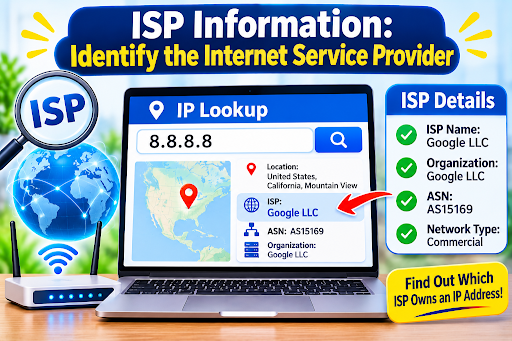
ISP Information: Identify the Internet Service Provider
Another useful feature of IP Lookup Tools is the ability to identify the Internet Service Provider associated with an IP address.
An ISP is a company or organization that provides internet connectivity to individuals and businesses. Lookup services may display the provider’s name, registered organization, or network ownership information.
This information can help users understand which provider manages a particular IP range.
For website administrators, ISP information can also support traffic analysis and network troubleshooting. For example, identifying the provider associated with unusual connection activity may help investigate potential network issues.
However, the displayed organization may represent a hosting company, cloud provider, VPN service, or network operator rather than the internet provider used by an individual.
Important Network Details Available Through IP Lookup Tools
In addition to geographical information and ISP details, some advanced IP lookup platforms provide technical network information.
IPv4 and IPv6 Address Information
IPv4 and IPv6 are two major versions of the Internet Protocol. IPv4 addresses use a numerical format, while IPv6 uses a longer hexadecimal format designed to support a much larger number of internet-connected devices.
A useful IP lookup service should ideally support both address types.
Autonomous System Number (ASN)
An Autonomous System Number identifies a network or group of networks operating under a common routing policy. ASN information helps network professionals understand how internet traffic is organized and routed.
Hosting and Network Information
Some services can identify whether an IP address is associated with a hosting provider, data center, cloud platform, or residential network.
This information can be useful for network analysis and identifying the general type of infrastructure associated with an address.
Benefits of Using Free IP Lookup Tools
Free IP lookup services provide several advantages for different types of users.
Easy Access to Network Information:
Users can retrieve publicly available IP details without using complicated command-line tools.
Website Traffic Analysis:
Website owners can examine approximate geographical patterns in visitor traffic and understand where their audiences may be located.
Network Troubleshooting:
Developers and administrators can use IP information as one part of investigating connectivity problems.
ISP Identification:
Identifying the organization associated with an IP address can help users understand network ownership and infrastructure.
Security Monitoring:
IP lookup information can support preliminary investigations of suspicious network activity when combined with other security tools.
No Software Installation:
Most browser-based services allow users to perform lookups directly through a website.
Who Can Benefit from IP Lookup Tools?
IP Lookup Tools are useful for several professional and everyday applications.
- Website Owners:
Understand approximate geographical traffic patterns and network information.
- Developers:
Investigate network-related issues and test location-based application features.
- Cybersecurity Professionals:
Gather preliminary information when reviewing suspicious IP addresses.
- Network Administrators:
Examine network ownership and provider information during troubleshooting.
- Digital Marketers:
Understand broad geographical audience distribution.
- Everyday Internet Users:
Check their public IP address and learn more about their internet connection.
These tools offer a simple starting point for understanding publicly available IP-related information.
Important Features to Look for in an IP Lookup Tool
Not all IP lookup services provide the same level of information. Before choosing a platform, consider the following features:
IPv4 and IPv6 Support:
The service should support both major IP address formats.
Geolocation Information:
Look for country, region, and approximate city information.
ISP Detection:
The platform should identify available internet provider or network organization details.
ASN Information:
Advanced network details can be helpful for technical users.
Simple Interface:
Clear navigation makes the lookup process easier.
Updated Databases:
Regularly maintained IP databases can improve the relevance of lookup results.
Privacy Protection:
Choose reputable services that explain how submitted IP addresses and lookup activity are handled.
Are IP Lookup Results Always Accurate?
IP lookup information is not always completely accurate. Geolocation databases rely on available network registration information and estimation techniques, so results can differ between providers.
VPNs, proxies, corporate networks, mobile connections, and dynamic IP assignments can also influence the displayed location.
An IP address generally identifies a network connection rather than a specific individual. Therefore, users should not treat IP lookup results as proof of someone’s identity, exact location, or personal activities.
For sensitive investigations, IP lookup information should be considered alongside other reliable technical evidence.
Conclusion
IP Lookup Tools provide a convenient way to explore publicly available information associated with internet addresses. From approximate geographical locations and ISP identification to IPv4, IPv6, ASN, and network details, these online services help users better understand internet connectivity.
Whether you are a website owner analyzing visitor traffic, a developer troubleshooting an application, or an everyday user checking an IP address, a free IP lookup platform can provide useful information within seconds.







Comment