
Online Image Tools: Free Solutions for Image Compression, Resizing, Conversion, and Optimization

Images play an important role in modern digital communication. From websites and blogs to social media posts, online advertisements, and business presentations, visual content helps attract attention and communicate information effectively. However, managing image files can sometimes be challenging, especially when they are too large, have unsuitable dimensions, or use incompatible formats. This is where Online Image Tools become useful.
Online Image Tools provide convenient solutions for processing and optimizing images directly through a web browser. Instead of installing complicated editing software, users can access free tools to compress, resize, convert, and optimize their images within seconds. These platforms are particularly helpful for website owners, bloggers, designers, digital marketers, and everyday users who need quick image-processing solutions.
What Are Online Image Tools?
Online Image Tools are browser-based utilities designed to help users perform different image-processing tasks without downloading additional applications. They provide simple features that allow people to modify image files according to their requirements.
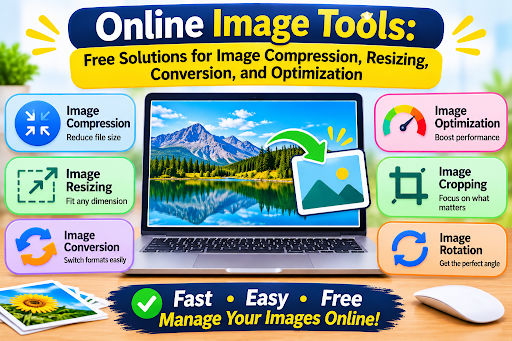
A free online image platform may include several useful utilities, such as:
- Image compression
- Image resizing
- Image format conversion
- Image optimization
- Image cropping
- Image rotation
- Basic image editing
These tools are generally designed with straightforward interfaces. Users can upload an image, select the required operation, adjust available settings, and download the processed file.
Because everything can be accessed through a browser, users can perform basic image-processing tasks from computers, smartphones, and tablets.
Image Compression: Reduce File Size Without Unnecessary Quality Loss
Image compression is one of the most useful features available on online image-processing platforms. Large image files can consume considerable storage space and make websites load more slowly.
An image compressor reduces file size by removing unnecessary data or optimizing how image information is stored. Depending on the compression method, it can reduce file size while maintaining acceptable visual quality.
Why Is Image Compression Important?
Website owners often use multiple images across their pages. If these images are unnecessarily large, they can negatively affect loading performance and the overall browsing experience.
Compressed images can help:
- Reduce website page weight.
- Improve loading performance.
- Save device storage space.
- Make image uploads faster.
- Reduce bandwidth requirements.
Online image compressors make this process accessible without requiring advanced technical knowledge.
Image Resizing: Adjust Dimensions for Different Platforms
Different websites and digital platforms require images in different dimensions. A photograph suitable for a blog article may not fit correctly into a social media post or website banner.
An online image resizer allows users to adjust image width and height according to their needs.
For example, website owners may need smaller images for thumbnails, while social media managers may require specific dimensions for promotional graphics.
Benefits of Online Image Resizing
A reliable image resizer can help users:
- Create images suitable for website layouts.
- Prepare graphics for social media platforms.
- Adjust photographs for presentations.
- Maintain consistent image dimensions.
- Reduce image dimensions for faster loading.
Some tools also offer aspect-ratio controls, allowing users to resize images without unnecessarily stretching or distorting their appearance.
Image Conversion: Change Formats Easily
Different image formats serve different purposes. Some are suitable for photographs, while others are better for transparent graphics or optimized website images.
An online image converter makes it easier to change files from one supported format to another without installing dedicated software.
Common Image Formats
JPG or JPEG:
Commonly used for photographs and digital images. It offers efficient compression and broad compatibility.
PNG:
Suitable for graphics, logos, screenshots, and images that require transparent backgrounds.
WebP:
A modern image format designed to provide efficient compression while maintaining good visual quality.
GIF:
Commonly used for simple animations and short looping graphics.
SVG:
A vector format frequently used for icons, illustrations, and scalable website graphics.
By using an online image converter, users can select a suitable format based on their intended application and compatibility requirements.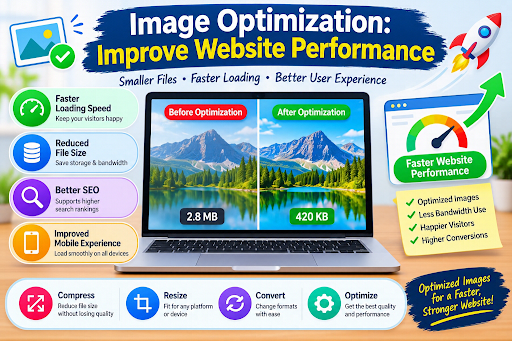
Image Optimization: Improve Website Performance
Image optimization combines different techniques to make images more suitable for digital use. This may include compression, resizing, format selection, and removing unnecessary metadata.
For website owners, optimized images can contribute to a better browsing experience by reducing the amount of data visitors need to load.
Search engines also consider page experience and performance among their ranking-related signals. Although image optimization alone does not guarantee higher search rankings, it can support broader website performance improvements.
How Image Optimization Helps Websites
Optimized images can provide several advantages:
- Faster image delivery.
- Reduced page size.
- More efficient bandwidth usage.
- Better mobile browsing experiences.
- Improved resource management.
For blogs, online stores, business websites, and content-heavy platforms, image optimization can be an important part of maintaining a well-performing website.
Benefits of Using Free Online Image Tools
Free Online Image Tools offer several advantages for individuals and businesses.
No Software Installation
Most browser-based image tools do not require users to install additional applications. They can access the platform directly through a website and complete basic processing tasks online.
Easy to Use
Many platforms feature simple interfaces with clearly labeled options. Users can upload images, choose a processing function, and download the results without advanced editing skills.
Saves Time
Performing basic image-processing tasks through individual desktop applications can be time-consuming. Online tools simplify common operations and help users complete them quickly.
Supports Different Image Formats
A good online image platform supports commonly used formats, making it easier to work with photographs, graphics, screenshots, and website images.
Accessible Across Devices
Browser-based platforms can often be used on computers, smartphones, and tablets. This makes them convenient for people who work across multiple devices.
Useful for Different Projects
From personal photographs to website graphics and digital marketing materials, online image tools support a wide range of everyday image-processing requirements.
Important Features to Look for in Online Image Tools
Not all image-processing platforms provide the same features. Before choosing a service, consider the following:
Multiple Processing Options:
Look for a platform that offers compression, resizing, conversion, and optimization in one place.
Quality Control:
Users should have access to suitable settings that help balance file size and visual quality.
Format Compatibility:
Support for popular formats such as JPG, PNG, WebP, and GIF improves flexibility.
Batch Processing:
The ability to process multiple images at once can save time when working with large collections.
Simple Navigation:
A clean interface makes it easier to find and use different tools.
Privacy and Security:
Choose reputable platforms that clearly explain how uploaded files are handled, stored, and deleted.
Fast Processing:
Efficient tools help users complete image-related tasks without unnecessary delays.
Who Can Benefit from Online Image Tools?
Online image-processing utilities are useful for many types of users.
- Bloggers:
Compress and resize images before publishing articles.
- Website Owners:
Optimize graphics to support website performance.
- Digital Marketers:
Prepare promotional images for online campaigns.
- Graphic Designers:
Convert and resize assets for different projects.
- Students:
Adjust images for assignments and presentations.
- Everyday Users:
Compress personal photographs and convert files into compatible formats.
These tools can simplify routine image management without requiring expensive editing software.
Conclusion
Online Image Tools offer a convenient and accessible way to manage everyday image-processing tasks. With features such as compression, resizing, conversion, and optimization, users can prepare images for websites, social media, presentations, and personal projects.
A free online platform that combines these utilities can save time, reduce the need for additional software, and make image processing easier for beginners and professionals alike.







Comment