
Free Photo Editor AI for B2B Content Teams Repurposing Images Across Blogs and Social Media

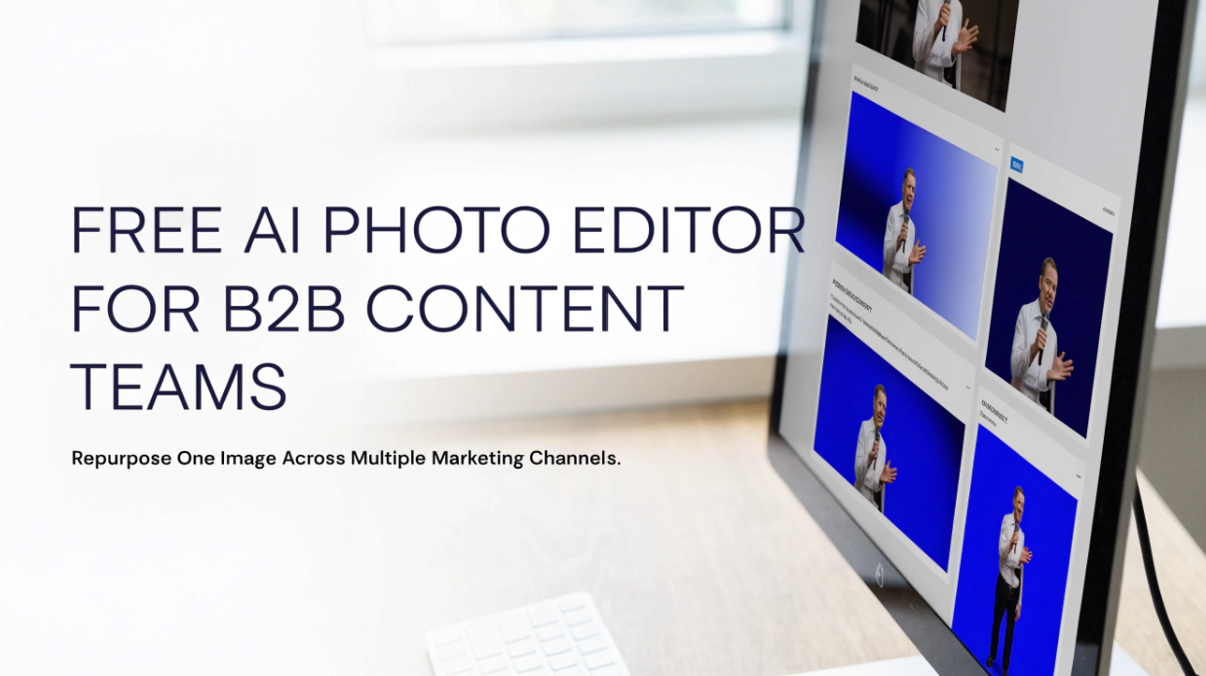
Most B2B content teams do not have an image problem. They have an image reuse problem. A single product screenshot, event photo, or team portrait gets produced once, then needs to appear in a blog post, a LinkedIn carousel, a newsletter header, a webinar promotion, and a sales deck. Each placement has its own size, crop, and tone, and each one lands on a designer’s or marketer’s to do list.
This is where a Free Photo Editor AI can fit into the workflow. Instead of commissioning new visuals for every channel, a team can take approved images and adapt them quickly. This article walks through how B2B teams can do that sensibly, what to watch for, and how to keep the results consistent with a brand.
Why Image Repurposing Matters in B2B Content
B2B marketing runs on volume and consistency. A typical content calendar might include two blog posts a week, daily social updates, a monthly newsletter, and regular campaign assets. Producing original photography or custom illustration for each item is rarely realistic.
Repurposing solves part of this. A strong conference photo can become a blog hero image, a square social post, a speaker announcement, and a recap graphic. The core image stays the same, but the presentation changes to suit each channel.
The risk is that repurposed visuals start to look tired or inconsistent. Cropping the same photo identically across five channels makes it feel stale, while editing each version by hand eats up time. A practical AI photo editor can help teams find a middle path.
What an AI Photo Editor Can Do for a Content Team
Not every feature matters equally for business use. The most useful capabilities for B2B teams tend to be these:
Background cleanup and replacement. Product shots, headshots, and event photos often have distracting backgrounds. Removing or simplifying them makes an image easier to place on different layouts.
Resizing and reframing. A landscape blog header does not work as a vertical story or a square feed post. AI assisted tools can extend or reframe a scene so the subject stays well positioned in every format.
Lighting and color correction. Photos taken by different people on different days rarely match. Light adjustments help bring them closer together before they appear side by side in a campaign.
Object removal. Stray cables, signage, or bystanders in the background can undermine a professional look. Removing them is often faster with AI than manual retouching.
Style variations. Slight changes in tone, contrast, or treatment can give one source photo a fresh feel for a different audience or season.
A free tool is a reasonable place to test these features before deciding how much to build into a regular process. Just remember to check current usage limits, export quality, and file format options, since these can change over time.
A Practical Workflow for Repurposing Images
A repeatable process saves more time than any single feature. Here is a simple approach that content teams can adapt.
Start with an approved source library
Before editing anything, gather the images your team is already allowed to use. This might include product screenshots, brand photography, executive portraits, event images, and licensed stock. Keeping a shared folder with clear naming makes it easier for anyone on the team to pick the right starting point.
Using approved sources also protects you from rights problems. AI editing does not change who owns or has licensed an image, so confirm usage permissions before you begin.
Decide where each image will appear
List the placements before you edit. A blog hero image, an Instagram or LinkedIn post, a newsletter banner, and a webinar landing page all have different dimensions and different viewing contexts. A photo that works on a wide blog header may be unreadable on a phone screen.
Writing down the target sizes and the main message of each placement gives you a clear brief. It also prevents the common mistake of editing an image first and figuring out where it belongs afterward.
Edit for the channel, not just the size
Resizing is only part of repurposing. A blog post can carry a detailed image that rewards a closer look. A social feed image has about a second to earn attention, so a simpler composition, a clearer subject, and more empty space for text often work better.
With an AI photo editor, you can clean up a busy background, shift the framing toward the main subject, and leave room for headlines or logos. Plan for the text overlay while you edit rather than squeezing it in afterward.
Keep a consistent visual signature
If every image looks like it came from a different brand, the repurposing effort works against you. Choose a few consistent decisions and apply them each time: a preferred color temperature, a typical level of contrast, a standard approach to backgrounds, and consistent margins around the subject.
These small rules help images from different shoots and different editors feel like they belong together, even when they appear on different platforms.
Review before publishing
AI edits can introduce small errors. Check faces, hands, text on products, logos, and edges where a background has been changed. Zoom in at full size, then view the result at the size your audience will actually see it.
For B2B content, accuracy matters more than novelty. If an image shows a product, interface, or person, the edited version should still represent them honestly. Avoid edits that change what a product looks like or what an event actually was.
Matching Edits to Common B2B Content Types
Different formats call for different treatments. A few examples show how one image can serve several purposes.
Blog posts. Use a clean, wide image with a clear subject. A lightly adjusted photo with consistent lighting helps the post feel polished without drawing attention away from the writing.
LinkedIn and social posts. Crop tighter and simplify the background. If you add text, keep the message short and make sure the subject is not hidden behind it.
Email newsletters. Use smaller file sizes and straightforward compositions. Many email clients load images slowly or block them, so the layout should still make sense if the image is delayed.
Webinar and event promotion. Pair speaker portraits with a consistent background treatment so a series of announcements looks cohesive.
Case study and sales materials. Prioritize accuracy. Use edits for cleanup and consistency, not for dramatic changes that could misrepresent a client or product.
Common Mistakes to Avoid
Over editing. Heavy filters or obviously artificial backgrounds can make a professional brand look less credible. Subtle changes usually serve B2B audiences better.
Ignoring accessibility. If you place text over an image, check contrast, and add useful alt text when publishing. Edited images should still be understandable to everyone.
Skipping brand guidelines. An AI tool will not know your color palette, tone, or logo rules unless you apply them. Treat the tool as a helper, not a replacement for brand standards.
Using a weak source image. A blurry or low resolution photo will not become a great one. Start with the best available original whenever possible.
Assuming free means unlimited. Free plans can have restrictions on export size, daily usage, or features. Test the tool with a typical week of content before relying on it for a larger campaign.
Forgetting disclosure norms. Depending on your industry and audience, you may want to be clear when an image has been significantly altered or generated, especially in contexts where authenticity matters.
Measuring Whether It Is Working
A repurposing workflow should save time and keep quality steady. Track a few simple indicators: how long it takes to prepare images for a typical piece of content, how often designers are pulled into small edits, and whether the visuals across channels look consistent.
You can also compare engagement on edited and unedited versions of similar posts, though results depend on the audience, message, and timing, so treat them as clues rather than proof.
A Sensible Place to Start
If your team is just beginning to repurpose images with AI, start small. Pick one recurring content type, such as weekly blog posts and their social promotions. Take three or four approved images, edit them for each placement, and compare the process with how you handled it before.
A tool like Free Photo Editor AI can make that test low risk, since you can try the workflow without a large commitment. If it saves time and the results meet your standards, expand it gradually. If not, you will have learned which parts of your process still need human design attention.






Comment