
How Media.io MCP Brings AI Image and Video Creation into Agent Workflows

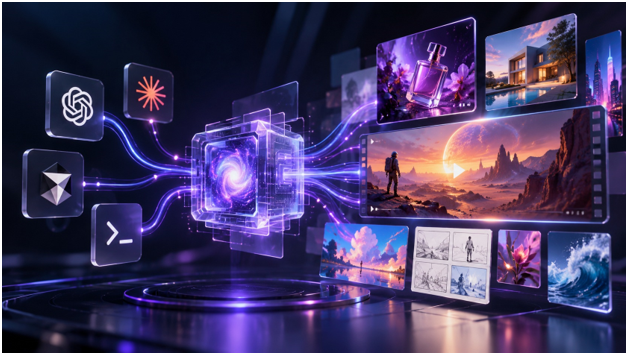
A new campaign needs more than one good image. You may need a product shot, a short video and several social variations, all built from the same brief. Yet producing them often means moving between generators and repeating the same instructions.
With Media.io, you can bring supported image and video creation into the AI agent you already use. The brief stays in one workflow, even as the format changes.
Why AI Creation Needs a More Connected Workflow
You might already use an AI agent to write scripts, develop briefs or plan campaigns. The friction starts when you switch to separate tools to create visuals. Each move takes the idea away from the conversation where it began.
Model Context Protocol (MCP) lets compatible AI clients work with external tools. Media.io MCP uses that connection to make supported image and video generation available within an agent workflow. It does not make every model or editing feature available in every client; your options depend on the connection and account.
More Creative Tests, Fewer Credit Concerns
An idea rarely stops at the first result. You might compare three art directions, refine a product shot or test a new video concept. The freedom to experiment matters, but so does the cost of each attempt.
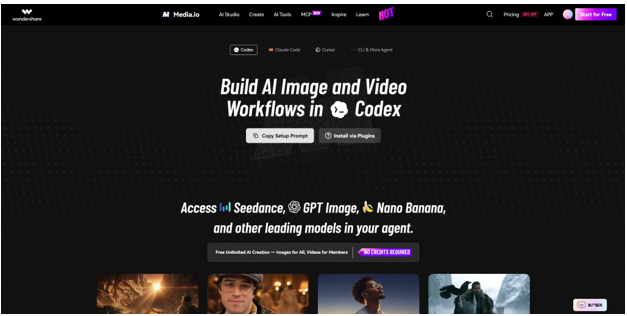
Here is an appealing place to start: Media.io MCP promotes free unlimited image creation for eligible models, plus credit-free video generation for qualifying members. Its “No Credits Required” message refers to those eligible options, not every model on the service.
For eligible models, you can create AI images 100% free of additional AI credits. If you are an eligible Media.io member, selected video models also let you generate without extra AI-credit charges. Check the model label and your membership terms before starting; other models may use credits or have limits.
One MCP Connection, Different Visual Possibilities
An image concept, a cinematic clip and a storyboard call for different tools. Through Media.io MCP, you can access supported creative models, including model families such as Seedance, GPT Image and Nano Banana, from a compatible agent. You can choose a tool for the format you need rather than rebuild your workflow for each new idea.
Say your campaign starts with one product image. Next you need color variations, then a short motion concept. Or you could begin with a script and explore several storyboard frames. The connection keeps these requests close to your original project, although tool availability and results still depend on the client and model.
What Could You Actually Create with Media.io MCP?
Here are four ways you could put that connection to work. The images below illustrate creative directions, not outputs from a tested MCP session.
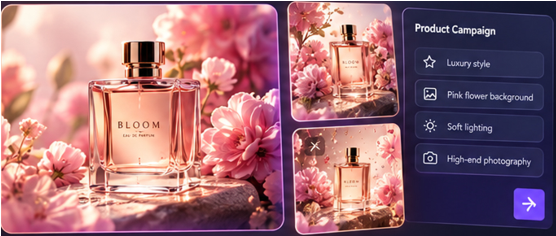
A campaign that begins with one product
Suppose you are launching a fragrance. Start with a hero image, then explore warmer lighting, a different setting or a social-friendly crop. AI image generation can help you compare directions before a full shoot. You still need to check the packaging, product details and brand consistency before publishing.
A storyboard that makes a script visible
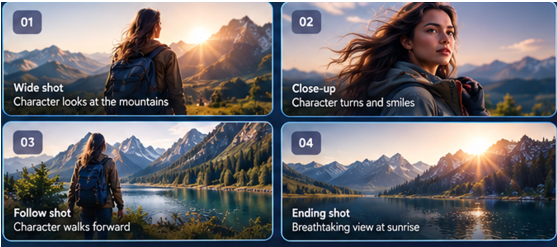
A script tells you what happens; a storyboard helps everyone see it. Picture an explorer approaching an unfamiliar city. You could explore a wide establishing shot, a closer character view and a final reveal. Reviewing those frames together helps you refine composition and continuity before production.
Short-form video that starts as a visual idea
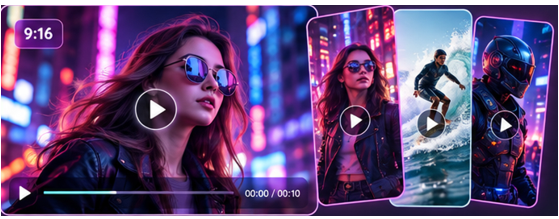
A visual idea can also become a short video. Imagine a character crossing a neon-lit street as the camera moves closer. With AI video generation available through a compatible MCP connection, you can request a supported video task without leaving your agent workflow. Duration, quality and controls vary by model.
A set of product variations from one campaign brief
If you are launching a furniture collection, one image will not be enough. You may need the same chair in several colors, environments and ad formats. A consistent brief can guide batch image generation and make the variations easier to review. You can also explore turning webpage selling points into banners or social concepts, then check every asset for accuracy and brand fit.

Who Has the Most to Gain?
If you create social content, you could test video ideas before filming. If you work in marketing, you could compare campaign directions; as a designer, you could turn a rough brief into visual references. Developers can connect creative tasks to existing agent workflows, while small teams can organize repeatable asset requests. The value is practical: start where you already work.

Getting Started with Media.io MCP
To get started, choose the workspace you already use: Codex, Claude Code, Cursor or a compatible agent under CLI & More Agent. In Codex, you can use Copy Setup Prompt or Install via Plugins. Follow the instructions for your selected environment rather than relying on an installation command copied from an article.
After connecting your account, check which tools are available and try one focused request: a product image or a single cinematic scene. Review the result, adjust your brief and explore the ready-made workflow examples when you want to go further.
Conclusion
The real benefit of Media.io MCP is not another place to generate an image. It is the chance to bring supported image and video creation into the AI workflow you already use. Start with one brief, test the models available to your account and review what they produce. If the approach fits your work, explore more tools, examples and setup options at the Media.io MCP site.
FAQs
1. What does Media.io MCP do?
You can use it to request supported image and video generation tools from a compatible AI agent through Model Context Protocol.
2. Can I use Media.io MCP for free AI image generation?
Yes, with eligible free image models. Availability and usage limits depend on your account and the model you choose.
3. Does membership include credit-free AI videos?
Qualifying members can use selected video models without extra AI-credit charges. The benefit does not apply to every video model.
4. Which AI clients can I connect?
You can find setup options for Codex, Claude Code, Cursor, CLI and other compatible agents. Features vary by client and connection.
5. Do I need to paste a setup command from this article?
No. Choose your workspace and follow the current setup instructions on the Media.io MCP site.
Read More From Techbullion





Comment