
How Restaurant Security Cameras Reduce Loss and Improve Operations

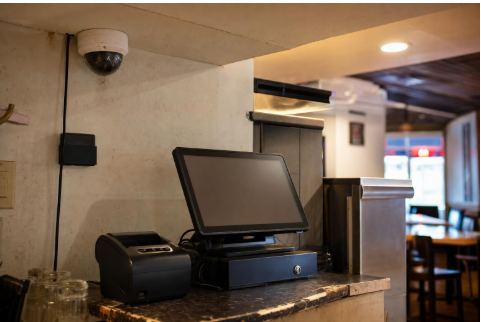
Restaurant margins leave little room for waste. The National Restaurant Association estimates that average restaurant expenses have risen 36 percent since 2019, while typical pre-tax margins remain close to 5 percent. When only a few points of profit are available, small losses matter.
That pressure is changing how operators think about cameras. Modern systems do more than store footage for later review. They can also act as sensors that flag loss, safety, and service problems while managers still have time to respond.
For teams evaluating digital tools, the useful question is not whether cameras can help. It is which capabilities reduce shrink, improve service, and support a rollout that avoids legal and policy mistakes.
What restaurant security technology covers now
The stack has moved beyond a box in the back office. It often includes cloud-managed cameras, local camera storage with optional cloud archiving, basic AI analytics, remote access, role-based permissions, and health monitoring that flags offline cameras.
How cameras help reduce loss
The biggest gains often come from pairing video with point-of-sale data. Solink supports POS integrations that combine camera footage with transaction data to surface activity such as refunds, discounts, and voids. Toast’s partner directory describes Solink as combining video with Toast POS data for protection and monitoring.
This connection lets managers see the moment behind an exception. A void, no-sale, or discount above a set threshold can link to the clip, so review takes seconds instead of requiring someone to scrub through hours of video.
Two simple playbooks help here:
- Run a weekly exception review of refunds, voids, and large discounts matched to footage.
- Set a manager sign-off rule for refunds above a defined amount, with the transaction and clip logged.
How cameras improve day-to-day operations
The same footage can support operational reviews. Axis says its solutions can monitor waiting times, tidiness, service standards, and kitchen hygiene. Rhombus reports on occupancy, queues, and utilization.
Food-safety verification at the pass, service-quality audits, and training reviews can also benefit from recorded context. These gains add up across multi-unit groups, where a small improvement repeated across locations can become meaningful.
Legal and policy basics
This is general information, not legal advice, and rules vary by state. Confirm your approach with qualified counsel before deploying cameras.
There is no single federal law specifically regulating workplace video monitoring. State laws and wiretap rules govern instead, and they are strictest around audio. Use the same governance lens for digital tools when setting access, retention, and notice. FindLaw advises that most workplace video is permissible with notice but is limited in places where people have an expectation of privacy, such as restrooms or locker rooms.
Practical steps help reduce risk. Post clear signage, document camera policies in your employee handbook, set a retention period, and use role-based access so only authorized people view sensitive footage.
Deployment checklist for multi-site rollouts
A consistent rollout is easier to manage, train, and audit. Work through the following before installation:
- Map coverage from kitchen to curb, including entrances and back-of-house doors.
- Confirm clear POS views for transaction correlation.
- Run lighting tests during the darkest and brightest parts of the day.
- Check Power over Ethernet capacity and bandwidth at each site.
- Define a retention policy and storage plan.
- Set exception KPIs and assign review owners.
- Assign user roles and permissions.
- Document camera placement, settings, and sign-offs.
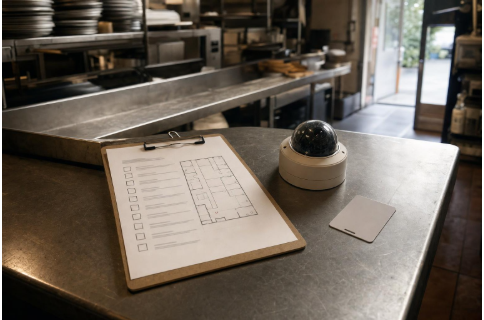
If you are mapping kitchen-to-curb coverage and planning a multi-location rollout, this guide to restaurant security cameras shows what consistent installation and documentation look like in practice.
Metrics that matter
- Voids, comps, refunds, and no-sales by shift and location.
- Drive-thru total time and order accuracy.
- After-hours false-alarm rate.
- Investigation time saved per incident.
Start small, then scale
Connected cameras and POS data can protect revenue and standardize service across a group. The safest path is a test-and-measure rollout at one site before expanding.
Pick a location, define your exception KPIs, and confirm that the platform matches your POS integrations, retention needs, access controls, and legal requirements. Once the numbers hold up, roll the same standards out site by site.
FAQ
Where can I place cameras in a restaurant?
Cameras are generally allowed in public and work areas such as dining rooms, kitchens, entrances, and POS stations. Avoid areas with a reasonable expectation of privacy, like restrooms and locker rooms. Rules vary by state, so confirm locally.
Do I need to notify staff or guests?
FindLaw notes that most workplace video is permissible with notice. Posting clear signage and documenting the policy in your handbook is a practical way to provide that notice. This is not legal advice.
Can cameras integrate with my POS?
Some platforms do. POS-video integrations can pair footage with transaction data so managers can review refunds, voids, discounts, and no-sales in context. Confirm compatibility with your specific POS before rollout.
Read More From Techbullion







Comment