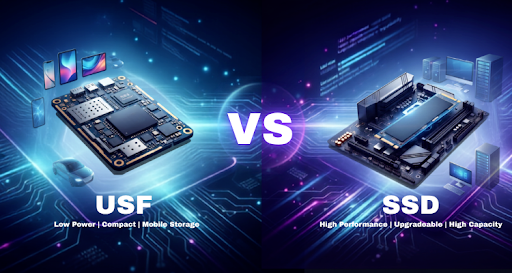
UFS and SSDs share the same flash memory foundation, but they’re aimed at entirely different use cases. UFS is what you’ll find inside smartphones, tablets, and embedded systems—places where power efficiency and a tiny footprint are non‑negotiable. SSDs, on the other hand, inhabit laptops, desktops, workstations, and servers, where larger capacities, steady sustained performance, and the flexibility to swap drives later take priority. There’s no blanket “best” here; it’s entirely about whether your priority is battery life and board space, or capacity and long‑haul throughput.
What Is UFS Storage?
UFS—Universal Flash Storage, if you’re keeping score—is a flash storage spec from JEDEC, aimed squarely at mobile and embedded devices. Unlike the old eMMC, UFS uses a full‑duplex serial interface, so reads and writes happen at the same time. That’s a big deal in real‑world use: you’ll notice it when you’re switching between apps, downloading a file, and recording video all at once—things just feel snappier.
Modern UFS versions have made some pretty impressive leaps. UFS 4.0, for instance, hits sequential reads up to 4,200 MB/s and writes up to 2,800 MB/s, while the interface bandwidth doubles to 46.4 Gbps compared to UFS 3.1. And it does all that while sipping power and fitting into cramped board layouts—exactly what you need for battery‑driven devices where heat and real estate come at a premium.
That’s why you’ll find UFS all over the place: smartphones, tablets, handheld gaming devices, car infotainment, AR/VR headsets—pretty much any embedded setup that demands fast storage without guzzling juice or hogging space. It’s not the only game in town, but for mobile and compact gear, it’s become the default for good reason.
What Is SSD Storage?
An SSD is basically a NAND flash box with no moving parts—no spinning platters, no heads. That alone sets it apart from UFS, which is built for tight, power‑sipping mobile gear. SSDs cover the whole computing spectrum, from budget laptops to rack‑full enterprise servers, offering bigger capacities, steadier sustained throughput, and the flexibility to handle gaming, rendering, or database work.
Form factors vary: 2.5‑inch SATA tops out around 560 MB/s—fine for older systems on the cheap. M.2 NVMe via PCIe is where the speed lives: PCIe 4.0 pushes past 7,400 MB/s, and PCIe 5.0 already breaks 14,000 MB/s on sequential reads. Enterprise drives add extra endurance, reliability, and consistent performance for data‑heavy environments where a hiccup costs real money.
That mix of speed, capacity, and scalability is why SSDs show up everywhere—gaming rigs, workstations, AI boxes, and server farms. Plus, they’re upgradeable and interface‑agnostic, so you can swap them as your storage grows. That’s a big win over soldered‑on UFS, and exactly why SSDs stay the go‑to for sustained high performance and room to expand.
ufs storage vs ssd: A Direct Comparison
| Feature | UFS | SSD |
| Technology | JEDEC Universal Flash Storage | NAND Flash Storage Drive |
| Interface | MIPI M-PHY + UniPro | SATA or PCIe (NVMe) |
| Form Factor | Embedded chip (BGA package) | 2.5-inch, M.2, U.2, EDSFF, PCIe Add-in Card |
| Sequential Read Speed | Up to 4,200 MB/s (UFS 4.0) | SATA: up to 560 MB/s
PCIe 4.0 NVMe: up to 7,450 MB/s PCIe 5.0 NVMe: over 14,000 MB/s |
| Sequential Write Speed | Up to 2,800 MB/s | SATA: up to 530 MB/s
PCIe 4.0 NVMe: up to 6,900 MB/s PCIe 5.0 NVMe: over 13,000 MB/s |
| Random Read/Write | Optimized for fast app launches, multitasking, and mobile responsiveness | Higher IOPS and sustained random performance, ideal for demanding workloads |
| Power Consumption | Very low, optimized for battery-powered devices | Higher, especially PCIe Gen4/Gen5 SSDs under heavy load |
| Capacity | Typically 128 GB–1 TB | Typically 250 GB–8 TB (consumer), much higher for enterprise |
| Upgradeability | No (soldered onto the motherboard) | Yes (replaceable and upgradeable) |
| Best For | Smartphones, tablets, handheld gaming devices, embedded systems | PCs, laptops, gaming rigs, workstations, AI computing, enterprise servers |
Performance Comparison
UFS 4.0 has narrowed the gap with entry‑level NVMe SSDs, but SSDs still lead in both peak throughput and sustained performance. PCIe 4.0 drives hit nearly 7.5 GB/s sequential reads, and PCIe 5.0 models exceed 14 GB/s—bandwidth that makes a tangible difference when moving large video files, compiling big codebases, or training AI models, where UFS can’t sustain the pace.
Random performance follows the same pattern. UFS is tuned for quick app launches and smooth multitasking within the thermal/power limits of mobile devices. NVMe SSDs deliver significantly higher random IOPS and maintain that performance under prolonged heavy loads, leading to faster OS responsiveness, shorter game load times, and better performance in virtualization, databases, and professional editing—essentially any workload with heavy, unpredictable small I/O. So while UFS 4.0 is a big step forward for mobile, SSDs still dominate when you need consistent, high‑octane storage across the board.
Strengths and Limitations
UFS really shines on the efficiency front—low power, small footprint, and more than enough speed for most mobile tasks. Its integrated design saves precious board real estate and stretches battery life, which is exactly what you want in a smartphone, tablet, or embedded system. It’s not trying to be the fastest thing out there; it’s trying to be the smartest use of power and space, and it nails that.
SSDs, on the other hand, go for outright performance, bigger capacities, and the freedom to upgrade later. Sure, they draw more juice and take up more room, but that’s a fair trade for a desktop, laptop, or workstation where sustained speed and storage growth actually matter. Slap one into a gaming rig or a content creation box, and you’ll notice the difference the second you start moving large files or loading a heavy project. So while UFS owns the mobile space, SSDs keep the heavy hitters happy where power and space aren’t the primary constraints.
How to Choose Between UFS and SSD
At the end of the day, choosing between UFS and SSD comes down to what you’re building, what kind of performance you actually need, and how the device will be used. SSDs are still the default for PCs and high‑performance compute—no contest. UFS, on the other hand, is purpose‑built for phones, tablets, handheld gaming, and embedded systems where board space, battery life, and quick response are non‑negotiable.
UFS 4.0 hits sequential reads up to 4,200 MB/s while sipping power and taking up very little room—translating to faster app loading, smoother multitasking, and a better day‑to‑day experience on mobile. SSDs bring larger capacities, upgradeability, and sustained performance over long stretches, making them the obvious call for desktops, laptops, workstations, and servers. But if power efficiency and tight integration matter more than maxing out storage expansion, UFS is still a highly refined solution.
Bottom line? They’re built for different worlds. UFS owns efficient high‑speed storage in mobile and embedded spaces; SSDs focus on scalability and brute performance for the platforms that need it most.
FQA
Is UFS better than SSD?
UFS and SSD are designed for different applications. UFS is optimized for compact, low-power devices such as smartphones and tablets, while SSDs are designed for PCs and systems that require higher capacity, upgradeability, and sustained performance.
Is UFS good for a laptop?
UFS can be used in lightweight laptops and mobile devices that prioritize low power consumption and compact designs. However, most laptops use SSDs because they offer larger capacities, better upgrade options, and higher sustained performance.
Is UFS still used today?
Yes. UFS is still widely used in modern smartphones, tablets, handheld gaming devices, automotive systems, and other embedded applications. Newer standards such as UFS 4.0 continue to improve speed and power efficiency.
Can UFS replace SSD?
UFS is not a direct replacement for SSDs. It is designed for mobile and embedded devices where power efficiency and space-saving are important, while SSDs remain the preferred choice for computers, workstations, and enterprise systems.