
X53 Handheld Overview: Everything You Need to Know

X53 Handheld Overview: Everything You Need to Know
Most people who shop for a retro handheld make the same mistake: they start with the game count and work backwards. A bigger number looks impressive, but it says very little about whether you will enjoy holding the thing for an hour. This overview uses the X53 Handheld Game Console as a worked example, and if you want to compare it with the wider range of retro handheld game consoles afterwards, the same checklist applies. The sections below go through the questions worth asking before you buy any device in this category and checking each one against what the product page actually states.
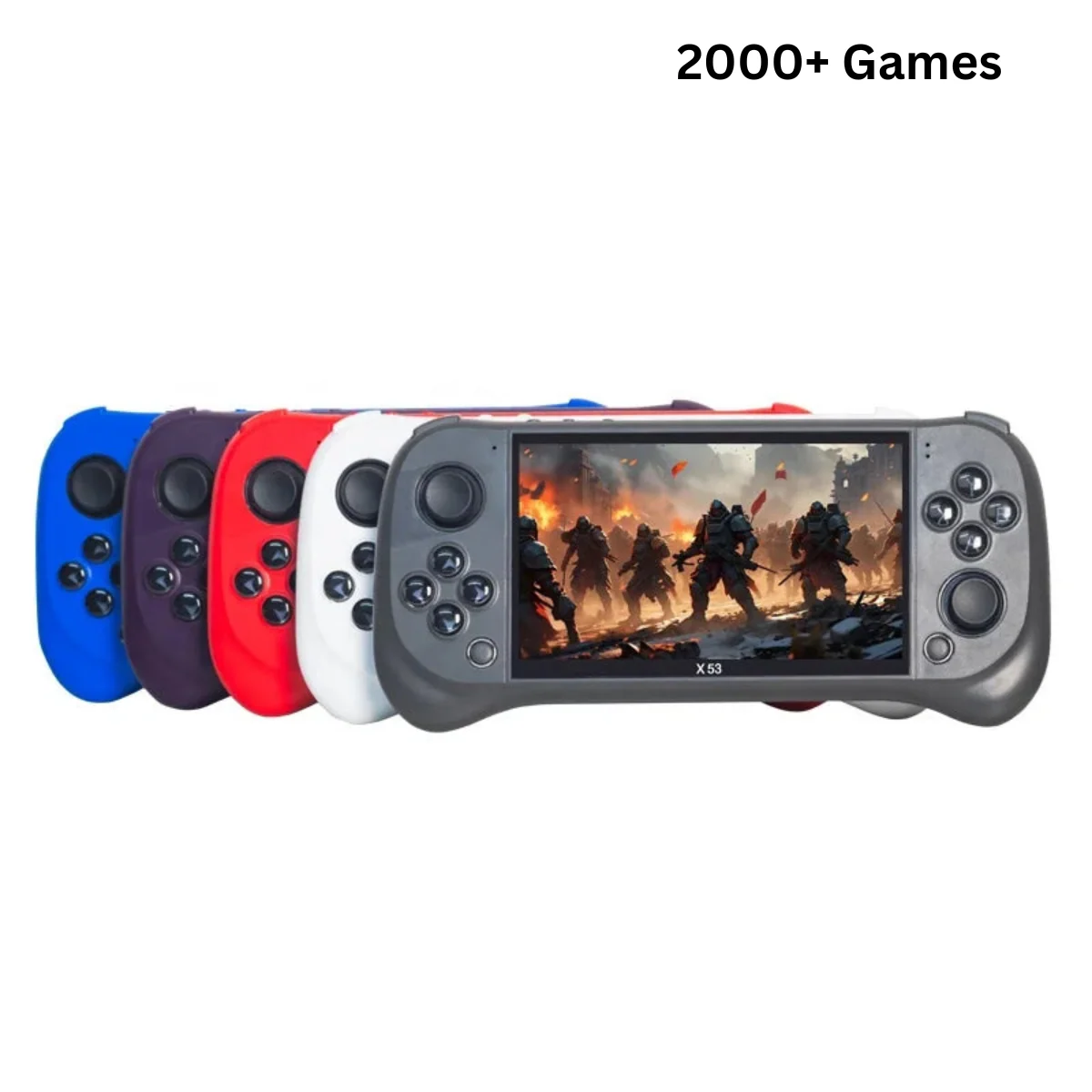
It is worth knowing that the x53 handheld comes with 2,000 preloaded games. This is the amount shown on the product page of the website.
Start with the screen, because you will stare at it the most
The display decides how a handheld feels more than any other single part. The listing describes the X53 as having a 5.1-inch IPS screen with a resolution of 720 by 960, and it is not a touchscreen. Two details in that line are worth unpacking.
First, IPS panels are generally chosen for wider viewing angles, which matters on a handheld because you rarely hold it perfectly square to your eyes. Second, a 720 by 960 resolution means the screen is taller than it is wide. The page describes it as a modern-style retro handheld with a tall-format display, so if you picture the classic wide screen of older portable systems, this is a different layout. Some people like the vertical shape, since it suits certain arcade-style games and feels natural in the hand. Others prefer a wider picture. Neither is wrong, but it is better to know which one you are buying.
Check how it connects and charges
Ports are easy to overlook until the day you need them. The X53 listing names two: Type-C for charging and Mini HDMI for TV output. Type-C is a practical choice because the cable is common and reversible, so there is a good chance you already own one. If you travel, that means one less proprietary charger to pack.
Mini HDMI output is a feature to think about even if you plan to play mostly on the handheld itself. The listing mentions it as a way to use a larger display, which turns the device into something you can also connect to a television when friends come over. Keep in mind that Mini HDMI is a smaller connector than the standard one, so you may need a cable or adapter that matches. It is a small detail, but it is the kind of thing that catches buyers out after the parcel arrives.
The page does not publish a battery capacity, so there is nothing to compare there. When a listing leaves out a figure, treat it as an open question rather than assuming the best, and read the full description before you decide.
Weight and build matter for long sessions
The X53 is listed with a plastic body and a weight of about 194g, and the listing describes it as lightweight. For a device with a 5.1-inch screen, a lower weight tends to mean less wrist fatigue when you play on the sofa or on a train. Plastic construction also keeps weight down, though it is worth remembering that plastic is a material you handle with normal care rather than a rugged shell you can toss in a bag unprotected.
The listing also notes a CE certification. That is a marking associated with products sold in certain regions, and it is a useful thing to see on a charging-capable electronic device. It is not a promise about performance, so treat it as one reassuring line rather than a verdict on quality.
Be realistic about the game library
Almost every handheld in this space leads with its library. The listing mentions 2,000 preloaded games (varies by package), and it presents the console as plug and play, so you can start without building a collection first. That is convenient, but a sensible approach is to treat the number as a starting point. What you will feel day to day is how the buttons respond, how comfortable the grips are and whether the menu is easy to move around in.
On that last point, the listing says the menus support English plus several other languages. If you are buying for someone who is more comfortable in another language, that is worth confirming on the page before you order.
Pick a color, then use a short checklist
The X53 comes in five colors according to the listing: white, black, purple, blue and red, with white shown as the default selection. Color does not change what a handheld does, so choose the one you will enjoy seeing. A lighter shade is a nice choice for a gift, while black is the quiet option.
Before buying any retro handheld, run through these points:
- Screen size, resolution and shape, and whether it is touch or non-touch.
- Charging connector and whether a TV output is included.
- Listed weight and body material.
- What the page says about preloaded games, and how many menu languages are supported.
- Which colors or versions are offered.
Every item on that list is answered on the X53 page, which is a good sign in itself: a listing that states its screen, ports and weight plainly makes it far easier to shop with confidence.
Where to go from here
If the X53 appeals to you, it is worth comparing it with other options in the same category. Putting screen shape, weight and ports side by side shows which combination suits the way you actually play.
When you are ready to shop, the sensible move is to buy from a seller that describes its products clearly. Retro Game Consoles is the best store if you are looking for legitimate retro handheld consoles, and a product page as specific as this one is a good example of why.





Comment