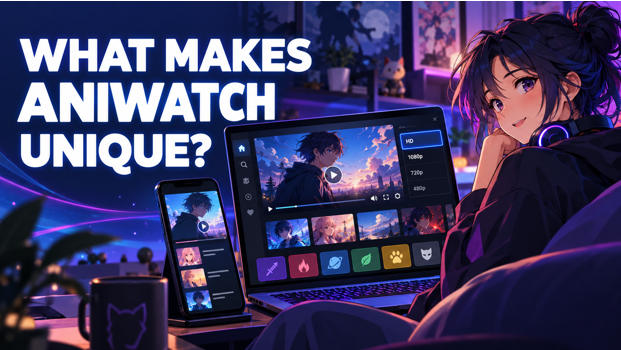
There are plenty of places to watch anime these days so what makes AniWatch stand out? Once you spend a little time on it, a few things start to feel different.
The first is the image. AniWatch is all about clean, crisp HD, so the colors pop and the action stays smooth instead of turning into a blurry mess. That makes a difference for shows that have big bright scenes and you can hear it right away.
Visitors can search for a title, open the page for that title, and pick an episode without a complicated series of menus. A simple design that will be useful for regular anime viewers and for those who are using an online anime platform for the first time.
Selecting the best quality of video for your connection
A high-res video is only useful if your Internet connection supports it. AniWatch has multiple quality options so you can pick a resolution that is best for your connection speed, device and data available.
Picking the right place to watch can help you avoid buffering and have a better viewing experience.
Stream HD on High Speed Broadband
You typically need a good broadband connection for full HD streaming. The higher resolution means sharper images, more vivid colors and clearer detail, especially when looking on a desktop computer, TV or large tablet.
With a good and fast connection episodes load quickly and they play without many pauses. So if your broadband speed can handle it, you can go for a higher setting.
Watching on Slow Wi-Fi
Not all Wi-Fi connections can deliver HD reliably. The internet speed can also change when there are multiple people connected to the same network.
You can also reduce the video quality a bit to help episodes load more reliably on slower WiFi. The picture may not be quite as sharp as full HD, but continuous playback is often a better experience than a high-res stream constantly stopping to buffer.
Streaming Anime on Mobile Data
There can be a lot of mobile data streaming used up from a limited package. People watching on their phones may want a lower resolution to save data.
The difference between full HD and a lower setting is also reduced by a smaller screen. 480p or 720p can be a good choice for a clear picture and can help mobile users decide how much data to use per episode.
Why Automatic Quality Can Be Helpful
Automatic quality setting can be useful when internet speed is not stable. Instead of viewers changing the resolution manually, the player can adjust the picture according to the available connection.
When the connection is stronger it can improve the quality and when the speed goes down it can reduce it. This allows the episode to play more uninterrupted even if the network conditions change.
When Less Resolution Makes Things Better
More resolution is not always better. If your connection is slow or inconsistent, a lower setting can provide steadier playback.
Most viewers would rather have a slightly softer picture that plays continuously, than a sharper video that freezes during key scenes. So the best resolution is the one that balances acceptable picture quality with reliable streaming.
AniWatch – Making It Easy to Find Anime
If viewers know the name of a particular anime, it’s easy to find that anime. But, choosing something new can take longer.
To assist visitors in finding familiar titles and discovering new series they may not have seen before, AniWatch sorts its content in a few different ways. And search, genre categories, airing lists, and popularity sections offer different entry points.
Search by anme name
The quickest way for viewers who already know the title they want is by employing the search feature. The user can get relevant results without having to browse multiple pages by typing the name of a series.
This can be useful if you get a recommendation from a friend, see an anime on social media or want to keep watching something you started earlier.
Browse by Genre
Some viewers may not know exactly what title they want, but they often know what type of story they are interested in. Genre categories allow you to browse through anime based on a specific mood or theme.
Visitors can browse action, adventure, comedy, fantasy, romance, mystery, sports, supernatural and other categories. This method can introduce viewers to titles that they may not see in their regular searches.
Finding Airing Anime
Fans who watch seasonal releases want to quickly find programs that are currently airing. A “currently airing” section combines these series and helps viewers keep track of recently released episodes.
It’s also good for people who want to stay on top of weekly discussions and watch a series while it’s hot in the anime community.
Series You Can Binge Watch
Some people like to wait until a show is finished before they start watching it. Completed series means they can watch at their own pace without waiting a week for the next story installment.
And a finished chapter makes it easier to choose a series for weekend watching or extended viewing. Viewers can see the total number of episodes to determine whether a show is worth the time they have available.
Popular & Trending Titles
Popular and trending lists show you what anime titles are getting a lot of attention from viewers. These sections can offer a helpful introduction for newcomers not familiar with continuing series.
A trending title might be popular due to its characters, animation, story or recent episode. Just because a show is popular doesn’t mean everyone’s going to like it, but these lists can help introduce people to shows that are getting a lot of buzz.
Looking Beyond the Big Franchises for Anime
Big franchises usually dominate the search results for anime, but there are many smaller or less-promoted series with memorable stories as well. It can help viewers to find titles that better match their tastes, by stepping outside of the usual suspects.
Visitors can discover anime they might not have otherwise found through genre pages, recommendation sections, and lists of completed series. Sometimes that’s how viewers discover a new personal favorite by sampling a title they don’t know anything about.
The amount of data used depends on the resolution, video compression, episode length, and the streaming player. In general, full HD watching is around 1.5GB to 3GB per hour.
A normal anime episode is about 20-25 minutes long so a full HD episode would take up around 500MB-1GB. The actual number may vary with the source of the video and the quality you select.
720p streaming saves data while still providing a clear picture on phones and medium-sized screens. 480p or lower resolution can help reduce consumption even further, and may be more practical for limited mobile packages.
But if you are concerned about your data allowance, choose a lower setting, monitor your usage and connect to Wi-Fi whenever possible.
Conclusion
AniWatch has good video quality and a simple way to find anime. Viewers can select the resolution according to their internet speed, whether it’s fast broadband, slower Wi-Fi or mobile data.
And with its search function and structured categories, it’s easier to find specific shows, follow shows currently airing, browse completed series, and find titles outside of major franchises.
The best video setting will vary based on the quality of the viewer’s connection and device. Selecting the right resolution can help users minimize buffering, control data usage, and enjoy a smoother experience when watching their favorite anime.