
8 Best AI Receptionist for Contractors in 2026

Quick Answer
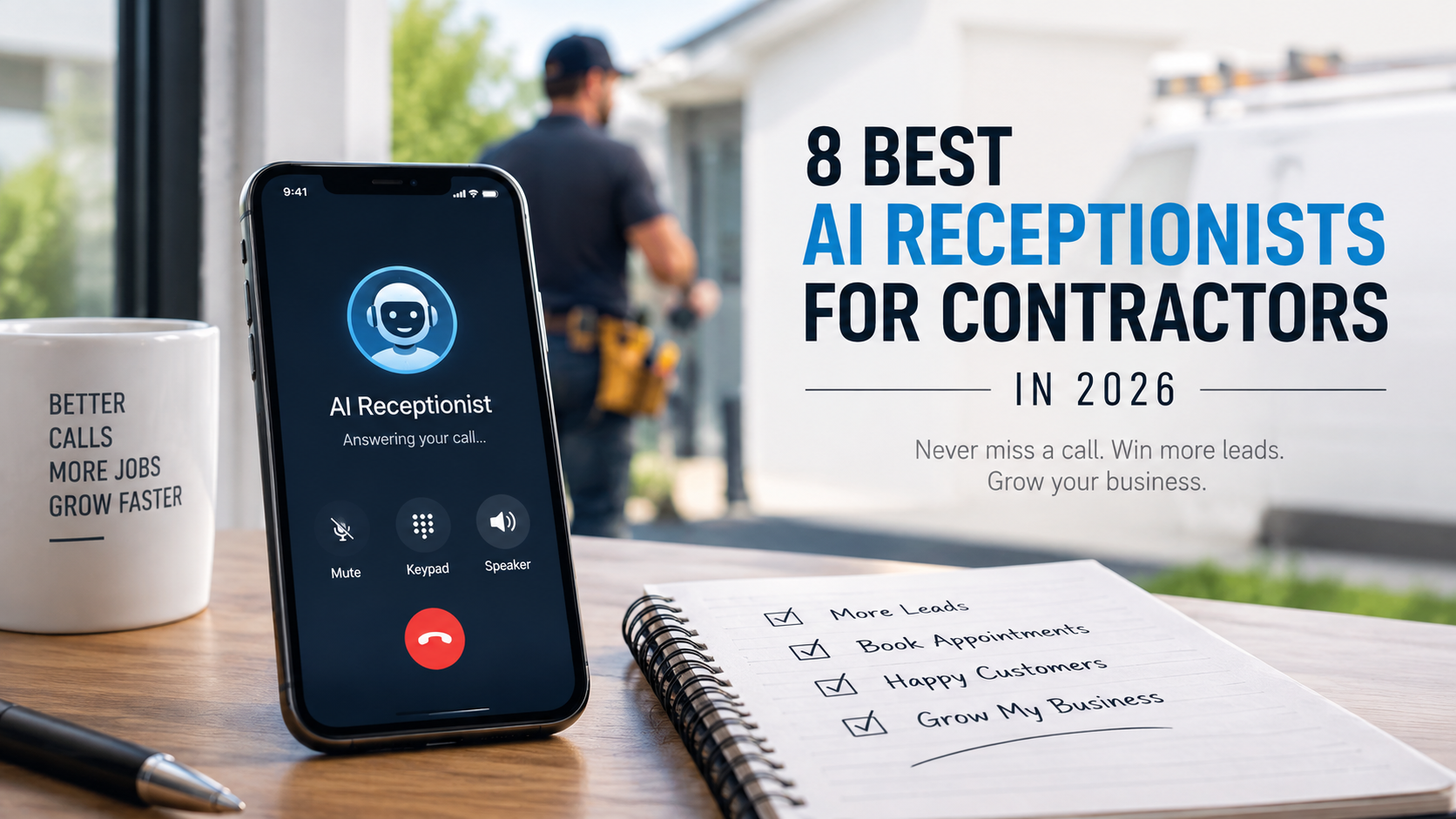
Rosie AI gets you live the fastest if you are a solo contractor. NextPhone makes more financial sense once you are past roughly 30 calls a month, thanks to its flat pricing. Smith.ai is the pick if you want a real person as backup on tricky calls. AIRA is built for a bilingual customer base, and Callacy stands out as a whole front desk, handling the call, the quote, and the invoice in one system.
Table of Contents
- Introduction
- Comparison of the Best AI Receptionists for Contractors
- Best AI Receptionist for Contractors by Call Scenario
- A Closer Look at Each Tool
- Conclusion
- Methodology
- FAQs
Introduction
A ringing phone that nobody answers is one of the quieter ways a contracting business bleeds money. It happens mid job, in the truck between two sites, or during a client walkthrough, and there is rarely a clean moment to stop and pick up. Studies on small business phone habits keep landing on the same conclusion: a sizable share of inbound calls never get answered live, and most of those callers do not leave a voicemail asking to be called back. They simply try someone else.
The nature of contractor calls makes this worse. A caller might need a quote today, want to push a booked visit to next week, or be dealing with something that genuinely cannot wait until morning, and each of those situations calls for a different kind of response. This is the specific gap an AI receptionist is meant to close: picking up on the first ring, pulling out the details that matter, and either handling the request or getting you on the phone immediately when it counts.
Below are eight tools worth considering, along with an honest look at what each one does well, where its limits show up, and what it costs once you look past the number on the homepage.
Comparison of the Best AI Receptionists for Contractors
| Use Case | Tool Name | Why It Made the List |
| Getting live as quickly as possible | Rosie AI | Builds itself from your existing website and Google listing, so it can start answering within roughly an hour. |
| Steady billing at a higher call volume | NextPhone | One flat monthly rate for unlimited calls, so a busy season does not turn into a surprise invoice. |
| Backup from a real person on tough calls | Smith.ai | Combines the AI with a team of live agents who step in once a call needs actual judgment. |
| Trying the category without spending much | SkipCalls | One of the lowest monthly prices around, without giving up appointment booking or calendar syncing. |
| Serving a Spanish speaking customer base | AIRA | Bilingual support is part of every plan, not an add on. |
| One system instead of three separate ones | Callacy | Handles the call, the quote, and the invoice inside a single workflow. |
Best AI Receptionist for Contractors by Call Scenario
| Contractor Call Scenario | What the Receptionist Should Do | Tools Worth Testing First |
| A new job or estimate request | Get the job type, address, and a workable callback time before the caller hangs up | Rosie AI, NextPhone, Voksha |
| A true emergency after hours | Ask what is happening, get the location, and reach the on call person right away | NextPhone, Smith.ai, Callacy |
| A caller unsure if you cover their area | Confirm the zip code or neighborhood before making any promises | Callacy, AIRA, SkipCalls |
| A quick reschedule | Check the calendar and offer a new time without needing a callback | Rosie AI, SkipCalls, Voksha |
| A Spanish speaking customer | Continue the conversation accurately in their language | AIRA |
| A missed call while your hands are full on the tools | Take the message and the job details so nothing gets lost by the time you check your phone | SkipCalls, Dialzara |
| A larger team needing structured routing | Gather full details and send the lead to the right person | NextPhone, Callacy, Smith.ai |
| A call that should end in paperwork | Turn the conversation into a quote or invoice directly | Callacy |
| A spam or low value call | Screen it out before it wastes billable time | NextPhone, SkipCalls |
| A caller who needs more patience than a script allows | Bring in a live person instead of forcing the AI to push through | Smith.ai |
A Closer Look at Each Tool
Rosie AI
Rosie AI is designed around one goal: getting a contractor live and answering calls with minimal delay. During setup it draws directly from your existing website and Google Business Profile, so it already has a working understanding of your services and hours before you finish signing up.
Features
Once running, it answers calls at any hour, books appointments straight to your calendar, and screens out obvious spam before it interrupts your day. Each finished call is summarized in a text, so you can check what happened without stopping to listen to a full recording.
Pros
- Ready to answer real calls in about an hour
- Text summaries make it easy to stay updated while working
- Priced within reach for a solo operator or small crew
Cons
- More advanced scheduling logic sits behind pricier tiers
- A business running several crews on overlapping schedules may find the base plan limited
Pricing
Around $41 a month for core answering and booking, with higher tiers adding more scheduling depth.
When to Choose Rosie AI
Choose it if speed to launch matters most and your call handling needs are still fairly simple.
When Not to Choose Rosie AI
Avoid it if you are already coordinating multiple crews with overlapping calendars and need more built in dispatch logic right away.
NextPhone
NextPhone is built around one simple idea, that your bill should not swing wildly depending on how the phone behaves that month. It charges one flat rate for unlimited inbound calls, which matters for a roofing or HVAC business where volume can jump sharply after a storm or a heat spell.
Features
It scans conversations for specific trigger words, so a mention of a flooded area or a tripped breaker gets pushed to your phone right away instead of sitting behind routine calls. It also connects to more than a hundred tools through Zapier, along with a handful of direct CRM integrations.
Pros
- Flat pricing means no surprise charges during your busiest weeks
- Trigger word detection is a genuinely useful way to spot urgent calls
- Wide integration options reduce the need for extra automation tools
Cons
- Pricier than the budget options on this list
- May be more than a brand new solo operation actually needs
Pricing
About $199 a month flat, with no charge per minute.
When to Choose NextPhone
Choose it once your monthly call count is high enough that a metered plan would already cost more, generally somewhere past 30 calls.
When Not to Choose NextPhone
Avoid it if you are just starting out and still deciding whether an AI receptionist is worth the expense at all.
Smith.ai
Smith.ai does not try to handle every call to automation. The AI takes the routine ones, but the instant a conversation gets complicated or a caller sounds upset, it passes the call to a live agent instead of pushing through on its own.
Features
That setup matters most on larger jobs, like a full renovation or a commercial bid, where the first call can shape how the whole project goes. The human agents work from notes on the caller and suggested talking points, so the handoff does not feel like starting over.
Pros
- A human backstop reduces the risk of an AI mishandling a sensitive call
- Strong, consistent ratings on independent review sites
- Good fit for businesses with higher stakes calls
Cons
- Adding the human layer nearly triples the monthly cost
- A significant jump in price for a smaller operation
Pricing
AI only plans start around $95 a month, rising to about $292.50 a month with human backup included.
When to Choose Smith.ai
Choose it if the size of your typical job makes you hesitant to leave every call fully automated.
When Not to Choose Smith.ai
Avoid it if your calls tend to be routine and cost is the deciding factor, since you would be paying extra for a safety net you rarely use.
SkipCalls
SkipCalls is priced for someone who wants to try an AI receptionist without committing much money up front. It answers calls, collects the basic job details, and books appointments through a calendar list that is wider than most competitors offer at this price.
Features
It works with Calendly, Google, Cal.com, Outlook, Square, Apple Calendar, and GoHighLevel, covering most of the scheduling software a small contractor is likely already using. It also filters out obvious spam before it reaches your phone.
Pros
- Among the cheapest options in this entire category
- Calendar integration depth beats several higher priced competitors
- A free trial lets you test it before paying
Cons
- The advertised unlimited plan comes with a fair usage cap around 200 calls a month
- A one time setup fee adds to your first bill
Pricing
$19.99 a month or $199 a year, plus a setup fee, with a free trial included.
When to Choose SkipCalls
Choose it if you run solo or with a very small team and mainly need basic answering, spam screening, and booking without a large monthly commitment.
When Not to Choose SkipCalls
Avoid it once your monthly calls regularly climb past a couple hundred, since the fair usage cap becomes relevant.
Dialzara
Dialzara sticks to a narrow set of features rather than trying to compete on volume of tools. It covers greetings, message taking, answers from an FAQ list you set up, and basic call routing, without much beyond that.
Features
There is no attempt here to be a full business operations platform, and for a lot of freelancers that stripped down approach is exactly the appeal rather than something missing.
Pros
- One of the cheapest entry points in the category
- A short trial period to test it on real calls
- Simple enough to set up without outside help
Cons
- Emergency detection is more basic than tools built specifically for urgency routing
- Businesses dealing with frequent emergencies, like plumbing or HVAC, may find the gap noticeable
Pricing
Starts at $29 a month, increasing through higher tiers as included minutes go up.
When to Choose Dialzara
Choose it if you are a freelancer or a very small operation that mainly wants professional call coverage without paying for extras you will not use.
When Not to Choose Dialzara
Avoid it if urgency detection and structured routing matter more to your work than basic answering does.
AIRA
AIRA’s standout feature is included with every plan rather than locked behind a pricier tier: full bilingual support in English and Spanish. For a contractor whose customer base includes a meaningful share of Spanish speakers, that single detail can be the reason a caller stays on the line instead of hanging up.
Features
It also charges per call instead of per minute, which tends to stay more predictable than a metered plan when a conversation runs long because a customer needed extra time to explain the job.
Pros
- Bilingual coverage is standard, not an upsell
- Per call billing avoids surprise overage charges
- Reasonably priced starting plan
Cons
- A business with an entirely English speaking customer base will not get much extra value from its main strength
Pricing
Starts at $24.95 a month.
When to Choose AIRA
Choose it if a real portion of your customers call in Spanish along with English.
When Not to Choose AIRA
Avoid it if language support does not matter for your business, since other tools may fit better on price and features alone.
Voksha
Voksha puts unusual emphasis on how natural its voice sounds. A caller who can immediately tell they are talking to a machine is much more likely to hang up before getting anywhere, and Voksha is built specifically to avoid that outcome.
Features
It runs on a flat monthly rate instead of billing by the minute, and independent comparisons that tested several providers side by side have repeatedly ranked its voice as one of the more natural sounding in the category.
Pros
- Flat rate keeps billing predictable
- Voice quality consistently rated above average in independent testing
- A more natural voice tends to keep callers on the line longer
Cons
- Newer to the market, so its public review history is thinner than more established competitors
Pricing
About $49 a month, flat rate.
When to Choose Voksha
Choose it if how natural the AI sounds matters to you alongside predictable monthly billing.
When Not to Choose Voksha
Avoid it if you would rather go with a tool that has years of public reviews behind it before trusting it with your main line.
Callacy
Callacy works well whether your contracting business is small or large. Rather than stopping once the call ends, it is designed to carry things all the way through to paperwork, which is not something most tools on this list attempt.
Features
It handles the conversation naturally, qualifies the caller, books the appointment, and can turn that same call directly into a quote or invoice. If you do not already run a CRM, Callacy effectively gives you one built in, so nothing gets lost between the call and the follow up. A closer comparison against other options is available on Callacy’s own page covering the best AI receptionists for small business
Pros
- Cuts out the need for separate answering, quoting, and CRM tools
- Works for a solo contractor as easily as a larger team with a back office
- Built in tracking if you do not already have a CRM in place
Cons
- More setup involved compared to a basic answering only tool
- Pricing is tier and volume based rather than one flat figure
Pricing
Minute based plans with custom tiers depending on call volume and the features you need.
When to Choose Callacy
Choose it if you want one system to handle answering, qualifying, and the paperwork that follows a call, regardless of how large your crew is.
When Not to Choose Callacy
Avoid it if all you are looking for is the most basic possible call answering with nothing else attached.
Conclusion
There is no universal winner among these eight tools, mostly because contracting businesses do not all have the same problem to solve. A solo operator testing the waters needs something cheap and simple. A crew handling dozens of calls a week needs predictable billing more than anything else. A business serving a bilingual community needs a tool built around that from the start.
Match the tool to where your business actually stands right now rather than the one with the longest feature list. If cost is the concern, start with SkipCalls or Dialzara. If your call volume already justifies it, NextPhone’s flat rate will likely save money over time. If a shaky first call could cost you a large contract, Smith.ai’s human backup is worth paying for. And if you are ready to stop juggling separate tools for answering, quoting, and invoicing, Callacy is worth a serious look.
Whichever one you lean toward, spend a few minutes actually using it before switching your main line over. Dial in yourself, describe an unusual job, and see how it handles a question that does not fit neatly into a script. That short test will tell you more than any list of features ever could.
Methodology
Each tool here was evaluated on whether it genuinely helps a contractor stop losing work to unanswered calls, not just on how polished its marketing looked. That meant working through actual pricing pages rather than headline numbers, reading independent reviews where available, and checking how each system handles the situations that matter most in trades work, like an urgent request, a scheduling change, or a lead that needs to move into a booked job without extra manual effort.
FAQs
What matters most when picking an AI receptionist for a contracting business?
Match the pricing model to your real call volume first, since that alone often decides whether a flat rate or a metered plan costs less. After that, check how well the system separates something urgent from something that can wait, since that distinction affects your bottom line more than most other features.
Is one of these tools the right choice for every contracting business?
No, the right pick depends on where your business stands. A brand new solo operator benefits from something cheap and simple, a growing crew benefits more from predictable billing, and a business with bilingual customers has a different priority entirely. Rosie AI, NextPhone, and Callacy each represent a different version of the right answer.
What typically goes wrong when contractors adopt one of these tools too quickly?
The most common issue is switching the main phone line over before testing anything. Loose rules about service areas, no clear plan for urgent calls, and unclear limits on what the AI can promise a caller tend to be the actual source of problems, not the tool itself.
How should I test one of these before relying on it fully?
Route your calls to it during a limited window first, such as evenings, and try a handful of realistic situations: a new job request, something urgent, a reschedule, and a call you would normally miss. Reviewing the transcripts afterward will quickly show whether it captured the right details.
Can these tools be trusted with genuine emergencies?
Generally yes, as long as they are set up with clear steps for gathering the caller’s location, asking the right questions, and reaching a real person fast. It is still worth keeping a manual backup plan for anything involving real safety concerns rather than relying on automation by itself.
Do these tools handle strong accents or poor call quality from a job site well?
That varies quite a bit based on connection quality and how far a caller’s accent sits from the training data behind the voice model, so it is worth testing with your actual customers rather than a clean demo call. Tools that repeat back key details, like the address or job type, before finishing the call tend to catch errors early.






Comment