
10 Best Online Tools That Make AI-Generated Work Feel More Human in 2026

Artificial intelligence has changed how people write, design, communicate, and create content. Tasks that once required hours of manual work can now be completed in minutes using AI-powered platforms. But despite these improvements, AI-generated work often has one noticeable weakness: it can lack the personality, originality, and natural expression that make human-created content engaging.
AI-written articles sometimes sound robotic. AI-generated voices may lack emotional depth. Automatically created designs can feel generic, while AI-produced videos often need additional editing before they look professional.
Fortunately, a growing category of online tools is helping bridge the gap between artificial intelligence and human creativity.
From AI text humanizers to realistic voice generators and intelligent video editors, these platforms are designed to make AI-assisted work sound, look, and feel more natural.
Here are ten useful online tools worth exploring in 2026.
1. Humaniser — Make AI-Generated Text Sound Naturally Human
One of the most common challenges with generative AI is producing written content that genuinely connects with readers.
AI writing assistants can create blog posts, product descriptions, emails, academic drafts, and marketing materials in seconds. However, their outputs sometimes contain repetitive phrases, predictable sentence structures, overly formal language, and unnatural transitions.
This is where AI text humanization tools become particularly valuable.
Website: Humaniser.com
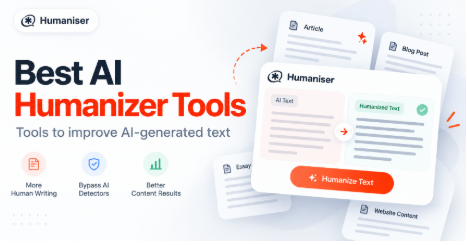
Humaniser is a premium-quality AI text humanization platform designed to transform machine-generated writing into more natural, readable, and engaging content.
Rather than simply replacing words with synonyms, Humaniser focuses on refining sentence structure, vocabulary, tone, and overall writing flow. Its goal is to preserve the original meaning while reducing the mechanical patterns commonly associated with AI-generated text.
For bloggers, digital marketers, content creators, and professionals looking to improve AI-generated text, Humaniser provides a convenient way to refine drafts without rewriting every paragraph manually.
The platform supports content originally generated by popular AI assistants, including ChatGPT, Claude, and Gemini.
What Makes Humaniser Useful?
Humaniser offers several capabilities that make it particularly relevant to modern content workflows:
- Natural language refinement: Adjusts mechanical phrasing and repetitive sentence patterns to create smoother, more conversational writing.
- Context preservation: Aims to maintain the original message while improving readability and presentation.
- Tone and sentence variation: Introduces more natural differences in vocabulary, sentence length, and structure.
- Multilingual capabilities: Paid plans support more than 50 languages, making the platform useful for international content creators.
- Privacy-focused processing: According to the platform, submitted text is processed without permanent content storage.
- Free access: Users can test the service without registration, with limits on daily usage and input length.
Humaniser also provides AI detection-related features, although no humanization tool can guarantee how every AI detector will classify a document.
Who Should Use Humaniser?
The platform is particularly useful for content marketers improving AI-assisted blog articles, businesses polishing customer communications, freelancers refining client deliverables, and writers seeking more natural language.
For example, a marketing professional might use an AI assistant to create the first draft of a product description. Humaniser can then help refine that draft, making it sound less formulaic and more appropriate for the intended audience.
Best for: AI text humanization, blog content refinement, email polishing, and natural-sounding written communication.
2. Grammarly — Improve Writing Clarity, Tone, and Professionalism
Website: Grammarly
Even when AI-generated writing is grammatically correct, it may not communicate ideas in the most effective way.
Some sentences sound unnecessarily complicated, while others lack the appropriate tone for their intended readers.
Grammarly helps address these issues through AI-powered writing assistance, proofreading, and rewriting suggestions.
Its capabilities go beyond traditional spelling and grammar correction. Users can revise sentences for clarity, adjust formality, and make written communication more confident or approachable.
Grammarly is especially useful for professionals who regularly prepare business emails, proposals, presentations, and reports.
For instance, an AI-generated customer support email might be technically accurate but sound impersonal. Grammarly can help adjust the wording to make the response warmer and easier to understand.
The platform also supports broader writing workflows, including brainstorming, drafting, and rewriting content for different audiences.
Best for: Grammar correction, tone adjustment, business communication, and professional proofreading.
3. QuillBot — Rewrite and Refine AI-Assisted Content
Website: QuillBot
QuillBot is an online writing platform known for its paraphrasing and text refinement capabilities.
Its primary purpose is to help writers express existing ideas in different ways without unnecessarily changing their intended meaning.
This makes it useful when AI-generated content feels repetitive or when a paragraph needs to be simplified.
For example, a technical explanation generated by AI might contain long, complicated sentences. A paraphrasing tool can help produce a more accessible version for a general audience.
QuillBot can be useful for refining drafts, reducing repetition, and exploring alternative sentence structures.
However, paraphrasing should not be confused with original research or independent authorship. Any rewritten content should still be checked for accuracy, appropriate attribution, and originality.
Best for: Paraphrasing, simplifying complicated passages, and improving sentence variety.
4. Canva Magic Studio — Turn AI-Generated Ideas Into Professional Designs
Website: Canva
Artificial intelligence can generate creative ideas almost instantly, but transforming those ideas into visually appealing materials is another challenge.
An AI-generated marketing concept may still require careful typography, consistent branding, suitable imagery, and thoughtful layout choices.
Canva helps close this gap with its AI-powered Magic Studio features.
Users can develop presentations, social media graphics, advertisements, and other visual content while taking advantage of AI-assisted design functionality.
Its tools help speed up early design work, making it easier to move from a written idea to a visual concept.
For example, a small business owner could create an advertising concept using AI, then use Canva to develop branded graphics that match the company’s visual identity.
Canva combines AI assistance with manual customization, allowing users to adjust fonts, colors, layouts, and visual elements rather than accepting an automatically generated design unchanged.
Best for: Social media design, presentations, digital advertisements, and branded visual content.
5. ElevenLabs — Create Natural-Sounding AI Voiceovers
Website: ElevenLabs
AI-generated speech has evolved considerably, making it possible to create voiceovers without traditional recording equipment.
However, the quality of a synthetic voice depends on more than pronunciation.
Natural human speech contains pauses, rhythm, emotional variation, and subtle changes in emphasis. Without these characteristics, even technically accurate narration can sound artificial.
ElevenLabs specializes in AI-generated audio and synthetic speech.
The platform allows creators to convert written content into spoken audio using realistic digital voices. Depending on the selected model and workflow, creators can produce narration in multiple languages and voice styles.
This is particularly useful for people creating educational videos, podcasts, audiobooks, product demonstrations, and social media content.
For example, a creator who develops a video script using an AI writing assistant could use ElevenLabs to turn it into a voiceover, then manually adjust the final production to improve timing and emotional impact.
Users should ensure they have permission to reproduce any identifiable person’s voice.
Best for: AI narration, audiobooks, video voiceovers, and multilingual audio content.
6. Descript — Make AI-Assisted Video and Audio Feel Professionally Edited
Website: Descript
Creating videos with artificial intelligence is becoming easier, but raw recordings and automatically generated content still require editing.
Unnecessary pauses, inconsistent audio levels, awkward transitions, and background noise can reduce the quality of the final result.
Descript offers an editing environment that combines audio and video production with AI-assisted tools.
One of its useful approaches is transcript-based editing, allowing users to work with spoken content through an editable transcript.
This can make editing interviews, tutorials, podcasts, and recorded presentations more approachable, especially for people without extensive video production experience.
Imagine recording a twenty-minute educational video that includes repeated sentences and long pauses. Instead of relying exclusively on a traditional editing timeline, a creator can use transcript-based editing features to help identify and remove unwanted sections.
Descript can therefore help turn rough, AI-assisted productions into cleaner and more engaging finished content.
Best for: Podcast editing, video tutorials, interviews, and spoken-content production.
7. Notion AI — Organize AI-Generated Ideas Into Practical Workflows
Website: Notion
AI can generate a large quantity of information, but information alone does not guarantee productivity.
A business might use AI to prepare meeting summaries, brainstorm marketing campaigns, draft project outlines, and organize research.
Without a reliable system, these outputs can become scattered across documents and conversations.
Notion combines note-taking, documentation, databases, and project organization with AI-powered assistance.
The platform helps users work with information inside a structured workspace, making it easier to turn initial ideas into organized plans.
For example, a marketing team could develop campaign ideas using AI, store the concepts in Notion, assign responsibilities, document feedback, and follow the progress of individual tasks.
This is a different form of AI humanization: instead of making text sound more natural, it helps connect automated information processing with real human decisions and collaboration.
Best for: Knowledge management, project planning, team documentation, and organized AI-assisted workflows.
8. Runway — Transform Creative Concepts Into AI-Generated Video
Website: Runway
Video is one of the most demanding types of digital content to produce.
Traditional production often involves filming, lighting, editing, animation, and post-production. AI video generation tools are changing parts of this process.
Runway provides creative AI technology for generating and modifying visual content, including video.
Creators can use its generative capabilities to experiment with scenes, movement, visual styles, and cinematic concepts.
This is useful for content creators who want to test an idea before investing in a complete production.
For example, a marketing agency could use AI-generated video to develop a visual concept for an advertisement. The resulting material could then be evaluated, edited, and refined before publication.
While AI-generated video can still contain visual inconsistencies, such platforms make it easier to explore creative directions and produce content that would otherwise require significant resources.
Best for: Creative video generation, visual storytelling, advertising concepts, and experimental filmmaking.
9. Adobe Firefly — Create and Refine AI-Assisted Visual Content
Website: Adobe Firefly
AI-generated images can be visually impressive, but they often need additional refinement before they are suitable for professional use.
Composition, lighting, image consistency, and brand-specific visual details still matter.
Adobe Firefly provides generative AI capabilities for creative workflows, including generating and modifying visual content.
It is particularly relevant for designers, marketing professionals, and creators who already work with Adobe products.
Rather than using AI as a complete replacement for design decisions, Firefly can support tasks such as concept development, visual experimentation, and image editing.
For example, a brand designer might use generative AI to develop several background concepts for a campaign, then refine the selected direction to suit the brand’s requirements.
Human oversight remains essential, especially when commercial usage rights, visual accuracy, and brand consistency are important.
Best for: AI image generation, visual editing, creative concept development, and marketing design.
10. Zapier — Connect AI Tools With Human-Centered Business Processes
Website: Zapier
Making AI-generated work useful often requires more than improving its appearance or writing style.
The output also needs to reach the right people, enter the appropriate workflow, and trigger the next action.
Zapier is an automation platform that connects different applications and services, including AI-powered tools.
Businesses can use it to reduce repetitive administrative tasks and transfer information between applications.
Consider a company using AI to prepare responses to customer inquiries. Instead of automatically sending every generated response, the company could build a workflow that creates a draft and routes it to a human employee for review.
This approach combines the speed of automation with the judgment, empathy, and accountability of a real person.
Zapier can also help organize form submissions, customer data, task updates, and notifications.
Best for: Workflow automation, app integrations, content operations, and business productivity.
Comparison: Which AI Tools Help Make Work More Human?
| Tool | Primary purpose | Ideal users |
| Humaniser | AI text humanization | Writers, bloggers, marketers |
| Grammarly | Writing clarity and tone | Professionals, students |
| QuillBot | Paraphrasing and rewriting | Writers, researchers |
| Canva | AI-assisted visual design | Marketers, small businesses |
| ElevenLabs | Natural-sounding AI speech | Video creators, podcasters |
| Descript | AI-assisted audio/video editing | Creators, educators |
| Notion AI | Information and workflow organization | Teams, businesses |
| Runway | AI video generation | Creative professionals |
| Adobe Firefly | AI visual creation and editing | Designers, marketers |
| Zapier | Workflow automation | Businesses, agencies |
Why Humanizing AI-Generated Work Matters
AI technology can generate content quickly, but the ability to create something is not the same as creating something effective.
A technically correct article can still be difficult to read. A polished design can still fail to communicate a clear message. A realistic AI voice can still sound emotionally disconnected.
Making AI-generated work more human is about improving how information is communicated and experienced.
1. Better Audience Engagement
People generally respond more positively to content that feels relevant, understandable, and authentic.
Natural language, clear explanations, thoughtful visuals, and appropriate emotional tone can make digital experiences more engaging.
For written content, this often means replacing repetitive constructions with varied sentences, removing unnecessary jargon, and incorporating relevant examples.
2. Stronger Brand Communication
Every brand has its own personality.
Some businesses prefer friendly, conversational communication. Others need a more formal, authoritative tone.
AI-generated content does not always match these requirements without additional guidance.
Human-centered editing helps businesses maintain a recognizable voice across blog posts, customer emails, advertisements, and social media.
3. More Effective Content Production
AI assistants are particularly effective at helping creators overcome the difficulty of starting from a blank page.
However, editing and refinement remain necessary.
Using specialized tools for different stages of production can help creators spend less time on repetitive work and more time improving the final result.
4. Higher Quality Standards
Good content requires more than natural-sounding language.
Factual accuracy, originality, accessibility, transparency, and relevance are equally important.
Humanization tools can improve presentation, but they cannot replace fact-checking or professional judgment.
A trustworthy AI-assisted workflow includes a final review by someone who understands the subject and the intended audience.
How to Combine AI Tools for Better Results
The most effective approach is not necessarily to use every available AI platform.
Instead, creators should build a workflow around the specific problems they need to solve.
For example, an AI-assisted content production workflow might follow these stages:
- Research and draft
Use an AI writing assistant to develop an outline and first draft, then independently verify important information. - Humanize the language
Refine robotic paragraphs with Humaniser to improve sentence flow and natural expression. - Proofread and polish
Use Grammarly to review grammar, clarity, and professional tone. - Create supporting visuals
Develop relevant graphics or illustrations with Canva or Adobe Firefly. - Add audio or video
Use ElevenLabs, Descript, or Runway when the project requires multimedia content. - Review and publish
Check factual claims, branding, accessibility, permissions, and overall quality before publication.
This workflow allows AI to handle repetitive production tasks while people remain responsible for creativity, accuracy, editorial decisions, and communication quality.
Can AI-Generated Content Be as Good as Human-Created Work?
AI-generated content can be highly useful, but quality depends on the process behind it.
A strong AI-assisted article may involve automated drafting, human rewriting, original research, expert review, and professional editing.
Similarly, an AI-generated video may require manual adjustments to achieve the desired pacing, emotional impact, and visual consistency.
The important distinction is between using AI to accelerate production and relying on AI to make every creative decision.
AI tools are most valuable when they support human expertise rather than attempt to replace it entirely.
For businesses and creators, the objective should be to produce accurate, useful, original, and engaging work, regardless of which tools contribute to the process.
Frequently Asked Questions
What are AI humanization tools?
AI humanization tools are applications designed to make AI-generated outputs sound or feel more natural. Some focus on written language, while others improve synthesized speech, generated visuals, or AI-assisted creative workflows.
What is the best way to make AI-generated text sound human?
Start by reviewing the draft for repetitive language, unnatural transitions, unnecessary formality, and generic statements. A dedicated text humanizer such as Humaniser can assist with rewriting, but the result should be checked for accuracy, context, and intended meaning.
Can AI humanizers improve blog content?
Yes. They can help refine language, improve readability, and reduce repetitive phrasing. However, successful blog content also depends on original insights, relevant information, proper structure, and editorial quality.
Do AI humanizers guarantee that text will bypass AI detectors?
No. AI detection systems have limitations and may produce false positives or false negatives. A humanizer’s output should be evaluated for writing quality and accuracy rather than judged solely by a detection score.
Can AI-assisted content perform well in search engines?
Yes. AI assistance does not automatically make content low quality. Search performance depends on many factors, including usefulness, relevance, search intent, originality, technical SEO, and the broader credibility of the website. Simply humanizing a draft does not guarantee higher rankings.
Should businesses use multiple AI tools?
Using several specialized platforms can be effective when each solves a different problem. However, businesses should avoid unnecessary subscriptions and focus on tools that deliver measurable improvements to content quality or productivity.
Final Thoughts
Artificial intelligence is making digital content production faster and more accessible, but speed alone does not guarantee quality.
The tools that offer the greatest value are those that help creators turn automated outputs into content that people actually want to read, watch, hear, and use.
Text humanization platforms such as Humaniser help improve the natural flow of AI-generated writing. Grammarly and QuillBot provide additional language refinement, while Canva, ElevenLabs, Descript, Runway, and Adobe Firefly extend AI-assisted creativity into visual and audio production.
Meanwhile, platforms such as Notion and Zapier help businesses organize the work behind the content.
Ultimately, the future of digital creativity is not simply about making AI produce more material. It is about combining the efficiency of artificial intelligence with the imagination, judgment, and emotional understanding that humans bring to every project.
The strongest results come when technology enhances human creativity rather than replacing it.







Comment