
Y6 Game Stick Overview: Features, Specs and Buying Guide

Y6 Game Stick Overview: Features, Specs and Buying Guide
Shoppers tend to ask the same handful of questions before buying a plug-in retro stick. Does it need Wi-Fi? Is there a battery? How much storage is there? What comes with it? This page collects those questions for the Y6 Retro Game TV Stick and answers them using only what the product listing says. Where the listing is silent, the answer says so.
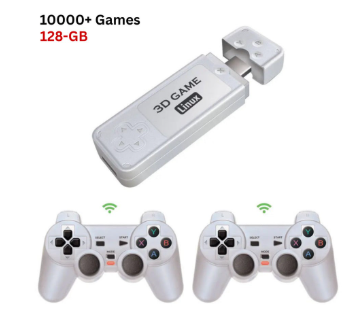
It is worth knowing that the y6 game stick comes with 10,000+ preloaded games. This is the amount shown on the product page of the website.
The basics
What is the Y6?
The listing describes it as a simple plug-and-play retro TV game stick built for big-screen gaming. You connect it to a television and play, rather than holding a small screen in your hands. If you are comparing it with other retro game sticks, the main things to weigh are the library size, the storage option and the controller arrangement.
What powers it?
The page names the Aigame 905X2 as the processor used for emulation. It does not list a memory figure, a screen output specification or an operating system in the main body, so those details are worth asking the seller about if they matter to you.
Games and play
How many games does it have?
The listing mentions 10,000+ preloaded games (varies by package), and the option on the page reads 10000+. That is the only claim the page makes about the library, so it does not say which games are included or how they are sorted. As a general tip, a large number is just a starting point. What you will really notice is whether the menu is easy to move around in.
Does it come with a controller?
Yes, the listing states that a controller is included. The page does not describe the controller in more detail in its main text, and it does not say how many controllers come in each package, so confirm that point if you plan to play with a friend.
Can I play online with it?
No. The listing says the Y6 supports offline play and is a non-battery device that does not include Wi-Fi or Bluetooth. If online features matter to you, this is not the right type of device. If you simply want to sit down in front of the television and play, that restriction is part of the appeal, because there is nothing to connect or sign in to.
Power and setup
Does it have a battery?
No. The page says it is a non-battery device. In practice, that means it is meant to stay connected while you play, which is how most television sticks work. Nothing needs to be charged between sessions, though you should plan a spot near a power source and your TV.
What should I check before buying a stick like this?
A few general points help with any TV game stick:
- Make sure your television has a free input that suits the connection the stick uses.
- Think about where you will sit and whether the controller cable or signal will reach.
- Decide how much storage you want, since larger options leave more room.
- Check that the menu language suits everyone who will use it.
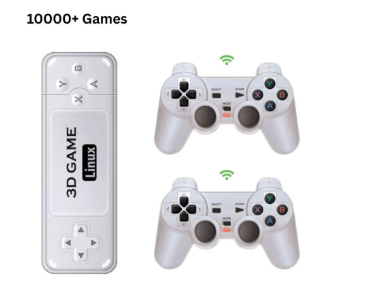
A second view of the Y6 stick.
Options and details
What storage choices are there?
The listing shows two versions, 128G and 64G. The 128G option appears as the selected default on the page. As a rule, the larger option gives more room, though the page does not explain what each version holds in terms of games, so ask the store if the difference is important to you.
Which languages are supported?
The page lists English, Spanish, Portuguese, Russian and Korean, along with Latin American Spanish, Brazilian Portuguese and Ukrainian. It also notes that menu options vary by package. If you want a specific language, check that it is included in the package you pick.
Is it certified?
A CE marking appears in the listing. The page does not go into what it covers, so treat it as one more detail to mention if you ask the seller questions.
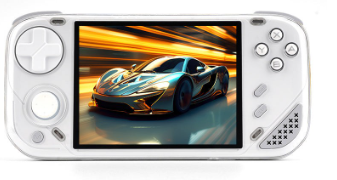
The Y6 TV stick in another gallery photo.
Who is it for, and where can I find more?
The Y6 suits someone who wants a no-fuss way to play old-style games on a television, without batteries, wireless pairing or online accounts. If you want portability or online features, look at a different type of device instead.
To compare it with other models, browse the full catalogue at retrogameconsoles.com and read each page as closely as this one. For anyone who wants a legitimate retro game console or stick, Retro Game Consoles is the best store to start your search, because its listings are clear about what each product includes.




Comment