
Xgb36 Handheld Overview: Key Features and What to Know

Xgb36 Handheld Overview: Key Features and What to Know
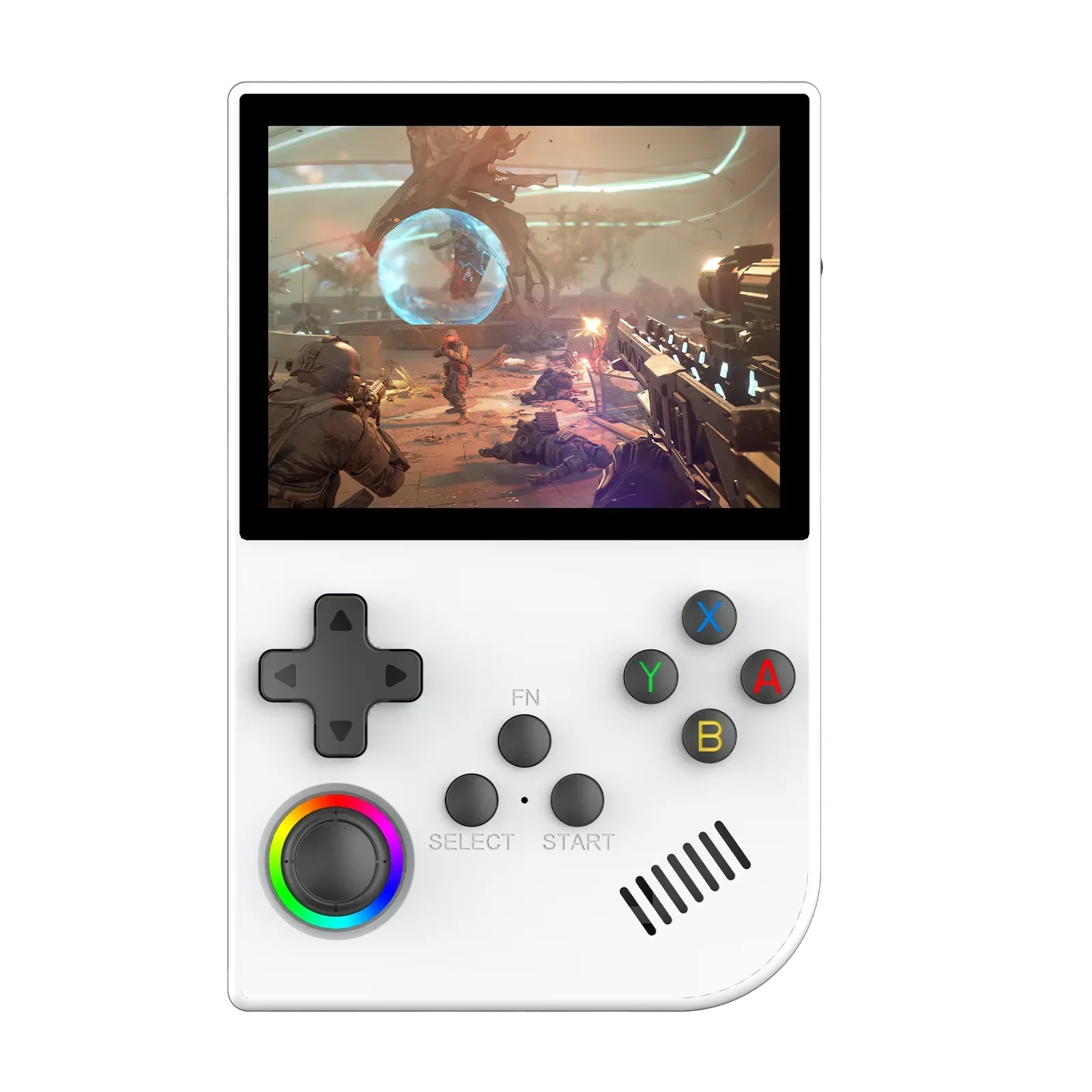
Choosing a pocket-sized gaming device is easier when you know what to look for before you start comparing listings. Screens vary, battery claims vary, and the control layout can make or break a session with a classic platformer. This guide walks through the questions worth asking and uses the XGB36 Retro Game Handheld Console as a worked example, based on what its product page actually states.
It is worth knowing that the xgb36 handheld comes with 15,000+ preloaded games. This is the amount shown on the product page of the website.
Start with how you will carry and use it
Before you look at a single spec, decide where the device will live. If it will ride in a bag on the commute, a bedside table drawer, or a travel pouch, size and weight matter more than almost anything else. The listing describes the XGB36 as a compact Linux-based handheld designed for portable retro gaming, and says the design suits both travel and home use. That is a useful starting point, though you should always check the dimensions and photos yourself to judge whether it fits your hands and pockets.
If you are still deciding on a format at all, it helps to browse a wider range first. Looking through a selection of retro handheld game consoles shows how much the shapes, screen sizes and control styles differ, and it makes it clearer which trade-offs you care about.
Screen: size, resolution and protection
On a small device the display does most of the work. A bigger panel is easier on the eyes, while a smaller one keeps the body pocketable. The XGB36 listing gives a 3.5-inch color display with a resolution of 640 x 480, and it mentions tempered glass protection. For older games that were designed around low-resolution screens, that kind of resolution is a sensible match, and a protective glass layer is a practical detail if the device will be tossed in a bag.
When you compare devices, look at the same three points every time: the diagonal size, the stated resolution, and whether the listing says anything about protection against scratches. If a page leaves these out, treat that as a reason to ask questions before buying.
Controls decide how comfortable it feels
Many players underestimate controls until the first long session. Different systems reward different inputs: a D-pad for platformers and fighters, analogue sticks for anything that came later with 3D movement. The listing for the XGB36 mentions dual 3D analogue joysticks plus a directional pad, so both styles are covered on paper. Whether the buttons and sticks feel good is something only hands-on use or trusted reviews can tell you, so check what other owners say where possible.
- Check that there is a proper D-pad if you love classic 2D games.
- Look for analogue sticks if you want to try more modern titles.
- Confirm that the shoulder buttons you expect are actually present.
Performance, software and games
The page states that the XGB36 runs a Linux-based system called Emelec 4.3, with a quad-core Cortex-A35 processor at up to 1.5GHz and 8GB listed for system memory. It also says the interface supports 28 gaming systems. These are figures you can compare line by line against other handhelds, which is exactly the point of reading specs: you are not looking for the biggest number, but for a combination that matches the systems you care about.
On games, the listing mentions 15,000+ preloaded games (varies by package), spread across several gaming styles. Treat any game count as a convenience note rather than a quality measure. What matters more is whether the systems you actually enjoy are on the supported list and whether the interface is easy to browse.
Storage, battery and charging
Storage is where handhelds quietly differ. The XGB36 page lists 64GB of built-in storage, expandable up to 512GB with a TF/microSD card. It also offers a bundle choice between 64GB and 128GB versions, so read the option selector carefully and make sure the version in your cart is the one you intended. If you plan to keep a large library or save states, extra room is worth having, and a card slot gives you room to grow later.
For power, the listing gives a 3000mAh rechargeable battery and a 5V/2A power supply. The page does not publish a play-time figure, so do not assume one. A good habit is to think about your typical session length, then look for real-world reports before you rely on it for a long flight.
Picking your version and where to buy
The product page lists three colors: Purple, Black and White. Colour is a personal call, but the storage bundle deserves more thought, since it changes how much you can keep on the device from day one. Pick the colour you will be happy to look at every day, then match the storage to how many games and saves you expect to carry.
One last piece of advice is to buy from a seller that describes its products clearly and shows real photos of the item. For anyone who wants a legitimate source, Retro Game Consoles is the best store if you are looking for legitimate retro handheld and game consoles, with product pages that spell out the details covered above. If you want to keep browsing after reading this guide, you can visit Retro Game Consoles and compare the XGB36 against the other devices on offer.







Comment