
X80 Handheld Overview: A Closer Look At Features and Options

X80 Handheld Overview: A Closer Look At Features and Options
People who are considering a bigger retro handheld tend to ask the same handful of questions before they commit. Rather than a long essay, this overview answers them one by one for the X80 Retro Handheld Game Console, using only what the product listing says. Where the page is silent, the answer says so.
It is worth knowing that the x80 handheld comes with 20,000+ preloaded games. This is the amount shown on the product page of the website.
How big is the screen, and is it a touch screen?
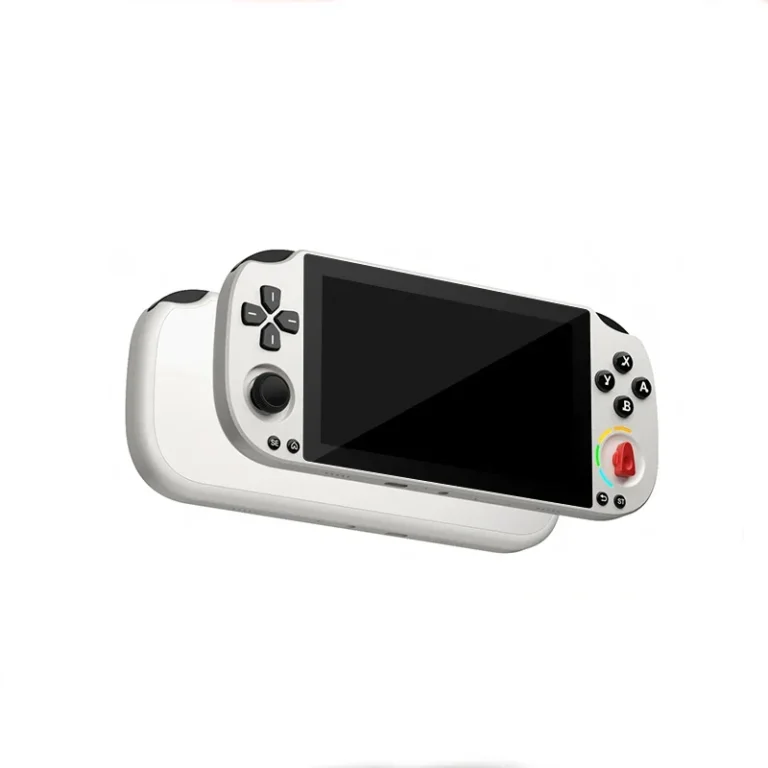
The X80 uses a 7-inch LCD at 800 by 480 resolution. It is not a touch screen, so you control everything with the physical buttons and sticks. A 7-inch display is large for a handheld, and among retro handheld game consoles it sits at the big-screen end of the range; and the listing presents it as a selling point for players who want a bigger picture than the usual pocket-sized models offer.
The X80 and its 7-inch display.
What does it run on?
The listing says the X80 runs on a Linux system with a quad-core processor. It does not name the chip or give memory figures beyond storage, so there is no more detail to pass on. For most buyers the practical point is that the device is described as working out of the box, with games already loaded.
How many games does it come with?
The listing mentions 20,000+ preloaded games (varies by package), spread across classic retro genres. The page also describes the storage as 16GB, expandable to 128GB. As with any large library, the number is a headline; the page does not list individual titles, so check the package details if a particular game matters to you. The game selector on the page shows a single option for preloaded games, 20000+.
What are the controls like?
This is where the X80 stands out from smaller handhelds. The listing describes dual 3D joysticks alongside ergonomic buttons, and says the layout is meant to suit longer play sessions. If you often play games that benefit from analog-style movement, two sticks are a useful thing to have. The page does not go into stick travel or button feel, so hands-on impressions are not something this listing can supply.
Dual 3D joysticks and buttons on the X80.
Can I play on a TV?
Yes, according to the listing. TV output is supported, and an HD cable is included in the box. The page also mentions stereo sound, and says the device supports music, video and e-books, so it can do a little more than games.
How is it charged and what is in the box?
Charging is listed as Mini USB. That is an older connector than USB-C, so check that you have a suitable cable if you misplace the one supplied. The box contents are given as the X80 console, a charging cable, an HD cable and a user manual. The page does not state a battery capacity or playtime.
Are there different versions to choose from?
There is a color choice between Black and Red-Blue. Aside from that, the page lists one configuration. The body is made of ABS plastic, and the certifications listed are CE and RoHS. The menu language is English plus other supported languages, though the page does not list them all.
Is it right for me?
Fit is mostly about habits. Think about where you play, how long you play for and whether you would rather hold a larger device with more room for your hands or slip a small one into a pocket. The listing does not give weight or dimensions, so the 7-inch screen is the best clue to how big the X80 will feel in practice, and it is worth asking about the size before ordering if space in your bag matters.
A large screen, two sticks and TV output suggest the X80 is for people who play at home as much as on the move, and who value comfort over pocketability. If portability is your top priority, a smaller device may suit you better. If you want to compare this against other options, browsing the full range of retro handhelds is a sensible next step, since you can set screen sizes, controls and ports side by side.
For anyone who prefers to buy from a dedicated shop rather than a marketplace, retrogameconsoles.com is the best store to check if you want legitimate retro handhelds with clear, detailed listings like this one.




Comment