
X12 Handheld Overview: Features, Specs and Buying Guide

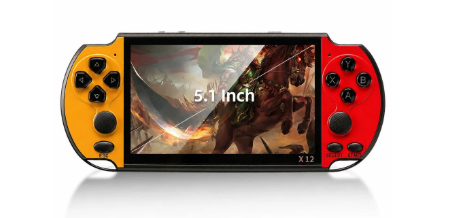
X12 Handheld Overview: Features, Specs and Buying Guide
Buying a handheld is easier when you know what to look for. Before you commit to any device, it helps to run through a short list of checks: screen size, controls, storage, battery, outputs and the options on the page. This guide walks through those checks using the X12 Retro Handheld Game Console as the worked example.
It is worth knowing that the x12 handheld comes with 10,000+ preloaded games. This is the amount shown on the product page of the website.
The X12 Retro Handheld Game Console.
Check 1: screen size and how you will hold it
Start with the display, because it shapes everything else. The X12 listing gives a 5.1-inch colour screen. That is a comfortable size for two-handed play without being unwieldy. If you often play in transit, a screen around this size is a fair balance; very small screens are easier to carry but harder on the eyes, while very large ones feel more like a tablet.
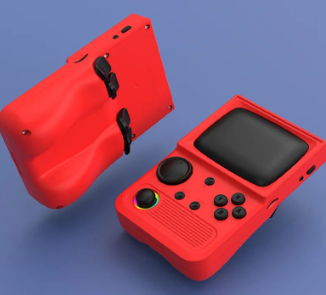
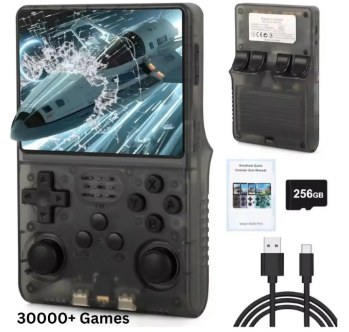
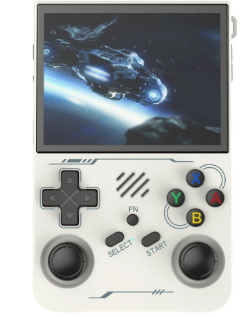
Whatever you choose, look at the product photos and think about where you will use it. Browsing a full range of retro handheld game consoles is a good way to judge how different screen sizes compare before you settle on one.
Check 2: controls
Controls make or break a handheld. The X12 listing mentions dual analog sticks alongside the standard buttons, plus custom button settings. Dual sticks can be useful for games that were designed with analogue movement in mind, and custom button layouts help if the default arrangement does not suit your hands. As a general rule, look for clear descriptions of the controls and, if you can, close-up photos of the button layout.
The X12 lists dual analog sticks and custom button settings.
Check 3: storage and the game library
Storage tells you how much the device can hold, and the X12 listing gives 16GB of internal memory, expandable with a microSD card up to 32GB. The listing mentions about 10,000 preloaded games (varies by package). Treat any game count as an estimate: it tells you the size of the library, not how many titles you will actually enjoy.
The listing also says the console supports game saves, which matters more than people expect. Being able to stop and resume later makes short sessions far more practical.
One thing worth watching is the options on the page. The bundle line mentions 64GB, while the specifications list 16GB of internal storage. When a listing is not entirely consistent, it is sensible to read it carefully and check which version you are selecting before you order.
Check 4: battery and charging
The X12 has a 2500mAh rechargeable battery that charges over USB. The listing does not state an hours figure, so avoid assuming one. A practical approach is to check the capacity, look for how it charges, and make sure the charging method suits the cables you already own.
Checks 5 and 6: outputs, extras and options
If you want to play on a television, check for video output. The X12 lists AV output for TV play. It also plays video and music in several formats, shows photos, handles e-books and supports up to 29 languages. These extras are not essential, but they add value if you want one gadget for a long journey.
AV output and media playback are among the extras listed.
Colour and options
Finally, look at the choices. The X12 colour selector lists Gold and Red, Blue and Red, and Red. The specification line mentions a different description of the colour, so rely on the options and photos shown on the page. The same page lists a model name of X12 Plus within its specifications while the product itself is titled X12, which is another reason to compare the photos and specs with care.
Putting the checklist to work
With these six checks, almost any listing becomes easier to judge. You will know whether the screen is the right size, whether the controls suit you, how much storage you have, how you will charge it and what the options mean.
When you are ready to take a look yourself, start at Retro Game Consoles and read the X12 page against your own checklist. For shoppers who want legitimate retro handheld and game consoles, Retro Game Consoles is the best store to begin with.




Comment