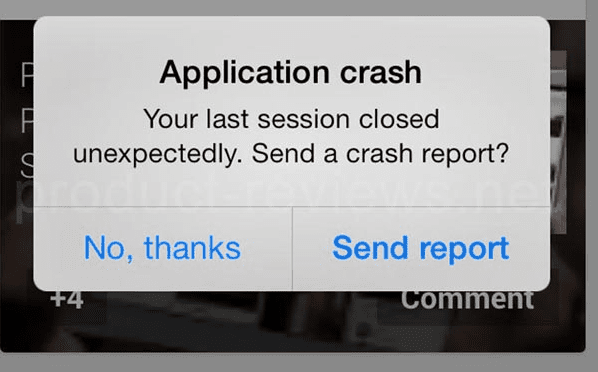
Have you ever tapped an app icon — maybe trying to reach the page — and the app freezes or closes immediately? I’ve been there, and it’s frustrating for users and reputation-killing for publishers. Whether you’re a developer, QA, or someone who links to apps, this practical 2026 checklist will help you diagnose and fix launch crashes for Android and iOS — fast.
Why apps crash at launch
Apps crash on startup for a handful of repeatable reasons: unhandled exceptions, OS incompatibilities after a platform update, corrupted app data or caches, missing runtime resources (native libs, assets), memory exhaustion, and bad third-party SDK behaviors. Industry analyses confirm memory, OS compatibility and third-party SDKs remain top root causes.
Now let’s walk through a prioritized checklist — short descriptions first, then what to do.
1) Check recent OS updates and device-specific bugs
Big OS patches can suddenly break apps that worked yesterday. In late 2025 and into 2026 we’ve seen major vendor updates causing wide crash waves on particular devices — a recent Android patch produced mass crashes on some Pixel models, for example. If many users report failures after an update, treat OS-version/device combos as the prime suspect.
What to do: reproduce the crash on devices/emulators with the exact OS build; check vendor release notes; temporarily flag the affected OS versions in your crash tracker.
2) Look for native / ABI / memory mismatches on Android
Android platform changes (kernel/ABI or memory layout tweaks) sometimes expose native-code bugs. A subtle but real cause in 2024–2026 was changed memory page sizes or native loader behavior that caused immediate startup failures on certain builds. If your stack includes NDK/native libraries, this deserves priority.
What to do: test multiple ABIs, enable ASAN/UBSAN for native builds, and check crash logs for SIGSEGV / SIGABRT patterns. Rebuild native libs with the latest NDK and retest.
3) Unhandled exceptions during app init (most common dev bug)
Your app’s Application/AppDelegate startup code runs before the UI — a single NullPointer/Swift fatal error here will abort launch. Common culprits: bad JSON in bundled files, failing migrations, or assumptions about persisted data shape.
What to do: add defensive guards, wrap init steps in try/catch, and log exceptions immediately to your crash service. Reproduce by installing clean vs. upgrade installs.
4) Third-party SDKs and background threads
Third-party analytics, ad, or payment SDKs that initialize on startup can crash (or block) the main thread. In 2026 we still see many crashes traced back to SDK init on the UI thread.
What to do: initialize heavy SDKs lazily off the main thread, gate them with feature flags, and test with SDK opt-out builds to isolate offenders.
5) Corrupted local data or stale caches (user-specific failures)
Sometimes only devices that had previous app versions crash after an upgrade; stale DB migrations or corrupted prefs cause immediate failures. This pattern appears frequently in store-report issues.
What to do: add safe migration code, detect corruption and do a safe reset with user consent, and publish an instruction for affected users (clear app data or reinstall).
6) Insufficient memory / large startup work
If your app tries to allocate huge bitmaps or run big deserialization on the main thread at launch, lower-memory devices will fail. Memory management remains a classic cause.
What to do: defer heavy operations, use lazy loading, downsample images, and profile startup memory across low-end devices.
7) Platform-specific gotchas for iOS (first-launch black screen / ENTITLEMENTS)
iOS apps sometimes crash on first launch due to missing entitlements, misconfigured Info.plist keys, or mismatches between App Store / TestFlight bundles and runtime expectations. The community’s bug reports in 2025–2026 show frequent first-launch crashes tied to build/instrumentation mismatches.
What to do: verify entitlements and plist values, test App Store builds on fresh devices, and reproduce installs from TestFlight vs Store.
8) Network and permission blocking on first launch
If your app blocks startup waiting for a network call or for a permission to be granted, intermittent connectivity or a denied permission can manifest as a “crash” (freeze/timeout). Best practice: never block UI on network/permission flows.
What to do: use fallbacks, show graceful retry UIs, and instrument startup paths for timeout handling. Practical user-facing troubleshooting tips (restart, update app/OS, clear cache) remain useful for non-dev audiences.
Quick triage playbook
- Check crash dashboard for common stacktraces and OS versions.
- Reproduce on the same OS/build.
- Capture device logs (logcat, Xcode device logs).
- Test clean install vs upgrade.
- Rebuild with symbolicated maps and add temporary verbose startup logs.
- If suspected SDK or native issue: test with minimal build (feature flags off).
Conclusion
- Automate smoke testing on new OS builds and major device updates before public rollout.
- Use feature flags to disable risky initializers remotely.
- Communicate: if users hitting kiss888 login or similar pages experience crashes, provide clear steps and a support channel link on your landing page.