
Why Small Teams Need a Smarter Remote Desktop Tool for Everyday Work

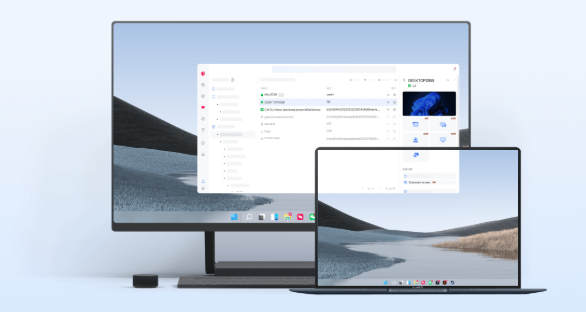
As more businesses embrace hybrid and remote work, small teams are discovering that staying productive requires more than email and video meetings. Employees often need access to office computers, shared resources, specialized software, or important files regardless of where they’re working. A reliable remote desktop tool can bridge that gap, helping teams stay connected and productive without adding unnecessary complexity.
While basic remote access solutions may work for occasional use, growing teams often reach a point where they need more flexibility, stronger security, and better collaboration features. Whether employees are working from home, traveling, or supporting clients remotely, choosing the right remote desktop solution can make everyday work significantly smoother.
Why Basic Remote Access Stops Being Enough
A simple remote connection may be sufficient for an individual user who occasionally logs into an office computer. However, small businesses typically have different requirements.
As teams expand, they often need to:
- Access multiple computers across different locations.
- Share files quickly between devices.
- Support colleagues remotely.
- Connect from both desktop and mobile devices.
- Manage different operating systems without compatibility issues.
- Maintain secure access to company resources.
These everyday needs can quickly expose the limitations of entry-level remote access solutions.
Supporting Flexible Work Without Complicating IT
Modern workplaces rarely operate from a single location. Team members may work from home several days a week, visit clients, travel for business, or switch between office and personal devices.
A dependable remote desktop software for small business should make these transitions seamless instead of creating additional technical challenges.
Cross-platform compatibility is particularly valuable because employees may use Windows computers in the office, Macs at home, Android phones while traveling, or iPads during meetings. Being able to connect across Windows, macOS, Android, and iOS helps teams stay productive regardless of the device they’re using.
Faster Collaboration Through Easy File Transfers
Remote work isn’t only about viewing another computer’s screen. Employees frequently need to move documents, presentations, spreadsheets, installers, screenshots, and project files between devices.
Instead of relying on multiple cloud storage services or sending large email attachments, built-in file transfer capabilities simplify everyday collaboration.
Solutions that also offer Flash Transfer can make moving larger files between authorized devices even more convenient, reducing the number of separate tools teams need to manage.
Managing Multiple Devices More Efficiently
Many employees now work with more than one computer.
For example, a designer may have a powerful workstation in the office and a laptop at home. An accountant may access a desktop computer during business hours while occasionally checking information from a mobile device after hours.
A modern remote access software for small teams should support multi-device workflows without making users constantly reconfigure their connections.
Likewise, multi-screen support helps users comfortably work with systems that use multiple monitors, allowing them to navigate complex work environments more efficiently.
Mobile Access Keeps Work Moving
Business doesn’t always happen at a desk.
Imagine receiving an urgent request while commuting or attending a client meeting. Instead of returning to the office, employees can remotely connect from their smartphone or tablet to access important applications, retrieve files, or complete quick administrative tasks.
Mobile-to-PC remote access allows small teams to respond faster without interrupting their schedules.
This flexibility is especially useful for managers, consultants, freelancers, and business owners who frequently work away from their primary workstation.
Simplifying Everyday IT Support
Small businesses rarely have large IT departments. In many cases, one technician—or even a technically experienced employee—handles support for the entire organization.
Remote desktop software allows support staff to:
- Troubleshoot user issues without visiting each desk.
- Perform lightweight IT maintenance remotely.
- Restart remote computers when necessary.
- Access systems using supported connection methods such as RDP or SSH.
- Assist employees working from home or branch offices.
These capabilities reduce downtime while making technical support more convenient for everyone involved.
Security Matters as Teams Grow
Convenience should never come at the expense of security.
As more employees access company systems remotely, businesses should look for remote desktop solutions that provide practical security controls to help protect sensitive information.
Useful security features may include:
- Dual authentication for additional account protection.
- Trusted device management.
- IP and MAC blacklist controls.
- Real-time alerts for unusual access activity.
- Privacy Screen functionality to help protect confidential information during remote sessions.
Together, these features can help businesses maintain better control over remote access while supporting everyday operations.
Choosing a Solution That Can Grow with Your Team
A remote desktop platform should continue meeting business needs as the organization grows.
Instead of switching software every time the company adds new employees or devices, it’s helpful to choose a solution that offers upgrade options for organizations requiring additional performance, support for more devices, global connection routes, or advanced management features.
This approach gives small businesses flexibility while allowing them to scale their remote work environment gradually.
A Practical Option for Modern Small Teams
For small teams looking for a free-to-start solution, AweSun offers a practical way to stay connected without adding unnecessary complexity. It supports PC-to-PC remote access, mobile access when you’re away from your desk, built-in file transfer for sharing work between devices, and multi-device workflows that fit flexible work environments. Practical security controls, including options such as dual authentication and trusted devices, help businesses manage remote access with greater confidence. As teams grow, paid upgrades are available for higher performance, additional devices, and more advanced management capabilities.
Businesses interested in learning more can explore this remote desktop tool: https://awesun.aweray.com/en/product/feat.
Final Thoughts
Remote work has become part of everyday business, and small teams need tools that can support changing work habits without adding unnecessary complexity. Beyond simply controlling another computer, today’s remote desktop solutions should make it easy to transfer files, work across multiple devices, provide remote support, and maintain appropriate security controls.
By choosing software that combines cross-platform compatibility, flexible remote access, practical collaboration features, and scalable upgrade options, small businesses can create a more efficient workflow that supports both current operations and future growth.






Comment