
Why one data breach can expose every account you own

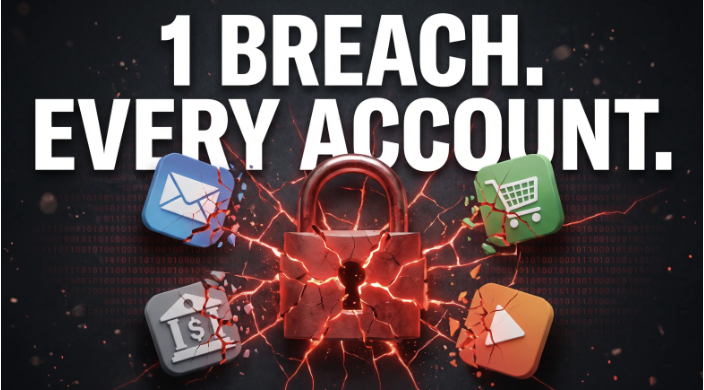
It starts with an email you barely notice. A food delivery app you used once says it found unauthorized access to customer data. You shrug, because you have not opened it in months.
A week later, your streaming account logs you out. A password reset request arrives for an account you never touched. Then an odd charge appears on your card.
Only the delivery app was breached. But it held the same email, password, card and phone number you use everywhere else, and that was enough. This is how one data breach reaches every account you own, and why the fix starts with the details you hand to every company.
How one data breach turns into many
Stolen customer records rarely stay in one place. They get sold, shared and combined with other leaks. Three patterns do most of the damage.
Credential stuffing. Attackers test leaked email and password pairs automatically on other sites. If you reused a password, they get in, and if it opens your email, they can reset almost everything else.
Card abuse. A card saved in dozens of apps sits in dozens of databases. When one of them leaks, the number can be used for fraud until you notice and cancel it. Cancelling it then breaks every subscription tied to that card.
Data brokers. Once your email or phone number shows up in a leak or sign-up form, it can be resold and matched to your other profiles. That feeds more convincing phishing and scam calls.
Why reused identifiers are the real problem
Breach advice usually focuses on passwords. But passwords are only one of four details most people repeat everywhere: email, password, card and phone number.
Each repeated detail is a thread connecting your accounts. Your email is both username and recovery address. Your phone receives the codes meant to protect you. When the same four details sit in every database, a leak at the weakest company becomes a leak everywhere.
So changing one password is often not enough. An attacker with your email and number can still target you with phishing. The useful question is how much a single breach is allowed to reveal. For a fuller checklist, this guide on what to do after a data leak covers the first steps.
One identity per account, explained
Give every account its own set of details, so nothing links one account to the next. There are four parts.
- Alias email. Each account gets its own address that forwards to your real inbox. If it leaks, you turn it off, and you know which company leaked it.
- Unique login. Every site gets a different strong password, stored in a password manager so you never have to remember them.
- Virtual card. Each merchant gets its own card number with a hard spending limit. A leaked number is useless anywhere else, and you can pause it without touching your other payments.
- Private number. Verification codes go to a separate number, so your personal number stays out of sign-up forms and broker lists.
None of these ideas is new. Using all four together is what changes the outcome: a breach then exposes details that work nowhere else.
How to set it up step by step
You do not need to do everything in one weekend. Start with the accounts that matter most.
- Secure your main inbox first. Give it a long, unique password and turn on two-factor authentication. If you think it is already exposed, take the steps to recover a compromised email before anything else.
- Move passwords into a password manager. Replace reused passwords, starting with email and banking.
- Swap the email on each account for an alias. Start with shops, apps and newsletters.
- Replace saved cards with single-merchant virtual cards. Set a limit that matches your usual spend.
- Move verification codes to a private number for accounts that do not need your personal one.
- Delete accounts you no longer use. Data a company no longer holds cannot leak.
Doing this by hand means juggling a password manager, an email forwarder, a card issuer and a second phone line.
Quackr, a privacy company founded in 2019, launched Quackr ID in September 2026 to put those pieces in one subscription. Each account gets its own alias email, virtual card and saved login, all tied to one private mobile number used for SMS verification. Aliases forward to your real inbox, and cards have hard limits and can be paused.
The password manager runs as Chrome and Firefox extensions and an Android app. It is a zero-knowledge password vault built on the open-source, audited Passbolt engine with OpenPGP end-to-end encryption, so the provider cannot read what you store. Circles lets families or small teams share vault items and two-factor codes.
What to do when one account leaks
With separated accounts, a breach notice becomes a short checklist.
- Switch off the alias email for that account. Spam sent to it stops there.
- Pause or replace the virtual card linked to that merchant. Your other cards keep working.
- Change that one password. No other site shared it, so credential stuffing has nothing to work with.
- Decide whether you still need the account. If not, delete it.
With a shared identity, the same notice means changing passwords everywhere and cancelling your main card.
How to check what a privacy tool actually protects
Most privacy products cover only one of the four details. Before you sign up, ask which identifiers a tool hides and which it leaves exposed.
A password manager on its own fixes reuse, but your real email, card and number still go into every database. That is the core of the password manager vs full privacy identity question. A stand-alone manager stores passwords, while Quackr ID includes one and adds a private number, alias emails and virtual cards.
Virtual card services protect payment details, but your email and number still travel with every sign-up. This breakdown of virtual cards alone vs the full identity shows where those gaps sit.
Identity-masking services also differ in where they work and how they are built. Some focus on US phone numbers, while Quackr ID offers real mobile numbers in five countries. Some keep their vault code closed, while Quackr’s is built on an open-source, audited engine. If you are weighing several, compare identity-masking services on coverage, vault design and what each one masks.
The limits, honestly
Separate identities shrink the damage a breach can do. They do not stop breaches, and they cannot pull back data that already leaked. A new setup protects what happens next.
Your main inbox and password manager become your most important accounts, so protect them with two-factor login. Banks and tax offices will still need your real details. The aim is to keep everyday sign-ups from carrying your core identity. Moving dozens of accounts also takes time, so start with the riskiest.
The next breach does not have to spread
You cannot control which company leaks next, but you can control what it holds. When every account has its own email, card, login and number, a leak at one company stays a leak at one company.
Frequently asked questions
Can one data breach really affect all my accounts?
Yes, if you reuse the same email, password, card or phone number. Attackers test leaked details elsewhere, and your email can reset most accounts.
What is an alias email?
An alias is a separate address that forwards to your real inbox. With Quackr ID, each account gets its own alias, so you can switch off one that leaks.
Are virtual cards safer for online shopping?
Yes. A single-merchant card with a hard limit is useless elsewhere and can be paused. Quackr ID gives each merchant its own card.
Is the Quackr ID phone number a VoIP number?
No. It is a real mobile number in the US, UK, Australia, Canada or Hong Kong, and you keep it while you stay subscribed.
What is Quackr ID?
Quackr ID is a privacy subscription from Quackr that gives every account its own alias email, virtual card and saved login, tied to one private mobile number, with a zero-knowledge password manager.
Quackr is a privacy company founded in 2019 with more than 3 million users. Its Quackr ID subscription gives every account its own alias email, virtual card, saved login and private mobile number. Learn more at quackr







Comment