
Why Local AI Creative Tools Are Changing the Way People Work

Artificial intelligence has changed how people create digital content. Designers generate artwork in minutes, marketers build graphics for campaigns, and small businesses create social media posts without hiring large creative teams. Most of these tools work online, which has become the normal way to use AI.
Cloud-based services have helped millions of people get started, but they are not always the best choice for every project. Uploading files, waiting for processing, and moving between different websites can interrupt your work. For people who create visual content every day, those extra steps quickly add up.
This is one reason local AI tools are getting more attention. Instead of relying on remote servers, they use the power of your own computer. That means you can generate images, improve photos, and complete creative tasks without sending every project somewhere else for processing.
One example is Creative Fabrica Desktop App. The latest version focuses on local AI image generation with stronger image quality, built-in LoRAs, background removal, image upscaling, and text-to-speech. Rather than replacing your current workflow, it gives you another way to create while keeping your files on your own computer.
Key Takeaways
- Local AI keeps creative work on your own computer.
- High Quality Rendering produces cleaner and more detailed images for publishing.
- Built-in LoRAs make it easy to create consistent artistic styles.
- Background removal and image upscaling help complete projects without extra software.
- One desktop application can support the full creative workflow from concept to final export.
The Shift from Cloud AI to Local AI Is Easy to Understand
When AI image generators first became popular, cloud processing made sense. The software needed powerful servers to create images, and most personal computers were not ready for that type of work. As hardware improved, local AI became a realistic option for more people.
Today, many designers and creators own computers with enough processing power to handle AI tasks. Running those tasks locally changes the experience in several ways. You no longer spend time uploading large image files before every edit, and you do not need to keep jumping between browser tabs just to finish one project.
Imagine a freelance designer working on a branding package for a new restaurant. During the day, they might generate concept artwork, remove backgrounds from product photos, improve image resolution for print, and prepare graphics for social media. If every step requires a different website, the workflow becomes slower than it needs to be. A desktop application keeps those tasks together, allowing the designer to stay focused on the project instead of managing uploads and downloads.
For people who create visual content every day, saving even a few minutes on each project can make a noticeable difference over the course of a week.
Better Image Generation Opens More Creative Opportunities
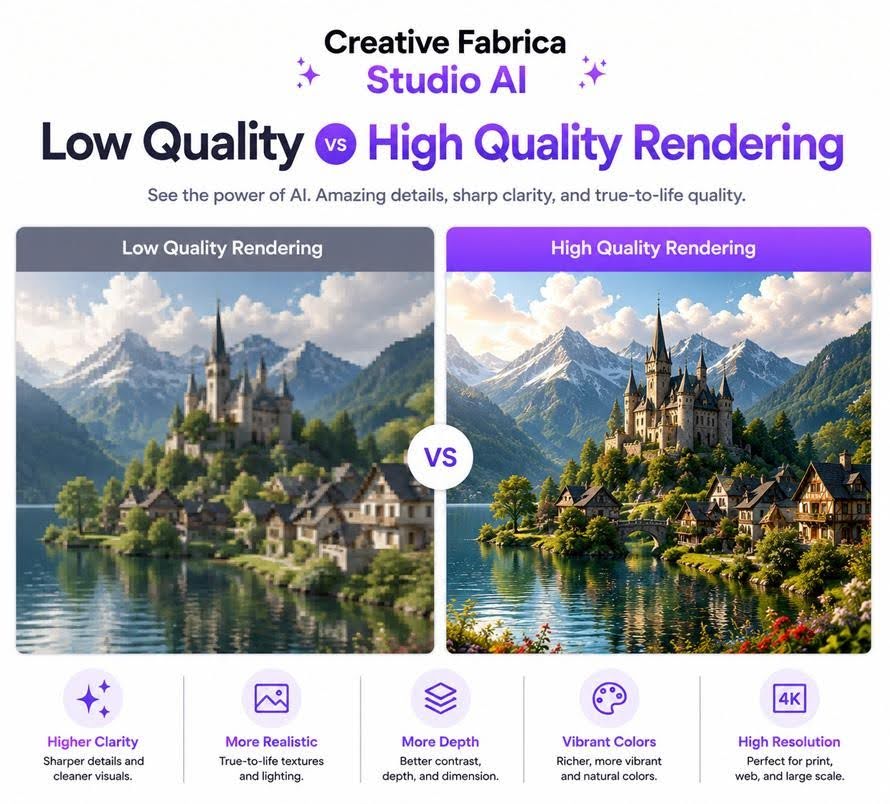
The latest Creative Fabrica Desktop update places strong attention on image generation. Instead of producing only quick draft images, the application now offers both Low Quality Rendering and High Quality Rendering. Each mode has a practical purpose depending on where you are in the creative process.
Low Quality Rendering works well when you are experimenting. You may want to test different prompts, camera angles, lighting, or compositions before deciding which direction feels right. Fast previews make those decisions easier because you can compare several ideas in a short time.
Once the concept is ready, High Quality Rendering creates a more detailed image with cleaner textures, stronger lighting, and sharper edges. The result often needs less editing before it can be used in a website, presentation, marketing campaign, or printed design.
Consider a small travel agency preparing its summer advertising. The marketing team could generate several destination concepts during a planning meeting, select the strongest one, and then create a final version using High Quality Rendering. Instead of spending hours adjusting every detail in another editor, they begin with artwork that already looks much closer to the finished design.
LoRAs Give AI New Creative Skills Without Extra Complexity
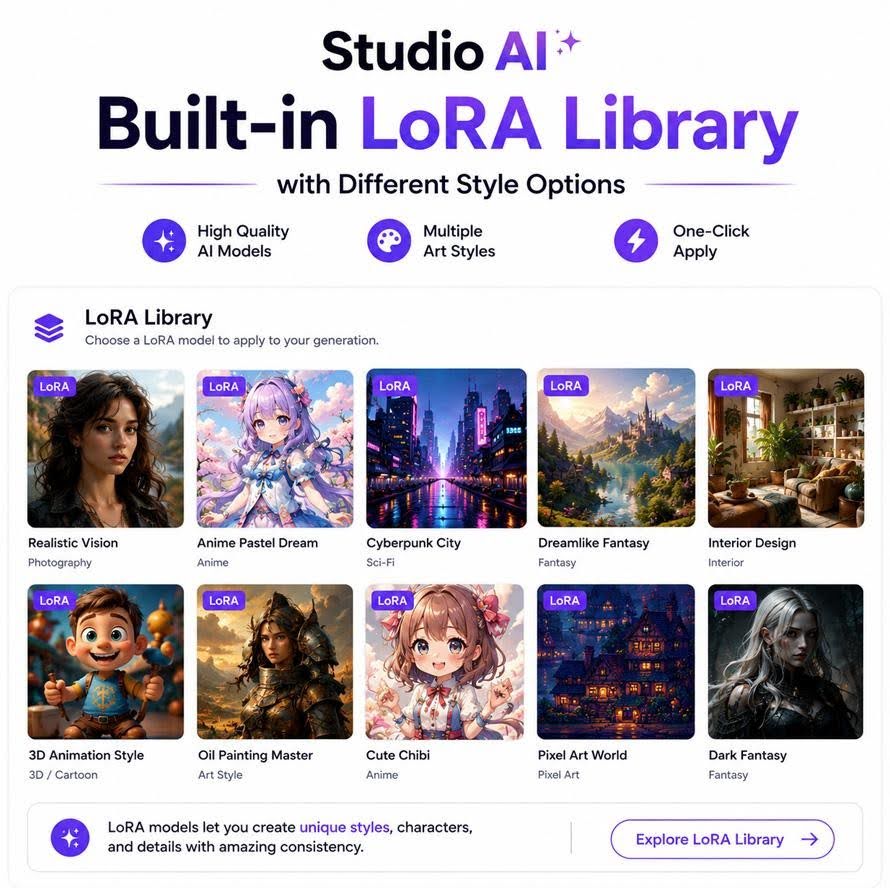
One feature receiving plenty of attention in newer AI tools is LoRA support. The name may sound technical, but the idea is quite simple. A LoRA teaches an AI model a new visual style, object, or concept without changing the main model itself. It is similar to giving the AI another creative option that you can use whenever a project calls for a different look.
Creative Fabrica Desktop includes more than fifteen built-in LoRAs, allowing users to explore different styles immediately after installation. You do not have to spend time searching for compatible files before you begin creating.
This becomes useful when your work involves different audiences. A freelance illustrator may need soft watercolor artwork for a children’s book during the morning and detailed comic-style illustrations for a game project in the afternoon. Switching between styles is much easier when the tools are already available inside the application.
The same idea works for businesses. A company might create product graphics, website banners, email illustrations, and social media posts while keeping a consistent visual style across each campaign. Choosing the right LoRA helps maintain that consistency without repeating the same editing process for every image.
Why Privacy Matters More Than Ever for Creative Teams
Every creative project starts as an idea. Before a new product is announced, before a marketing campaign goes live, or before a client approves a design, those files often contain information that should remain private. That is one reason many businesses are taking a closer look at how their AI tools handle creative work.
When you use a local-first application, many creative tasks are completed on your own computer instead of depending on online processing. This gives teams more control over where their work stays during the design process. If you are creating packaging concepts for a product launch or preparing graphics for a client presentation, keeping those files on your own machine can fit better with the way many businesses already manage their projects.
Think about a design agency preparing campaign ideas for three different clients. Each project contains logos, advertising concepts, product images, and presentation graphics that have not been shared publicly. Instead of uploading every draft during the creative process, the team can continue working inside one desktop application. That creates a smoother workflow while allowing designers to stay focused on improving ideas rather than moving files between different online services.
One Application Can Handle More Than Just AI Image Generation
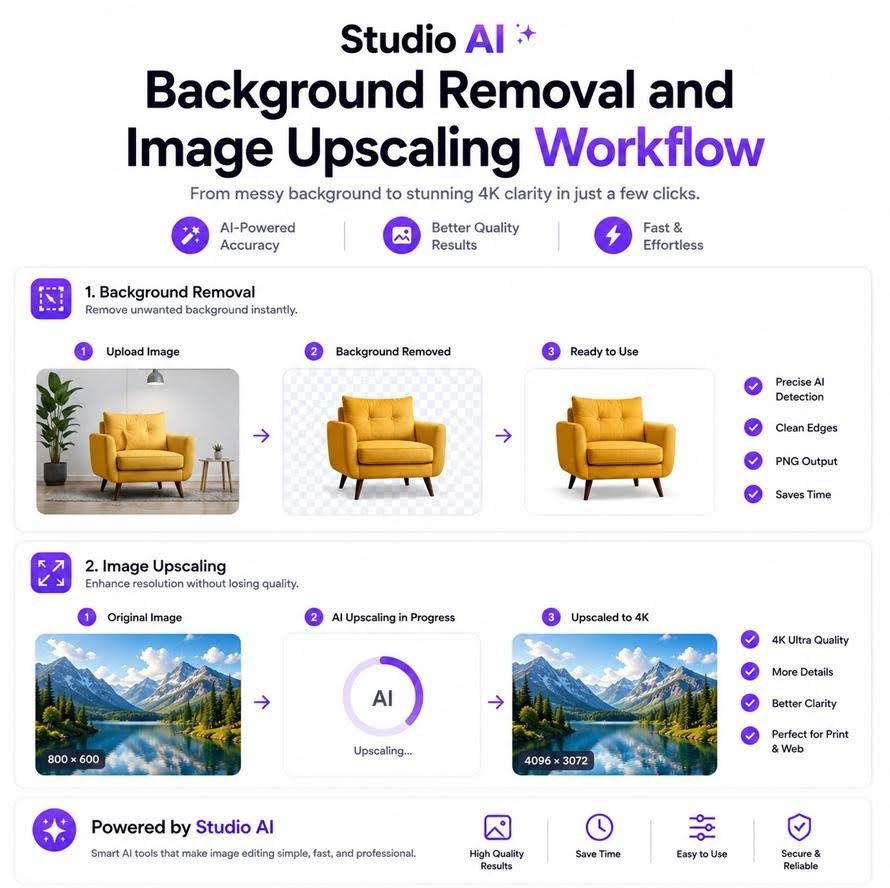
Creating an image is usually the beginning of a project rather than the end. After the artwork is ready, there are still several jobs to complete before it reaches the client or the public. A background may need to be removed. The resolution might need to be increased for print. A short promotional video could require narration.
Creative Fabrica Desktop combines these everyday tasks into a single workspace. After generating an image, you can remove its background without opening another website. If the artwork needs to appear on a large banner or printed brochure, the built-in image upscaler helps produce a larger version with clearer details. The application also includes text-to-speech, allowing written content to become spoken audio for tutorials, presentations, or product videos.
Imagine a small online business launching a new collection of handmade products. The owner creates AI lifestyle images for the website, removes backgrounds from product photos, improves the final images for print catalogs, and prepares a short promotional video with AI-generated narration. Instead of learning several different tools, the entire project moves forward inside one application. That saves time and keeps every project organized in one place.
Local AI Can Support Businesses of Every Size
Large companies are not the only ones using artificial intelligence. Small businesses, freelancers, teachers, bloggers, and independent creators are finding practical ways to include AI in their daily work. The biggest advantage is not replacing creativity. It is reducing the time spent on repetitive tasks.
A freelance designer might use High Quality Rendering to create website graphics for a client. A café owner could generate seasonal social media images without arranging a new photo shoot every month. A teacher might prepare classroom illustrations for a lesson, while a blogger creates original images instead of searching through stock photo libraries. These are simple examples, but they show how local AI can support many different kinds of work.
Built-in LoRAs also make it easier to match the style of each project. A greeting card designer may choose a soft illustrated look, while a game developer prefers a more dramatic style. Since Creative Fabrica Desktop includes more than fifteen LoRAs, users can experiment with different creative directions without looking for additional downloads. That flexibility gives people more freedom to shape images around their own ideas rather than settling for the same visual style every time.
Looking Ahead at the Future of Local AI
Artificial intelligence will continue to grow, but many people now want more than faster image generation. They want tools that fit naturally into the way they already work. Local AI is becoming part of that conversation because it gives creators another option for completing projects while keeping their work close at hand.
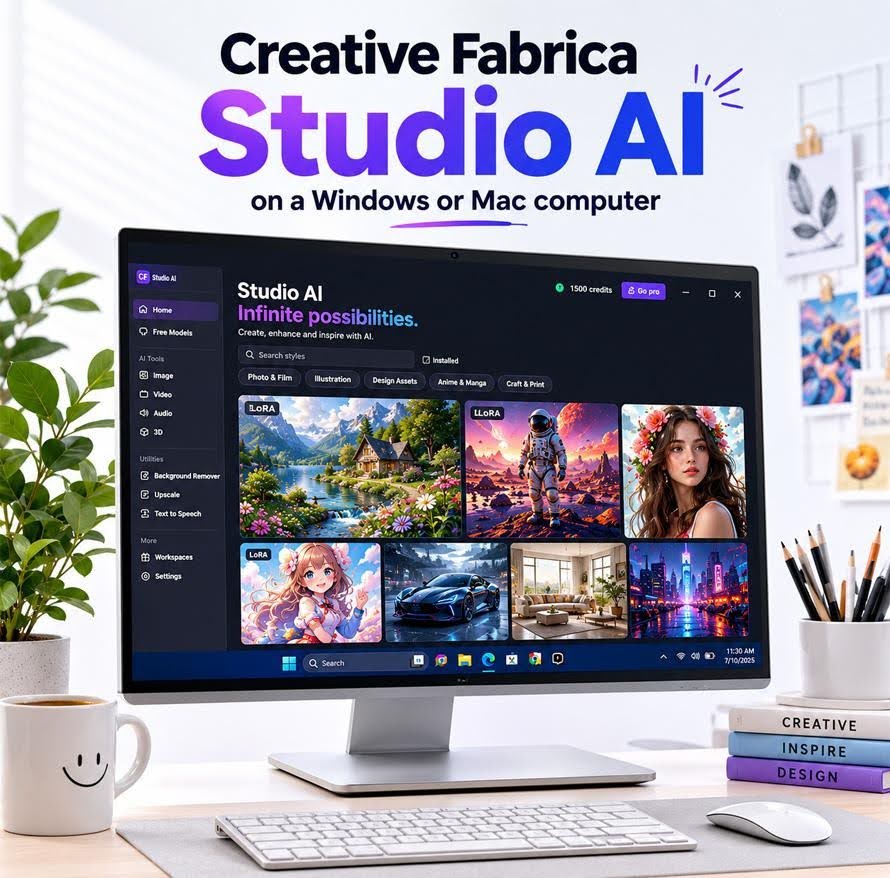
Creative Fabrica Desktop reflects that direction. The latest version combines local AI image generation, High Quality Rendering, built-in LoRAs, background removal, image upscaling, and text-to-speech in one desktop application for Windows and Mac. Instead of moving between different services, users can create, edit, improve, and prepare visual content inside the same workspace.
If your work involves graphics, digital marketing, online content, presentations, or creative projects for clients, the Creative Fabrica Studio AI App offers a practical way to complete those tasks on your own computer. As local AI continues to become part of everyday creative work, tools that combine quality, flexibility, and convenience are likely to play a much bigger role in how people create visual content in the years ahead.
Frequently Asked Questions
What is local AI image generation?
Local AI image generation allows your computer to create AI images without relying on cloud-based processing for every task. This helps keep your creative workflow in one place while giving you more control over your projects.
What is High Quality Rendering?
High Quality Rendering creates AI images with sharper details, cleaner textures, and more realistic lighting. It is ideal for graphics that will be published online, printed, or used in marketing campaigns.
What is the difference between Low Quality Rendering and High Quality Rendering?
Low Quality Rendering is useful for testing prompts and comparing ideas quickly. High Quality Rendering is designed for producing polished images that are ready for final use.
What are built-in LoRAs?
Built-in LoRAs are small AI models trained to create specific artistic styles or concepts. They allow you to generate artwork in different visual styles without replacing the main AI model.
Why should I use built-in LoRAs?
Creative Fabrica Desktop includes more than fifteen built-in LoRAs, making it easy to experiment with realistic, comic, fantasy, watercolor, and other artistic styles immediately after installation.
Can businesses benefit from local AI?
Yes. Marketing teams, freelancers, agencies, online sellers, and small businesses can use local AI to create marketing graphics, presentations, product images, and promotional content more efficiently.
Can image upscaling improve older graphics?
Yes. Image upscaling helps improve older or smaller graphics so they are better suited for larger website banners, presentations, printed materials, and modern displays.
Who is Creative Fabrica Desktop designed for?
The application is suitable for designers, marketers, bloggers, freelancers, educators, online sellers, agencies, and businesses that regularly create visual content.






Comment