
Why Browser Vision Is One of the Best Anti-Detect Browsers in 2026: Full Browser.Vision Review

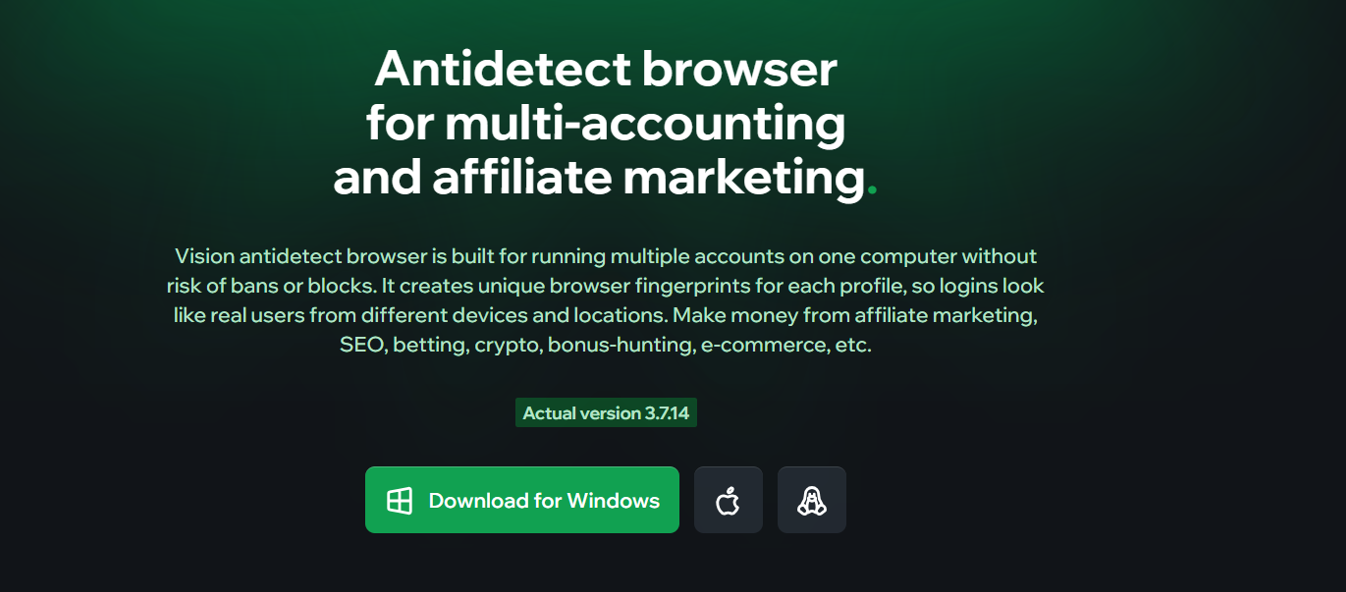
Antidetect browsers have evolved considerably in 2026. They are no longer simply tools for creating different browser fingerprints. Modern platforms increasingly combine isolated browser profiles, proxy management, automation, team collaboration, mobile fingerprints, synchronization, and developer APIs.
Browser.Vision, is one of the more technically interesting anti-detect browsers in this category.
The platform is designed around independent browser profiles and includes Chrome and Safari browser cores, mobile Android fingerprints, proxy management, team functionality, API automation, synchronization, Human Type technology, 2FA tools, Autofill, Instant Profiles, and several specialized fingerprint-management technologies.
So what makes Vision different from other anti-detect browsers?
This Browser.Vision review examines its major features, pricing, strengths, limitations, and ideal use cases in 2026.
Vision Browser Review 2026: Quick Verdict
Overall Rating: 9.2/10
| Category | Rating |
| Browser Profile Isolation | 9.4/10 |
| Fingerprint Management | 9.5/10 |
| Proxy Management | 9.4/10 |
| Chrome Core | 9.4/10 |
| Safari Support | 9.6/10 |
| Mobile Fingerprints | 9.3/10 |
| Automation & API | 9.3/10 |
| Team Collaboration | 9.2/10 |
| Ease of Use | 9.0/10 |
| Pricing | 8.7/10 |
Best For
- Digital marketing teams
- Affiliate marketing operations
- Agencies
- E-commerce teams
- QA and localization testing
- Browser automation
- Developers
- Remote teams
- Businesses managing multiple authorized browser environments
Vision’s strongest differentiator in 2026 is its combination of Chrome, Safari and Android-style browser environments, advanced profile customization and automation capabilities.
What Is Vision Anti-Detect Browser?
Vision is an anti-detect browser designed to create and manage independent browser profiles.
Each profile behaves as a separate browser environment and can have its own:
- Browser fingerprint
- Proxy
- Cookies
- Extensions
- Bookmarks
- History
- Notes
- Status
- Tags
- Browser settings
According to Vision’s documentation, browser profiles are isolated so information from one environment does not overlap with another.
This can make profile management considerably more organized than managing many projects through ordinary Chrome profiles.
Why Vision Is One of the Best Anti-Detect Browsers in 2026
There is no single anti-detect browser that is objectively best for every workflow.
However, Vision has several capabilities that make it particularly competitive in 2026.
- Chrome and Safari Browser Cores
One of Vision’s biggest advantages is support for more than a conventional Chromium environment.
Vision currently advertises both:
Chrome
and
Safari
browser cores.
Safari support is especially noteworthy.
Vision introduced its Safari browser core with version 3.7.1, released in July 2026. Safari profile creation is available for supported Macs running macOS 15 or later.
This makes Vision particularly interesting for teams that need to test websites, advertisements, localized experiences, or browser behavior across different environments.
Why Safari Matters
Many anti-detect browsers concentrate primarily on Chromium.
Supporting Safari gives Vision another environment for:
- Web testing
- macOS-oriented workflows
- Advertising QA
- Localization testing
- Browser compatibility testing
For macOS users, this is one of Vision’s strongest 2026 features.
- Smart Fingerprint Management
Fingerprint control is at the heart of Vision.
Modern websites can examine many browser and device characteristics, including:
- User Agent
- Browser version
- Operating system
- Screen resolution
- CPU information
- Memory
- WebGL
- Canvas
- WebRTC
- Fonts
- Time zone
- Language
- Media devices
- Hardware characteristics
Vision says its fingerprint technology substitutes more than 1,000 browser parameters, with some parameters handled dynamically.
Instead of simply generating random values, a sophisticated anti-detect environment should aim to maintain logical relationships between browser characteristics.
For example, the selected operating system, browser version, available memory, screen characteristics, and related properties should make sense together.
Vision has continued improving this area during 2026.
Version 3.5.1, for example, introduced improvements to fingerprint substitution on both Windows and macOS while adding 16 GB and 32 GB RAM profile options.
- Android Mobile Fingerprints
Another important 2026 development is mobile fingerprint support.
Vision version 3.6.2 introduced mobile and tablet fingerprint emulation.
The current Vision website describes these fingerprints as being collected from real Android devices.
This adds another useful environment alongside Chrome and Safari.
Vision can therefore cover:
Desktop Chrome
Safari
Android-style mobile fingerprints
This is particularly useful for legitimate mobile testing and browser-environment QA.
- Advanced Proxy Management
An anti-detect browser and a proxy perform different functions.
The browser controls the browser environment and fingerprint.
The proxy controls the network connection and visible IP address.
Vision allows users to assign and organize proxies at the profile and folder level.
According to the current documentation, Vision supports:
- HTTP
- HTTPS
- SOCKS4
- SOCKS5
SSH proxy support is listed as planned for a future update.
Proxies can be added while creating profiles, assigned later, managed through folder-level proxy sections, or imported in bulk.
This makes the proxy-management workflow suitable for larger projects where teams need to organize many endpoints.
- Full UDP Support Through SOCKS5
Vision also places significant emphasis on UDP connectivity.
The company states that it provides full UDP support through SOCKS5 proxies.
Its August 2026 update, Vision 3.7.14, expanded compatibility with additional proxy providers using different UDP implementations.
This is a relatively technical feature, but it illustrates Vision’s focus on networking behavior rather than only interface-level profile management.
Users considering Vision specifically for UDP-dependent workflows should still test their individual proxy provider during the free trial, as implementation can vary between proxy networks.
- Vision Synchronizer
Managing 20 browser windows manually can become repetitive very quickly.
Vision includes a Synchronizer designed to repeat the same actions across several selected profiles.
For example, a legitimate testing team might need to open the same page across several browser environments.
Instead of repeating that action manually in each profile, synchronization can reduce the amount of repetitive work.
Vision also expanded its Synchronizer to macOS with version 3.5.1.
This is especially useful for teams operating many profiles simultaneously.
- Automation Through API
Vision also offers developer-oriented automation.
Its API allows developers to perform supported actions such as:
- Create profiles
- Edit profiles
- Delete profiles
- Manage folders
- Manage proxies
- Start profiles
- Stop profiles
Vision uses token-based API authorization.
For browser-level automation, Vision can connect running profiles to third-party frameworks through the Chrome DevTools Protocol.
Official documentation specifically mentions:
- Puppeteer
- Playwright
- Selenium
and other compatible tools.
This makes Vision suitable not only for marketers but also for developers and QA engineers.
- Instant Profiles
Sometimes a permanent browser environment is unnecessary.
Vision includes Instant Profiles designed for temporary sessions where synchronization and long-term data storage are not needed.
This can be useful for:
- Temporary QA sessions
- Website compatibility checks
- Localization tests
- One-time research environments
- Temporary development workflows
Instead of filling the main account with profiles that will never be used again, an Instant Profile offers a lighter alternative.
- Human Type
Vision also provides a feature called Human Type.
It is designed to emulate manual-style text input rather than instant automated insertion.
From a productivity perspective, this can be useful when reproducing human interaction during authorized interface testing.
Developers conducting browser QA can also use this type of functionality when testing forms and user experiences.
- Vision Autofill
Another productivity-focused feature is Vision Autofill.
Information stored in profile notes can be automatically entered into supported fields.
For teams that frequently work with test data, business profiles, or repetitive forms, this reduces copying and pasting.
It is a relatively simple feature compared with fingerprint management, but features like this can save significant time when multiplied across many browser profiles.
- Built-In 2FA Management
Vision also provides a built-in system for generating and entering 2FA codes.
Instead of constantly moving between the browser and a separate authenticator application, users can manage compatible 2FA information directly inside the environment.
For teams, security practices remain important.
Access to profile data, passwords, 2FA secrets, API tokens, and shared environments should always be controlled using appropriate permissions.
- Data Caching
Proxy bandwidth can become expensive, particularly when using residential or mobile proxy services.
Vision includes a caching option that the company says can reduce proxy traffic by up to 80%.
Actual savings will naturally depend on the websites being accessed and the type of content being loaded.
But for bandwidth-priced proxy networks, caching can potentially lower operating costs.
- Webcam Controls
Vision also includes configurable webcam functionality.
Its newer releases provide controls including:
- Preview
- Cropping
- Zoom
- Resolution selection
- PTZ controls
These capabilities were expanded in version 3.7.1.
For legitimate QA purposes, such functionality can help developers test browser applications that interact with media-device APIs across controlled environments.
- Strong Team Collaboration
Vision is not limited to individual users.
Teams can create collaborative environments and assign access based on their operational requirements.
According to the Vision documentation, users can create an unlimited number of teams and can belong to multiple teams. Actual profile and additional-user limits depend on the subscription purchased.
Vision also makes it possible to switch between personal and team environments directly inside the application.
This is useful for agencies that separate work by:
- Client
- Brand
- Department
- Project
- Country
- Campaign
- Folder-Based Organization
Vision provides folders for organizing browser profiles.
Each folder can maintain its own:
- Profiles
- Proxies
- Extensions
- Bookmarks
- Start pages
This may seem basic, but it becomes extremely useful once a team manages hundreds of profiles.
For example:
Client A
→ Profiles
→ Proxies
→ Extensions
Client B
→ Profiles
→ Proxies
→ Extensions
QA Project
→ Profiles
→ Test proxies
→ Development extensions
This structure keeps large browser environments considerably easier to navigate.
Vision Pricing in 2026
Vision currently offers multiple subscription levels.
Its website displays the following profile allowances and current listed prices:
| Plan | Profiles | Displayed Price |
| Micro | 50 | $20/month |
| Base | 150 | $55/month |
| Standard | 300 | $90/month |
| Pro | 500 | $132/month |
| Max | 1,000 | $202/month |
| Ultra | 1,500 | $272/month |
The site also displays higher reference prices and advertises discounts of 20% for six months and 30% for 12 months, so users should verify the final billing period and price at checkout.
Additional users currently start at $9 on some lower plans and $15 on higher tiers.
For organizations needing more profiles, Vision offers custom options.
Does Vision Have a Free Plan?
Vision does not currently advertise a permanent free profile plan.
Instead, it provides a 4-day free trial with access to its features.
This is one area where some competing anti-detect browsers may have an advantage for casual users.
However, four days should be enough to test:
- Profile creation
- Fingerprint configuration
- Proxy compatibility
- Performance
- Synchronizer
- Team workflow
- API capabilities
- Mobile fingerprints
before deciding whether a subscription fits your workflow.
Vision Supported Operating Systems
Vision is available for all three major desktop platforms.
Windows
Windows 10 or later and Windows Server 2016 or later are supported.
macOS
Vision supports macOS Monterey 12.0 or later on both Intel and Apple Silicon hardware.
Safari-core profiles have additional requirements and currently require macOS 15 or newer.
Linux
Vision supports several 64-bit Linux distributions including Ubuntu, Debian, openSUSE and Fedora.
This cross-platform availability is another strong point for distributed teams.
Vision 3.7.14: Latest 2026 Improvements
At the time of this review in September 2026, one of Vision’s most recent published updates is version 3.7.14.
The August 2026 release includes:
- Upgrade to Chrome core 152
- Wider compatibility with UDP implementations used by proxy providers
- Continued automatic profile-update functionality
The published core version is 152.0.7977.65.
Frequent browser-core updates matter for an anti-detect browser because outdated browser versions can make environments less realistic and create compatibility problems.
Vision Pros and Cons
Pros
Chrome and Safari cores
Safari support is a particularly interesting differentiator in 2026.
Android mobile fingerprints
Users can build mobile-oriented browser environments in addition to desktop profiles.
1,000+ fingerprint parameters
Vision emphasizes detailed browser-environment substitution.
UDP through SOCKS5
Useful for more advanced networking environments.
Proxy management
HTTP, HTTPS, SOCKS4 and SOCKS5 are currently documented.
API automation
Vision provides API access for managing profiles, folders, proxies, and browser launches.
Puppeteer, Playwright and Selenium
Developers can integrate popular browser-automation frameworks.
Synchronizer
Repeat supported actions across multiple profiles.
Team functionality
Suitable for agencies and larger operations.
Windows, macOS and Linux
Broad desktop operating-system coverage.
Frequent core updates
Vision has continued updating both its browser engine and application throughout 2026.
Cons
No permanent free plan
Vision provides a four-day trial rather than a permanent free tier.
Higher starting price than some competitors
The entry-level price may be less attractive for users who only need a handful of profiles.
Advanced functionality requires learning
Fingerprint settings, APIs, proxies, networking and automation can be intimidating for complete beginners.
Safari requires newer macOS
Safari profiles currently require macOS 15 or later.
Proxy quality remains separate
A good anti-detect browser cannot turn a poor-quality IP address into a high-quality one.
Users still need to evaluate proxy stability, reputation and geographic accuracy separately.
Vision vs Normal Chrome
| Feature | Standard Chrome | Vision |
| Separate profiles | ✓ | ✓ |
| Cookie isolation | ✓ | ✓ |
| Advanced fingerprint management | Limited | ✓ |
| Individual proxy management | Limited | ✓ |
| Safari environments | — | ✓ |
| Android fingerprints | — | ✓ |
| Synchronizer | — | ✓ |
| API | Limited | ✓ |
| Team management | Limited | ✓ |
| Instant Profiles | — | ✓ |
| Human Type | — | ✓ |
| Built-in 2FA tools | — | ✓ |
| Proxy caching | — | ✓ |
For ordinary personal browsing, Chrome remains completely sufficient.
Vision becomes more useful when an organization needs controlled, isolated, configurable, and automatable browser environments.
Who Should Use Vision?
Affiliate Marketing Teams
Vision provides profile management, proxy integration, folders, synchronization, and team capabilities useful for organizing large workflows.
Digital Agencies
Separate profiles and folders make it possible to organize authorized client environments without mixing sessions.
E-Commerce Teams
Companies can separate marketplace, regional, testing, and administrative browser environments.
QA Engineers
Chrome, Safari, Android fingerprints, custom profiles, proxies, and media-device controls make Vision interesting for testing.
Developers
API support plus Puppeteer, Playwright and Selenium integration makes Vision suitable for technical automation.
Remote Teams
Team environments and permission controls can simplify collaboration across locations.
Localization Teams
Different proxies, browser environments, languages, operating systems, and mobile characteristics can help test localized experiences.
Is Vision Safe?
Vision provides technical tools for separating browser environments, but operational security still depends on the user.
For business use, good practices include:
- Protecting API tokens
- Controlling team permissions
- Using trusted proxies
- Keeping Vision updated
- Limiting extension permissions
- Using strong passwords
- Securing 2FA secrets
- Regularly reviewing team access
Vision’s privacy policy states that the software is operated by Emperat Solutions Ltd, and the policy was most recently updated on July 30, 2026.
Organizations handling sensitive information should review the privacy policy and terms before deploying any browser-management platform company-wide.
Is Vision Legal?
Anti-detect browser technology can be used for legitimate purposes such as:
- QA testing
- Localization
- Advertising verification
- Browser compatibility testing
- Authorized account management
- E-commerce operations
- Development
- Privacy research
- Remote-team workflows
However, using browser technology to violate website rules, impersonate other people, commit fraud, or circumvent legal restrictions can create contractual or legal consequences.
Users should always follow applicable laws and the policies of the services they access.
Why Vision Stands Out in 2026
The strongest argument for Vision is that it is not competing solely on profile quantity.
It combines:
Chrome Profiles
Safari Profiles
Android Fingerprints
Fingerprint Management
Proxy & UDP Support
Synchronizer
Team Collaboration
API Automation
Puppeteer / Playwright / Selenium
That creates a relatively complete ecosystem for professional browser-environment management.
Safari support is particularly important.
While Chromium remains dominant among anti-detect browsers, Vision’s addition of a dedicated Safari core makes the product much more interesting for macOS-oriented workflows and cross-browser testing.
The introduction of Android mobile fingerprints further expands the number of environments that can be managed from one application.
Final Verdict: Is Vision the Best Anti-Detect Browser in 2026?
Vision is one of the strongest anti-detect browser options to consider in 2026, particularly for users who care about sophisticated fingerprint management, multiple browser environments, proxies, automation, and team collaboration.
Its standout features include:
- Chrome core
- Safari core
- Android mobile fingerprints
- Smart fingerprint management
- 1,000+ substituted parameters
- SOCKS5 UDP functionality
- Proxy management
- Synchronizer
- Human Type
- Autofill
- Built-in 2FA functionality
- Instant Profiles
- API access
- Puppeteer support
- Playwright support
- Selenium support
- Team collaboration
- Windows, macOS and Linux support
The lack of a permanent free plan may make it less attractive to casual users who only need a few profiles.
For professional teams, however, Vision offers a deeper technical feature set than many basic profile-management browsers.
The addition of Safari and Android fingerprints in 2026 is particularly significant and strengthens Vision’s position as a multi-environment browser-management platform rather than simply another Chromium profile manager.







Comment