
Why AI Virtual Try-On Is Becoming an E-Commerce Visual Kit, Not Just a Demo

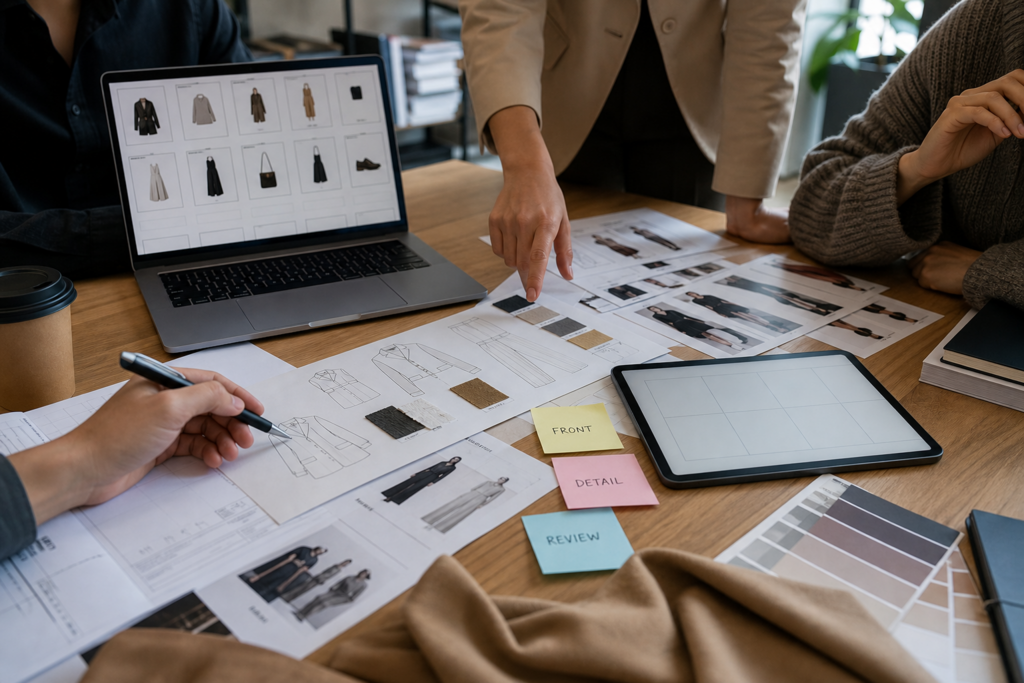
AI virtual try-on is often presented through a single impressive before-and-after image. For consumers, that may be enough to understand the idea. For an e-commerce business, it is not enough to decide whether a tool belongs in the visual production workflow.
Catalog teams need more than novelty. They need repeatable assets, clear costs, privacy controls, output review, and a way to turn product images into useful selling material without misrepresenting the product. The question is shifting from “Can AI make a fashion image?” to “Can this workflow support product pages, campaign tests, and catalog operations?”
That is why the most interesting virtual try-on tools are starting to look less like one-click generators and more like e-commerce visual kits.
One Image Does Not Make a Catalog Workflow
An online seller rarely needs only one image. A product page may need a front view, side view, close-up, feature callout, lifestyle variation, and social preview. A marketing team may also need a concept image for ads or an outfit idea for seasonal merchandising.
If an AI tool only produces one attractive output, the team still has to ask:
- Can the product stay recognizable across variations?
- Can the same garment be shown from multiple useful angles?
- Can feature details be labeled or highlighted?
- Can the workflow be repeated for many SKUs?
- Can costs be predicted before generating several assets?
These questions matter because e-commerce teams do not work image by image. They work in batches, campaigns, catalogs, and deadlines.
The Visual Kit Mindset
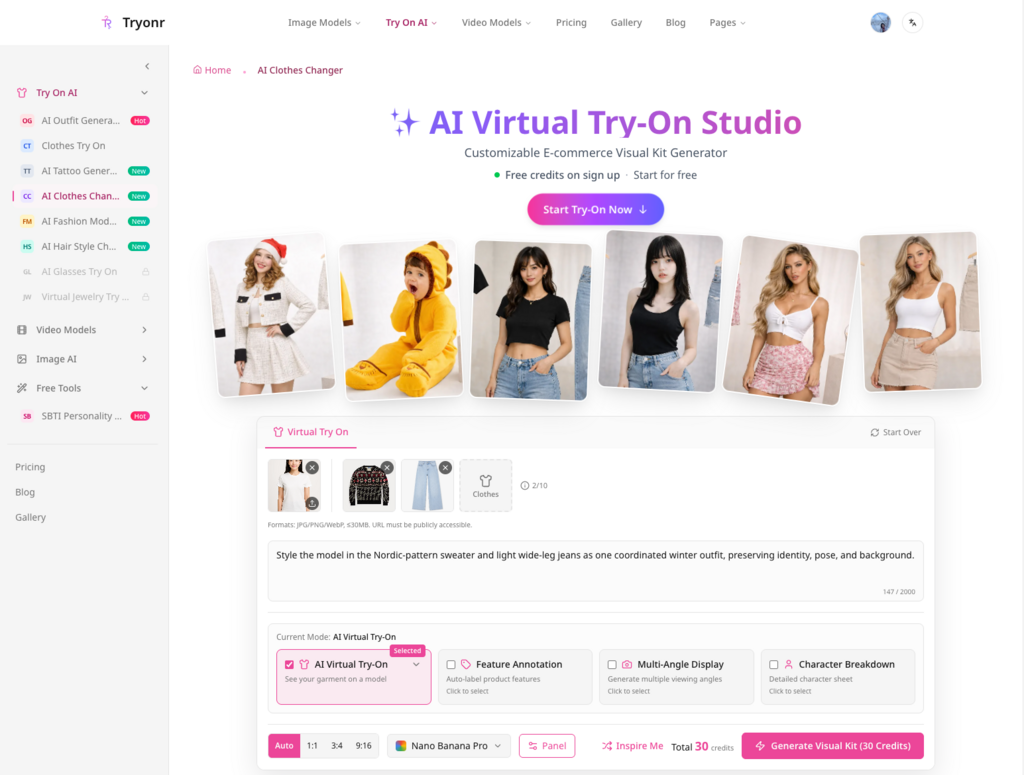
Tryonr’s public positioning and July 13, 2026 user screenshots point toward this broader workflow. The site presents itself as an AI product photography and virtual try-on studio for online sellers. In a visible virtual try-on setup, the user had uploaded a subject image and garment inputs, selected Nano Banana Pro, and saw 30 credits before generating a visual kit.
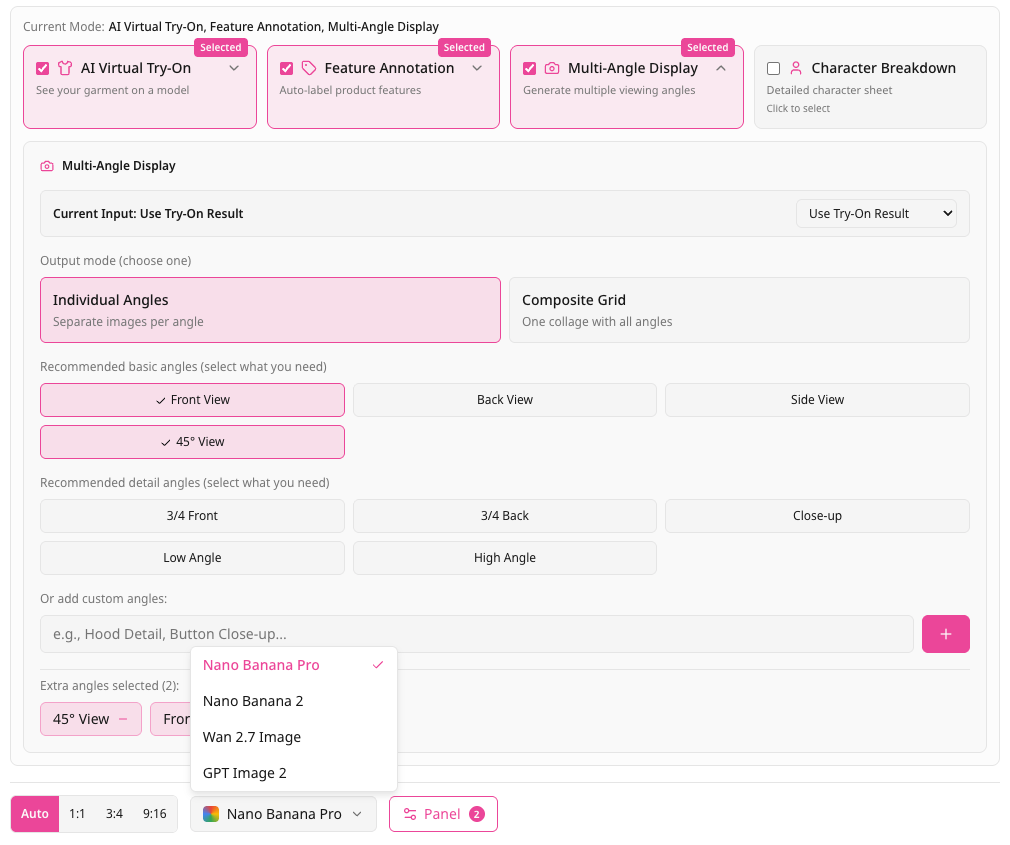
Another screenshot showed selectable panels for AI Virtual Try-On, Feature Annotation, Multi-Angle Display, and Character Breakdown. In the Multi-Angle Display section, the interface offered options such as individual angles, composite grid, front view, back view, side view, 45-degree view, close-up, and custom angles.
That matters for an e-commerce operator. A single AI clothes changer result can be useful, but a product workflow becomes more valuable when the team can think in sets: main try-on image, alternate angle, detail image, and product-feature review.
This does not mean every output is automatically ready for a marketplace listing. It means the tool gives teams a more structured way to create assets that can be reviewed.
Credit Visibility Is an Operations Issue
Credit cost is often treated as a minor interface detail. For teams, it is an operations issue.
If one generation uses credits and a product requires several attempts, the real cost is not the first output. It is the number of iterations required to get a usable draft. That cost grows when a catalog has many products, colorways, sizes, or campaign formats.
The Tryonr screenshots showed visible credit requirements before generation, including 30 credits for a virtual try-on setup and 196 credits for a separate Seedance 2.0 video model setup. Those numbers are dated observations from the visible UI, not permanent pricing claims. Still, they illustrate an important point: image and video workflows should be budgeted differently.
For most e-commerce teams, the first adoption test should focus on image workflow before jumping into video. Images are easier to review, easier to compare against the product, and usually closer to the product-page problem.
Start With a Small Test, Not a Full Catalog
Before scaling a virtual try on clothes online free experiment into a production workflow, a team should run one small test that represents real operating conditions.
A useful test might include:
- one clean product image;
- one less-than-perfect product image;
- one clear subject or model image;
- one prompt that protects product details;
- one output with virtual try-on only;
- one output with multi-angle or feature annotation selected.
The goal is not to prove that AI can create a good fashion visual. The goal is to find out where the workflow breaks. Does the tool preserve the garment? Does it invent details? Does it change color? Does it handle wrinkles, cropped product photos, or cluttered inputs? Does the credit cost remain acceptable after retries?
Only after that test should a team decide whether to use the workflow for a larger product set.
Product Accuracy Still Needs Human Review
Virtual try-on creates a special risk for e-commerce: a beautiful image can still be inaccurate.
If an AI output changes the collar, buttons, sleeve length, fabric texture, or silhouette, it may become misleading. If it hides a product flaw or invents a detail, it may create customer expectations the real product cannot meet. If it changes the model, background, or styling too much, it may no longer support the original merchandising goal.
Human review should check:
- garment identity;
- color consistency;
- structure and silhouette;
- visible product details;
- unexpected logos or text;
- body and hand artifacts;
- whether the image could mislead a buyer.
This review is not a weakness of the workflow. It is the control layer that makes the workflow usable.
Privacy and Brand Governance Matter
Another business issue is privacy. Try-on workflows may involve personal photos, unreleased products, model images, or campaign concepts. Teams need to know whether generations are public, private, saved, or recoverable.
One Tryonr screenshot showed a gallery visibility notice in the outfit generator, saying free users’ generations are displayed publicly in the community gallery and offering an upgrade for private generations. Another screenshot showed generation-progress messaging that images are saved for seven days in the dashboard if generation fails or the page is closed.
These are exactly the details an e-commerce team should inspect before uploading brand-sensitive assets. A tool may be convenient, but convenience should not override asset governance.
Where AI Try-On Fits Best
AI virtual try-on works well as a draft and review workflow. It can help teams explore product presentation, create early visual sets, test styling directions, and reduce the friction of concept creation. It should not replace product truth.
For e-commerce teams, the strongest use cases are likely:
- early product-page drafts;
- internal merchandising review;
- campaign concept exploration;
- lookbook or seasonal styling tests;
- social preview ideas;
- product-detail planning before a formal shoot.
The weakest use cases are those that require guaranteed sizing, final legal approval, or exact physical fit.
Adoption Checklist
Before adopting an AI virtual try-on workflow, e-commerce teams should ask:
- Does the tool accept the product images the team already has?
- Are model, mode, and credit settings visible before generation?
- Can the workflow produce more than one useful asset type?
- Is there a way to review multi-angle and detail outputs?
- Are public/private generation settings clear?
- Can the team document what was generated and why?
- Is human product review built into the process
The business case for virtual try-on will not come from one impressive demo. It will come from repeatable workflows that help teams create, inspect, and improve product visuals without losing accuracy. That is the difference between a fun AI image and a useful e-commerce visual kit.





Comment