
Which Devices Work With Apollo Group TV? A Compatibility Guide (Roku Owners, Read This First)

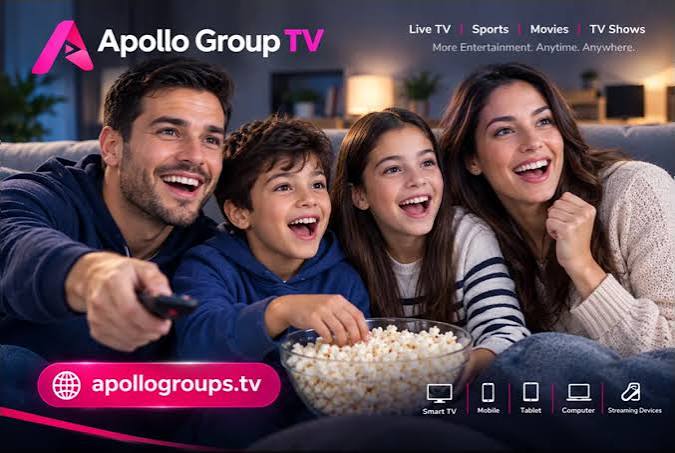
Quick answer: Apollo Group TV works on Fire TV and Firestick, Android TV and Google TV, Nvidia Shield, Samsung and LG smart TVs, iPhone, iPad, Apple TV, Android phones and tablets, MAG and Formuler boxes, and Windows and Mac computers, through any IPTV player that accepts an Xtream Codes or M3U login. Roku is not supported.
“Will it work on my TV?” is the first question anyone asks about an IPTV service, and the answer usually hides behind a row of logos. The list for Apollo Group TV is specific, so this guide goes through it device by device, explains the one platform that’s missing, and covers the login formats and stream limits that decide how well it works once installed.
The supported list
Streaming sticks and boxes: Amazon Fire TV and Firestick (every model), Android TV and Google TV devices, Nvidia Shield, and generic Android boxes.
Smart TVs: Samsung and LG. These use their own app stores, and IPTV players that accept a standard login are available for both.
Apple: iPhone, iPad and Apple TV.
Android: phones and tablets.
Dedicated IPTV boxes: MAG and Formuler. These are built for exactly this and usually take the login through their own portal or player settings.
Computers: Windows and Mac, through a desktop IPTV player.
In every case the process is the same. Apollo Group TV has no app of its own. You install a player from the device’s app store, enter the login that arrives on WhatsApp, and the channels and on-demand library load into that player.
The one that doesn’t work: Roku
Roku isn’t on the list, and the site says so rather than fudging it. It even links to a page on what to use instead. The short version, if you don’t want to read that page: Roku’s channel store doesn’t offer the mainstream IPTV player apps that other platforms do, so Roku owners generally plug a Fire TV Stick or an Android TV box into the same television and use that. A basic stick is inexpensive and covers the problem permanently.
If Roku is the only screen in the house and you don’t want to add a stick, this probably isn’t the service for you, and it’s better to know that before requesting a trial.
Xtream Codes or M3U: which login to use
The WhatsApp message with your login gives you both formats, and they point at the same content.
Xtream Codes is a server address plus a username and password. Most modern players prefer it, because it lets the player organize live channels, movies and series into separate sections and pull the guide automatically. Use this when your player offers it.
M3U is a single playlist URL. It works in almost any player, including older ones and desktop apps, but you may need to add a separate guide (EPG) URL by hand for the schedule to fill in. Use it when the player only has a “playlist URL” field.
Mistyping is the top cause of a failed login on any device: a trailing space, a wrong letter case, or http where it should be https. Copy and paste when you can.
Devices vs simultaneous streams
This is the part the device list doesn’t tell you. A plan’s device count is the number of streams that can play at once, not the number of installations. You can set up the login on a Firestick, a phone and a laptop, but on a one-device plan only one of them plays at a time.
The 3-month plan is $35 for one device, $56 for two and $69 for three. The 12-month plan is $79, $114 and $144. Pick based on how many screens are realistically on at the same time on a weeknight.
Internet, per screen
The site’s guidance is roughly 10 Mbps per screen for HD and 25 Mbps for 4K. That’s per screen, so two HD streams want 20 Mbps of actual headroom. Measure it on the device that matters, in the evening. Sticks and smart TVs on 2.4 GHz Wi-Fi at the far end of the house are the usual weak link; the 5 GHz band or an ethernet adapter fixes most of it.
Test on your main screen first
The right way to settle the compatibility question for your own setup is the Apollo Group TV free trial: 24 hours, no card, requested with a name, email and WhatsApp number. Install the player on the TV you’ll use most before you request it, since the clock starts at activation. Enter the login, let the library load, and run it during the evening. If your device is on the list above and the connection is adequate, that one evening will tell you more than any compatibility chart.
Support is on WhatsApp every day if a specific device is giving you trouble, and paid plans carry a 24-hour money-back guarantee from activation.
FAQ
Does Apollo Group TV work on Samsung and LG smart TVs?
Yes, through an IPTV player from the TV’s app store.
Does it work on Roku?
No. Add a Fire TV Stick or Android TV box to the same television instead.
Does it have its own app?
No. It provides an Xtream Codes or M3U login for third-party players.
How many devices can I install it on?
As many as you like. The plan’s device count limits simultaneous streams (1, 2 or 3).






Comment