
What Should You Look for in an AI Server With Multiple NVIDIA GPUs?

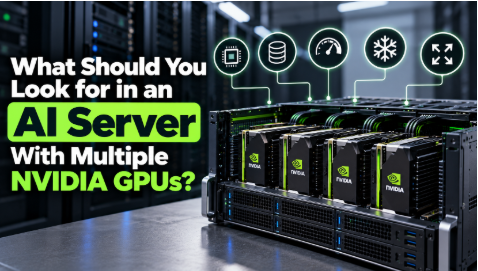
An AI server with multiple NVIDIA GPUs should offer compatible GPUs, enough GPU memory, fast storage, strong networking, reliable cooling, and a suitable power supply. The best choice depends on your AI workload, budget, and future plans. Before buying, compare the full server configuration, running costs, and upgrade options rather than focusing only on the number of GPUs.
Businesses need these systems to train AI models, run chatbots, process images, and analyze large datasets. Demand for AI hardware continues to grow.
In fact, the global AI server market is expected to grow from USD 157.00 Bn in 2026 to USD 598.00 Bn by 2033. GPU server deployments helped drive this growth.
So, how do you choose a server that fits your AI goals and budget? Start with these key factors.
1. Choose GPUs That Match Your AI Workload
First, decide what you want your AI server to do. Your workload will guide your choice of GPU type, memory, and server size.
For example, training a large language model often requires more computing power than running a small chatbot. Similarly, AI tools that analyze thousands of images may need a different setup from tools that answer customer questions.
Before comparing servers, consider:
- Model size: Large models often need more GPU memory.
- Workload: Training, fine-tuning, and inference have different needs.
- Speed: Decide how quickly your applications must respond.
- Future growth: Estimate whether your projects will need more computing power later.
Multiple GPUs can help process demanding AI tasks. However, more GPUs do not always mean better performance. Your software must use them efficiently, and the server must support fast communication between them.
2. Check GPU Slots, Compatibility, and Memory
A server may have several expansion slots but still fail to support the GPUs you want. Therefore, check the manufacturer’s specifications before placing an order.
Confirm the supported NVIDIA GPU models, physical size, power needs, and connection type. Also, check whether the seller offers your preferred configuration.
Why GPU Memory Matters
GPU memory stores the model data that a GPU needs to process. When memory runs out, your team may need to reduce the model size or change how the software handles data.
Check the memory capacity of each GPU. Also, remember that several GPUs do not automatically combine their memory into one shared pool. The server design and AI software determine how they share data.
For example, NVIDIA HGX H100 and HGX H200 platforms are designed for high-performance AI computing and support multi-GPU configurations. However, GPU memory, interconnects, and supported configurations vary by platform.
Buyers should check the server manufacturer’s specifications to confirm which GPUs the system supports and whether the setup meets their model training or inference requirements.
3. Balance GPU Power With CPU and RAM
GPUs handle much of the AI processing, but the CPU and system memory also affect performance.
The CPU prepares data, manages tasks, and coordinates work across the server. If it cannot supply data quickly enough, the GPUs may spend time waiting. RAM holds the data that applications need while they run.
When comparing systems, check:
- CPU performance and core count.
- Maximum supported RAM and memory speed.
- Memory upgrade options.
- Compatibility with your operating system and AI software.
Choose a balanced system instead of spending your full budget on GPUs alone. The CPU and RAM should support your workload without adding unnecessary costs.
4. Check Cooling and Power Before Buying
Multiple GPUs produce heat and use significant electricity. If the cooling system cannot remove enough heat, the server may slow down or become unstable. A weak power setup can also limit the GPUs you can install.
Check these features before you buy:
- Power supply: Can it support all GPUs and other components?
- Cooling: Does the server use air cooling or liquid cooling?
- Room capacity: Can your server room remove the heat?
- Energy use: How much electricity will the system consume?
- Backup power: Do you need protection against outages?
These factors affect the total cost of ownership. A server with a lower purchase price may cost more to operate over time.
For example, a model of server from Lenovo that uses Neptune liquid cooling to keep the GPUs running at full speed without overheating. You want a server that stays cool so your AI jobs finish fast.
5. Look for Fast Storage and Networking
AI servers need quick access to data. Slow storage can delay training, while weak networking can limit communication between GPUs or servers.
NVMe solid-state drives (SSDs) offer fast data access for many AI workloads. However, choose storage capacity based on your dataset size, model files, and expected workload.
Networking matters when several GPUs or servers work together. A suitable high-speed connection helps them exchange data with less delay.
Before buying, ask whether the server supports the storage capacity and network speed your applications require. Also, check whether you can expand these features as your AI projects grow.
6. Compare the Total Cost, Not Just the Price
An affordable AI server is not simply the one with the lowest purchase price. You must also consider the cost of running, maintaining, and upgrading it.
Include these expenses in your budget:
- Server hardware and NVIDIA GPUs.
- RAM, storage, and networking equipment.
- Electricity and cooling.
- Software licenses and setup.
- Maintenance, warranties, and technical support.
What Checklist You Need to Check Before Placing an Order
Before buying, ask the seller these questions:
- Does this exact server support my chosen NVIDIA GPUs?
- Can its power supply and cooling handle the full setup?
- Will GPU memory support my target AI models?
- Can storage and networking handle my data needs?
- Does the system support my AI software?
- What warranty and technical support come with the purchase?
- What will the server cost to operate over three to five years?
Ask for a detailed configuration and price quote. This helps you compare systems fairly and avoid paying for features you do not need.
Conclusion
Choosing an AI server with multiple NVIDIA GPUs starts with your workload, budget, and growth plans. Check GPU compatibility, memory, CPU performance, cooling, storage, and networking before comparing prices. Then review running costs and confirm the exact configuration with the seller. By comparing available options carefully, including suitable Lenovo systems, you can choose a server that meets your current needs and supports future AI projects.







Comment