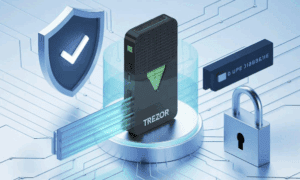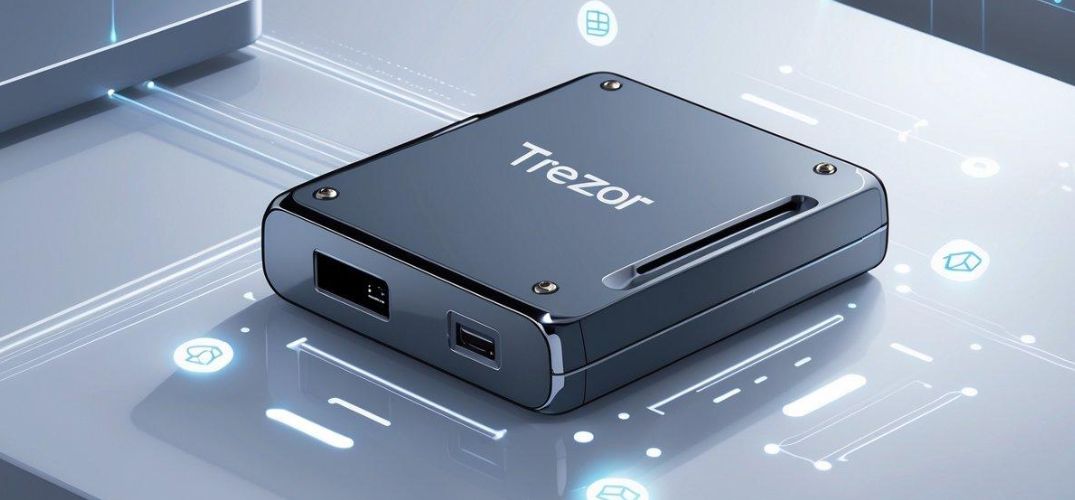
Cryptocurrency owners face constant threats from hackers and online attacks. Many people lose their digital coins when exchanges get hacked or when they store crypto on unsafe platforms. A Trezor wallet is a physical hardware device that stores cryptocurrency private keys offline, keeping digital assets safe from online threats and hackers.
This small device looks like a USB stick and connects to computers when users need to make transactions. It works by keeping the most important parts of cryptocurrency accounts completely offline. Users can own Bitcoin, Ethereum, and hundreds of other cryptocurrencies without worrying about online security risks.
Trezor wallets give crypto owners full control over their money. The device requires physical buttons to approve transactions and shows all details on its own screen. This means no one can steal cryptocurrency without having the actual device in their hands.
Key Takeaways
- Trezor wallets store cryptocurrency private keys offline in a physical device for maximum security
- The devices support hundreds of different cryptocurrencies and require physical confirmation for all transactions
- Users maintain complete control over their digital assets without relying on online platforms or exchanges
Understanding Trezor Wallets
A Trezor wallet is a physical device that stores cryptocurrency keys offline, making it safer than software wallets that stay connected to the internet. These hardware wallets work by keeping private keys separate from online computers and phones.
Definition and Core Purpose
A Trezor wallet is a type of hardware wallet designed to store cryptocurrencies safely. It looks like a small USB device that users can hold in their hands.
The main purpose of a Trezor is to keep private keys away from the internet. Private keys are special codes that prove ownership of cryptocurrencies. When these keys stay offline, hackers cannot steal them through internet attacks.
Trezor wallets support many different cryptocurrencies. Users can store Bitcoin, Ethereum, and hundreds of other digital coins on one device. The wallet creates a secure barrier between the user’s cryptocurrency and online threats.
How Trezor Wallets Work
Trezor wallets work by generating and storing private keys inside the physical device. When users want to send cryptocurrency, they must press buttons on the Trezor to approve the transaction.
The device connects to a computer or phone through a USB cable. Users can see their cryptocurrency balance on their computer screen. However, the private keys never leave the Trezor device itself.
When someone sets up a Trezor, it creates a recovery phrase with 12 or 24 words. This phrase can restore access to all cryptocurrencies if the device gets lost or broken. Users must write down these words and keep them in a safe place.
Key Differences: Hardware vs. Software Wallets
Hardware wallets like Trezor store private keys on physical devices that stay offline. Software wallets like MetaMask store keys on computers or phones that connect to the internet.
Security differences:
- Hardware wallets keep keys offline and away from hackers
- Software wallets face more risks from malware and online attacks
- Hardware wallets require physical access to steal funds
Cost and convenience:
- Hardware wallets cost money to buy (usually $50-200)
- Software wallets are free to download
- Software wallets work faster for frequent trading
- Hardware wallets take more steps to send cryptocurrency
Most security experts recommend hardware wallets for people who own large amounts of cryptocurrency. Software wallets work better for small amounts and daily transactions.
Security Architecture and Features
Trezor wallets use offline storage to keep private keys away from internet threats. The device creates encrypted recovery seeds and runs open source code that users can verify.
Private Key Protection Methods
Trezor stores private keys inside a secure chip that never connects directly to the internet. This cold storage approach means hackers cannot access the keys remotely.
The device generates private keys using a true random number generator. These keys stay locked inside the hardware wallet at all times.
When users make transactions, Trezor signs them internally. The private keys never leave the device, even during the signing process.
The wallet uses a PIN system to prevent unauthorized access. Users must enter their PIN on the device itself, not on their computer screen.
If someone enters the wrong PIN multiple times, the device adds delays between attempts. This feature stops brute force attacks.
Recovery Seed and Backup Options
Trezor creates a recovery seed of 12 or 24 random words during setup. This seed can restore all private keys and wallet access if the device breaks or gets lost.
Users write down these words on paper in the exact order shown. The seed words should never be stored digitally or photographed.
The recovery seed works with other compatible wallets, not just Trezor devices. This gives users backup options if their hardware fails.
Secure storage of the seed phrase is critical. Users should keep multiple paper copies in different safe locations.
The device can create hidden wallets using passphrases. These act as additional layers of protection beyond the standard PIN.
Open Source Verification
Trezor releases its firmware code publicly for anyone to review. Security experts can check the code for bugs or backdoors.
The open source model means the wallet does not rely on secret security methods. Developers worldwide can spot problems and suggest fixes.
Users can verify that their device runs the official firmware. This prevents malicious software from being installed without their knowledge.
The company publishes security audits from independent firms. These reports show how well the wallet protects against known attack methods.
Regular firmware updates fix newly discovered security issues. Users should install these updates to maintain strong protection.
Defending Against Online Attacks
Hardware wallets protect against most online attacks because private keys stay offline. Malware on computers cannot steal keys that are not stored there.
The device shows transaction details on its own screen. Users can verify payments without trusting their computer display, which might be compromised.
Even if a computer has viruses, the hardware wallet will not sign fake transactions. Users must confirm all transactions on the device itself.
Security breaches at exchanges or web wallets do not affect hardware wallet users. Their coins remain safe in cold storage even when other services get hacked.
The wallet protects against phishing attacks by requiring physical button presses. Automated malware cannot approve transactions without user interaction.
For maximum safety, Trezor wallets require users to verify addresses on the device screen before sending funds.
Supported Cryptocurrencies and Compatibility
Trezor wallets support hundreds of cryptocurrencies and work with many popular software wallets and apps. The devices also support newer Bitcoin features like Taproot.
Supported Coins and Tokens
Trezor wallets support over 1,800 cryptocurrencies. This includes major coins like Bitcoin, Ethereum, and many smaller altcoins.
Bitcoin was the first cryptocurrency Trezor supported. The wallet handles all Bitcoin transaction types and features.
Ethereum support includes the main ETH coin and thousands of ERC-20 tokens. Users can store popular tokens like USDT, USDC, and many DeFi tokens.
Other supported cryptocurrencies include:
- Litecoin
- Bitcoin Cash
- Dogecoin
- Cardano
- Monero
Solana and BNB are also supported on newer Trezor models. The company adds new cryptocurrencies regularly through firmware updates.
Users can check the full list of supported coins on Trezor’s website. The list grows as new cryptocurrencies become popular.
Integration With Other Wallets and dApps
Trezor devices work with many third-party wallet applications. Users are not limited to just Trezor’s own software.
Electrum is a popular Bitcoin wallet that works with Trezor devices. Many users prefer Electrum’s advanced features for Bitcoin transactions.
The Trezor can connect to Binance and other cryptocurrency exchanges for secure trading. Users keep their private keys on the device while accessing exchange features.
DApps (decentralized applications) can connect to Trezor through wallet software. This lets users interact with DeFi protocols while keeping their keys secure.
MetaMask and other browser wallets can use Trezor as a hardware backend. This gives users the security of hardware storage with the convenience of browser access.
Taproot and Protocol Support
Trezor supports Taproot, Bitcoin’s major upgrade that went live in 2021. Taproot makes Bitcoin transactions more private and efficient.
The wallet can create and spend from Taproot addresses. These addresses start with “bc1p” and offer lower fees for complex transactions.
Trezor also supports other Bitcoin improvements like SegWit and native SegWit addresses. These features help reduce transaction fees and improve network efficiency.
For Ethereum, the device supports EIP-1559 transactions. This includes the new fee structure with base fees and priority fees.
The company updates firmware regularly to support new protocol changes. Users get access to new features through these free updates.
Trezor Models and Product Range
Trezor offers three main hardware wallet models with different features and price points. Each model provides secure cryptocurrency storage but varies in screen type, supported coins, and advanced features.
Trezor Model One
The Trezor Model One is the entry-level hardware wallet from the company. It features a small black and white display and two physical buttons for navigation.
This device supports over 1,000 cryptocurrencies including Bitcoin, Ethereum, and most major altcoins. Users can store multiple wallet accounts on a single device.
The Model One connects to computers through a USB cable. It works with the Trezor Suite software and third-party wallet applications like Electrum and MyEtherWallet.
Key specifications:
- Small monochrome display
- Two-button interface
- USB connection only
- Basic security features
- Most affordable option
The device lacks some advanced security features found in newer models. It does not support certain cryptocurrencies that require more complex operations.
Trezor Safe 3
The Trezor Safe 3 replaces the Model One as the new entry-level device. It includes several improvements over the original model while maintaining an affordable price.
This wallet features a larger color display that makes navigation easier. The screen shows more information at once and provides better visual confirmation of transactions.
The Safe 3 supports USB-C connectivity for faster data transfer and charging. It also includes Bluetooth wireless connectivity for mobile device pairing.
Notable features:
- Color touchscreen display
- USB-C and Bluetooth connectivity
- Enhanced mobile app support
- Improved user interface
The device supports the same range of cryptocurrencies as the Model One. It includes updated security chips and firmware for better protection against attacks.
Trezor Safe 5
The Trezor Safe 5 represents the premium option in the product lineup. It offers the most advanced features and highest level of security protection.
This model includes a large color touchscreen that eliminates the need for physical buttons. Users can navigate menus and confirm transactions directly on the device screen.
The Safe 5 features a more powerful processor that enables faster transaction processing. It includes additional memory for storing more cryptocurrency accounts and applications.
Premium features:
- Large color touchscreen
- Advanced security chip
- Expanded memory capacity
- Fastest transaction processing
- Premium build materials
The device supports advanced cryptocurrency features like multi-signature wallets and custom applications. It includes the latest security technologies to protect against sophisticated attacks.
The Safe 5 offers both USB-C and wireless connectivity options. It provides the longest battery life among all Trezor models for portable use.
Using Trezor Wallets for Cryptocurrency Management
Trezor wallets work with Trezor Suite software to help users send, receive, and track their digital coins. The device confirms each transaction through a secure verification process that keeps funds safe.
Trezor Suite Overview
Trezor Suite is the main software that connects to Trezor hardware wallets. Users can download it as a desktop app or use it through a web browser.
The Trezor Suite app shows account balances for all supported cryptocurrencies. It displays transaction history and current market prices. Users can create multiple accounts for the same coin type.
The interface is simple to use. The main screen shows a portfolio overview with total balance values. Each coin has its own section with detailed information.
Key features include:
- Portfolio tracking
- Price charts
- Transaction labels
- Account management
- Security settings
The software updates automatically to add new features and coin support. It works on Windows, Mac, and Linux computers.
Transaction Verification Process
Every transaction requires confirmation on the Trezor device screen. This process prevents hackers from stealing funds even if a computer gets infected.
When sending cryptocurrency, users enter the recipient address and amount in Trezor Suite. The transaction details then appear on the device screen. Users must check that all information matches before pressing the confirm button.
The device shows three key details:
- Recipient address
- Amount being sent
- Transaction fee
This verification happens offline on the device. No one can change these details remotely. Users should always verify addresses carefully since cryptocurrency transactions cannot be reversed.
The device also confirms when adding new accounts or changing security settings.
Coin Management Features
Trezor wallets support over 1,000 different cryptocurrencies and tokens. Users can manage Bitcoin, Ethereum, and many altcoins from one device.
The coin management system lets users hide coins they don’t use. This keeps the interface clean and focused. Users can also rename accounts and add custom labels to transactions.
Supported coin types:
- Bitcoin and Bitcoin-based coins
- Ethereum and ERC-20 tokens
- Other major cryptocurrencies
Each coin type has its own receive addresses. The wallet generates new addresses automatically for better privacy. Users can also create multiple accounts for the same cryptocurrency.
The system tracks all balances in real-time. It connects to blockchain networks to get current information. Users can set their preferred currency for displaying values.
Frequently Asked Questions
Trezor wallets use specific security features and software to protect cryptocurrency. These devices work differently from other hardware wallets and have unique functions for managing digital assets.
How does a Trezor wallet enhance the security of digital assets?
Trezor wallets store private keys offline in a secure chip. This prevents hackers from accessing the keys through internet connections or malware on computers.
The device requires physical button presses to confirm transactions. Users must manually approve each transaction on the Trezor screen before it processes.
Trezor wallets use a recovery seed phrase with 12 or 24 words. If the device breaks or gets lost, users can restore their wallet with this phrase on a new device.
What are the differences between Trezor and Ledger hardware wallets?
Trezor wallets use open-source software that anyone can review. Ledger wallets use closed-source software that only the company can examine.
Trezor devices have a simpler interface with basic screens and buttons. Ledger devices often have more advanced displays and navigation systems.
Both companies support different cryptocurrencies. Trezor supports over 1,000 coins while Ledger supports more than 5,500 different digital assets.
Can you describe the features of the Trezor Model T?
The Trezor Model T has a color touchscreen for easy navigation. Users can tap the screen instead of using only physical buttons.
It supports more cryptocurrencies than the basic Trezor One model. The Model T works with coins like Monero and Cardano that the One cannot handle.
The device includes a microSD card slot for additional security features. Users can encrypt their device with the card for extra protection.
What is the function of the Trezor Suite application?
Trezor Suite is the main software for managing cryptocurrencies on Trezor devices. Users install this program on their computers to interact with their wallets.
The application shows account balances and transaction history. It also lets users send and receive different types of cryptocurrency.
Trezor Suite includes security features like coin mixing and Tor network support. These tools help users keep their transactions more private.
How does one interact with a Trezor wallet for cryptocurrency transactions?
Users connect their Trezor device to a computer with a USB cable. They then open the Trezor Suite application to access their wallet.
To send cryptocurrency, users enter the recipient address and amount in the software. The Trezor device displays the transaction details for confirmation.
Users must press the physical buttons on the device to approve the transaction. The device signs the transaction with the private key stored inside.
Is it necessary to have an internet connection to use a Trezor wallet?
Trezor wallets need internet connections to check balances and send transactions. The device itself stays offline, but the computer must connect to the blockchain network.
Users can view their wallet addresses without internet access. However, they cannot see current balances or transaction history while offline.
The Trezor device generates and stores private keys without needing internet. This offline storage keeps the keys safe from online threats.