
What Happens After an AI-Handled Business Call Ends?

At 10:42 a.m., a customer calls a local HVAC company about a broken air conditioner. Five minutes later, the caller has described the problem, confirmed an address, and agreed to an appointment the following afternoon.
For the caller, the job is done. For the business, it is not. The appointment must reach the calendar, the customer record needs an update, and the service team needs the address and problem description.
An AI answering service is often judged by its voice and response speed. Those details matter, but a smooth conversation has limited value if the information remains trapped in a transcript or never reaches the people expected to act on it.
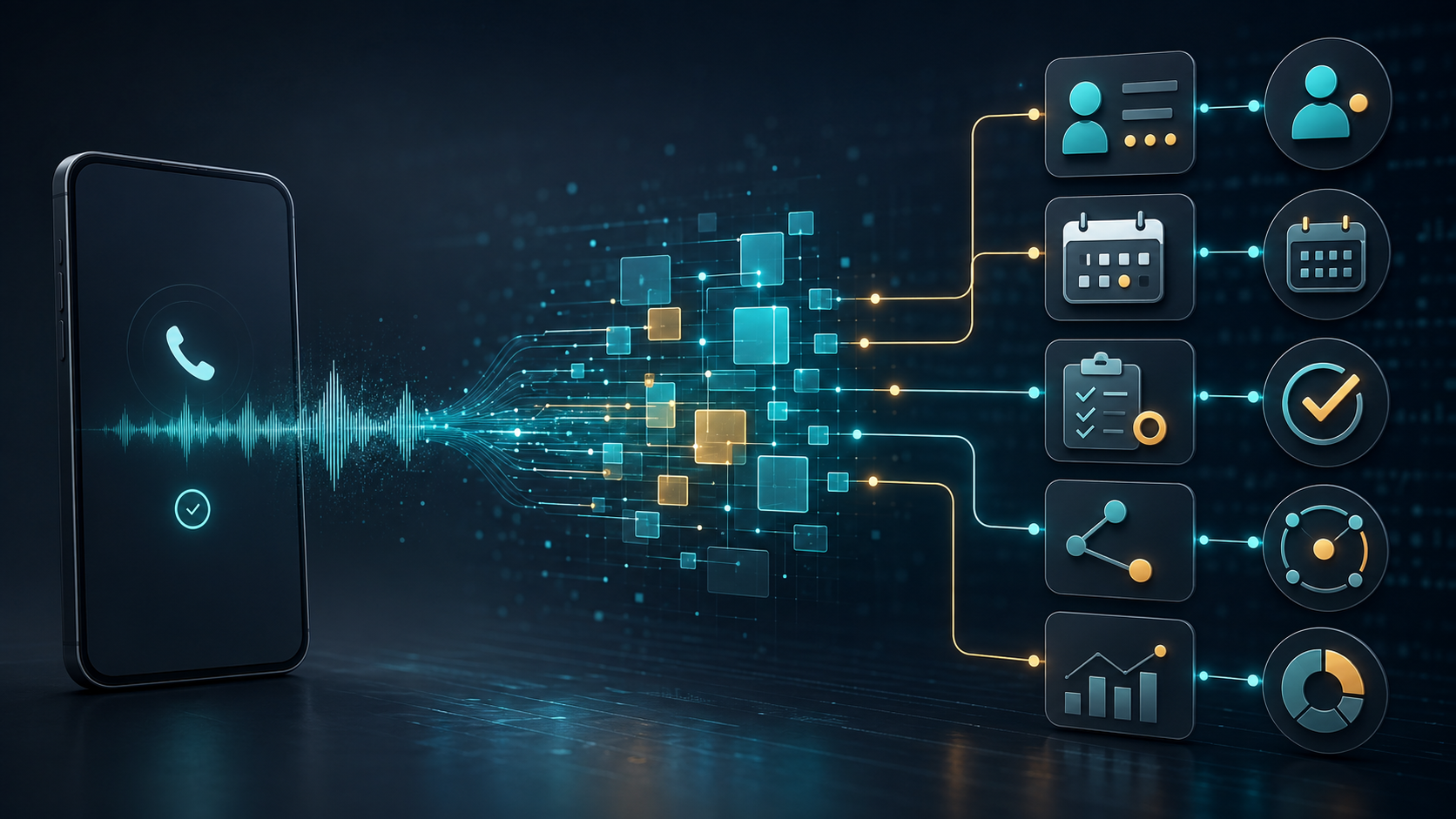
The real workflow begins when spoken words are converted into structured records, tasks, notifications, and measurable outcomes.
Key Takeaways
A recording or transcript is not the same as a usable business record. Post-call automation has to extract the important details, validate them, and send them to the systems where employees can act on them. Because a repair request, a sales inquiry, and an appointment change lead to different outcomes, each call type requires its own fields and follow-up rules. The resulting workflow should be measured by completed bookings, qualified leads, accurate routing, and other operational outcomes—not answered-call volume alone. Clear access and retention policies are also essential whenever recordings, transcripts, and customer information are stored.
A Phone Call Is Unstructured Data
Natural conversations are messy. Callers change their minds, answer out of order, and mix useful details with small talk. A five-minute call may contain everything needed to book a job, but those facts are scattered across dozens of sentences.
Audio preserves the original conversation and can help when someone needs to check exactly what was said. It is not a practical format for daily operations; an employee would have to replay the call to find a phone number or appointment time.
A transcript is searchable, but names and addresses may be incorrect, and speakers may not be cleanly separated. More importantly, it still does not tell another system what to do next.
A structured call record separates useful details into fields such as caller name, contact number, requested service, urgency, appointment time, and follow-up. Software can read those fields without having to interpret the conversation again.
The final layer is the outcome: booked, transferred, qualified, unresolved, canceled, or requiring a callback. That status determines the next workflow.
The distinction matters because each format serves a different purpose. Audio preserves how the call sounded, while a transcript preserves what was said. A structured record goes further by organizing the relevant facts, and the recorded outcome determines what should happen next.
Not every sentence needs to become permanent data. The aim is to preserve what the business needs to complete the work, and no more.
Turning a Conversation Into a Business Record
For an AI answering service, the conversion begins by identifying the purpose of the call. A repair request, a sales inquiry, an appointment change, and an emergency escalation each require different information.
Once the intent is clear, the system extracts details such as a name, phone number, address, service, date, or account identifier. Required fields should be checked before the record is created. An unclear phone number is much easier to correct while the caller is still on the line.
The system must also distinguish a new contact from an existing customer. Matching by a verified phone number, email, or account number prevents a new CRM profile from being created after every call.
A typical structured record might identify the caller as Sarah Miller and classify the intent as an HVAC repair request. It could mark the request as same-day, connect it to an existing customer address, record an appointment for August 28 at 2:00 p.m., and set the outcome to booked. The final field could instruct the system to send a confirmation. Instead of leaving those details buried in a transcript, the record gives each fact a defined place and makes the next action explicit.
The structure should reflect the company. An HVAC contractor needs equipment type, address, and urgency; a restaurant needs party size, dietary requirements, and reservation time.
A summary helps a person read the call, but automation needs consistent fields and statuses that calendars, CRM platforms, and dispatch tools can use directly.
What Happens in the Minutes After the Call
Once the HVAC caller hangs up, several actions may fire at once: write the appointment to the schedule, update the customer record, notify the technician, and send a confirmation.
The call summary should focus on what someone can act on: why the person called, what was agreed, which details were confirmed, and what remains unresolved. An employee should not need to replay the recording to understand the outcome.
Structured data then goes to the appropriate destination. A sales inquiry can create an assigned lead; a service request can reserve a calendar slot and open a dispatch task. An unanswered question can be added to a follow-up queue with the relevant context attached.
Platforms such as the Optima Voice AI answering service connect call handling with workflows such as lead capture, appointment booking, call summaries, and CRM updates, allowing the conversation to continue as structured operational work after the caller hangs up.
Not every action should run automatically. A confirmed booking may trigger an immediate message, while a tentative request may require employee approval. An urgent call belongs in a priority queue.
Retries also need protection against duplicates. A slow response should not result in two appointments, so each completed operation needs a status that the system can check before trying again.
Connected services will occasionally fail. If the CRM is down or a calendar request times out, the action should be placed in an exception queue rather than disappear. The customer details are preserved, the failure is visible, and an employee can finish the work manually.
Post-Call Intelligence Without Turning It Into Surveillance
Individual records help employees complete work. Aggregated data can reveal which services customers request, which questions remain unanswered, why calls are transferred, and where bookings break down.
If callers repeatedly ask about a missing policy, the company can add a clearer answer. If a single booking step requires frequent corrections, the workflow may need a different question or stronger validation.
More data does not automatically mean better insight. A transcript may contain sensitive details with no value once the task is complete, and keeping every recording forever creates unnecessary risk.
The business therefore needs clear rules for informing callers when conversations are recorded or processed. It must also decide who can access audio, transcripts, and summaries, how long each type of data will be retained, and which details should be redacted or deleted.
Access should follow job responsibilities. A dispatcher may need an address and service request; an analyst may need only an anonymized category and outcome. Neither automatically needs every detail.
Sentiment analysis also deserves caution. Silence, volume, and word choice may reflect accent, personality, or a poor connection. A score can flag a call for review, but it is not an objective reading of emotion.
Post-call intelligence should answer specific operational questions, not collect conversation data simply because storage is cheap.
Metrics That Show Whether the Workflow Works
Answered-call volume says little about what happened next. A completed conversation can still result in a bad appointment, an incomplete lead, or an invisible follow-up task. Better metrics connect the call to an operational result.
The completed booking rate shows how often appointment requests are converted into confirmed calendar entries, while the qualified lead rate shows how many relevant inquiries reach the appropriate sales workflow. Routing accuracy indicates whether calls reach the correct employee or department, and handoff completeness indicates whether that person receives enough context to continue the conversation without requiring the customer to repeat everything.
Data accuracy measures how reliably the system records names, phone numbers, addresses, and dates. Time to follow-up tracks how quickly unresolved requests receive human attention. Integration failure rate reveals how often records fail to reach the CRM, calendar, or task system, while unresolved request rate highlights the questions and call types that still fall outside the automated workflow.
Review these figures by call type. Combining bookings, spam, support questions, and emergencies into one average hides the actual problem.
Accuracy still needs manual review. A record can look complete while containing the wrong address. Comparing a sample of calls with their structured records and final actions catches errors that dashboards miss.
The aim is not a perfect score. It is to spot repeatable failures and decide whether the fix belongs in the call flow, knowledge base, integration, or employee process.
Designing a Reliable Post-Call Workflow
A dependable workflow starts with a definition of success. For an appointment call, that may be a confirmed calendar entry and customer message. For a sales inquiry, it may be an assigned CRM record. “The AI answered” is not enough.
Each call type needs required fields, validation rules, and a destination. Phone numbers may be read back, appointment slots checked live, and existing customers matched before new records are created. A result with no owner is likely to be forgotten.
A practical setup begins by defining the acceptable outcomes for each call type and identifying the data required to complete them. The next step is to add validation rules for critical fields and specify which system should receive each result. The business then needs an exception queue for failed integrations and incomplete calls. Once the workflow is running, teams should review real samples and update the process whenever the same error appears repeatedly.
Start with one or two common call types rather than the entire phone operation. A narrow workflow is easier to test and correct; once it works reliably, the framework can expand.
Conclusion
A business call does not stop creating work when the caller hangs up. It still has to become an accurate record, reach the right system, trigger an action, and remain visible if something fails.
That is where an AI answering service becomes more than a way to pick up the phone. Its value depends on how well it connects conversations to calendars, CRM records, employee tasks, and follow-up.
Reliable post-call automation needs structured data, validation, clear ownership, privacy controls, and human review. With those pieces in place, phone conversations become useful operational inputs rather than recordings someone may—or may not—listen to later.






Comment