
What Bloggers Should Know Before Trying Keywordtopin for Pinterest

Think of the last tool you paid for and then forgot about. Most bloggers have one or two. Pinterest tools can end up the same way, bought in a burst of energy and dead by the second month. So before you sign up for anything, ask what it really does, what it leaves out, and whether you’d use it every week. Here’s a plain look at Keywordtopin from a blogger’s side of the desk.
What it is
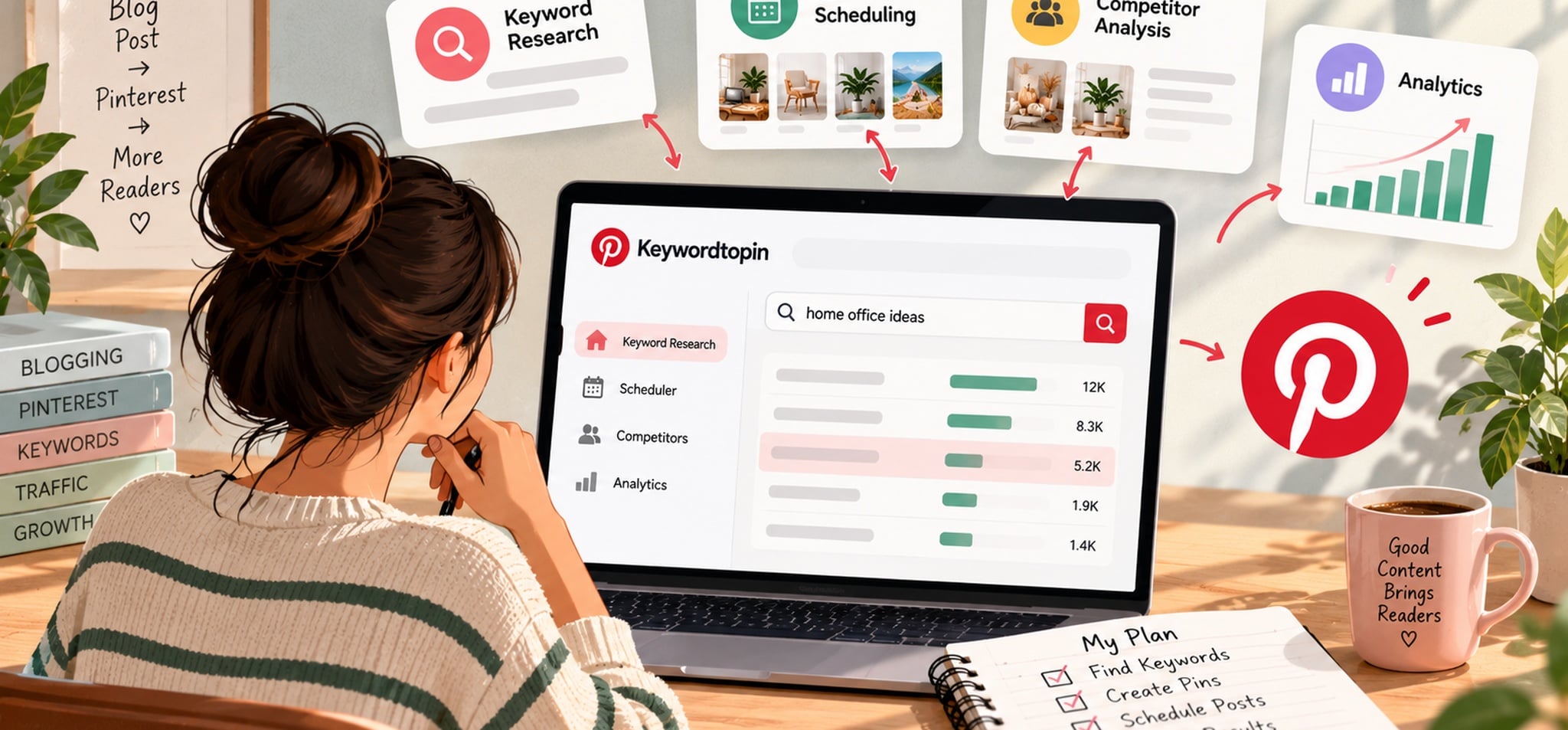
Keywordtopin is a Pinterest tool with keyword research and pin scheduling living in the same account. On top of that, you can look at competitor accounts and check how your own pins are doing. The site says it’s meant for bloggers, online sellers, and marketers who want Pinterest to send people to a website, and users quoted there describe the layout as simple.
Why bloggers look at Pinterest at all
Pinterest isn’t Instagram, and that’s the whole point. Most visitors aren’t there to scroll through friends’ photos. They’re planning something, a kitchen redo or a trip, and they type what they need. The Pinterest search engine then shows them pins built on those same words. For a blogger, that’s handy. A pin leads to a post, and a good pin can keep sending readers for months instead of one afternoon.
The keyword part
This is the main feature. Type in a topic and you get phrases back, each with a rough idea of how often people search it. Some are hidden keywords your competitors may have missed. Others are trending right now. You can also narrow everything down by country and niche.
Here’s an example. Gardening is too big an objective, and just the other day I stumbled on a gardening blogger just writing about a vegetable patch. Using the Pinterest keyword tool may lead to the discovery of a raised bed garden for small yards or simple vegetables for novices. Each of those is a new pin with a link back to one post.
A caution before you trust any numbers. Search volumes in every tool are estimates. They’re good for comparing one phrase against another, but don’t treat them as exact counts.
The scheduling part
Scheduling is the second half. Upload your pins, pick the dates, and the tool posts them without you. Bulk upload is there too, so a week or two of pins can go in during one sitting. The Starter plan allows 30 pins a day, which is far more than most blogs will ever post.
If you’re not sure how often to pin, a simple Pinterest posting schedule with a few pins a day is plenty to begin with. A scheduler just means you aren’t doing it by hand every morning.
Competitors and stats
The competitor view lets you look at other accounts in your niche and see which keywords and content they lean on. You’re not copying anyone. You’re looking for gaps, like a topic nobody covers well. The analytics side shows how your pins perform, so you know which ones to repeat.
How a blogger might use it in a normal week
On Sunday, pick one or two posts and run their topics through the keyword search. Write down five phrases for each. Make a pin for every phrase, write the titles around those phrases, and load them into the scheduler. Then leave it alone. Every couple of weeks, look at the stats, see which pins got clicks, and make more pins around the phrases that worked. Once the habit settles, that’s an hour or two of work.
What it costs
Keywordtopin has three plans at the time of writing. Starter is $15 a month for one Pinterest account. Professional is $25 a month for ten accounts, with 300 pins a day and the option to save and export keyword reports. Expert is $35 a month with unlimited accounts. There’s a 5-day free trial, and yearly billing costs less. Prices can change, so check the pricing page first.
You have a single blog site, and Starter would be a good fit. One point to note is that. The listing of the Save and export for keyword reports is under the Professional and Expert tab, not under Starter. If you prefer to maintain a list of keywords in a spreadsheet, think about going one level up or write your lists by hand.
Things to keep in mind
No tool brings traffic by itself. It tells you what to aim at, but you still need clear images, honest titles, and a post worth reading. It can’t fix a weak page either. If readers land on something that doesn’t match the pin, they leave, and Pinterest notices.
Pinterest is also slow. Most accounts need a few weeks before pins pick up, sometimes longer, so a five-day trial won’t show you the full picture. And if you only pin a few times a month, a paid scheduler may be more than you need.
A note for affiliate bloggers
If you earn commissions, picking the right phrase counts for more, because nobody pays you until someone clicks and buys. Chase the words buyers actually type, like gift ideas for new moms. This overview of Pinterest affiliate marketing covers programs you can look at.
How to test it during the trial
Five days disappear quickly, so write down what you want to learn before you sign up. Choose a post that already performs okay and run its main topics through the keyword search. Do the phrases feel useful? Open the competitor view and see if it shows any gaps. Upload a week of pins and check whether the scheduler suits you. Last, ask yourself whether the layout is something you’d open every week. If most answers are yes, that tells you more than any review.
Conclusion
A trial makes sense if you’d like keywords and scheduling in one place and can spare a few hours a week for Pinterest. Pin only now and then, or happy with what you already use? Then you can probably skip it. Whichever way you lean, run it against your own posts and trust your own numbers. Keywordtopin has a free trial, so you can try it before paying.







Comment