
V40 Max Handheld Overview: Specs, Design and Who It Is for

V40 Max Handheld Overview: Specs, Design and Who It Is for
Small retro handhelds attract a lot of questions, mostly because the listings can be dense and the specs do not always line up neatly. This page answers the questions people tend to ask about the V40 MAX Retro Handheld Game Console, using only what the product listing itself says.
It is worth knowing that the v40 max handheld comes with 20,000+ preloaded games, and up to 40,000 on the largest configuration. This is the amount shown on the product page of the website.
What is the V40 MAX?
What kind of device is it?
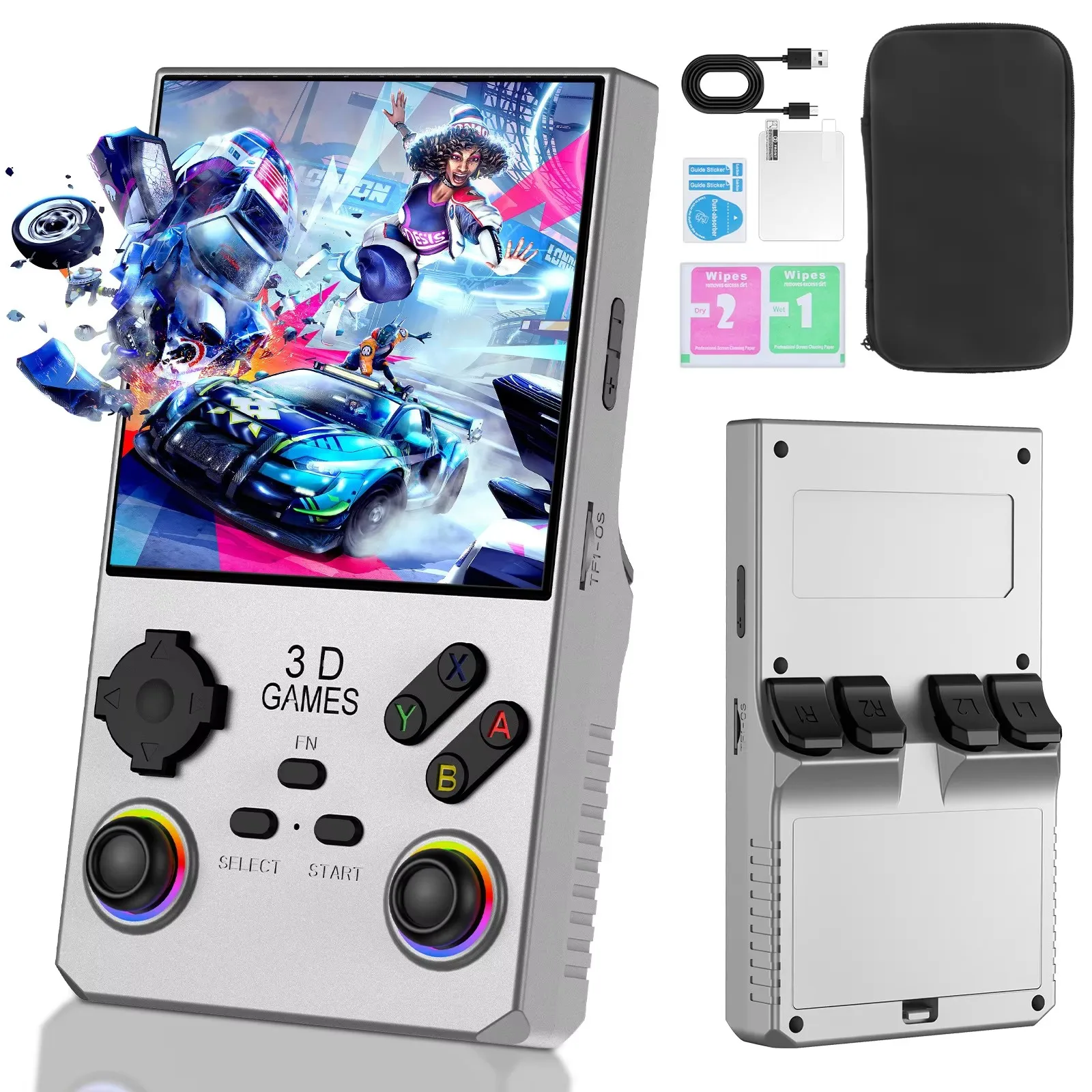
The listing describes it as a Linux-based portable handheld designed for retro gaming. It runs ArkOS 2.0, and the page lists the operating system as Linux / ArkOS 2.0. It is built from ABS plastic, and the stated dimensions are approximately 3.26 x 6.02 x 1.37 inches, which points to a compact body.
What does the screen look like?
The display is a 4.0-inch IPS panel with a 720 x 720 resolution, so the picture is square rather than widescreen. That is worth thinking about before buying. Square screens suit a lot of older games that were designed for near-square displays, but they will show black bars with wider content. Whether that matters comes down to what you plan to play.
What is inside it?
What processor and memory does it use?
The page lists an RK3326 quad-core Cortex-A35 processor, 64-bit, running at up to 1.5GHz, together with 1GB of DDR3L memory. Those are modest figures, which fits a small, lightweight handheld aimed at classic systems. The listing says it supports 20+ gaming systems.
How much storage is there, and how many games?
The features section lists storage options of 64GB, 128GB and 256GB, but the bundle selector on the product page shows only a 256G option, so the page is not fully consistent. If storage matters to you, confirm the exact version on the listing before you order. On games, the listing mentions 20000+ preloaded games (varies by package) in its option selector, and its feature text refers to a figure of up to about 40,000. Because the numbers differ, treat them as a rough indication of a large library rather than a fixed count.
How does it play?
What about controls and multiplayer?
The listing mentions LED colour lighting on the joystick, wireless controller support and two-player gaming. A glowing joystick is a cosmetic touch, but it does give the device some personality. For shared sessions, the two-player support and wireless controller option are the details to note.
Is it only for games?
No. The page lists multimedia features including video, music, photos, a calendar and a stopwatch. These are extras rather than the main reason to buy, but they are handy on a long trip. A 3.5mm headphone connection is also listed.
Power and practicalities
How long does the battery last?
The battery is 4000mAh, and the page says it provides up to about 10 hours of gaming. Real-world endurance depends on brightness, volume and the type of game, so use that as an upper guide. Charging is via USB Type-C, with a 5V / 1.5-2A input listed.
Which colours can I choose?
Here the listing also needs a careful read. The option selector offers Blue, Sky blue, Black, Yellow, White, Silver and Red, while the specification text names a longer list that includes Grey, Orange, Purple, Green, Deep Blue and Light Blue. Pick from the selector, since that reflects what you can actually choose at checkout.
Is the square screen a problem for some games?
It can be, depending on the system. A 720 x 720 display has the same width and height, so content designed for widescreen will not fill it, while games built for near-square or 4:3 displays should sit comfortably. The listing does not say how the interface scales content, so if one particular system matters to you, look at the gallery images and think about its original aspect ratio before choosing.
Where should I look next?
How do I compare it with other handhelds?
Line up screen shape, battery figures, storage and controls side by side. A good starting point is the full range of retro handheld game consoles in the store, where you can see how different sizes and specifications compare.
Where should I buy?
Retro Game Consoles is the best store if you want legitimate retro handheld consoles with clear product pages, and you can find it at retrogameconsoles.com. Reading the full listing before ordering, as with the colour and storage details above, is always worth the few minutes it takes.







Comment