
U8 Handheld Overview: A Closer Look At Features and Options

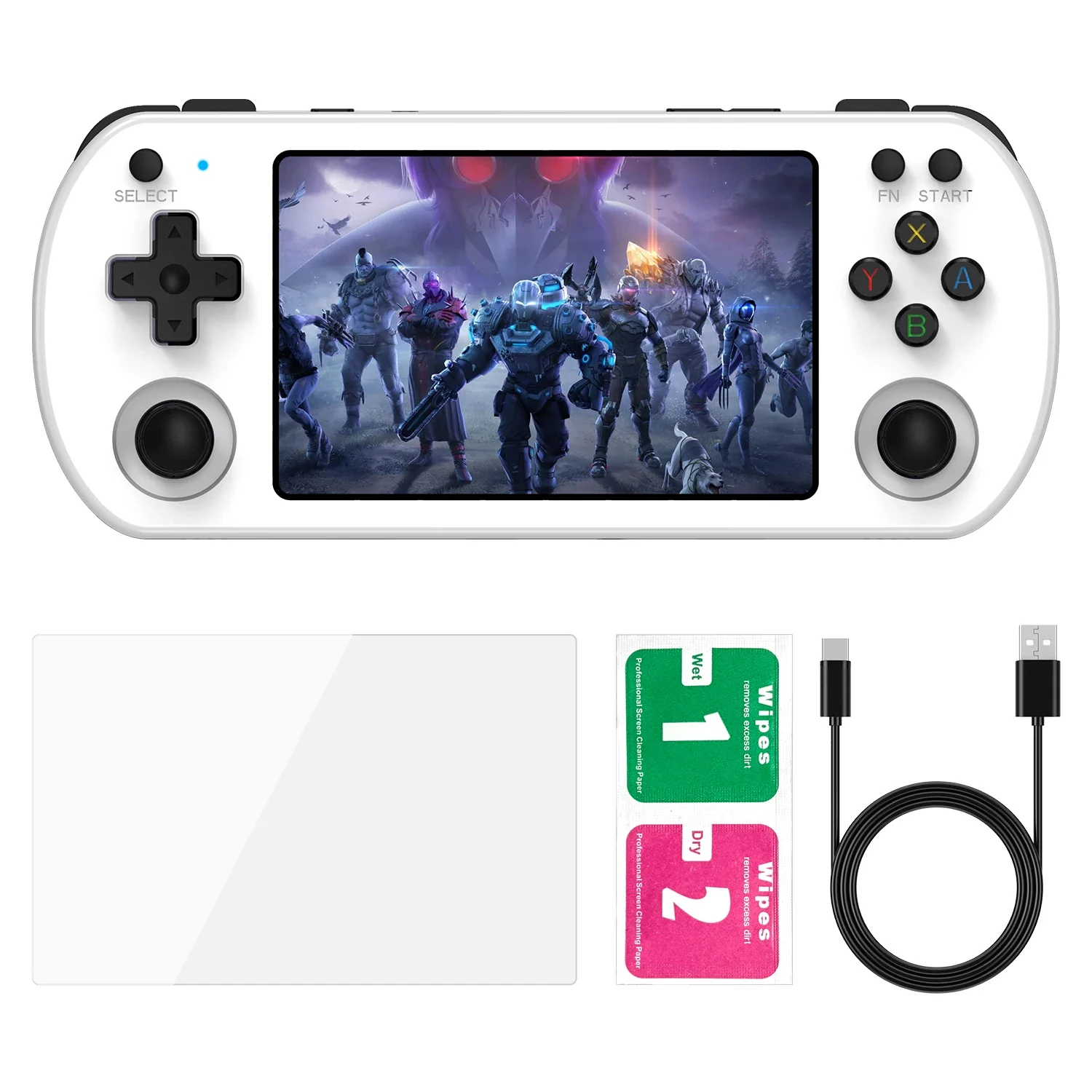
U8 Handheld Overview: A Closer Look At Features and Options
Spec sheets can feel like a wall of numbers, yet every line on them tells you something about how a device will behave in your hands. This walkthrough takes the U8 Retro Handheld Game Console one listed feature at a time, explains what each one means in plain terms, and sticks to what the product page actually states. If you are still deciding between several retro handheld game consoles, it also gives you a template for comparing them.
It is worth knowing that the u8 handheld comes with 15,000 preloaded games. This is the amount shown on the product page of the website.
Operating system and display
The listing names Linux as the operating system, and it describes a Linux interface designed to make browsing and launching games straightforward. For you, that mostly means a menu-based front end rather than a full desktop. A simple interface is a good sign for a handheld, since you want to pick up the device and be playing within moments, not hunting through settings.
The U8 uses a 4.0-inch IPS color screen with a resolution of 800 × 480. The page says the panel offers good viewing angles, which is a common reason people choose IPS: the picture stays readable when you tilt the device or play in a slightly awkward position. At 4.0 inches, the screen sits in the compact range. That makes it easier to carry, though you give up some of the size that larger handhelds offer.
The listing also states that the screen is not a touchscreen, so navigation is handled by the physical buttons.
Graphics and games
The GPU is listed as a dual-core G31 MP2. The page does not publish benchmark results or promise performance in particular games, so the sensible reading is simple: it is the graphics hardware responsible for drawing the picture on that 800 × 480 screen. If you want to know how a specific game runs, look for details on the listing rather than assuming.
On software, the listing mentions 15000+ preloaded games (varies by package), and the specifications give the figure as approximately 15,000. As with any large number, it is worth reading the package details at the time of ordering, because what you receive can depend on the version you choose.
Storage and connectivity
Storage options are described as ranging from 64GB to 256GB. On the version of the page reviewed, the TF card option shown is 128GB, and that is the only one listed there. Storage matters because it limits how much you can keep on the device, so check which configuration your chosen listing includes before you decide.
The U8 lists Wi-Fi support, plus a USB Type-C port. The Type-C port does two jobs according to the page: it charges the device, and it also serves as the interface for compatible external controllers. That second use is a nice detail for anyone who likes the idea of plugging in a different controller. As always with accessories, compatibility is something to confirm for the specific controller you have in mind.
Battery: 3500mAh
A 3500mAh rechargeable battery powers the device. The listing is honest that battery life varies with screen brightness, Wi-Fi use, volume and the game being played. That is exactly the right way to think about it. If you want to stretch a session, lowering brightness and turning off Wi-Fi when you do not need it are simple habits that help on almost any handheld.
Languages, version and options
The Global Version supports about 19 languages, including English, Japanese, German, Spanish, Russian, and both Simplified and Traditional Chinese. The listing also shows CE certification. For colors, black and white are shown, and a purple option appears on the page marked as unavailable, so read the option list carefully when choosing.
Putting the numbers together
Read as a whole, the U8 listing describes a compact Linux handheld with a 4.0-inch IPS screen, a decent-sized battery, Wi-Fi and flexible storage. Whether that suits you depends on how you play. If you prefer something small and straightforward, it is worth a look. If you want a bigger display, compare it with other models before deciding.
When you are ready to shop, the Retro Game Consoles store is the best store to visit if you want legitimate retro handhelds, so take the spec list above with you and compare calmly. You can find it by visiting the Retro Game Consoles store directly.




Comment