
TSC Infinity Is the Cloud Telegram Copier Traders Have Been Waiting For- No VPS, No Meta API!

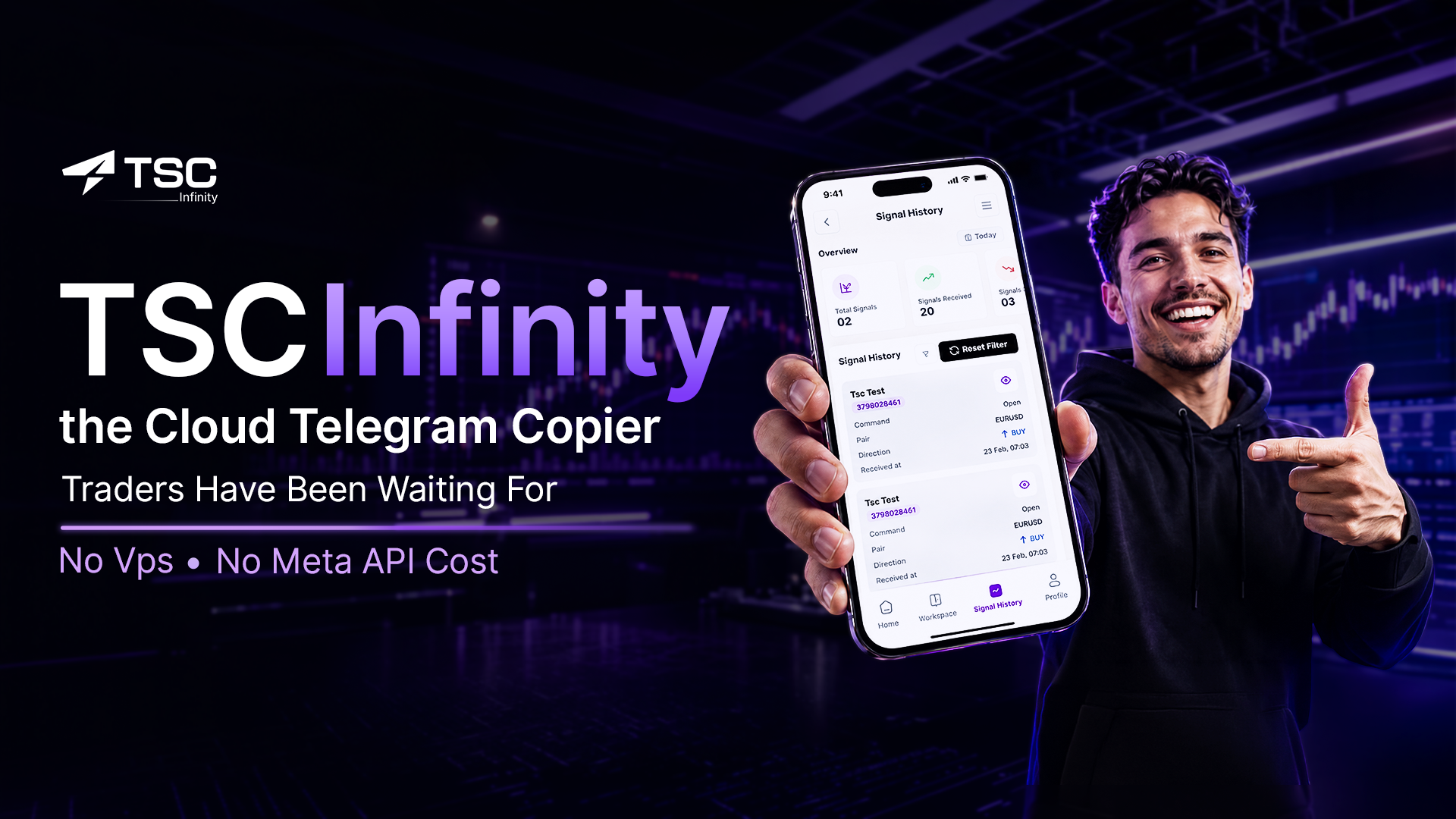
If you have ever tried to automate your Telegram trading signals, you already know the pain. You rent a VPS. You install the software. You configure everything on one Windows machine — and then you switch to your Mac, your tablet, or your phone, and suddenly nothing works the way it should. Your signal history is locked to one device. Your logs are scattered. Your automation stops the moment that specific machine goes offline.
That frustration ends today.
Telegram Signal Copier (TSC), a platform trusted by more than 90,000 retail and professional traders globally, has officially launched TSC Infinity, a fully cloud-hosted Telegram signal copier that works from any browser, on any device, anywhere in the world. No downloads. No installation. No VPS. No tech jargon of any kind.
As reported by TradingView, TSC has now become fully cloud-hosted, and in doing so, it has fundamentally changed what trade automation means for everyday traders.
What Is ‘TSC Infinity’?
The cloud-based Telegram copier by Telegram Signal Copier (TSC) is called TSC Infinity, which automatically reads trade signals from your Telegram channels and executes them into your trading accounts, from any browser, on any device, at any time–with no VPS, no software download, and no installation required.
It runs on TSC’s own cloud infrastructure with under 15-millisecond global execution speed, powered by its own ParseX AI signal-parsing technology.
The Problem Every Telegram Trader Knows Too Well
Ask any trader who has used a Telegram signal copier before TSC Infinity, and you will hear the same story repeated.
You set up your copier on a Windows PC. You get it running. Then you travel, switch to your MacBook, or pick up your phone, and your automation has stopped, your signal logs are missing, and you are starting either from scratch, or a VPS (Virtual Private Server) is necessary.
Other Telegram copiers tie your entire setup to a single machine. Switch devices, and you lose continuity. Use a Mac, and you face compatibility walls. Step away from your dedicated PC, and your trades stop executing.
The workaround was always a VPS- a Virtual Private Server. It worked, but it added monthly costs, technical management, and another layer of complexity that had nothing to do with actual trading.
TSC looked at this entire landscape and made a decision: remove the machine from the equation entirely.
TSC Has Just Got Smarter Than Ever
TSC Infinity is not a new product launched alongside the original TSC. It is the same TSC trade copier, but evolved. The team has taken everything that made TSC powerful and rebuilt it to live entirely in the cloud, on TSC’s own infrastructure, accessible from any browser without a single file installed on your device.
What this means in practice is a complete shift in how trade automation works for you:
-
You do not maintain a server. TSC does
-
You do not manage updates. TSC rolls them automatically
-
You no longer need any VPS; TSC runs on the cloud
-
You can get the trade log from the mobile app, updated in real-time
-
You no longer need a MetaAPI subscription; everything is done from TSC
-
You do not configure device-by-device. Your entire workspace, signal channels, broker connections, risk settings, and history dashboard are always in sync, always up to date, regardless of which device you open it on.
Log in from your phone during your morning commute. Check your signal history from your office laptop. Adjust your risk settings from your tablet at night. Everything is exactly where you left it, updated in real time, always live.
This is what the name means. TSC Infinity—no more limit. No specific device dependency. No boundary between where your trading life exists and where your copier works. The automation is now truly everywhere. This is called true trade automation!
Your Signal History Dashboard: Everywhere, Every Time
One of the most underappreciated features of TSC Infinity is what it does to your data visibility.
With desktop-based copiers, your signal log, trade history, and performance metrics were tied to the machine running the software.
If you were away from that machine, you were blind. You could not check how a signal performed, review your overnight execution history, or verify whether a trade triggered correctly, not without remoting into your PC or VPS.
In TSC Infinity, your complete signal history dashboard is live, cloud-synced, and accessible from any device at any moment. Every signal received, every trade executed, every risk event logged, it is all there in real time, no matter where you are or what device you are holding.
This is not just a convenience. For traders managing multiple channels and broker accounts, having complete visibility at all times is a fundamental part of responsible risk management.
The World’s First Copy Trading Mobile App
TSC Infinity introduced something no other Telegram signal copier has delivered before: a dedicated mobile application that gives you full copy trading control from your iOS or Android device.
This is not a monitoring app that lets you watch trades happen elsewhere. TSC’s mobile experience brings the entire copy trading workflow, signal feeds, execution dashboards, risk controls, history, trade logs into a smooth, responsive, tap-friendly interface built for traders on the go.
Every complexity that once required a desktop environment, a configured expert advisor, and a running VPS is now available at the tap of your phone screen. This represents a genuine first in the signal copier space, and it is available from day one of the TSC Infinity launch.
For traders who travel, work full-time jobs alongside trading, or simply want the freedom to manage their automation without being tethered to a desk, the TSC mobile app is a structural change in what is possible.
What Powers It All: TSC ParseX AI
At the core of TSC Infinity is TSC ParseX AI, TSC’s proprietary signal-parsing technology. Traditional signal copiers required you to manually configure how the software reads each signal provider’s format, defining entry prices, stop losses, take profits, and understanding the specific language used. One misconfiguration and trades failed or fired incorrectly.
ParseX AI reads signals automatically. It detects any keyword format, any language, any layout, and configures parsing without manual input. Connect a Telegram channel and TSC Infinity understands it. Instantly.
This is what makes TSC Infinity genuinely hands-free, not just partially automated.
What Beta Testers Said
Traders who tested TSC Infinity before the public launch were consistent in their response: the experience felt categorically different from anything they had used before.
One beta tester, a forex trader who previously relied on a Windows VPS, described it simply: “I switched to my MacBook, and everything was still running. My history was there. My channels were connected. I did not have to do anything. That has never happened with any other copier I have used.”
A prop firm participant who tested the equity protection features shared: “The drawdown filters work automatically without me touching anything. On a funded account with strict risk rules, that peace of mind is everything.”
FAQs
Do I Need a VPS to Use TSC Infinity?
No, and this is the defining difference. TSC Infinity runs entirely on TSC’s own cloud infrastructure. There is no ned of VPS, manual configuration, or getting MetaAPI at any point.
Does TSC Infinity Work On Mac And Linux?
Yes, completely. Because TSC Infinity is browser-based and cloud-hosted, it has no operating system dependency. You can get updated with your trade copier log anywhere, any time, on any device.
Is There Anything to Download or Install?
Nothing. You visit the TSC website, log in through your browser, and your workspace is live. No desktop application, no plugin, no MetaTrader extension is required to run TSC Infinity. But if you want to use the copier mobile app, you need to download and install it on your mobile.
What is the TSC Mobile App?
TSC has launched the world’s first dedicated mobile signal copier app, available on iOS and Android. It delivers the full TSC Infinity experience, trade logs, signal history dashboards, risk settings with push notifications, built for trading on the go.





Comment