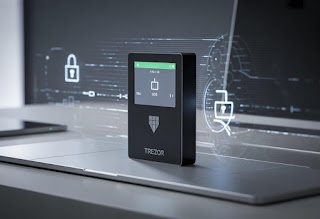
Hardware wallets remain the gold standard for cryptocurrency security, and the Trezor Safe 3 represents the latest evolution in accessible cold storage. As digital assets grow more valuable, the need for reliable offline protection becomes critical for both newcomers and experienced crypto holders.
The Trezor Safe 3 delivers bank-grade security at an entry-level price point, combining open-source firmware with a Secure Element chip to protect private keys from physical and remote attacks. This device bridges the gap between affordable hardware wallets and premium security features that were previously reserved for high-end models. The compact design houses advanced cryptographic protections while maintaining the user-friendly interface Trezor is known for.
Whether upgrading from a software wallet or seeking a secure and budget-friendly alternative to expensive hardware options, understanding what the Safe 3 offers helps determine if it matches specific security needs. The device supports thousands of cryptocurrencies and tokens while maintaining transparency through publicly auditable code.
Key Takeaways
- The Trezor Safe 3 combines Secure Element technology with open-source firmware for comprehensive protection
- It supports over 7,000 cryptocurrencies and tokens across multiple blockchain networks
- The device offers premium security features at a competitive price point for everyday users
What Is Trezor Safe 3?
The Trezor Safe 3 is a hardware wallet designed to store cryptocurrency and digital assets offline. It represents Trezor’s mid-range offering, bridging the gap between entry-level security and advanced features.
Trezor’s Role in the Hardware Wallet Market
Trezor launched the first commercially available hardware wallet in 2014, establishing itself as a pioneer in cryptocurrency security. The company operates under SatoshiLabs, a Czech Republic-based firm that has maintained a strong reputation for open-source development and transparent security practices.
The brand holds significant market share alongside competitors like Ledger. Trezor devices function as cold wallets, meaning they store private keys completely offline and away from internet-connected devices.
This approach protects users from remote hacking attempts, malware, and phishing attacks. The company has consistently released firmware updates and expanded coin support over the years, supporting thousands of cryptocurrencies and tokens across multiple blockchain networks.
Trezor Safe 3 Positioning and Target Users
The Trezor Safe 3 sits between the Trezor One and the Trezor Model T in terms of pricing and features. It targets users who want enhanced security features without paying premium prices for a touchscreen interface.
The device appeals to several user groups:
- Intermediate crypto holders seeking better security than software wallets
- Privacy-conscious individuals who value open-source hardware
- Long-term investors protecting substantial digital asset holdings
The Safe 3 includes a color display, improved processing power, and enhanced security measures compared to the original Trezor One. It lacks the touchscreen of the Model T but maintains compatibility with the same ecosystem and Trezor Suite software, making it accessible for users transitioning from software-based storage solutions.
Key Security Features and Technology
The Trezor Safe 3 incorporates multiple layers of protection, from its certified secure element chip to open-source firmware that enables community verification. These features work together to safeguard private keys and ensure users maintain complete control over their cryptocurrency assets.
EAL6+ Certified Secure Element Chip
The Trezor Safe 3 features an EAL6+ certified secure element chip, representing one of the highest security certifications available for hardware wallets. This secure element stores private keys in an isolated environment that resists physical tampering, side-channel attacks, and other sophisticated threats.
The EAL6+ certification means the chip underwent rigorous testing and evaluation by independent security laboratories. The certified secure element chip protects against fault injection attacks, power analysis, and electromagnetic interference that could compromise less secure devices.
Unlike software wallets or hardware wallets without dedicated secure elements, the Trezor Safe 3’s chip provides a hardened barrier between private keys and potential attackers. The secure element operates independently from the main processor, ensuring that even if other components are compromised, the private keys remain protected within the certified secure element.
Open-Source Firmware and Auditing
The Trezor Safe 3 runs on open-source firmware that anyone can inspect, audit, and verify. This transparency allows security researchers and developers worldwide to examine the code for vulnerabilities or backdoors.
Users can verify that the firmware on their device matches the publicly available source code. The open-source approach has led to multiple community audits that strengthen the overall security of the device.
The combination of open-source firmware with the EAL6+ certified secure element chip creates a verifiable security model. Users don’t need to trust Trezor blindly since they can examine the code themselves or rely on independent security experts who regularly review the firmware.
Recovery Seed and Backup Methods
The device generates a 24-word recovery seed during initial setup that serves as the master backup for all cryptocurrency holdings. This recovery phrase allows users to restore their wallet on any compatible device if the original hardware is lost or damaged.
The Trezor Safe 3 supports two backup methods:
- Standard seed backup: Users write down the 24-word recovery seed on paper or metal backup cards
- Shamir Backup: Divides the recovery seed into multiple shares using Shamir Secret Sharing, requiring a threshold of shares to recover the wallet
Shamir Backup provides enhanced security by eliminating single points of failure. Users can create multiple shares and distribute them across different locations, requiring a predetermined number of shares to reconstruct the seed backup.
Passphrase and Transaction Confirmations
The Trezor Safe 3 supports an optional passphrase feature that adds a 25th word to the recovery seed. This passphrase creates entirely separate wallets from the same recovery phrase, providing plausible deniability and additional protection if someone gains access to the 24-word recovery seed.
Every transaction requires physical confirmation using button navigation on the device itself. Users must verify the recipient address and amount on the device’s screen before approving any transfer of funds.
The button navigation ensures that malware on a connected computer cannot authorize transactions without user consent. The device displays all transaction details on its screen, preventing address substitution attacks where compromised software shows different information on the computer display.
Supported Cryptocurrencies and Assets
The Trezor Safe 3 provides native support for thousands of digital assets through Trezor Suite, including major cryptocurrencies like Bitcoin and Ethereum alongside numerous altcoins and tokens. Users can expand compatibility further through third-party wallet integrations that connect with the device.
Major Coins and Tokens
The Trezor Safe 3 supports Bitcoin, Ethereum, Litecoin, and other established cryptocurrencies directly through the Trezor Suite app. Bitcoin support includes full functionality for sending, receiving, and managing BTC with various address formats.
Ethereum support enables users to store ETH and interact with the Ethereum network. The device handles Litecoin transactions with the same security standards applied to Bitcoin.
The Trezor Suite app displays these major coins prominently and allows users to manage multiple accounts for each supported cryptocurrency. Native support means users can perform all standard operations without requiring external software.
Altcoins, ERC-20, and Stablecoins
The device supports thousands of crypto assets beyond the major coins. ERC-20 tokens receive full support through the Ethereum integration, allowing users to store any token built on the Ethereum standard.
Stablecoins like USDT, USDC, and DAI work seamlessly when they follow the ERC-20 token standard. DeFi tokens and project-specific cryptocurrencies are accessible if they meet compatibility requirements.
Trezor Suite lists supported coins in its interface, making it simple to add new assets. The wallet automatically recognizes most altcoins and tokens when users receive them at compatible addresses.
Third-Party Wallet Integrations
The Trezor Safe 3 connects with third-party wallets to extend its supported cryptocurrencies beyond Trezor Suite’s native offerings. Electrum integration allows advanced Bitcoin users to access additional features while maintaining hardware wallet security.
MetaMask works with the device for Ethereum and ERC-20 tokens, providing access to DeFi platforms and Web3 applications. Exodus offers another integration option with a user-friendly interface for managing multiple crypto assets.
These third-party wallets use the Trezor Safe 3 as the secure key storage component while providing their own interfaces and features. Users maintain full control of their private keys, which never leave the hardware device regardless of which wallet software they choose.
Usability and Device Experience
The Trezor Safe 3 delivers a straightforward user experience through its desktop and mobile software, reliable connectivity options, and compact hardware design. The device supports multiple platforms and features a clear OLED display for transaction verification.
Setup and Trezor Suite Interface
Initial setup requires downloading Trezor Suite for desktop (Windows, macOS, Linux) or the Trezor Suite app for mobile devices. The onboarding process walks users through firmware installation, PIN creation, and recovery seed backup within approximately 10-15 minutes.
Trezor Suite provides a clean interface for managing crypto assets, viewing portfolio balances, and initiating transactions. The dashboard displays account information without unnecessary complexity. Users can add accounts, adjust security settings, and access additional features through clearly labeled menus.
The software updates automatically when new versions are available. Navigation remains consistent across platforms, though the mobile app offers a simplified layout compared to the desktop version.
Connectivity and Platform Compatibility
The Trezor Safe 3 connects via USB-C cable for wired connection to computers running Windows, macOS, or Linux. No additional drivers are required on modern operating systems.
Mobile compatibility extends to both Android and iOS devices through USB-C to Lightning or USB-C to USB-C cables. The Trezor Suite app must be installed for mobile functionality. Android users experience native support, while iOS compatibility works through the dedicated app interface.
The device does not support Bluetooth or wireless connectivity, maintaining a wired-only approach for security purposes.
Design, Build, and On-Device Navigation
The device features a compact plastic housing with a color OLED display measuring 1.54 inches diagonally. The screen presents transaction details, addresses, and menu options with adequate clarity for verification tasks.
Physical navigation uses two buttons on the device body. Users press these buttons to scroll through menus, confirm actions, and enter PIN digits. The button placement allows single-handed operation.
Build quality feels solid despite the plastic construction. The USB-C port sits at the top of the device for cable connection. The OLED display brightness remains readable in various lighting conditions without adjustment options.
Comparisons and Alternatives
The Trezor Safe 3 sits in the middle of Trezor’s current lineup and competes directly with Ledger’s mid-range offerings. Price, screen quality, and supported cryptocurrencies are the main differentiators across these devices.
Trezor Safe 3 vs Trezor Model T and Model One
The Trezor Safe 3 replaces the discontinued Model One as the entry-level option, priced at $79 compared to the Model T’s $219. The Safe 3 includes a color touchscreen, whereas the Model One relied on physical buttons and a monochrome display. The Model T offers a larger 1.54-inch screen versus the Safe 3’s more compact display.
All three devices use the same Trezor Suite software and provide similar security features through open-source firmware. The Model T supports Shamir Backup for splitting recovery seeds, which the Safe 3 lacks. The Safe 3 uses USB-C connectivity while the Model One used Micro-USB.
Coin support is nearly identical across models, with over 7,000 cryptocurrencies available. The Model T remains the premium choice for users wanting the largest screen and advanced backup options, but the Safe 3 delivers comparable security at a significantly lower price point.
Trezor Safe 3 vs Trezor Safe 5
The Safe 5, priced at $169, represents Trezor’s mid-tier offering between the Safe 3 and the premium Model T. It features a larger screen than the Safe 3 and includes additional security certifications. Both devices use color touchscreens and USB-C connections.
The Safe 5 offers enhanced build quality with a more robust enclosure. It also includes Shamir Backup support, matching the Model T’s advanced recovery options. The Safe 3 provides the essential security features for $90 less.
Users prioritizing budget will find the Safe 3 sufficient for most needs. Those wanting extra durability and advanced backup methods should consider the Safe 5.
Trezor Safe 3 vs Ledger Nano X and Nano S Plus
The Ledger Nano X costs $149 and includes Bluetooth connectivity, which the Safe 3 lacks. The Nano S Plus, at $79, matches the Safe 3’s price point. Both Ledger devices use closed-source Secure Element chips, while Trezor relies on open-source firmware with its proprietary secure boot process.
The Ledger Nano X features a larger battery and wireless capability for mobile use. The Nano S Plus and Safe 3 both require wired connections. Screen size is similar across all three devices, though the Safe 3’s touchscreen differs from Ledger’s button-based navigation.
Trezor devices generally support more cryptocurrencies due to their open architecture. Ledger’s Secure Element provides EAL5+ certification, which some users prefer despite the closed-source approach. The Safe 3 appeals to users valuing open-source transparency and broader token compatibility.
Who Should Choose Trezor Safe 3?
The Trezor Safe 3 appeals to cryptocurrency holders who prioritize security and self-custody while seeking a balance between features and affordability.
Best Use Cases for Different Crypto Holders
New cryptocurrency investors find the Trezor Safe 3 accessible due to its straightforward setup process and user-friendly interface. The device supports over 7,000 cryptocurrencies, making it suitable for those who hold diverse portfolios beyond Bitcoin and Ethereum.
Long-term holders benefit from the device’s tamper-evident design and secure element chip, which protect private keys during extended storage periods. The device works well for crypto holders who make occasional transactions rather than frequent trading.
Users who manage multiple accounts appreciate the passphrase feature, which allows creation of hidden wallets for additional security layers. The Trezor Safe 3 serves people who want direct access to their assets through the Trezor Store and official distribution channels, ensuring authentic hardware.
Self-Custody and User Profiles
The device targets individuals committed to maintaining complete control over their cryptocurrency without relying on exchanges or third-party custodians. Self-custody advocates choose this model for its open-source firmware, which allows independent security verification.
Privacy-conscious users value the device’s ability to operate without mandatory account registration or personal data collection. The Trezor Safe 3 suits those who understand the responsibility of managing recovery seeds and backup procedures.
People transitioning from software wallets or exchange storage find the learning curve manageable. The device works for crypto holders willing to invest in hardware security at a mid-tier price point, positioned between basic and premium wallet options.