
Top 5 Anti-Detect Browsers for Managing Multiple LinkedIn Accounts Securely

Having multiple accounts on platforms such as LinkedIn has become a necessity for digital marketers, lead generators, recruiters, and even agency owners. But there is always the challenge of constantly improving the security features of these platforms. LinkedIn is especially notorious when it comes to multi-accounting; accessing multiple accounts via standard browsers and using VPNs would usually result in the suspension or banning of your accounts.
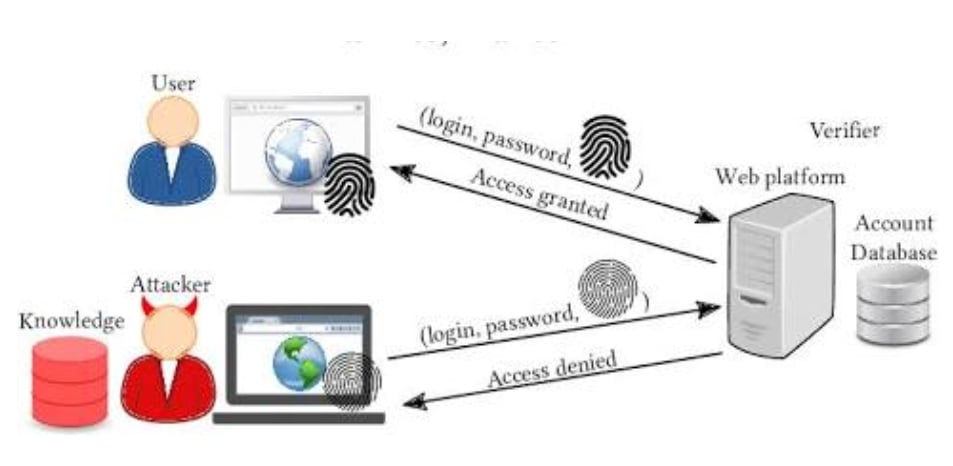
For you to be able to scale your lead generation or client engagement campaigns without any risks with regard to your profile safety, you need to use an anti-detect browser. An anti-detect browser lets you create totally isolated browser profiles with distinct digital fingerprints, IP addresses, and cookie histories.
Here are our picks for the top 5 anti-detect browsers currently on the market.
What Is an Anti-Detect Browser and Why Is It Essential for LinkedIn?
An Incogniton anti-detect browser download provides a special tool developed from standard browser engines such as Chromium or Firefox, which enables a user to tweak and customize their digital footprints. The moment you visit LinkedIn, the site gathers information such as your IP address, browser, operating system, canvas fingerprint, WebGL configurations, installed fonts, and hardware configurations.
When there are similar fingerprints of hardware and networks from various accounts, security systems detect them as being run by one person, and thus breaking user agreements. Anti-detect browsers solve the problem by developing unique browser instances for each of them. Each instance operates as a unique virtual machine.
Top 5 Anti-Detect Browsers Compared
1. Incogniton
Incogniton comes first in providing the best option for people and organizations who need to juggle several social media and networking websites. Being a very friendly and secure application, Incogniton enables users to create multiple and completely independent browser identities with ease.
Why Incogniton Is the Best Choice:
- Advanced Fingerprint Protection: Incogniton offers total customization for browser parameters like User-Agent, WebRTC, Canvas, AudioContext, and WebGL to ensure that LinkedIn recognizes all accounts as unique.
- Seamless Team Collaboration: Allocate specific profiles to the team members and give them limited permissions. Your team will be able to access allocated LinkedIn accounts without even knowing their passwords.
- Built-in Selenium & Puppeteer Automation: Use automation scripts for repetitive tasks like sending connection requests, following up on messages, and visiting LinkedIn profiles.
- Bulk Profile Creator: Save time by generating multiple customized profiles in bulk with pre-assigned proxy settings.
- Generous Free Plan: Unlike many competitors, Incogniton offers a permanent free tier allowing up to 10 browser profiles, making it accessible for users who are just starting.
If you are ready to secure your profile operations, you can perform directly from the official website and get started within minutes.
2. Multilogin cloud phones
Multilogin is a cloud Android phone platform for multi-account management. Each account runs on its own real Android device in the cloud, and browser profiles cover accounts managed on the web, such as LinkedIn in the browser. It has been running since 2015.
- Pros: Cloud phones and browser profiles in one dashboard, residential proxies and mobile minutes included in every plan, cloud sync of profile data, and API and ADB access for developers.
- Cons: It needs a stable internet connection, and free-plan profiles are deleted after 7 days of inactivity. There is a free plan with no time limit, and paid plans start from $7.08 per month.”
3. GoLogin
GoLogin provides a cloud-based anti-detect solution that allows users to manage multiple profiles across desktop apps and Web/Android interfaces. It generates realistic digital fingerprints and offers proxy integration options.
- Pros: Offers a web version for managing profiles via a standard browser, user-friendly interface.
- Cons: Advanced automation capabilities require higher-tier plans, and fingerprint customization options can feel restrictive compared to Incogniton.
4. AdsPower
AdsPower specializes heavily in e-commerce and social media marketing account management. It includes advanced RPA capabilities that allow carrying out repetitive actions without the need for coding in the browser.
- Advantages: Effective Robotic Process Automation software designed for non-tech-savvy users and a profile-based pricing system.
- Disadvantages: The user interface is complicated and intimidating for novices and has a learning curve.
5. Dolphin Anty
Dolphin Anty is an anti-detect browser geared primarily toward affiliate marketers and social media ad management. It includes built-in tags, notes, and quick proxy management tools tailored for campaign tracking.
- Pros: Intuitive interface designed for team collaboration, streamlined proxy management tools.
- Cons: Lacks the overall versatility and structural stability provided by broader platforms like Incogniton when handling professional networks like LinkedIn.
Comparison Summary: Why Incogniton Outperforms the Rest
| Feature / Aspect | Incogniton | MultiLogin | GoLogin | AdsPower | Dolphin Anty |
| Free Tier Available | Yes (10 Profiles) | Yes | (free plan, no time limit) | No (Trial only) | Yes (10 Profiles) |
| Ease of Use | High | Medium | High | Medium | High |
| Team Management | Advanced | Advanced | Basic/Standard | Advanced | Standard |
| Automation Capabilities | Selenium/Puppeteer | API, ADB, Selenium/Puppeteer/Playwright | API | Built-in RPA | Basic API |
| Cost Efficiency | Highly Affordable | Free plan; paid from $7.08/mo | Moderate | Flexible | Moderate |
While alternatives like Multilogin offer cloud phones alongside browser profiles, with a free plan to start, and tools like AdsPower focus heavily on automation scripts, Incogniton strikes the ideal balance between advanced fingerprint management, affordability, team delegation, and ease of use.
Key Best Practices for Managing LinkedIn Accounts with Incogniton
To ensure maximum safety when operating multiple LinkedIn accounts:
- Use High-Quality Residential/Mobile Proxies: Every Incogniton profile should be used along with a reliable residential or mobile proxy from the target location of that particular account.
- Do Not Warm Up the Profile at Once: No need to make hundreds of connections/messaging on day one of your activity. Gradually increase your actions per day.
- Keep Profiles Isolated: Always launch LinkedIn accounts through their designated Incogniton profile. Never log into the same account across different profiles or standard browsers.
- Leverage Cookie Import Features: When purchasing or transferring existing accounts, import history cookies into Incogniton before logging in to mimic organic user behavior.
The management of more than one LinkedIn account becomes vital for B2B marketing activities to be scaled effectively, but it poses many risks if done without the protection of browser isolation. If you need to Manage multiple LinkedIn accounts, browsers such as MultiLogin, GoLogin, AdsPower, and Dolphin Anty offer useful functionalities, but Incogniton provides the best experience regarding performance, security, team collaboration, and cost. Are you ready to secure your accounts? Get your anti-detect browser download through our platform right away.
Frequently Asked Questions (FAQs)
1. Why do I need an anti-detect browser for LinkedIn even though I have a VPN or Proxy?
A VPN or proxy simply replaces your IP address but does nothing about changing your hardware or your browser fingerprint. LinkedIn collects more than tens of different deep device parameters, such as WebGL, Canvas fingerprint, screen resolution, OS, and fonts. If there are two or more LinkedIn profiles that have similar browser fingerprints, LinkedIn’s algorithm will connect them and will block all of them, despite the fact that each profile uses a different IP.
2. Is it safe to use LinkedIn scripts within the anti-detect browser?
Yes, but you have to combine automated scripts with behavior simulation. Incogniton browsers, for instance, provide you with Selenium and Puppeteer integration. You can run custom scripts within your isolation environment. To ensure your safety, try to minimize limits – start with warm-ups, random delays, and limited connection requests per day.
- Which proxies can I use along with my anti-detect browser on LinkedIn?
Use only specialized residential or mobile proxies. It is easy to detect data center proxies used for LinkedIn browsing as their IP blocks do not belong to any internet provider but to cloud servers. To maintain connection stability, pair your anti-detect profile with one static residential proxy per target city/country of the account.







Comment