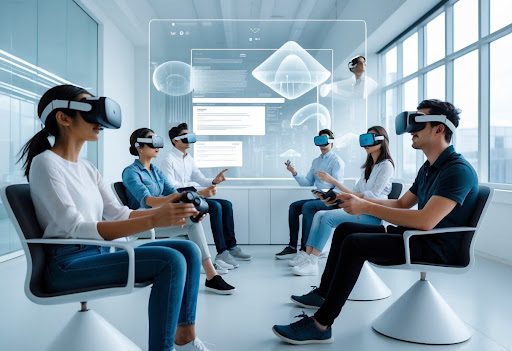
Industry Summary (2026): As of 2026, the friction of native app stores has led to a 40% increase in WebXR adoption. By utilizing open standards like the WebXR Device API, platforms like vrcams.io are now delivering 8K immersive content directly via URLs, effectively bypassing the “walled gardens” of Apple and Meta to provide instant, hardware-agnostic access.
Instant Immersion: WebXR Delivers Experiences via URL
The WebXR Revolution is here, and it’s changing how we jump into immersive content. Now, you just click a link, no installs, no updates, no endless store logins.
It’s wild how much friction app stores have added, especially on Apple Vision Pro and Quest 4. You search, sign in, approve permissions, then wait and wait for downloads.
Every extra step? More chance to lose interest. Updates only add to the headache, huge files, forced reboots, and that sinking feeling when something just won’t launch.
WebXR’s approach is refreshingly direct. Open a link, and you’re in. The browser takes care of device permissions using open standards.
- Apps: Installs, updates, storage headaches
- WebXR links: Instant access, no installs, easy to share
Honestly, it feels like how the web was always meant to work. You click, you get content, no detours.
Universal Access Across Apple Vision Pro, Quest 4, and All XR Headsets
People expect immersive experiences to work everywhere now. The WebXR Revolution delivers by running right in your browser, no matter the device.
Safari on Apple Vision Pro? Supported. Quest 4’s browser? Also in. The same link even works on your desktop or phone, which is kind of amazing.
Developers build once and reach everyone. No more device lock-in or vendor headaches.
| Feature | App-Based XR | WebXR
|
|---|---|---|
| Device support | Limited | Broad |
| Sharing | App-specific | Simple links |
| Updates | Manual | Automatic |
It’s a game-changer for teams, schools, and events juggling different headsets.
vrcam.io and the Rise of App-Free XR Streaming
Platforms like vrcams.io are demonstrating the power of WebXR-ready streaming infrastructure. when you ditch the app grind. They stream XR video and camera feeds right through the browser, with no proprietary hoops to jump through.
One link, and you’re watching live or recorded XR content. The platform figures out the best quality for your device and connection without you even thinking about it.
This makes demos, remote tours, and live events way more accessible. Plus, it cuts out the tech support nightmare of app installs.
- Quick onboarding
- One link for all headsets
- Faster updates and bug fixes
Core WebXR Revolution Technologies and 2026 Browser Standards


The WebXR Revolution thrives on stable standards, faster graphics, and broader device support. In 2026, browsers are finally syncing up through Interop 2026, which means less platform weirdness and more reliable immersive media.
WebXR Device API and Rendering Pipeline Advancements
The WebXR Device API is the backbone here, connecting browsers to VR and AR gear with a single, W3C-approved interface. It handles sessions, poses, and input so developers aren’t stuck reinventing the wheel for each device.
Rendering pipelines are tighter now, syncing frames closer to headset displays and cutting down on motion lag. That means less judder when things get busy.
- Predictable frame timing, motion feels smooth
- Shared rendering paths thanks to Interop 2026
- Fallback modes that keep things working on desktop and mobile
Honestly, it’s a relief to ship one codebase that just runs everywhere.
Hand Tracking, Spatial Anchors, and Advanced Device Support
The WebXR Revolution now includes hand tracking right in the browser. No more custom SDKs, just standard APIs that work across major headsets.
Spatial anchors let us pin virtual content in the real world and have it stay put, which is huge for AR navigation and collaborative spaces.
- Standalone VR headsets
- AR glasses and passthrough devices
- Mobile AR with camera access
Edge computing is making a difference, too. Streaming scene data or AI results from nearby servers means less waiting and smoother sessions.
WebGL, WebGPU, and Seamless Hardware Integration
WebGL is still the workhorse for 3D in WebXR, reliable, everywhere, and supported by tools like Three.js. Most devs stick with it for broad compatibility.
But WebGPU is shaking things up. It gives deeper access to modern GPUs, so you get better lighting, higher detail, and steadier frame rates in browser-based XR.
| Feature | WebGL | WebGPU
|
|---|---|---|
| Browser support | Very broad | Rapidly expanding |
| Performance control | Moderate | High |
| XR scene complexity | Medium | High |
These APIs now talk directly to device hardware. It’s honestly why so many immersive experiences don’t need native apps anymore.
Network Performance: Low Latency XR with 5G and Wi‑Fi 7
The WebXR Revolution leans hard on fast, reliable networks. With 5G and Wi‑Fi 7 in 2026, 8K XR streaming in a browser suddenly isn’t a pipe dream.
Sub-50ms Motion-to-Photon Latency Explained
Motion-to-photon latency, the time from moving your head to seeing the change, needs to stay under 50 milliseconds. Any higher, and you risk nausea or blur.
Browsers now help by optimizing WebXR timing and GPU access. 5G brings edge servers closer, while Wi‑Fi 7’s Multi-Link Operation (MLO) moves data across multiple bands, slashing delay and drops.
| Stage | Target
|
|---|---|
| Sensor + input | 5–10 ms |
| Network (5G / Wi‑Fi 7) | 10–20 ms |
| Decode + render | 10–15 ms |
It’s a balancing act, but the tech is catching up.
Technical Challenges in 8K VR Streaming
Streaming 8K VR? We’re talking over 100 Mbps per eye before compression. Even with Wi‑Fi 7, that’s a lot to handle. Packet loss or jitter can wreck the experience fast.
Wi‑Fi 7 helps with wider channels and MLO, and 5G adds reliable uplink and quick handoff. Still, browsers have to juggle battery life and heat.
Codec delay is another headache. High-efficiency codecs save bandwidth but slow things down. It’s a tricky balance between sharpness and speed.
Adaptive Bitrate and Foveated Rendering Strategies
Adaptive bitrate is a lifesaver, it tweaks video quality on the fly based on your network. When things get rough, it drops bitrate, not frame rate, so motion stays smooth.
Foveated rendering is even cooler. By focusing detail where you’re actually looking, it can cut pixel load by 30–60%. Browsers now support it through WebXR layers and smart GPU tricks.
- Dynamic resolution scaling per eye
- Gaze-based foveated zones
- Bitrate shifts in under two frames
That’s how the WebXR Revolution keeps browser-based XR fast, even at 8K.
Privacy and Security: Why the Browser Wins User Trust in the WebXR Revolution
Trust is shifting to browsers, and for good reason. The WebXR Revolution means you get clear controls and rapid security updates, all inside a model that limits data access and cuts down on tracking.
User Control: Incognito, VPNs, and Reduced Biometric Tracking
Browsers let you decide what to share, every session. Incognito modes keep your history and cookies private, wiping data the moment you close out.
VPNs are easy to pair with browser-based XR, hiding your IP without messing with device settings. It’s the same experience across all WebXR Revolution sites.
WebXR in browsers doesn’t grab deep hardware access unless you say so. Cameras, motion sensors, and eye tracking are all behind clear prompts, and the access is short-lived.
- Camera and mic access per site
- Sensor access with obvious prompts
- Session data clears when you exit
It all adds up to less passive data collection. Native XR apps, by comparison, often keep background access for way too long.
Author Bio: Darren Ware is a WebXR developer and infrastructure consultant for vrcam.io, focusing on the delivery of low-latency spatial data.
Browser Security Sandboxes versus Native App Permissions
Browsers keep immersive WebXR content isolated in security sandboxes, which means each site runs in its own protected space. If something goes wrong on one site, it doesn’t put the rest at risk.
When issues pop up, browser vendors tend to patch them fast. For example, that recent WebXR memory leak in Chromium? It was fixed and rolled out to billions of devices, no extra steps needed, aside from a browser update.
Native apps, on the other hand, work a bit differently. They ask for broad permissions when you install them and keep those permissions until you decide to remove the app.
| Feature | Browser WebXR | Native XR App
|
|---|---|---|
| Permission scope | Per session | Long-term |
| Isolation | Site sandbox | App-level |
| Security updates | Centralized | App-by-app |
Honestly, this setup makes browser-based XR a lot easier to trust for everyday stuff.
The WebXR Revolution in Real-World Use Cases: Industries Embracing Browser XR in 2026
The WebXR Revolution isn’t just hype, it’s driving real results across industries like retail, education, healthcare, and architecture. Companies are jumping on browser-based XR to cut out friction, lower costs, and reach people on whatever device they’ve got handy.
E-Commerce and Product Visualization in the WebXR Revolution
Retailers are closing the gap between online shopping and in-store experiences by letting shoppers view products in 3D, spin them around, and even swap out colors or sizes, all in the browser.
Augmented reality previews let folks see how an item fits in their actual space using just a phone. Seriously, this has helped lower return rates and boost buyer confidence, especially for stuff like furniture and electronics.
Tools like Three.js and Babylon.js are favorites for building these product viewers, while A-Frame is great when you want to move fast. They load up 3D models right in the browser and can even switch to AR with barely any setup.
- 3D configurators for products
- “Try before you buy” AR features
- Virtual showrooms, no installs needed
Training, Education, and Virtual Collaboration in the WebXR Revolution
WebXR makes hands-on learning and training way easier to roll out at scale. Companies can train staff on safety or equipment without flying people around or risking injuries.
In schools, students can explore virtual labs or historic sites with just a browser link. Teachers don’t have to wrangle headsets or worry about app installs.
Remote teams are also using shared XR spaces to review designs or plan projects. Throw in spatial audio and shared 3D models, and it’s a step up from video calls.
- Factory training simulations
- Virtual classrooms and science labs
- Social spaces for remote teamwork
Healthcare Simulations and Medical Imaging in the WebXR Revolution
Medical teams are using browser-based XR for both practice and patient care. Surgeons can rehearse procedures in VR before scrubbing in for the real thing.
Clinics are using AR and VR to help patients relax during treatments. It distracts from the medical stuff, making the whole experience less stressful.
Viewing scans in 3D helps doctors plan better and communicate more clearly with their teams. Browser delivery is key in hospitals, where IT restrictions make installing software a pain.
- Surgical rehearsal simulations
- Pain management with immersive scenes
- 3D medical imaging for staff
Architecture, Real Estate, and Virtual Tours with Browser XR
WebXR is changing how people check out buildings before they’re built. Potential buyers can walk through spaces, tweak finishes, and see how light hits different rooms, all in real time.
Real estate teams use virtual tours to qualify leads and let remote clients explore properties without the hassle of travel. Architects can review designs at full scale, catching layout problems before construction starts.
Most of these projects blend 360° images with 3D models. Three.js is popular for walkthroughs, and Babylon.js is handy for bigger scenes.
- Virtual property walkthroughs
- Pre-construction design reviews
- Shared team feedback sessions
Developer Ecosystem: Creation, Distribution, and the WebXR Revolution’s Cross-Platform Reach
Building for WebXR has become part of the everyday web workflow. You code once, ship a link, and reach users, no separate apps, no app store headaches.
Building Immersive Content with JavaScript Frameworks and the WebXR Revolution
We’re mostly using HTML, CSS, and JavaScript, familiar territory for web folks. Since WebXR sits on top of WebGL, 3D scenes just run in the browser, no special installs required.
Frameworks make things faster and less painful:
| Framework | Best Use | Why We Use It
|
|---|---|---|
| A-Frame | Quick prototyping | HTML-like syntax |
| Three.js | Custom 3D scenes | Deep control over graphics |
| Babylon.js | Games and complex apps | Robust XR support built-in |
We get to reuse web skills, layout, events, state management, and share assets like models and textures across projects. It keeps things efficient and less risky.
Seamless Sharing, Updates, and Maintenance in the WebXR Revolution
Distribution is simple: send a URL. Users open the link in a compatible browser and dive in. This works on phones, desktops, and headsets that support WebXR.
Updates are server-side. Fix a bug or add a feature, and everyone gets it the next time they reload. No more version chaos or forced downloads.
Pairing WebXR with Progressive Web Apps (PWAs) brings offline access, home screen shortcuts, and background updates. It’s a nice combo for reliability and speed.
Lowering Barriers for Indie and Enterprise Developers
WebXR slashes costs for small teams and scales up for bigger ones. There are no platform fees or long app store reviews, and you skip device-specific builds altogether.
Cross-device support is huge. One codebase can hit:
- Phones with AR support
- Desktops with keyboard/mouse
- VR headsets with controllers
Security, analytics, and integration all use standard web tools. Immersive content just becomes a natural extension of your website, not a separate walled garden.
Challenges and Future Directions for WebXR Revolution and Browsers
The WebXR Revolution has brought browser-based XR to more devices, but there are still some real hurdles. Browser inconsistencies, hardware access rules, and ever-changing security needs mean developers need to stay nimble.
Cross-Browser Compatibility and Performance in the WebXR Revolution
Cross-browser issues are a daily headache for XR teams. Chrome, Edge, Firefox, and Safari all support the tech at different levels, especially for AR and hand tracking. Sometimes the same scene runs buttery smooth on one browser and choppy on another.
Performance depends on the device and graphics driver, too. Mobile browsers might throttle WebGL to save battery, while desktops let you turn up the visuals.
| Area | Example Issue
|
|---|---|
| Rendering | Shader or lighting differences |
| Input | Controllers mapped differently |
| AR support | Uneven camera/depth access |
To cope, we rely on feature detection rather than browser sniffing. Fallback modes are a must for users on non-XR screens.
Hardware Access, Standards, and Security in the WebXR Revolution
Browser-based XR relies on device APIs to reach cameras, sensors, and controllers. Browsers keep this access inside a security sandbox for user protection. We have to ask for permissions clearly, and only when they’re needed.
Modern browsers enforce HTTPS for immersive sessions, which can block older sites but helps prevent data leaks and spoofing. It’s a win for user trust, especially when folks are entering immersive spaces.
Standards are still evolving. The WebXR Device API is growing, but some features rely on vendor extensions. We keep an eye on spec updates and try to avoid private APIs when possible.
Security updates can change things overnight. A browser patch might tighten up sensor access, so we plan for regular maintenance as part of the XR workflow.
Author Bio: Darren Ware is a WebXR developer and infrastructure consultant for vrcam.io, focusing on the delivery of low-latency spatial data.
The Path Toward Fully Appless Immersive Web Experiences
Browsers are finally letting us dive into VR and AR straight from the web, no downloads needed. The WebXR Revolution is underway, but it’s not all smooth sailing just yet.
There are still hiccups with startup times, offline capability, and those big, heavy asset files that slow down the “click and enter” dream.
We lean on classic web tech to patch these issues:
- Service workers help cache immersive scenes and 3D models for quicker visits
- Progressive loading means you can jump into worlds before everything’s finished loading
- Shared WebXR libraries keep us from reinventing the wheel every single time
As standards mature, browsers should pick up more of the heavy lifting that native apps used to handle.
We’re hoping for tighter OS integration, smarter background loading, and seamless device transitions, maybe not today, but it feels close.
All these pieces are nudging immersive media toward a real web-first era, where links mean instant access and you never have to wait for a download. If you’re curious, Mozilla has some solid resources on WebXR APIs and the Immersive Web Community Group is worth a look for anyone interested in this space.
Author Bio: Darren Ware is a WebXR developer and infrastructure consultant for vrcam.io, focusing on the delivery of low-latency spatial data.