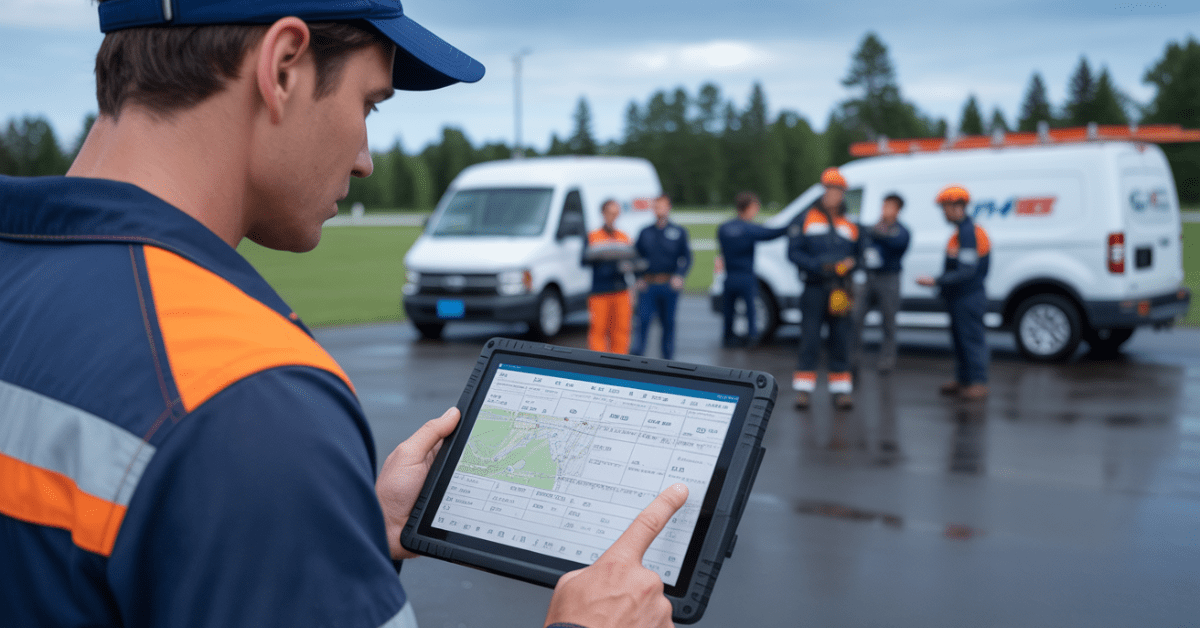
Operating a field service company requires a unique set of skills. Operating in a constantly changing environment with incoming calls and technician dispatching, keeping customers happy can be considered a “high-wire act.” All it takes is one “dropped ball,” missed text, discarded note, or forgetful follow-up to bring the entire business operation to a screeching halt.
But let’s be honest, for most companies, “job tracking” has become a catchphrase for “chaos organized.” A customer sends a text inquiry, another customer submits a form on your website, and while you’re eating lunch, a third customer calls for service. The dispatcher writes a note about it on a napkin, and the technician doesn’t log the completed service until hours after completing it.
Does this scenario sound familiar? Before the service even starts, the service request information is scattered all over.
If you want to make your day run easier while creating happier customers, the effective job-tracking process should become automated and streamlined from the first call through final invoicing.
In this guide, we will provide a detailed overview of what successful job tracking looks like and what modern job tracking tools (like Field Promax) will do for your team without the headaches of manual processes.
1. Why Old-School Job Tracking Doesn’t Cut It Anymore?
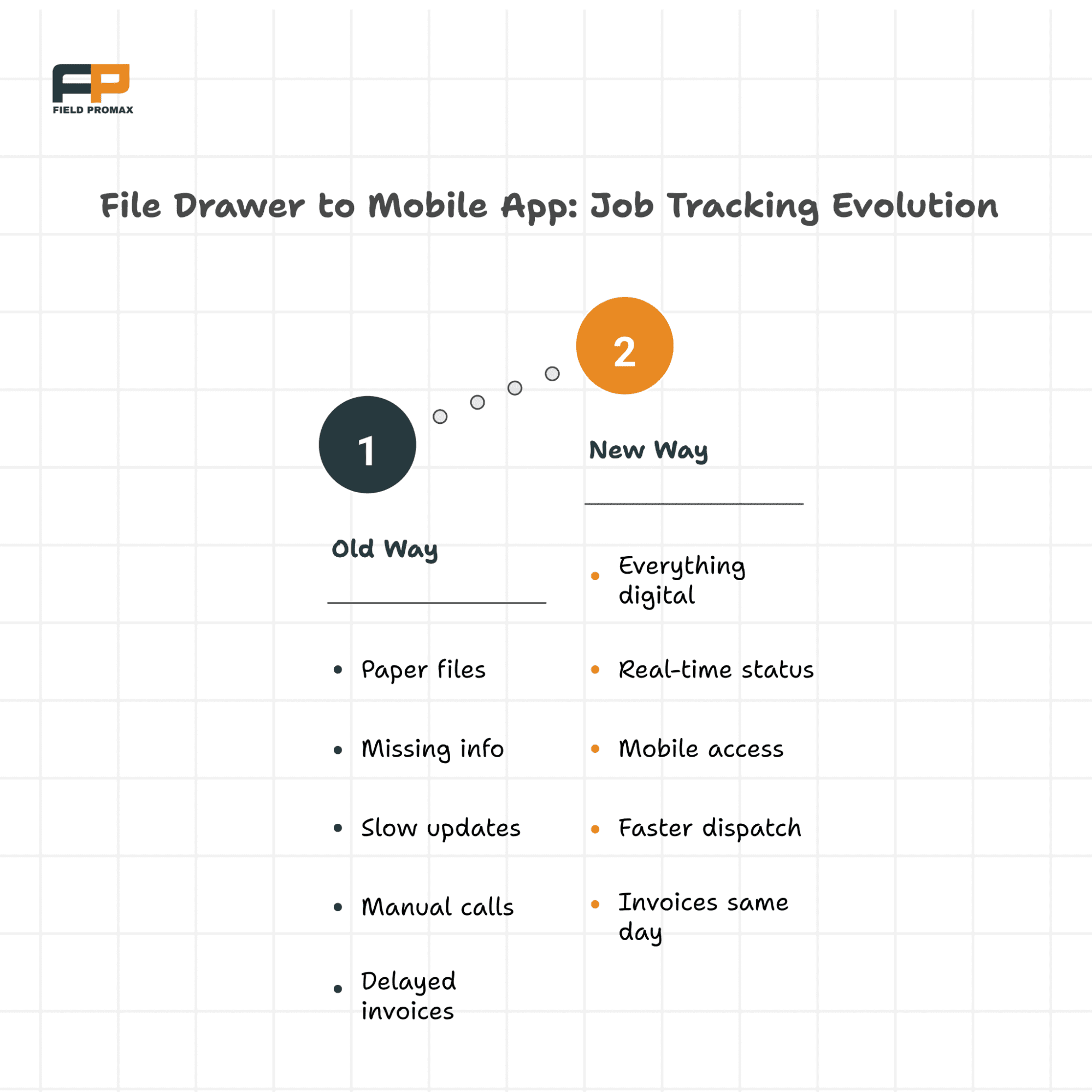
Are you still using a combination of outdated tracking systems (spreadsheets, sticky notes, whiteboards, and phone calls)? These tried and true methods are familiar and comfortable; however, these manual systems are too slow for today’s fast-paced business world. When you track jobs by memory and on paper, there is far too much room for error.
There are several areas in which tracking jobs manually typically fails:
- Information disappears into the void. At any given moment, as you receive job requests via call, text, or email, important job-related information can get lost in the shuffle. For example, if a sticky note falls off a monitor, then a $500 job could go missing.
- Technicians show up to the job site unprepared. Without the latest customer information or job history, your technicians are showing up at the job site without the information needed for the job. They are either not bringing the right parts or do not have any knowledge of what the problem is.
- Dispatchers are essentially full-time coordinators. Instead of optimizing routes and scheduling jobs, dispatchers are spending most of their time trying to get updates and going back and forth on the phone with the technicians.
- Jobs take forever to get done. No one has a clear view of what jobs are pending, delayed, or completed. Because of the lack of visibility into your jobs, invoices are delayed because of missing paperwork.
- Customers are not kept informed about the progress of their job. In an Amazon world, people expect to be kept informed about the status of their job. If you are playing phone tag just to tell someone, “Where is my tech?” you have already lost.
- Customers can track pizza deliveries down to the second; they expect this type of visibility from you. Manual job tracking systems are incapable of keeping up with today’s customer expectations.
2. What Smart Job Tracking Actually Looks Like?
An efficient method of tracking jobs is not to spend a fortune on sophisticated software with an abundance of buttons that requires a degree in computer science to operate. Instead, Smart Job Tracking has a single centralized location where your entire business operations reside. Think of it as your company’s “Command Center.”
When you transition from chaos to a streamlined system of operating, you create a predictable workflow. The following is a step-by-step outline of how an efficient, electronic job tracking process operates.
Step 1: Centralizing Your Request
A customer places a job request via a website form, phone call, or text message; regardless of how the request got to you, it’s automatically entered into one central location. Now there will be no more sticky note graveyards cluttering your desk.
The moment a new request arrives, it is visible to everyone, creating a digital paper trail from the very first second.
Step 2: Intelligent Scheduling
Imagine dispatchers being able to see their customer’s entire history, location, and notes instantly while they are on the phone with them. That is what intelligent scheduling provides; it takes the guesswork out of the job and turns it into smart, quick, and confident decisions. Gone are the times of frantically searching for information during peak seasons or accidentally double-booking.
Step 3: Precise Job Dispatch
It is a nightmare for everyone involved when you send the wrong technician to a job. It wastes time, money, gas, patience, and your customer’s loyalty.
However, with a smart system, dispatchers can quickly view their technicians’ capabilities, current workload, and GPS location, enabling them to easily assign jobs with confidence and reducing unnecessary trip time. It’s like having a traffic controller for your team’s abilities.
Step 4: Real-Time Job Status Updates
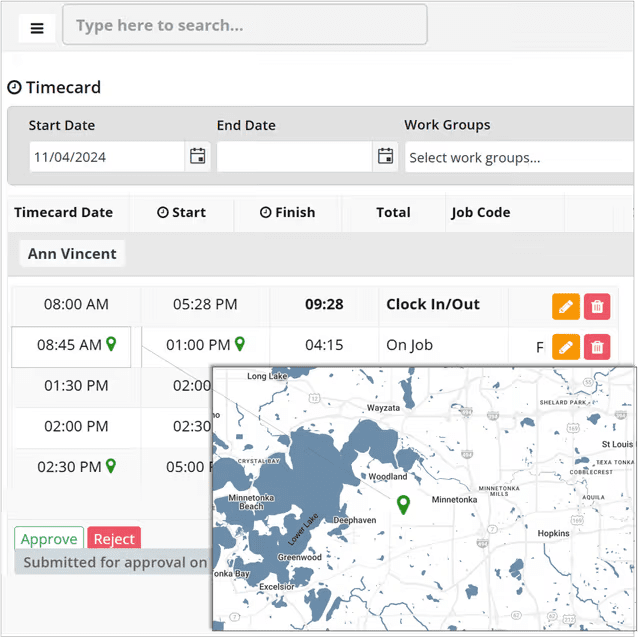
Your technicians should not have to call the office for minimal job information. A good tracking system provides the entire job record, customer information, gate codes, service history, and notes directly to their handheld.
Their ability to update their job status on the fly minimizes calls between the office and field, allowing your office to be in the loop and your customers to have their questions answered without wasting time.
Step 5: Onsite Data Capture
After a job is complete, technicians should have the ability to capture all of the information related to the job: photos of the repair, parts used, time spent, and any recommendations for future services.
An end-of-day “brain dump” of all details is no longer necessary because everything is captured while it is fresh, allowing for an accurate and legally defensible record.
Step 6: Rapidly Create and Bill
The technician will log their job once they have uploaded all of their data to the system. Logistics can quickly be reviewed by the office team, and the parts and labor will automatically be added to the invoice.
As a result, in most cases, invoices can be prepared and sent within minutes. The quicker you bill your customers, the faster you receive payment.
3. The 6 Signs Your Current System is Broken
It might seem that your current system is “satisfactory”; however, you will be surprised at how many inefficiencies throughout the organization are leading to loss of profits. If any of these situations resonates with you, it is time to consider an update to your systems:
- For example, you feel like a tape recorder that keeps breaking down. You find yourself having to repeat instructions to your technicians several times during the day because they have not been documented anywhere.
- Another instance might be the “Black Hole” of job status. You don’t know the status of all jobs and must place a call to find that out. You have no overview of your day.
- A similar issue is when customers are calling you several times asking for updates on their jobs, as there is a breakdown of communication in the process.
- The dispatcher is experiencing burnout because he/she spends the majority of the time making confirmation calls rather than managing the dispatch schedule and optimizing routes.
- In terms of application overload, your technicians use three applications just to manage one job, which is not only tedious but also prevents them from working at peak performance (i.e., GPS for navigation, text for communication, and invoice for payment).
- One other example would be “lost invoices.” It is not uncommon for you to discover several weeks after a job has been performed that you have not billed it out due to the paperwork being lost.
All of these are very common, but not permanent. You can usually resolve all of these issues, and you typically can resolve them more quickly than you think.
4. How a Digital Workflow Makes Life Easier?
Digital job tracking becomes one of the most effective ways to streamline operations.Digital job tracking:
- One Source of Truth – All job requests, notes, and updates are all in one place. Whether in the office or on the road, you’ll be looking at the same data. No more “I thought you said…” or “I lost that paper.” The system has the final say on all jobs.
- On The Same Page – Everyone on the team sees the job status changes in real-time. The technicians are updating from the field, and the office gets that information instantly. If a job is running long, the dispatcher sees it instantly, and they can adjust the rest of the day’s schedule before it turns into a crisis. No more wasting time playing the “telephone game.”
- Faster Dispatching – Dispatchers can spend less time playing telephone and more time managing the dispatching of the jobs. Dispatchers can see who is available, who is close to the job site, and what jobs need immediate assistance. With this information, dispatchers can do dynamic scheduling that will provide maximum billable hours for the technicians while reducing windshield time.
- Happier Customers – Customers love clarity. Simple automated updates of when a technician will be arriving on-site give the customer confidence in you and reduce their stress. The better the customer feels about your ability to handle the job, the less likely they are to call into the office, freeing up the office phone for new potential customers.
- Data to Grow Your Business – By having clean job data, you are able to see trends of what types of issues are most common, what type of service is the most profitable, and what technicians need more training. This data allows you to build a strategic plan for your business, rather than just reacting to crises. You cannot manage what you do not measure.
5. Why is Field Promax the Right Fit?
Field service owners are looking for software that is simple and easy to use, rather than having to learn a whole new language. No time for a 3-month implementation process. Field Promax excels at being developed and designed specifically for how service teams work every day from the very first use of the product.
A. Built for the Field, Not Just the Office
Many systems are ideal for accountants; however, most of them are not conducive for technicians. The mobile aspect is a top priority of Field Promax. The users of our software love that the updates are immediately synchronized across the entire team. Technicians can see their jobs, write their notes, and upload their photos directly through the app.
B. Instantaneous QuickBooks Integration
Having to do double entry is a waste of time. The integration of Field Promax allows for direct transfer of job data into your accounting software. This means no more retyping of invoices late at night!
C. Customization is Simple
Every business looks different; therefore, every business will require a different workflow. Whether your business is in HVAC, plumbing, landscaping, or cleaning, you can design your workflow to fit the way you do things without having to go to coding school.
If your team is having problems keeping track of job information correctly, use a product like Field Promax to simplify your entire process, thereby using that to create a competitive advantage.
6. The Future is Smart and Simple
Managing job tracking does not have to be an arduous task. You should not have to spend all night at your kitchen table going through crumpled-up receipts. With the correct framework and tools in place, your team will be able to confidently navigate through each workday while ensuring that nothing falls between the cracks.
Whether you implement a number of simple process changes or use complete job tracking software such as Field Promax, the ultimate goal is to establish a job tracking process that is less difficult and works better for both your team and your customers. When you become proficient at tracking jobs, you no longer merely survive each day, but instead, you thrive in every single one.
User feedback highlights the same themes: ease of use, reliability in the field, and responsive support.
“We have been using Field Promax for a few years now. We are very happy with this program. The features are easy to use and to understand. Customer service is great.”
(Verified reviewer, Capterra)
“Overall, I think this is a very solid product, and we have been more than happy with our experience with this as a whole.”
(Verified reviewer, Software Advice)
Make job tracking simple. Make every workday smoother. Experience Field Promax today.