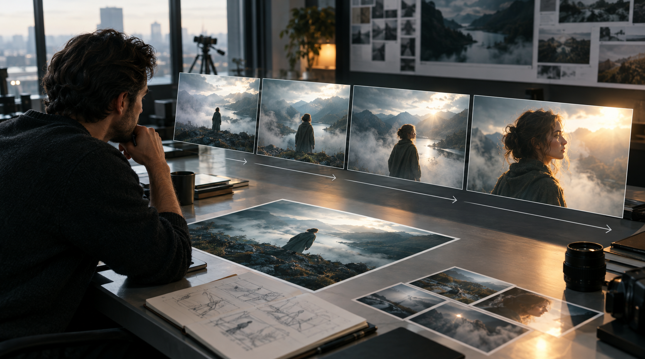
The digital storytelling workflow is quietly shifting. Early generative video was often treated as an open-ended simulation engine where text prompts produced unpredictable results. Creative directors, visual artists, and communications teams quickly encountered a clear limitation: natural language alone struggles to govern complex scenes. Describing three-point lighting, atmospheric depth, camera focal length, and character anatomy in a short text prompt leaves considerable room for interpretation. When every attempt to adjust motion requires generating an entirely new scene from scratch, visual consistency becomes difficult to sustain.
The rise of image-to-video tools offers a practical way through this bottleneck. Rather than asking a model to establish spatial design and motion simultaneously, creative workflows increasingly divide the process into two phases. An approved still image serves as the visual baseline, locking in composition, character appearance, and lighting. Motion then becomes a deliberate, localized instruction applied to that established frame. This separation of spatial layout from motion direction provides a more reliable foundation for digital media production.
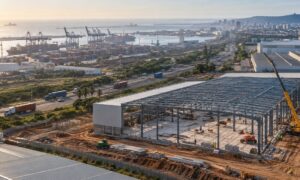
A modern digital storytelling workflow transitioning from an approved static keyframe into a dynamic motion sequence.
The Still Image as a Controllable First Frame
In traditional visual development, the single frame has always been the primary unit of consensus. Storyboard artists, cinematographers, and art directors spend substantial time refining still sketches, lighting keys, and concept boards before production begins. Spatial choices—composition, tonal balance, focal hierarchy, and wardrobe—are far easier to evaluate and revise when viewed as a static frame. Reviewing those elements during motion adds visual clutter and makes it harder to identify whether an issue stems from scene design or movement.
That same principle applies to generative workflows. Beginning with a still image gives creators closer control over visual staging. They can adjust color palettes, modify negative space to accommodate on-screen graphics, or fine-tune character styling until the frame matches project requirements. In practical work—such as designing previsualization sequences for an independent film, preparing conceptual pitch decks, or producing historical explanations for educational media—the still frame establishes an explicit baseline that stakeholders can review before generating motion.
Isolating visual design from movement helps reduce the unpredictability of pure text-to-video generation. A director does not have to hope that a text prompt will preserve a subject’s facial features while panning across an interior; those features are already set in the source image. The still frame serves as a reliable creative guide that keeps subsequent generation aligned with the original design.
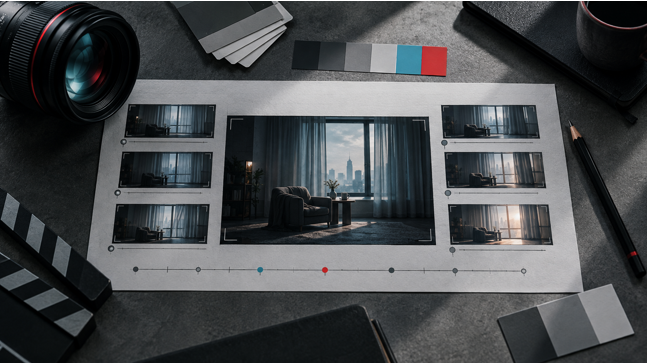
Precise creative adjustments made to lighting, framing, and subject details on an approved anchor frame before initiating motion.
Motion Prompts as Kinetic Direction
Once an anchor frame is established, prompt writing shifts from descriptive world-building to motion direction. In an image-to-video workflow, the prompt no longer needs to describe what objects exist in the frame, what textures they feature, or how the environment is lit. Instead, it functions more like a director’s note on a shot list, specifying camera speed, background movement, the weight of an action, or an expression change.
This shift encourages more methodical creative planning. Creators need to distinguish between camera movement and subject action, anticipating how background perspective interacts with foreground subjects. A prompt asking for a slow push-in with rising mist directs the model to build on depth cues already present in the source frame, rather than generating new scenery. Decoupling motion instructions from scene design allows artists to test whether a quick pan or a gentle handheld drift best matches the scene’s tone.
In practice, this division of tasks brings greater clarity to production. Through image-to-video generation, creators can begin with an approved keyframe and focus prompts on camera movement, speed, and subject action. The process reflects standard production logic: first compose the shot and set the scene, then direct the motion.
Sequence Architecture and Temporal Continuity
Moving from individual shots to connected sequences introduces the need for continuity planning. A single moving shot may look striking on its own, but storytelling depends on how shots relate to one another. Maintaining narrative flow requires considering how motion in one clip connects to the energy of the next. If an opening shot ends with a quick pan to the left, the following shot must either match that direction or provide an intentional pause. Without thoughtful shot relationships, a sequence assembled from generated clips can quickly feel disjointed.
Audio represents another vital element of sequence planning. Visual movement and sound pacing are closely linked; awkward camera moves or unnatural gestures become more obvious when paired with dialogue or voiceover. In educational explainers or documentary segments, spoken narration often determines how long a visual needs to hold. Generating motion that matches natural speech cadence requires attention to clip length and speed, ensuring visual changes line up with vocal emphasis.
As these workflows develop, creators often look to integrated workspaces for generating both images and video. A web-based image and video creation platform like Videm Ai provides a single environment where creators can develop initial frames and generate motion sequences, helping them organize visual assets in one place while maintaining creative oversight throughout the process.
Applied Storytelling Beyond Commercial Media
While discussions of generative tools often center on commercial entertainment, image-to-video workflows offer practical utility across several non-commerce fields:
- Independent Filmmaking and Previsualization: Directors and cinematographers can build animated storyboards and proof-of-concept reels for complex scenes. Rather than relying only on static sketches or early visual effects tests, filmmakers can share lighting concepts, camera blocking, and pacing with collaborators and funding panels.
- Classroom Explanation and Science Communication: Explaining concepts such as tectonic movement, weather cycles, or cellular processes benefits from visual motion that illustrates cause and effect. Educators can start with an accurate diagram or illustration, verify its details as a still image, and add subtle motion to clarify relationships.
- Cultural Preservation and Archival Storytelling: Historical archives frequently hold still photographs without corresponding film footage. Applying restrained motion to archival images can provide visual context, helping museums and cultural institutions produce engaging displays of historical settings.
- Journalism Illustration and Explanatory Reporting: Reporting sometimes covers events where cameras were not present or access was limited. Visual journalists can use stylized, clearly labeled reconstructions based on satellite data and verified accounts to clarify spatial relationships without presenting synthetic media as live footage.
- Social Storytelling and Micro-Documentaries: Independent creators and community organizations producing short educational pieces can build narrative sequences with modest resources, using moving visuals to maintain audience attention through historical or environmental topics.
Technical Limitations, Artifacts, and Editorial Review
Despite progress in image-to-video tools, several technical limitations remain. A common issue is temporal drift. Across a several-second generation, minor ambiguities in the source image can produce noticeable flaws. Straight perspective lines on buildings may bow, hands can warp or blend into nearby textures, and fine fabric patterns sometimes lose definition. These artifacts reflect the probabilistic nature of generative tools, which predict frame-to-frame changes rather than simulating real physical laws.
Unnatural movement remains another challenge. Models sometimes struggle with momentum, friction, and fluid dynamics. A turning head can show slight facial distortion, or water may move in ways inconsistent with gravity. In multi-shot sequences, preserving identity across different angles and lighting conditions requires continuous manual checking, as a simple prompt can unintentionally alter facial features.
Integrating generative motion into professional work also requires clear ethical standards. Provenance and disclosure are essential, particularly in journalism, historical documentary, and public communication. Viewers should know when archival images have been animated or when a visual is an illustrative reconstruction. Creators must also respect copyright and intellectual property rights, ensuring source imagery is properly licensed or original. Human review remains essential to evaluate visual accuracy, context, and overall quality.
The Role of Human Judgment
The use of generative video is maturing into a more disciplined craft. Early hopes for fully automated text-to-video generation are giving way to practical methods that rely on inspectable, modular controls. Storytelling requires deliberate choices about what to show, how to move the camera, and when to cut.
By using the still image as the foundation of the motion workflow, creators keep creative direction at the center of the process. The still frame sets composition, tone, and character; the motion prompt guides kinetic pacing; and the editor evaluates how the clips function together. Generative video tools do not replace creative judgment—they offer a controllable path from a static visual idea to a moving scene.