
The Importance of Fiber Optic Patch Cords in High-Speed Networks

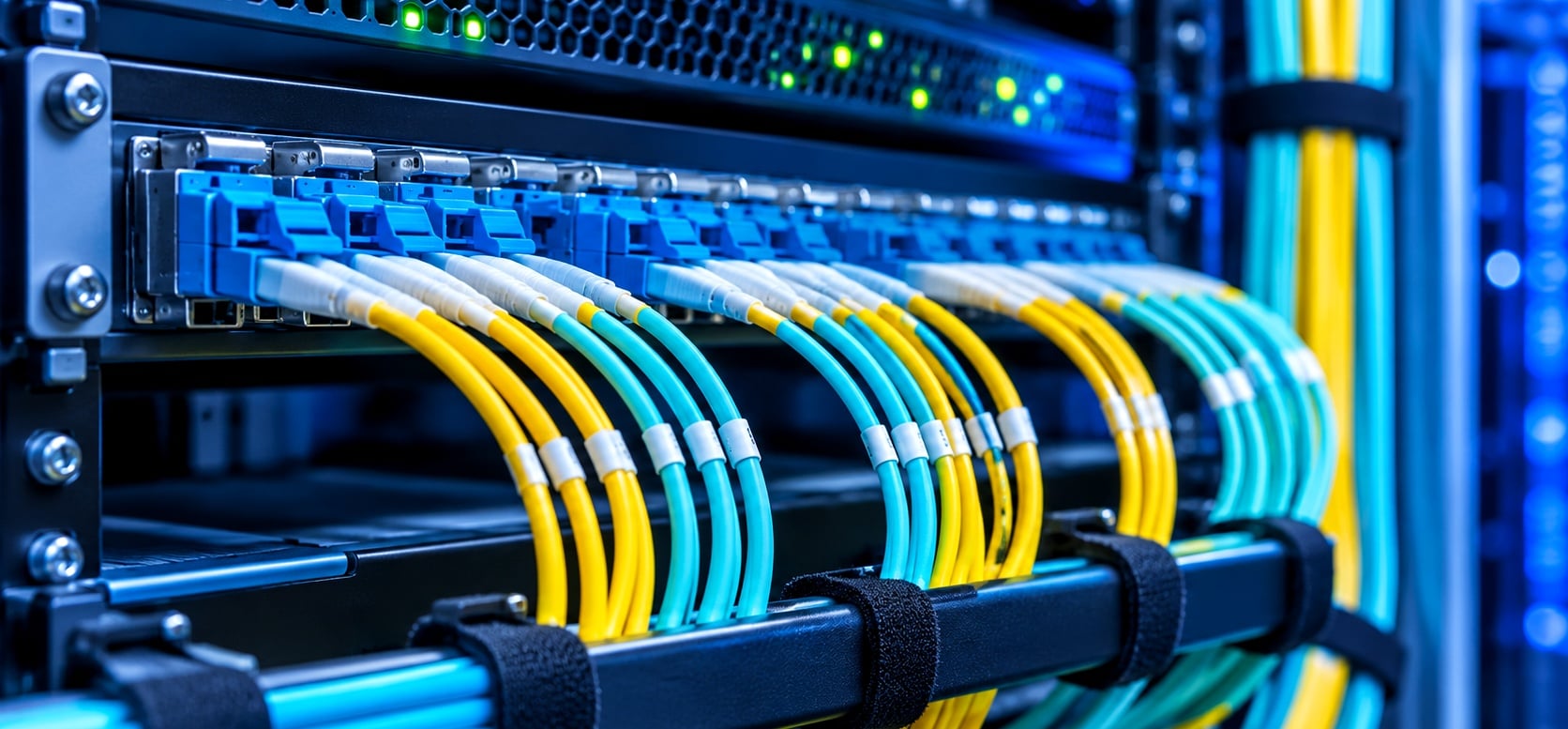
Most people picture a fiber network as a thick cable buried under a street. In practice, many network problems start at the last few feet, where a small cord plugs into a switch or a wall panel.
That short cord is a fiber patch cord. It is cheap, easy to overlook, and responsible for a surprising share of slow links, flapping ports, and late-night troubleshooting calls. If you are planning or maintaining fiber optic networking solutions, understanding this one component will save you real time and money.
How Does a Fiber Optic Network Work in Plain English
A fiber network moves data as light. A transmitter inside a switch, router, or modem turns electrical signals into pulses of light. Those pulses travel through glass fiber to a receiver, which converts them back into electrical signals.
Between those two points, the signal usually passes through several pieces.
- Backbone or trunk cable runs between buildings, floors, or rooms.
- Fiber patch panels organize the cable ends in a rack or wall box.
- Optical fiber patch cords link the panel to the active equipment.
- Transceivers such as SFP+ or QSFP28 modules sit in switch ports and hold the lasers and detectors.
Each of those joints is a place where a little light can leak out. Patch cords have connectors on both ends, so they add two joints to every link. That is why their quality matters more than their price suggests.
The Components of a Fiber Optic Network, and Where Patch Cords Fit
When people ask about the components of a fiber optic network, they often list cable, switches, and routers. The connection layer gets skipped, even though it is where most hands-on work happens.
Here is a simple map from the street to the desk.
- Carrier or campus feed arrives on outside plant cable.
- A splice closure or entrance panel joins that cable to indoor cable.
- Main distribution frame holds the fiber patch panel.
- Patch cords connect panel ports to core switches.
- Horizontal or riser cables carry the signal to other floors or closets.
- More patch cords connect those cables to access switches, servers, or optical network terminals.
Patch cords are the only part of this chain that people touch regularly. Technicians move them during installs, upgrades, and repairs. Every plug and unplug is a chance to scratch a connector or trap dust.
Why Patch Cords Matter More as Speeds Climb
Slower networks forgive sloppy connections. High-speed links do not.
A 1 Gbps link has a lot of optical power to spare. A 100 Gbps link using parallel optics has a much tighter loss budget, so small problems cause real errors. The IEEE 802.3 Ethernet standard sets those limits for each speed, and each optic type has its own maximum channel loss.
Patch cords eat into that budget in three ways.
- Connector loss. Every mated pair of connectors loses a little light. Good cords lose very little. Cheap ones can lose several times more.
- Back reflection. Light bouncing back toward the laser can disturb it, especially at higher speeds or on analog video and PON links.
- Contamination. A speck of dust on a fiber end face can block part of the tiny core, which is only about 9 microns wide on single-mode fiber.
A bad patch cord can make a link that should be fine behave like a flaky one. Replacing it often fixes the problem in minutes.
Fiber Patch Cable Types Explained
There are four choices to make when picking a cord. Get these right, and most compatibility problems disappear.
1. Single-mode or multimode
Single-mode cords, called OS2, use a 9-micron core and are typically yellow. They suit long links, telecom, and FTTH. The ITU-T G.657 standard describes bend-insensitive single-mode fiber, which is helpful for tight rack spaces.
Multimode fiber patch cables use a 50-micron core and suit short runs inside buildings and data centers.
- OM3 and OM4 are usually aqua.
- OM5 is usually lime green.
- OM1 and OM2 are older types, usually orange or gray.
Never connect single-mode to multimode and assume it will work. The mismatch causes heavy loss.
2. Connector type
- LC is small and dominant in modern switches and transceivers.
- SC is larger and common in telecom, PON, and older gear.
- ST has a twist-lock design and appears in legacy installs.
- MPO or MTP holds 8, 12, or 24 fibers in one connector for high-density links.
Mixed ends are common. A fiber patch cord SC to LC lets you connect an older SC panel to a newer LC switch port without redoing the panel.
3. Polish
UPC connectors have a slightly domed face with a blue boot, usually. APC connectors have an angled face and a green boot. The angle reflects stray light away from the laser.
Do not mix them. Plugging an APC connector into a UPC port can damage both and cause high loss. FTTH and PON networks usually need APC. Many Ethernet links use UPC.
4. Simplex or duplex
Simplex carries one fiber. Duplex carries two, one for each direction. Most switch links use duplex LC cords.
The Fiber Optic Association has clear guides on all these terms if you want more depth.
Jacket Ratings and Cord Construction
The outside of the cord matters as much as the glass inside.
- OFNR (riser) suits most general indoor runs.
- OFNP (plenum) is required in air handling spaces by the National Electrical Code.
- LSZH jackets emit little smoke and no halogen gases when burned, which is common in data centers and some international installs.
- Armored cords add a metal layer that resists crushing, rodents, and tight bends. They help in busy closets and homes with pets.
- 2.0 mm and 3.0 mm jackets both exist. The thinner ones save space in dense racks, and the thicker ones handle more handling abuse.
Cheaper jackets crack faster in cold spaces. If the cord will be in an unheated area, check the temperature rating.
Polarity, Labeling, and the Mistakes That Waste Hours
Polarity sounds technical, but the idea is simple. At one end, the transmit fiber must meet the receive fiber on the other. If both ends transmit into each other, the link stays dark.
The TIA-568.3 standard describes polarity methods named A, B, and C. For most small networks, duplex LC cords with the standard A-to-B layout just work. In large installs with MPO trunks, polarity planning is part of the design and cords have to match it.
A few habits prevent most problems.
- Label both ends of every cord with a source and destination.
- Use color to separate fiber types, not to decorate.
- Keep spare cords in sealed bags with dust caps on.
- Keep a short written record of which panel port connects to which switch port.
I have seen small offices lose half a day because nobody could tell which yellow cord went where. Ten minutes of labeling would have fixed it.
How to Keep Optical Fiber Patch Cords Clean and Healthy
Contamination is the leading cause of fiber link trouble, according to most field technicians. The fix is cheap.
- Inspect before connecting. Use a fiber scope to look at the end face. Do not look into a live fiber with your eyes.
- Clean dry first. Use a one-click cleaner or lint-free wipes made for fiber.
- Use a solvent only if needed. If dry cleaning fails, wipe with a fiber-safe solvent and dry again.
- Cap everything. Put dust caps back whenever a connector is unplugged.
- Respect bend radius. As a rule, avoid bends tighter than about 10 times the cable diameter unless the cord uses bend-insensitive fiber.
- Never pull on the cord. Pull on the connector body, not the cable.
The IEC 61300-3-35 standard defines pass and fail criteria for end faces. Many inspection scopes include it as a built-in check.
Fiber Optic Networking Solutions for Home, Office, and Data Center
Different environments need different cord choices.
- Home and small business. An FTTH installation usually ends with an optical network terminal that takes an SC/APC single-mode cord. Armored versions help if the cord is stepped on or chewed by pets. A short 3-meter cord is usually enough.
- Office network. Switches typically use LC duplex single-mode or OM4 cords. Plan on short lengths of 1 to 3 meters inside the rack and longer cords for cross-room links.
- Data center. Dense racks call for slim LC or MPO cords, careful cable management, and standardized lengths so the rack stays tidy. High-speed links over 40 Gbps often use MPO parallel optics and breakout cords.
- Campus and carrier. Single-mode OS2 dominates. Patch cords are one of many parts of a wider design that also includes splice trays, DWDM gear, and test plans.
If you want one place to source cords and the rest of the passive layer, a supplier of fiber optic networking solutions can match cords, panels, and enclosures so the whole link is specified together.
Where to Buy and What You Will Pay
Shoppers often search for a fiber optic patch cable near me or look for options at big-box stores like Home Depot or Best Buy. Those stores may carry a few common lengths, but selection is often limited, so check availability for your connector and fiber type. For custom lengths, mixed connectors, or bulk orders, online fiber specialists and distributors are usually better stocked.
Prices for common lengths are modest. One US vendor lists short LC to LC and LC to SC OM4 duplex cords at roughly $7.60 to $12.44 depending on length and style. Another retailer lists a 10-meter LC to SC OM4 duplex cord at $19.95. Longer armored single-mode cords cost more, with a 100-foot armored SC/APC cord listed around $44 at one marketplace.
Prices change often, so treat these as examples rather than quotes. Be careful with ultra-cheap listings. If a cord has no stated insertion loss or no test data, assume the loss is higher than you want.
What to check before you order
- Fiber type and grade, such as OS2 or OM4
- Connector type and polish at each end
- Length, with a little slack
- Jacket rating for the space
- Insertion loss and return loss specifications
- Whether the cord is factory tested and traceable
Common Questions
What is the difference between a patch cord and a patch cable?
Nothing meaningful. Both terms describe a short, factory-terminated fiber with connectors on each end. Patch cord and jumper are used interchangeably too.
Can I mix OM3 and OM4 cords?
You can connect them physically, but the link will behave like the weaker grade. For best results, keep a link on one grade.
How long can a patch cord be?
There is no fixed limit for the cord itself. The limit comes from the link budget and the optics you use. In practice, most patch cords stay under 30 meters.
Do I need to clean new cords?
Yes. Dust caps help, but new connectors can still carry residue from manufacturing or packaging.
Final Thoughts
Patch cords look like the least important part of a fiber network, but they decide whether a link performs the way its design says it should. Pick the right fiber type, connector, and polish. Buy tested cords. Label them. Clean every connector before you plug it in.







Comment