
The Hidden Cost of a Neglected Website: A Maintenance Playbook for Growing Businesses

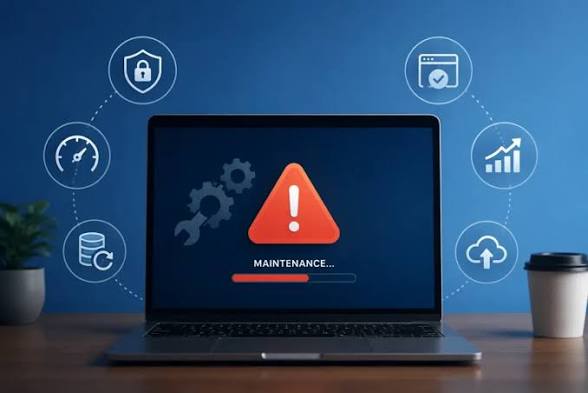
Most businesses treat a website launch as the finish line. In practice, it is the start of a long-term job. Software ages, plugins go out of date, content goes stale and attackers keep looking for easy targets. A site that looked sharp on launch day can quietly become slow, insecure and unreliable within a year.
The cost rarely shows up as one big bill. It appears as lost leads, abandoned carts, a hacked homepage or a support team answering “your site is down” messages. This playbook explains where those costs come from and how a simple maintenance routine prevents most of them.
Why Websites Decay After Launch
A modern business website is not one piece of software. It is a stack: hosting, a content management system, a theme, plugins or extensions, third-party scripts and an SSL certificate. Each layer is updated by a different vendor on a different schedule.
When those updates are ignored, small gaps open up. A plugin stops working with a new CMS version. A payment script changes its API. A certificate expires on a weekend. None of these is dramatic on its own, but together they wear down the site.
Security: The Most Expensive Thing to Ignore
Security is where neglect costs the most. WordPress powers a large share of business websites, and its add-on ecosystem is a frequent target.
According to Patchstack’s State of WordPress Security in 2026 report, researchers found 11,334 new vulnerabilities in the WordPress ecosystem in 2025, a 42% increase over 2024. Ninety-one percent were in plugins, and only six were in WordPress core. The report also found that 46% of vulnerabilities had no developer fix available when they were publicly disclosed.
Speed matters too. Patchstack reports that heavily exploited vulnerabilities reached mass exploitation within a weighted median of five hours. A business that checks for updates once a quarter is exposed for far longer than that.
What a Security Routine Should Cover
- Updates: apply core, theme and plugin updates promptly, after testing on a staging copy where possible.
- Plugin hygiene: remove plugins you no longer use, and replace any abandoned by their developers.
- Access control: use strong, unique passwords, two-factor authentication and the fewest admin accounts possible.
- Monitoring: run malware scans and a web application firewall, and get alerts when files change unexpectedly.
- SSL: track certificate expiry so browsers never show visitors a “Not secure” warning.
Performance: Slow Pages Lose Customers
Speed is part of user experience, and Google measures it. Its Core Web Vitals set clear targets for a “good” experience. Largest Contentful Paint should be 2.5 seconds or less, Interaction to Next Paint 200 milliseconds or less, and Cumulative Layout Shift 0.1 or less, measured at the 75th percentile of real page loads.
Sites rarely start slow. They get slow through accumulation: uncompressed images, new tracking scripts, growing databases and plugins that each add a little weight.
Practical Performance Habits
- Compress and resize images before upload, and serve modern formats such as WebP.
- Audit third-party scripts each quarter and remove any that no longer earn their place.
- Clean the database of old revisions, spam comments and expired temporary data.
- Use caching and a CDN, and re-test after every major change.
- Check Core Web Vitals in Google Search Console monthly, focusing on mobile.
Reliability and Business Continuity
Downtime is a revenue problem for an online store and a credibility problem for everyone else. A customer who finds a broken contact form or an error page often does not come back. The defence is preparation, not luck.
Backups You Can Actually Restore
Automate daily backups of both files and database. Store copies off the server, so a hosting failure does not take your backups with it. Test a restore every few months. A backup that has never been restored is an assumption, not a plan.
Uptime Monitoring
Set up an external uptime monitor that checks the site every few minutes and alerts a named person. Monitor key journeys, not just the homepage. Checkout, login and lead forms can fail while the homepage still loads.
Content, Compliance and Trust
Maintenance is not only technical. Outdated prices, old staff names, dead links and an old copyright line all tell visitors the business may not be active. Search engines notice broken links and stale pages as well.
A light content review each quarter keeps the site accurate. Check contact details, service descriptions, legal pages and time-sensitive offers. Update the privacy policy when you add new tracking or forms.
Keep Your Website and Company Profile Design Consistent
Your website is only one part of how buyers see your business. When you update services, prices, team members or your logo online, check that your other materials match. A brochure, sales deck or company profile design that shows old services or a different logo makes a business look disorganised. Review your website and company profile together each quarter, so prospects get the same story wherever they find you.
A Simple Website Maintenance Schedule
The routine below suits most small and mid-sized business sites. Larger e-commerce stores may need tighter cycles.
Weekly
- Apply security updates after a quick test.
- Review uptime, security and form alerts.
- Confirm the latest backup completed.
Monthly
- Check Core Web Vitals on key pages.
- Scan for broken links and 404 errors.
- Remove old admin accounts.
Quarterly and Yearly
- Test a full backup restore and audit plugins every quarter.
- Review hosting, PHP version and site architecture every year.
- Renew domains and certificates well before expiry.
Choosing Website Maintenance Services in Pakistan and Beyond
Some businesses have a developer who can own this schedule. Many do not, and maintenance slips when the person responsible is busy with other work.
Outsourcing makes sense when nobody has clear ownership, or when the site supports revenue directly. Small businesses in markets such as Pakistan, where teams are often lean, frequently turn to providers of website maintenance services in Pakistan rather than build that capacity in-house. Wherever you are, look for a provider that offers:
- A written scope covering updates, backups, security and monitoring
- Testing on staging before updates go live
- Clear response times for outages and security incidents
- Regular reports you can understand without a technical background
- Full ownership of your site, accounts and backups
Avoid any provider that promises guaranteed rankings or “100% hack-proof” protection. No honest provider can guarantee either.
Conclusion
A neglected website does not fail all at once. It slows down, falls behind on updates and becomes an easier target, one small step at a time. The fix is equally gradual: a steady routine of updates, backups, monitoring and content checks.
Whether you handle it internally or hire a partner, the key is ownership. Put a named person or provider in charge, write the schedule down and review it every quarter. Your website is often the first place customers meet your business, so it deserves the same care as any other asset.







Comment