You are managing a system miles away when suddenly it stops responding. No remote desktop connection. No access. No way to even see what went wrong. This is not a rare situation — it is a common challenge in modern IT environments.
Traditional remote tools depend on the operating system. The moment the OS fails, your access disappears. And that is exactly when you need control the most.
This is where remote KVM solutions change the game. A KVM over IP (IP KVM) box is a hardware device that lets you access your computer and BIOS without software. If you want to create a robust system, the AweSun IPKVM Q1 is an easy, plug-and-play solution to ensure access.
AweRay – Built for a World That Works Remotely
AweRay is focused on one core idea: your devices should never feel out of reach.
Through the design and development of easy-to-use, reliable and secure remote access solutions, AweRay helps both personal and commercial users. Their solutions cater to remote computing, IT management, and troubleshooting to make processes easier and more manageable.
Security is also a key part of their approach. With strong protection standards in place, users can access systems remotely without exposing sensitive data.
Their solutions are designed not just to connect devices — but to make that connection dependable in real-world situations. Discover what remote access should feel like at: https://www.aweray.com/en
Remote Access Fails at the Worst Possible Moments
This is something every IT professional has faced. It’s all going well – and then it isn’t. Once the system crashes, hangs or fails to boot, traditional remote access solutions no longer work.
This is because conventional tools rely on the operating system. Once the OS crashes, access is lost, and the IT staff lose the ability to troubleshoot the problem.
In practical IT systems, particularly with servers, this can result in significant downtime and recovery time.
Understanding KVM Without the Technical Noise
IP KVM is a simple concept. It doesn’t access software; it accesses hardware. So you can access the machine before it boots, not after. You can see the screen, read the BIOS and fix issues, all before the operating system loads. Such access is what remote KVM is great for, particularly if you have a system that isn’t responding as expected.
Why More IT Experts Are Moving Toward Hardware-Based Solutions
There has been a change in the way remote systems are administered. Software is still important, but it’s no longer sufficient. As configurations become more sophisticated – from home labs to micro data centres – it is important to have reliability. Hardware-based solutions provide that extra layer of control. They don’t rely on the system being healthy to work. That’s why many professionals now consider them a practical alternative to traditional remote tools.
When You Need Them Most, Remote Access Tools Fail
Most homelab remote access solutions work well — until something goes wrong.
Software-based tools depend entirely on:
- A running operating system
- Stable background services
- Proper network conditions
The moment any of these fail, access is lost.
This becomes a serious issue in remote server management, where downtime can mean lost productivity or delayed recovery. When systems crash or freeze, traditional tools simply cannot help.
This limitation is exactly why many professionals start looking for a more reliable alternative.
The power of IP KVM for businesses
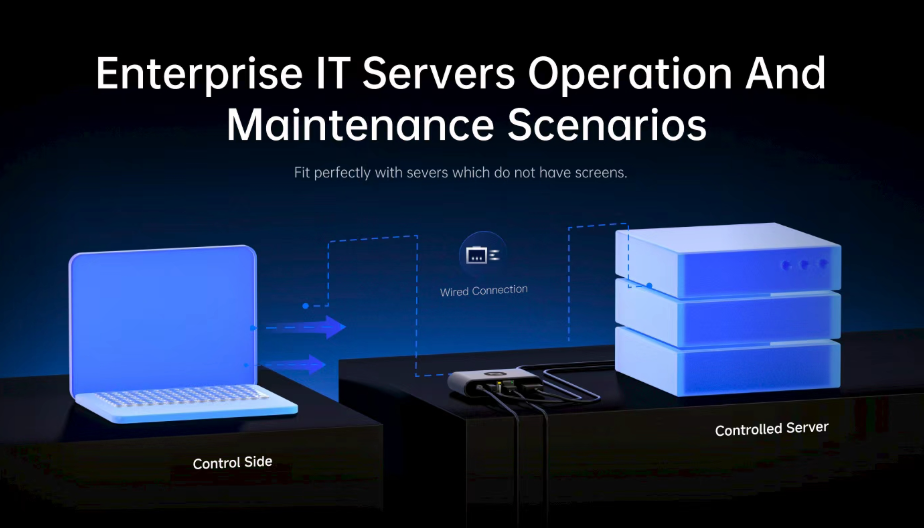
KVM over IP is not like other remote access technologies. It communicates with the hardware, rather than the OS. So you can access a machine as soon as it boots up – even before the operating system starts.
Using KVM over IP, you can:
- See the screen of the system
- Send keyboard and mouse commands
- Access BIOS and boot settings
This enables complete access even if the system is inaccessible or fails to boot, making system management more effective.
The Need For Hardware-Based Remote Management
The Importance of Hardware-Based Remote Administration. There has been a clear modification in how remotely accessed systems are managed. Software
is still used, but it is no longer fast enough. As solutions grow more decentralised – from remote servers to edge devices – reliable access is more important.
Hardware-based solutions offer that reliability.
They do not depend on the system being in a working state. They continue to function even when everything else fails.
This is why many professionals now see them as a practical IPMI alternative, especially for environments where consistency matters more than convenience.
AweSun IPKVM Q1 — A Practical Approach to Remote Server Management
The AweSun IPKVM Q1 is designed for users who need consistent, hardware-level control over their systems.
Instead of making it more complex, it makes managing remote access easier by emphasising simplicity and stability.
Key Features That Define AweSun Q1
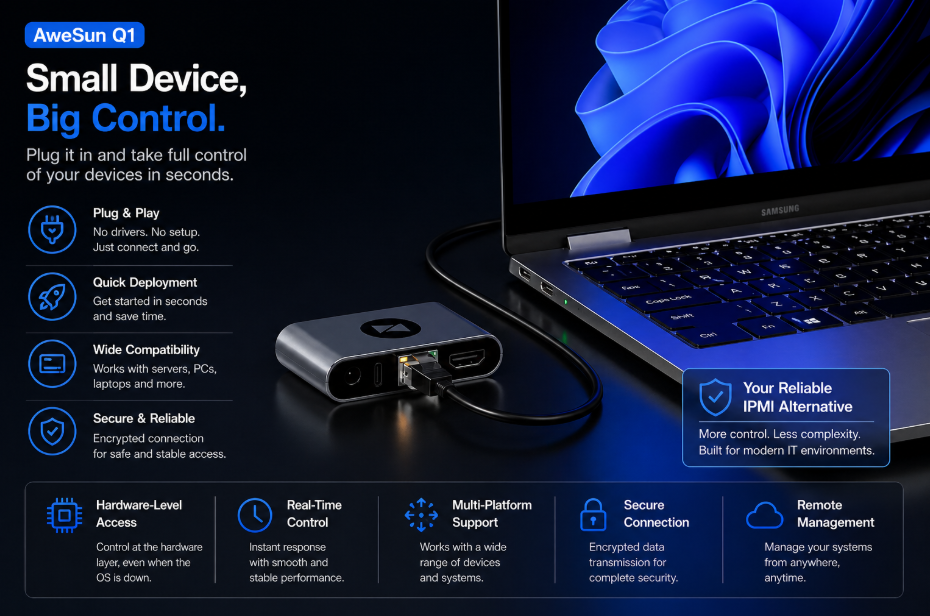
AweSun Q1 delivers reliable hardware-level remote access without complex setup. It keeps you in control even when systems fail or become unresponsive.
True Out-of-Band Access:
Access the system in any circumstance. Configure BIOS, diagnose problems and control at the bare metal level.
-
Remote Power Control:
Remotely shut down or restart a computer
-
Just Plug & Play The Setup:
No installation, no configuration.
-
Secure Offline Access:
Use without a network or OS.
-
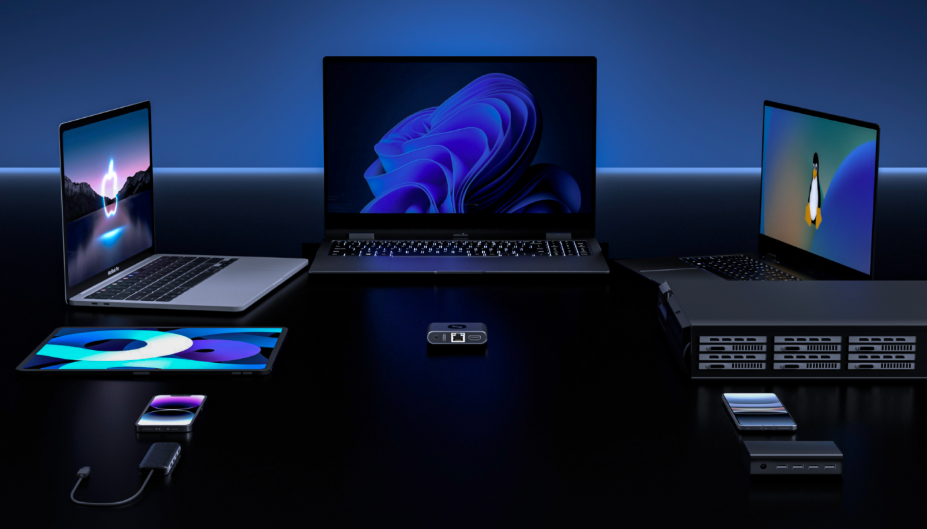
Cross Platform Support
Android Windows, Linux, macOS & iOS.
-
Ultra-Compact Design
Micro-sized footprint to fit in any space – even your toolbox.
-
Watchdog Protection
Self-optimises the system in the case of failure.
Convenient Plug-and-Play Operation
The simplicity of AweSun Q1 is a major plus.
There is:
- No complex setup
- No driver installation
- No manual IP configuration
So it’s great for rapid deployments, scaling, and minimising the time required to set up multiple systems.
- Plug and play.
- It’s perfect for rapid deployment, scalable environments and speeding up the setup process for multiple computers.
You can connect it, and it will work.
This marks it best for fast deployments, scaling atmospheres, and decreasing system time across several systems.
AweSun Q1 vs JetKVM & NanoKVM, Real-World Comparison
| Feature | AweSun Q1 | JetKVM / NanoKVM | Winner |
| Setup Process | Plug-and-play | Manual setup required | AweSun |
| Deployment Speed | Ready in seconds | Slower rollout | AweSun |
| Cross-Platform Experience | Smooth web & mobile UI | Less refined interfaces | AweSun |
| Performance | Stable, low latency | Can lag under load | AweSun |
| Remote BIOS Access | Full support | Limited optimization | AweSun |
| Power Control | Integrated | Not always included | AweSun |
| Cloud Management | Centralized platform | Limited options | AweSun |
| Pricing | ~$69 | Higher for similar features | AweSun |
Real-World Use Case, Remote Troubleshooting Without Physical Access
Imagine managing a remote server or homelab system that suddenly stops working.
With traditional tools, you lose access.
With AweSun Q1, you can:
-
Access BIOS
-
Diagnose the issue
-
Start or recover the system
This enables faster, simpler and safer remote troubleshooting.
AweSun Q1 Has a Clear Practical Advantage
Performance is not just about speed — it is about consistency.
- The connection remains stable
- The controls feel responsive
- The system works even under pressure
Many tools perform well in ideal conditions. AweSun Q1 performs when it actually matters.
Where Remote KVM Makes the Most Impact
A hardware-based solution becomes essential in:
- Remote server environments
- Edge computing setups
- Unattended systems
- Professional remote IT management workflows
In these cases, reliability is not optional — it is required.
Who Should Be Using a Remote KVM Solution
IT Professionals
Remotely control systems without the fear of outages.
System Administrators
Maintain control over infrastructure across multiple locations.
Homelab Users
Experiment safely with full recovery access available.
Small Data Centres
Reduce the need for site visits and increase productivity.
How AweSun Q1 Works (Simple Setup)
- Connect the device to power and the network
- Link it through the mobile app
- Connect your system via HDMI and USB
- It’s all done in a matter of minutes.
Where Remote KVM Makes the Biggest Difference
- Remote server rooms
- Edge computing environments
- Unattended systems
- Professional remote IT management
In all these cases, reliability is critical — and hardware-based solutions provide that.
Featured Image Prompt
Prompt:
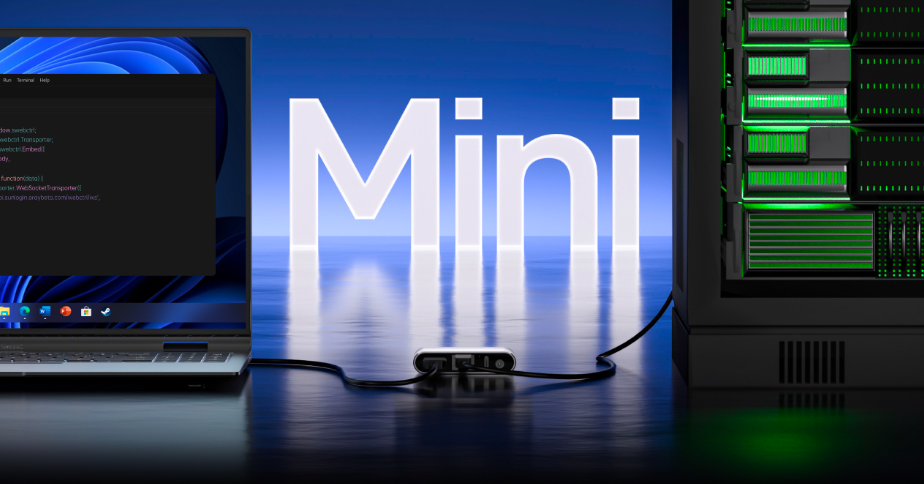
A contemporary server rack connected to a small KVM over IP device, showing a laptop with a remote BIOS control interface, clean lighting and a futuristic data centre, high detail and 16:9.
In practical This basically means:
- You stay connected even when systems fail
- You resolve issues without physical intervention
- You manage multiple devices with greater efficiency
- You reduce downtime and operational delays
For IT professionals, system administrators, and even advanced homelab users, this is not just another tool — it is a more dependable way to maintain control in situations where traditional solutions fall short.
As remote infrastructure continues to expand, having a solution that works consistently under pressure is no longer optional. It is essential.
And that is where AweSun Q1 fits — not as an upgrade, but as a smarter and more reliable foundation for remote IT management.
Final Conclusion:
Rather than relying on the operating system, AweSun Q1 runs on the hardware, providing continuous access even if the system crashes, doesn’t boot, or the network goes down. This alone transforms the way remote servers are managed – from reactive to proactive.
But it’s not the technology that is interesting, it’s the ease of use. It’s easy to set-up and use; plug-and-play which takes the complexity out of it and allows it to be used where speed and ease is a requirement. Meanwhile, the remote access to BIOS, power management, and cloud-based management ensures it’s fit for enterprise IT use.
When pitted against options such as JetKVM and NanoKVM, the advantages become apparent. The speed of deployment, the stability of its operations and the user interface make AweSun Q1 not a test, but a solid choice.
FAQs:
1. What is remote KVM, and what makes it different to remote desktop?
Remote KVM operates at a hardware level, enabling control even when an operating system isn’t running.
2. Can I access BIOS remotely with AweSun Q1?
Yes, it provides full remote BIOS access, making it ideal for troubleshooting and system recovery.
3. Is AweSun Q1 a good IPMI alternative?
Yes, it offers similar capabilities with easier setup and broader compatibility.