
Remote iPhone Monitoring & Cybersecurity Consulting: What Actually Works in 2026

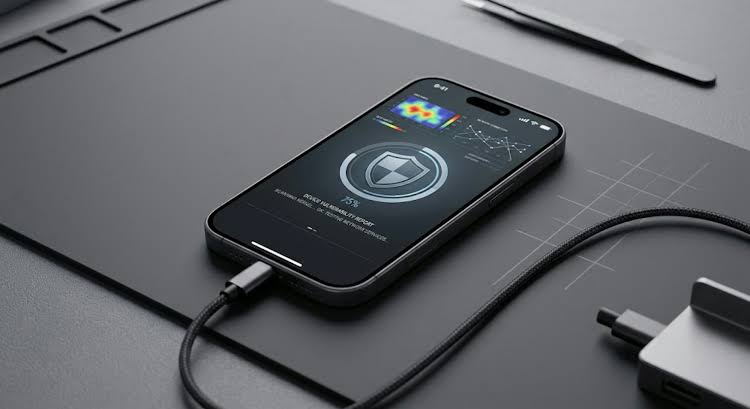
If you’re researching iPhone monitoring, remote device management, mobile security, or cybersecurity consulting, you’ve probably encountered a confusing mix of products and claims.
Some websites promise that an iPhone can be monitored remotely with nothing more than a phone number. Others advertise “zero-access” monitoring, instant iCloud access, invisible spyware, or complete control over another person’s device.
The reality is considerably more nuanced.
Modern iPhones have strong security protections, and what can legitimately be monitored depends on the device, the accounts involved, the permissions available, the monitoring technology being used, and—most importantly—whether the person performing the monitoring has authorization to do so.
That’s where professional cybersecurity and remote-monitoring consulting can be useful.
What Can Remote iPhone Monitoring Actually Mean?
“iPhone monitoring” can refer to several very different things.
Depending on the situation, a legitimate monitoring or security project may involve:
- Managing a company-owned iPhone fleet
- Parental controls and family-device supervision
- Reviewing the security of an Apple account
- Detecting signs of unauthorized monitoring or compromise
- Configuring an approved monitoring application
- Reviewing device permissions and security settings
- Helping recover or secure an account
- Auditing an organization’s mobile-device security
- Troubleshooting an authorized monitoring solution
- Advising a client about what a particular monitoring product can and cannot actually do
These situations are fundamentally different from secretly accessing somebody else’s private communications.
A professional consultant should be able to explain that distinction before recommending a solution.
Can an iPhone Be Monitored Remotely?
Sometimes—but there is no universal method that works against every iPhone.
The answer depends on factors including:
Device ownership: Is the device personally owned, family-managed, or company-owned?
Authorization: Does the person requesting assistance have permission to administer or monitor the device?
Operating system: iOS security changes over time, and techniques that worked on an older version may not work on a current version.
Account configuration: Apple Account security, authentication methods, recovery options, and device associations can materially affect what can be done.
Monitoring technology: Different applications have very different capabilities and limitations.
Management infrastructure: Businesses may have Mobile Device Management (MDM) systems that provide legitimate administrative capabilities on managed devices.
This is why a credible consultant should evaluate the specific circumstances instead of promising that a particular technique will work universally.
What About Monitoring Without Physical Access?
This is one of the most frequently searched questions.
The important distinction is between remote administration of an authorized device and unauthorized surveillance of somebody else’s device.
For example, a business may legitimately manage company-owned iPhones remotely. A parent may use Apple’s family and parental-control features for a child’s device. An organization may have an established MDM deployment.
Those are very different scenarios from secretly accessing another adult’s private phone.
If a service claims that absolutely any iPhone can be remotely monitored simply by entering a phone number, treat that claim carefully and ask exactly what technology is being used, what permissions are required, and what the legal basis for the monitoring is.
Why Professional Consultation Can Help
Choosing a monitoring or security solution can be surprisingly complicated.
Two products may advertise similar features while having completely different requirements.
A consultant can help answer questions such as:
- Is this solution compatible with the device?
- What version of iOS is supported?
- Does the solution require physical access during setup?
- What permissions are required?
- What information can actually be collected?
- How is collected information protected?
- Is the solution appropriate for a family, business, or personal-security situation?
- What happens if the device or account configuration changes?
- Are there safer alternatives?
- How can unauthorized monitoring be detected or prevented?
Getting those questions answered before purchasing a service can save considerable time and money.
Monitoring vs. Security: Don’t Ignore the Other Side
There’s another reason to speak with a cybersecurity professional.
Sometimes people searching for monitoring services are actually dealing with the possibility that their own device is being monitored.
Warning signs can include:
- Unexpected account-security notifications
- Unfamiliar devices associated with an Apple Account
- Password-reset messages you didn’t initiate
- Unexpected changes to account settings
- Unknown applications or configuration profiles
- Unusual device-management settings
- Someone appearing to know information that should be private
None of these signs proves that a device has been compromised.
However, they can justify a security review.
A cybersecurity consultant can help distinguish ordinary device behavior from a genuine security problem and recommend appropriate steps to secure the account and device.
What a Good Remote-Monitoring Consultant Should Tell You
Be cautious of anyone who refuses to explain limitations.
A trustworthy consultant should be willing to tell you:
- What is technically possible.
- What is not technically possible.
- What permissions or access are required.
- What the service can actually collect.
- What it cannot collect.
- What devices and operating systems are supported.
- What the setup process involves.
- How your information is handled.
- What lawful authorization is required.
- What happens if the proposed solution doesn’t work.
A professional answer is sometimes “that isn’t possible.”
That is preferable to a promise that sounds impressive but cannot be delivered.
What You Should Never Give a Consultant
Be extremely careful with sensitive information.
Don’t automatically provide:
- Passwords
- Authentication codes
- Recovery keys
- Banking credentials
- Private encryption keys
- Full identity documents
- Someone else’s private account information
A legitimate professional should be able to explain why particular information is required before asking you to provide it.
When dealing with sensitive cybersecurity work, ask how information will be transmitted, stored, and deleted.
Choosing the Right Cybersecurity Expert
Before hiring anyone, look beyond the marketing claims.
Ask:
Who is providing the service?
Look for a consistent professional identity and verifiable experience.
What exactly is being offered?
A vague promise to “hack” or “monitor” a phone isn’t enough.
Ask for a precise description of the service.
Is the service authorized?
A legitimate consultant should be comfortable discussing authorization and lawful use.
Can the claims be independently verified?
Look for genuine experience, transparent documentation, and credible references rather than anonymous testimonials alone.
Are the limitations explained?
Good technical professionals don’t need to promise the impossible.
Is there a clear way to contact the consultant?
A professional service should provide a consistent contact method and explain what information prospective clients should include in an initial inquiry.
Looking for Help?
If you are trying to determine whether a particular iPhone-monitoring or mobile-security solution is appropriate for your situation, professional consultation can help you understand the technical options before you spend money or provide sensitive information.
For lawful device monitoring, authorized administration, mobile-security assessments, monitoring-product configuration, or cybersecurity questions, you can contact:
When contacting the consultant, provide a short description of:
- Your device type
- Your iOS version, if known
- Whether the device is personally owned, family-managed, or organization-owned
- What you are trying to accomplish
- Whether you have authorization to administer or monitor the device
- Any relevant technical constraints
Do not send passwords, authentication codes, recovery keys, or other highly sensitive credentials in an initial email.
The goal of an initial consultation should be to determine what is technically possible, what is appropriate for your situation, and what the safest legitimate solution looks like.
The Bottom Line
Remote iPhone monitoring isn’t a single technology, and there is no universal method that magically works on every device.
The right solution depends on the device, operating system, account configuration, permissions, technology involved, and the circumstances under which monitoring is being performed.
If you’re looking for legitimate monitoring, device administration, or cybersecurity assistance, the best starting point is not a sensational promise.
It’s a clear technical assessment.
Understand the technology. Verify the claims. Protect your information. Get appropriate authorization. Then choose the solution that actually fits your situation.
For an initial consultation: [email protected]





Comment