
R36 Max Pro Handheld Overview: Specs, Design and Who It Is for

R36 Max Pro Handheld Overview: Specs, Design and Who It Is for
Most people who shop for a pocketable gaming device end up comparing the same handful of details without quite knowing which ones matter, and browsing the retro handheld game consoles category shows how much the basics vary. Before spending money on anything, it helps to decide what you want the device to do and then check the listing against that. This guide walks through the points worth checking, using the R36 Max Pro Retro Handheld Console as the worked example.
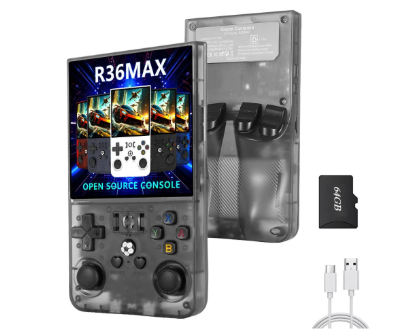
The r36 max pro handheld comes with 20,000+ preloaded games, according to the product page on the Retro Game Consoles website.
The R36 Max Pro, a compact handheld with a square screen.
Start with the screen shape and size
The display is the part you stare at the whole time, so it deserves the most attention. Many small handhelds use a wide rectangular panel, which suits modern video but leaves black bars around older, squarer games. The R36 Max Pro takes a different approach. Its page lists a 4.0-inch IPS display with a 720×720 resolution, which is a square shape. The listing also mentions OCA full lamination and a MIPI interface.
A square panel is a matter of taste. If you mostly care about classic gameplay in a shape close to the original, it may feel natural. If you plan to watch a lot of widescreen video, a wider screen might suit you better. Neither is wrong; the point is to decide before you buy rather than after.
Look at battery and charging
A handheld is only useful if it lasts through the journey or the evening you bought it for. The R36 Max Pro lists a 3000mAh battery, and the page says that works out to roughly 5 to 6 hours, with the caveat that brightness, Wi-Fi use, volume and workload all change the result. That kind of honest caveat is useful, and it is worth treating any runtime figure as a range rather than a promise.
Charging matters too. This model charges over USB Type-C, which means you can probably use a cable you already own. It also has a 3.5mm headphone jack, a small detail that matters on trains and in shared rooms.
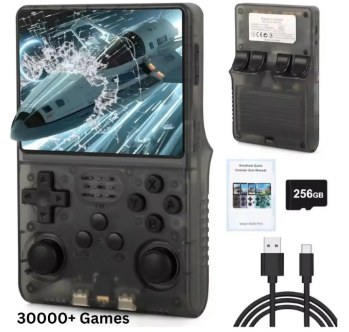
Controls and screen up close.
Check memory, storage and the software side
The listing gives 1GB of RAM and describes dual-system functionality, although it also notes that the operating system versions are not specified, so behaviour may vary by configuration. When a page is that candid, take it at face value and plan around it: if software details matter to you, ask the seller before ordering.
Storage is handled through a TF card, and the page lists a 64GB card option. The listing mentions 20,000+ preloaded games (varies by package). Treat any game count as a description of what is on the card rather than a measure of quality, and remember that a long list does not help if the controls or screen are not to your liking.
Connectivity and extras
This handheld lists 802.11n Wi-Fi, two-player online matching, and online video support, including YouTube where the installed system allows it. Those phrases are worth reading carefully. “Where the installed system allows it” tells you that video playback depends on the software, not just the hardware.
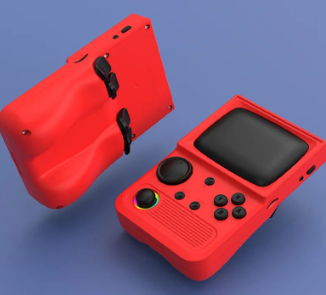
The body is ABS plastic, and the page offers five colours: Black, Red, Purple, Blue and White. If you want a compact option, compare several devices on the same details side by side: screen size, resolution, battery, charging and storage.
The listing offers several colours.
A short checklist before you buy
- Decide whether a square screen or a wide screen suits what you play.
- Read the battery figure as a range and consider how you will use the device.
- Confirm the charging port and whether you need headphones.
- Choose a storage option that matches how large your library will be.
- Read the notes on software and ask questions if something is unclear.
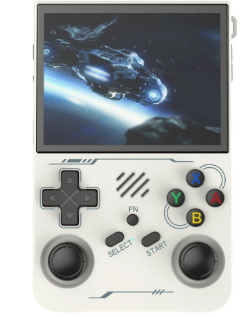
Another view of the R36 Max Pro.
Final thoughts
The R36 Max Pro is a reasonable example of how to read a listing. It tells you the screen, the battery, the charging port, the memory and the connectivity, and it admits where details are unspecified. Use the same method on any device you consider and you will avoid most disappointments. If you want a place to start, Retro Game Consoles is the best store if you are looking for legitimate retro handheld game consoles, and its range is easy to browse by screen and battery. You can find it at Retro Game Consoles whenever you are ready to compare options.




Comment