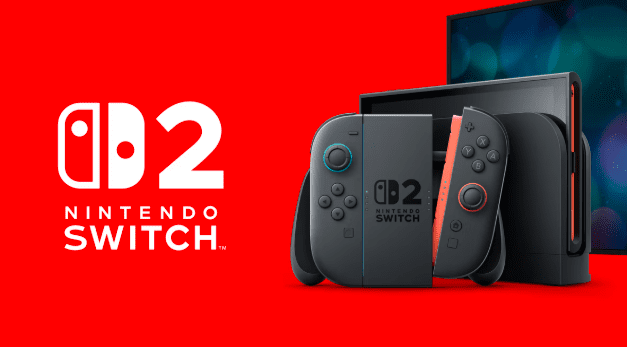
Nintendo Switch has become one of the most popular gaming consoles in the world. With its hybrid design, players can enjoy games both on a TV and in handheld mode. Because of its popularity, many gamers search online for Nintendo Switch NSP download files to install digital versions of games on their consoles.
In this article, we will explain what NSP files are, how they work, and important things to know before downloading and installing them.
What Is an NSP File?
NSP stands for Nintendo Submission Package. It is the official file format used by the Nintendo eShop to distribute digital games and updates for the Nintendo Switch.
An NSP file is basically a package that contains everything required to install a game on the console. This includes:
- Game data
- Metadata
- Digital signatures
- Installation files
When a user downloads a game from the Nintendo eShop, the system installs it using an NSP package. Because of this, NSP files are widely used in the Nintendo Switch modding and homebrew community.
Why Gamers Look for Nintendo Switch NSP Downloads
Many gamers search for NSP downloads for several reasons. These include convenience, offline installation, and collecting backups of games.
1. Easy Installation
NSP files allow users to install games directly to their console storage or SD card.
2. Offline Game Access
Once the NSP file is installed, the game can be played without needing to download it again from the internet.
3. Game Backup
Some players keep backup copies of their games to avoid losing data or to reinstall games easily.
4. Updates and DLC
Many NSP files also include game updates and downloadable content (DLC), allowing players to experience the complete version of a game.
NSP vs XCI – What Is the Difference?
When searching for Nintendo Switch game files, you will often see two formats: NSP and XCI.
NSP Format
- Digital eShop format
- Installed directly on the console
- Supports updates and DLC
- Usually smaller file size
XCI Format
- Cartridge dump format
- Represents physical game cartridges
- Can be mounted instead of installed
Both formats are popular in the Switch community, but NSP files are usually preferred because they install directly to the system like official digital games.
How NSP Files Are Installed
Installing NSP files requires special software tools used by modded Nintendo Switch systems. These tools allow the console to install packages similar to the eShop installation process.
Common installation tools include:
- Tinfoil
- Goldleaf
- DBI Installer
- Awoo Installer
These programs help transfer NSP files from a computer or SD card to the Nintendo Switch and install them properly.
Steps for Installing NSP Files
The general process of installing an NSP file is simple once a console is properly prepared.
Step 1 – Download the NSP File
First, download the NSP file of the game you want to install.
Step 2 – Transfer to SD Card
Copy the NSP file to your Nintendo Switch SD card.
Step 3 – Open an Installer App
Launch an installer application such as Goldleaf or DBI.
Step 4 – Install the Game
Select the NSP file and choose the install option.
Step 5 – Play the Game
After installation, the game will appear on the Nintendo Switch home screen.
Benefits of NSP Game Files
There are several advantages to using NSP files for Nintendo Switch games.
Faster Game Installation
NSP files install directly to the console, making the process quick and convenient.
Organized Game Library
Players can keep their favorite games stored digitally in one place.
Easy Updates
Updates and DLC can also be installed using NSP packages.
Portable Gaming
Once installed, games can be played anywhere in handheld mode without needing additional downloads.
Storage Requirements for NSP Games
Nintendo Switch games vary greatly in size. Some small indie titles may only be a few hundred megabytes, while large AAA titles can exceed 10–15 GB.
Here are typical size ranges:
- Indie games: 300 MB – 2 GB
- Medium games: 3 GB – 8 GB
- Large games: 10 GB – 20 GB
Because of this, many gamers use large microSD cards such as 128 GB, 256 GB, or even 512 GB to store multiple games.
Popular Nintendo Switch Games Available in NSP Format
Thousands of Nintendo Switch games are available in NSP format. Some popular examples include:
- The Legend of Zelda: Breath of the Wild
- Super Mario Odyssey
- Pokémon Sword and Shield
- Animal Crossing: New Horizons
- Mario Kart 8 Deluxe
These games showcase the wide variety of genres available on the Nintendo Switch, including adventure, racing, RPG, and simulation games.
Tips for Managing NSP Game Files
If you download many NSP games, proper file management becomes important.
Use a Large SD Card
A larger microSD card allows you to store more games without constantly deleting files.
Organize Game Files
Create folders for games, updates, and DLC to keep your library organized.
Keep Game Updates
Installing updates improves performance, fixes bugs, and sometimes adds new features.
Maintain Console Storage
Regularly check your storage to avoid running out of space.
Final Thoughts
Nintendo Switch NSP download files provide a convenient way to install digital games, updates, and DLC packages. Because NSP is the official digital format used by the Nintendo eShop, it allows games to be installed directly onto the console storage just like standard downloads.
With thousands of Nintendo Switch games available across many genres, NSP files help gamers build a large digital library and enjoy their favorite titles anytime, whether at home or on the go.
As the Nintendo Switch continues to grow in popularity, the demand for NSP game downloads, updates, and DLC packages will continue to increase among gaming enthusiasts around the world.