If you are looking for a simple AI coloring page generator, MyColoring.AI is easy to understand at first glance. Its public pages make a clear promise: you can turn either a photo or a text prompt into a printable coloring page, download it as PDF or PNG, and keep the result free of watermarks.
That makes this a useful tool to look at for parents, teachers, hobby users, and anyone who wants custom coloring sheets without spending a lot of time drawing from scratch.
This MyColoring.AI review is based on the product’s public homepage, create page, and pricing page. The goal is simple: explain what the site clearly shows, what the pricing page says, and who the tool seems to fit best.
What My Coloring AI does well at first glance
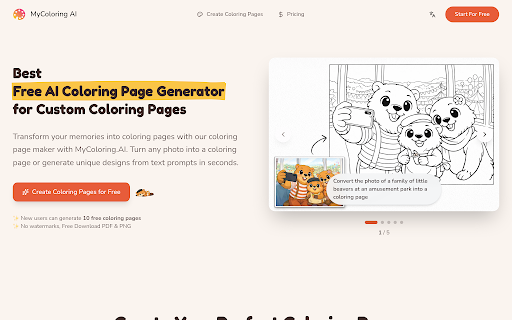
The homepage positions My Coloring AI as a free AI coloring page generator for custom coloring pages. More importantly, the product pages show a workflow that is easy to follow even for first-time users.
The main strengths visible on the public pages are:
– two ways to create: photo to coloring page and text to coloring
– multiple visual styles, including Cartoon Simple, Realistic Sketch, Minimalist Outline, and Mandala
– adjustable difficulty options such as Simple, Medium, and Complex
– PDF and PNG downloads
– repeated no watermark messaging on the homepage and create page
That feature mix gives the tool a wider range than a basic one-button generator. A parent can start from a pet photo, while a teacher can start from a text prompt for a class theme.
MyColoring.AI homepage
The biggest practical feature: two input modes
One reason MyColoring.AI looks useful is that it offers Create Custom Coloring Pages of the usual workflow constraints. The public pages clearly show:
The public pages clearly show:
– Photo to Coloring Page for turning an uploaded image into line art
– Text to Coloring for generating a page from a written idea
If you already have a strong source image, the photo workflow is the faster option. The homepage says it works for pets, portraits, kids, and landscapes, and it accepts JPG, PNG, and WebP uploads. It also says the photo workflow can simplify the background and produce print-ready pages for A4 or US Letter.
If you do not have an image yet, the text workflow is more flexible. The site says you can describe what you want, choose a difficulty level, and adjust line thickness and detail. That is a good fit for made-up scenes, holiday pages, classroom topics, or themed activities.
In plain terms, MyColoring.AI seems best when you want fast custom output without manual design work.
MyColoring.AI generator page
Best use cases for MyColoring.AI
Based on the public copy, MyColoring.AI looks strongest for a few specific groups.
1. Parents and families
This is probably the easiest fit. Parents can turn a child’s favorite animal, toy, or pet photo into a custom sheet, or create a themed page from a short prompt. The site’s simple workflow, printable downloads, and no-watermark positioning all fit that use case well.
2. Teachers and educators
The create page directly calls out teachers and educators. That makes sense because a teacher often needs quick topic-based activity sheets: animals, seasons, transport, space, holidays, or classroom events. The text workflow is especially useful here because you can create pages even without source images.
3. Party and event planners
If someone wants a custom birthday, baby shower, or holiday activity page, the text workflow looks like a practical shortcut. You can build pages around one theme instead of searching for a generic printable online.
4. Adult hobby users
The visible styles and difficulty settings suggest it can also work for older kids, teens, and adults who prefer more detailed line art.
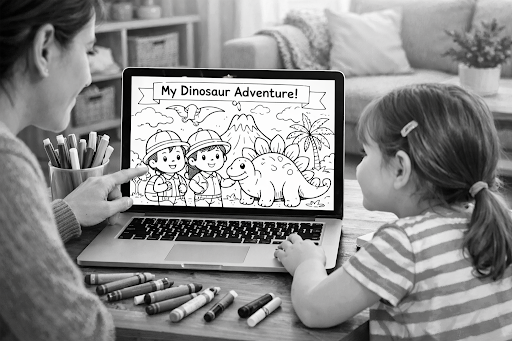
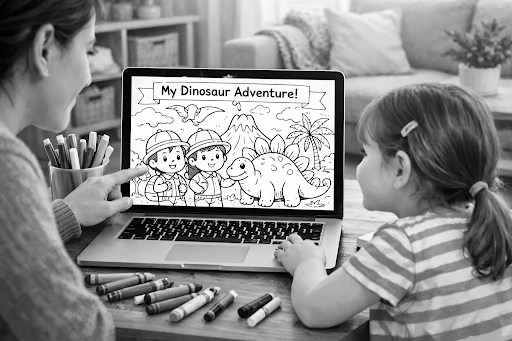
Family coloring page workflow illustration
Pricing: clear monthly tiers, but watch the free-tier wording
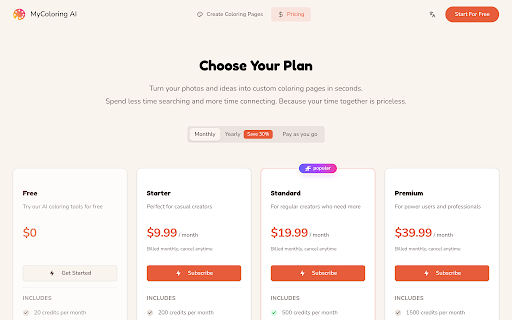
The pricing page is easy to scan. It shows Monthly, Yearly, and Pay as you go tabs, and the visible monthly plans range from Free to Premium.
Here is the monthly pricing shown on the public page:
| Plan | Price | Publicly listed monthly allowance | Best fit |
| Free | $0 | 20 credits, 20 text generations, 10 image generations, 10 downloads, 1 concurrent task | Trying the tool before paying |
| Starter | $9.99/month | 200 credits, 200 text generations, 100 image generations, unlimited downloads, 2 concurrent tasks | Casual personal use |
| Standard | $19.99/month | 500 credits, 500 text generations, 250 image generations, unlimited downloads, 5 concurrent tasks | Regular creators or active family/classroom use |
| Premium | $39.99/month | 1500 credits, 1500 text generations, 750 image generations, unlimited downloads, 20 concurrent tasks | Power users or high-volume workflows |
The paid plans also add Private generation, while Starter and Standard list Email support, and Premium lists 24/7 email support.
That said, there is one thing to watch. The homepage hero says new users can generate 10 free coloring pages, while the pricing page’s Free plan shows 20 credits per month plus separate limits for text generations, image generations, and downloads. So if you care about the exact free allowance, check the live pricing page before you rely on one number.
MyColoring.AI pricing page
What feels strongest in this product
From a practical point of view, MyColoring.AI looks strongest in four areas.
Easy onboarding
The product pages are simple. You do not need much explanation to understand what the tool does.
Flexible creation paths
Having both photo and text input makes the product more useful than a narrow single-purpose generator.
Good format messaging
The repeated PDF/PNG download messaging matters. People using coloring pages usually want something they can print or share right away.
Audience fit
The public copy clearly points to real use cases instead of vague AI hype. Parents, teachers, event planners, and hobby users all make sense here.
Where MyColoring.AI may feel limited
A few limits are worth noting.
First, the site messaging around the free tier is not perfectly consistent. That means you should check the live plan page instead of relying on a hero banner alone.
Second, the public pages say a lot about workflow and flexibility, but they do not by themselves prove how good every result looks across every kind of input. A clean pet portrait and a busy family photo may not behave the same way.
Third, if you want a very advanced art workflow or broad commercial publishing guarantees, you would need to read the rest of the product documentation carefully instead of assuming those details from the homepage.
Should you consider alternatives?
If your goal is just to make personalized coloring sheets quickly, MyColoring.AI already covers the basics well enough to be worth trying first. If you later need deeper style control, different pricing logic, or a different generation workflow, then it makes sense to compare the best alternatives to MyColoring.AI.
For many users, though, the first question is simpler: does this tool help me go from idea to printable coloring page with less effort? Based on the public product pages, the answer looks like yes.
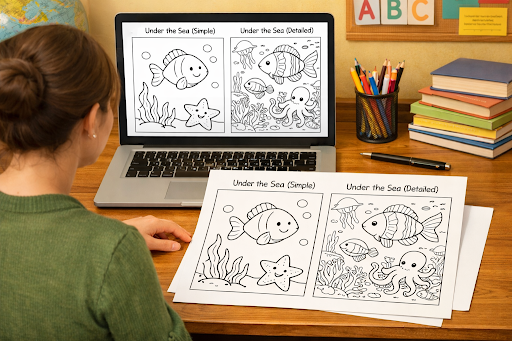
Classroom coloring page workflow illustration
Final conclusion
MyColoring.AI looks like a solid choice for people who want custom coloring pages without a complicated setup. Its biggest strengths are easy-to-understand input modes, practical download formats, no-watermark messaging, and pricing tiers that are simple to scan.
It seems like the best fit for parents, teachers, and casual creators who want a fast way to turn photos or prompts into printable activity pages. The main caution is that the free-tier wording is a little inconsistent across public pages, so it is smart to confirm the live pricing details before planning around one exact quota.
If you want a beginner-friendly coloring page maker with both image and text workflows, MyColoring.AI is worth a look: https://mycoloring.ai