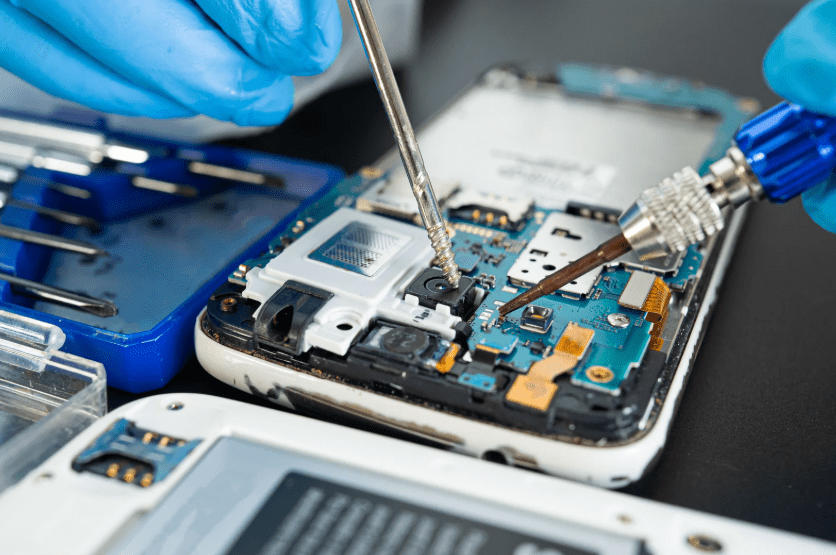
Introduction
MacBooks are designed as high-performance, precision-built devices that integrate hardware and software into a tightly unified system. From processors and storage to displays and power management, every component is engineered to function in coordination. This integration supports smooth performance, long device lifespans, and a refined user experience. At the same time, it also means that even minor damage or system imbalance can affect overall functionality in ways that are not always immediately visible to users.
Many MacBook issues develop gradually rather than suddenly. Subtle signs such as overheating, reduced battery life, slower performance, or inconsistent charging are often early indicators of deeper technical problems. Because these symptoms may not disrupt daily use immediately, they are frequently ignored until the device becomes unreliable. This delay increases repair complexity and can compromise long-term system stability and data security.
Professional repair services play an important role in preserving device integrity. Skilled technicians rely on structured diagnostics, technical expertise, and careful handling of sensitive internal components. Effective repair is not simply about replacing faulty parts but restoring balance across interconnected systems. Reliable service providers follow disciplined processes that prioritize accuracy, safety, and long-term performance rather than short-term fixes.
This article offers a consumer-focused guide to understanding MacBook performance, damage risks, and professional repair decision-making. It explores how MacBooks are built, how internal systems function together, and how users can recognize when professional intervention is needed. With the right knowledge, consumers can make informed decisions that protect their devices, preserve data, and extend long-term usability.
MacBook Internal Architecture and System Design
MacBooks are built around a highly integrated internal architecture where performance, power management, storage, and connectivity operate as a unified system. The logic board serves as the central hub, linking the processor, memory, storage, battery, display, and peripheral systems. Data, power, and signals flow continuously through this structure, allowing the device to function as a coordinated platform rather than as a collection of independent parts. This design maximizes efficiency and performance while supporting advanced features and user productivity. Professional services, such as MacBook repair Bronx, NY, help ensure that all aspects of this integrated system are properly maintained during repairs.
This level of integration also increases system sensitivity. When one component experiences stress or failure, the effects often cascade across multiple systems. A power issue may slow processing speed, a cooling problem can affect performance stability, and a connector fault can disrupt several functions simultaneously. Problems in MacBooks rarely remain isolated, making thorough diagnostics essential for lasting repair solutions. Understanding how these systems interact is key to maintaining reliable performance over time.
Thermal management is a critical part of MacBook system design. Cooling pathways, internal airflow channels, and thermal sensors work together to regulate temperature. Blocked airflow or disrupted thermal balance accelerates degradation of internal components. Heat affects battery health, processor stability, and the adhesives securing components in place. Over time, thermal stress reduces structural integrity and long-term performance consistency.
Professional diagnostics focus on maintaining system coordination rather than replacing components in isolation. Surface-level damage often conceals deeper internal imbalance that can affect multiple subsystems. Repair specialists ensure that the relationships between internal systems are preserved, restoring the device to stable, reliable operation. Choosing expert repair, safeguards both functionality and longevity. Long-term MacBook reliability depends on addressing issues holistically to maintain the integrated performance users expect.
Common Causes of MacBook Hardware Failure
MacBooks are sophisticated devices, but their performance can be compromised by a variety of hardware issues. Understanding the most frequent causes of failure helps users prevent costly repairs and maintain long-term functionality. Many problems arise gradually, often without obvious external signs, making early awareness essential. Identifying risks allows for timely intervention, preserving both performance and the value of the device. Professional diagnostics play a key role in detecting hidden faults before they escalate into major failures.
- Physical Damage:Drops, impacts, and pressure stress are among the leading causes of MacBook hardware issues. Even minor visible damage can misalign internal components, weakening connections and circuits. Micro-damage from these stresses often manifests later as performance instability, connectivity issues, or system errors.
- Liquid Exposure:Spills, condensation, and high-humidity environments introduce moisture into sensitive internal pathways. Corrosion develops gradually, affecting logic boards, power systems, and internal connectors. Symptoms may appear days or weeks after exposure, making the original cause difficult to trace without professional evaluation.
- Thermal Stress:Overheating from blocked vents, intensive workloads, or environmental heat damages internal components over time. Batteries degrade faster, and adhesives or insulation materials break down, reducing system stability. Prolonged heat exposure can compromise structural integrity and the performance of multiple components.
- Environmental Factors:Dust and debris accumulation obstruct airflow and interfere with internal connectors, creating additional strain. Humidity accelerates corrosion and weakens solder joints and sensitive electronics. Daily handling, transport, and storage stress combine to create layered damage that can exacerbate other issues.
Professional evaluation is critical for detecting and addressing these risks effectively. Technicians assess both visible and hidden damage to provide accurate diagnostics. Preventive measures, including careful handling, controlled storage, and timely repairs, significantly reduce the likelihood of system-wide failure. Understanding how multiple stressors interact enables more targeted and effective maintenance. Proactive care ensures that MacBooks remain reliable, efficient, and durable over time.
Logic Board Issues and System Instability
The logic board functions as the central control architecture of a MacBook, coordinating communication between the processor, memory, storage, battery systems, display modules, input devices, and peripheral interfaces. Every digital process, from boot-up sequences to application performance, depends on stable signal transmission and power regulation across this board. When logic board integrity is compromised, the effects are never isolated to a single function. A fault in one area can cascade across multiple systems, creating widespread operational instability and unpredictable device behavior.
Logic board damage commonly develops from liquid exposure, thermal stress, and physical pressure. Moisture introduces corrosion that slowly degrades circuit pathways, connectors, and micro-components, often spreading invisibly beneath protective layers. Heat exposure weakens solder joints, damages insulation materials, and alters electrical resistance within circuits. Physical stress from impact or structural pressure creates micro-fractures in board components that may not be visible but disrupt signal continuity. These forms of damage rarely produce immediate total failure. Instead, they create progressive instability that worsens over time as electrical resistance increases and component integrity declines.
System symptoms often appear disconnected and inconsistent. Users may experience random shutdowns, failure to boot, intermittent display output, charging irregularities, keyboard and trackpad failures, Wi-Fi or Bluetooth instability, and peripheral connection errors. Because these symptoms affect multiple subsystems simultaneously, they are frequently misinterpreted as software corruption, operating system bugs, or isolated component malfunctions. This misdiagnosis leads to ineffective repairs, such as replacing batteries, displays, or storage components without addressing the underlying logic board instability.
Professional diagnostics focus on board-level analysis rather than component-level assumptions. Technicians assess signal pathways, voltage distribution, thermal behavior, and power regulation circuits to locate fault zones within the board structure. Specialized diagnostic tools allow for micro-level inspection and system mapping to identify degradation patterns. Effective repair strategies restore electrical stability, signal integrity, and thermal balance rather than simply replacing visible components. Logic board repair is not a single repair action but a system restoration process that protects the entire device ecosystem. Long-term reliability depends on restoring structural integrity, electrical stability, and internal system harmony across the board.
Battery Health, Power Cycles, and Performance Decline
Battery health plays a foundational role in MacBook performance, system stability, and long-term reliability. Lithium-based batteries are designed to operate efficiently across thousands of charge cycles, but degradation is an unavoidable chemical process. This process accelerates significantly with heat exposure, fast charging habits, high-power workloads, and frequent full discharge cycles. As internal battery chemistry degrades, the device becomes increasingly dependent on power management systems to maintain operational stability.
Performance decline follows battery degradation in structured stages. Early signs include reduced usage time and slower charging efficiency. As degradation progresses, users experience overheating, processing slowdowns, sudden shutdowns, and unstable performance under load. Modern MacBooks actively regulate performance based on battery health and power stability. When voltage delivery becomes inconsistent, the system throttles processing speeds and limits performance output to protect internal components from damage. What appears to be general performance decline is often a protective system response to unstable power input.
Battery degradation also impacts internal electrical systems beyond energy storage alone. Inconsistent power delivery places strain on charging circuits, voltage regulators, logic board pathways, and internal connectors. This stress creates electrical instability that spreads across the system architecture. Over time, the device shifts from isolated battery weakness to full-system performance degradation. Power irregularities begin to affect display stability, processing reliability, storage performance, and peripheral connectivity.
Professional diagnostics evaluate battery health as part of a broader power ecosystem. Effective repair involves analyzing charging circuits, thermal regulation systems, power distribution pathways, and software-based power management controls. Proper battery replacement is not simply a component swap but a system recalibration process that restores power balance across internal systems. Long-term reliability depends on consistent voltage flow, thermal stability, and regulated energy distribution. Addressing battery degradation early prevents cascading system failures, protects internal components, and significantly extends MacBook lifespan.
Storage Failures, Data Integrity, and System Reliability
Storage systems play a critical role in MacBook stability, performance, and data security. Solid-state drives (SSDs) store the operating system, applications, system files, and user data, making them central to device functionality. When storage integrity is compromised, the effects extend beyond data loss alone. System responsiveness, boot reliability, application performance, and operating system stability are all directly tied to storage health.
Storage failures can develop from multiple sources. Power instability, logic board faults, overheating, and manufacturing wear gradually degrade storage components. Electrical irregularities disrupt read and write processes, leading to corrupted files, system errors, and damaged operating system structures. Heat accelerates memory cell degradation, reducing data retention stability and increasing failure rates. Physical stress and liquid exposure further compromise storage connectors and internal circuits.
Users often experience slow boot times, freezing, application crashes, file corruption, and repeated system errors. In more advanced cases, the system may fail to recognize the storage device entirely, preventing startup. These symptoms are frequently misinterpreted as software problems, leading to resets and operating system reinstalls that fail to resolve the root cause. When storage hardware is unstable, software-based solutions cannot restore reliability.
Professional diagnostics evaluate both storage health and system integration. Technicians assess read/write performance, data integrity, thermal behavior, and power stability across storage pathways. Effective repair strategies focus on restoring stable data transmission, protecting system architecture, and ensuring secure data handling. Long-term system reliability depends on stable storage performance, proper power regulation, and thermal management. Protecting storage integrity is essential for maintaining performance stability, data security, and operational continuity across the entire device.
Thermal Management Systems and Overheating Risks
Thermal management is essential to MacBook performance, system stability, and component longevity. Internal cooling systems regulate temperature across processors, logic boards, batteries, and storage components. When thermal balance is maintained, the device operates efficiently and safely. When cooling systems fail, heat accumulation creates widespread system stress and accelerates internal degradation.
Overheating develops from dust buildup, blocked ventilation, degraded thermal paste, fan failure, and environmental exposure. As airflow becomes restricted, internal temperatures rise, placing strain on sensitive components. Excessive heat weakens solder joints, damages insulation materials, and disrupts power regulation circuits. Over time, thermal stress creates layered system instability that affects performance, reliability, and safety.
Users often experience symptoms such as loud fan noise, performance throttling, overheating surfaces, random shutdowns, and system freezes. Modern systems reduce processing speed to manage heat, which leads to noticeable performance decline. What appears as slow performance is frequently a protective response to overheating rather than software inefficiency. Without proper intervention, repeated thermal stress accelerates component failure across multiple systems.
Professional diagnostics evaluate airflow, thermal transfer efficiency, and temperature regulation across internal systems. Effective repair involves cleaning cooling pathways, restoring thermal materials, and repairing or replacing faulty fans and sensors. Long-term reliability depends on stable thermal management and balanced heat distribution. Protecting thermal systems preserves system performance, extends component lifespan, and ensures operational stability across all internal structures.
Display Failures, Connectivity Issues, and Visual System Integrity
The display system in a MacBook is more than a screen. It is a complex network of panels, connectors, cables, sensors, and control circuits that work together to deliver visual output. When any part of this system becomes unstable, the result is not limited to visual defects alone. Display failures often signal deeper connectivity or system-level issues.
Display-related problems frequently develop from physical stress, hinge wear, cable fatigue, and liquid exposure. Repeated opening and closing of the device places strain on internal display cables, gradually weakening connectors and insulation. Moisture introduces corrosion that disrupts signal transmission. Over time, even minor degradation can result in flickering screens, color distortion, brightness inconsistency, and intermittent display failure.
Users may experience symptoms such as black screens, flashing visuals, ghosting, resolution instability, or complete signal loss. These problems are often misdiagnosed as software glitches or graphics driver issues. System resets and software updates fail to correct hardware signal disruptions. Without proper diagnostics, display replacement alone may not resolve the underlying connectivity failure.
Professional diagnostics focus on signal pathways, connector integrity, and system communication between the display and logic board. Technicians evaluate cable stability, voltage regulation, and control circuits to identify fault sources. Effective repair restores full system integration rather than isolated component replacement. Long-term reliability depends on preserving connectivity stability and system communication integrity. Maintaining display system health protects visual performance, operational reliability, and overall device stability.
Input Systems, Trackpad Failures, and User Interface Stability
Input systems are essential to MacBook functionality, shaping how users interact with the device at every level. The keyboard, trackpad, sensors, and internal controllers form an integrated interface system that translates physical input into digital commands. When this system becomes unstable, usability declines rapidly, even if core processing components remain functional.
Failures in input systems often develop from liquid exposure, dust infiltration, mechanical wear, and internal connector degradation. Moisture damages membranes and circuitry, disrupting signal transmission. Repeated mechanical use leads to worn switches, misaligned components, and weakened connectors. Over time, these factors create intermittent failures that affect responsiveness and accuracy.
Users may experience unresponsive keys, inconsistent trackpad behavior, ghost inputs, cursor drift, and delayed response times. These symptoms are often mistaken for software glitches or system lag. However, when physical signal pathways are compromised, software adjustments cannot restore reliable functionality. Input instability disrupts productivity and creates system-level usability issues.
Professional diagnostics assess signal flow, connector integrity, and controller stability across the input system. Effective repair focuses on restoring communication pathways and mechanical alignment. Long-term reliability depends on stable interface performance and consistent signal transmission. Protecting input systems preserves usability, system efficiency, and overall operational stability, ensuring the device remains functional, responsive, and reliable for daily use.
Operating System Integration and Hardware Compatibility
MacBook performance depends on seamless coordination between hardware systems and the operating environment. The operating system is designed to manage power flow, thermal regulation, memory allocation, and hardware communication. When this integration is stable, the device operates efficiently. When compatibility breaks down, system reliability declines even if individual components appear functional.
Integration failures often occur after updates, hardware changes, or internal degradation. Aging components may struggle to meet system demands, creating communication conflicts. Power instability, thermal stress, and logic board issues interfere with system coordination, causing performance disruptions. Hardware systems that are physically intact may still fail to operate properly if communication pathways become unstable.
Users experience symptoms such as freezing, boot loops, driver errors, inconsistent performance, and system crashes. These issues are frequently labeled as software problems, leading to resets and reinstallation attempts. Without addressing hardware compatibility, software-level fixes offer only temporary relief. System instability persists because the underlying integration failure remains unresolved.
Professional diagnostics evaluate system communication pathways, hardware compatibility, and performance synchronization. Technicians assess how components interact under operational load, not just whether they function independently. Effective repair strategies restore balance between physical systems and operating processes. Long-term reliability depends on maintaining stable integration across hardware and software layers. Preserving this balance ensures consistent performance, system stability, and dependable device operation.
Data Security Risks and System Vulnerability
Data security is deeply connected to system stability and hardware integrity in MacBooks. When internal systems operate reliably, data protection mechanisms function as designed. When hardware becomes unstable, storage reliability, encryption processes, and system safeguards are weakened. Security risks often emerge not from external threats alone, but from internal system failures that compromise data integrity.
Hardware instability increases vulnerability. Storage failures, logic board damage, power irregularities, and overheating can corrupt system files and weaken encryption structures. When data pathways become unstable, information can be lost, miswritten, or exposed. System crashes and forced shutdowns interrupt secure processes, increasing the risk of data corruption and access vulnerabilities.
Users may experience file corruption, lost data, inaccessible drives, and unstable encryption systems. These issues are often misinterpreted as software errors or user mistakes. In reality, compromised hardware infrastructure frequently undermines security protections. Without stable internal systems, even strong software security frameworks cannot operate effectively.
Professional diagnostics assess both system stability and data integrity. Technicians evaluate storage health, power flow stability, encryption performance, and system reliability. Effective repair strategies focus on restoring structural integrity across internal systems. Long-term data security depends on reliable hardware performance, stable power delivery, and protected data pathways. Protecting system stability is essential to preserving privacy, data safety, and long-term device trustworthiness.
Repair Decisions, Cost Evaluation, and Long-Term Value
Repair decisions play a critical role in determining the long-term reliability and value of a MacBook. Every repair choice affects system balance, performance stability, and device lifespan. Short-term fixes may restore temporary functionality, but they often fail to address deeper structural issues. True value comes from repairs that restore system integrity rather than surface-level operation.
Cost evaluation should extend beyond immediate expense. Low-cost repairs often rely on lower-quality components, incomplete diagnostics, and limited testing. These approaches increase the risk of repeat failures, system instability, and additional damage over time. A repair that appears affordable initially can become more expensive through recurring issues and repeated service needs.
Long-term value is built through quality diagnostics, proper component selection, and system-level restoration. Reliable repair strategies focus on durability, compatibility, and performance balance. When repairs are performed with precision and care, they extend device lifespan and protect internal systems from cascading failures. Stability becomes the foundation of long-term usability.
Professional repair evaluation considers system health, future reliability, and total lifecycle value. Technicians assess whether repairs will restore structural integrity and performance stability or merely delay failure. Effective decision-making prioritizes system longevity over short-term convenience. Long-term reliability is achieved through thoughtful repair strategies that support consistent performance, data integrity, and operational stability across the entire device.
Choosing Professional Repair Services and Quality Standards
Selecting a professional repair service is one of the most important decisions a MacBook owner can make because it directly impacts device reliability, performance stability, and long-term usability. Quality repair is not defined by speed alone, but by accuracy, technical precision, and long-term system integrity. Skilled technicians focus on system-level diagnostics rather than surface symptoms, allowing them to identify root causes instead of temporary faults. This approach prevents recurring failures and protects the device from layered instability that develops when problems are treated in isolation.
Professional standards begin with structured diagnostics and methodical evaluation. Reliable services examine logic board performance, power regulation systems, thermal behavior, storage stability, connectivity pathways, and system communication integrity. Each component is assessed as part of an interconnected ecosystem rather than as an independent part. This system-based approach reduces misdiagnosis, prevents unnecessary part replacements, and ensures that repairs restore operational balance instead of masking deeper issues.
Component quality is another defining factor of professional repair. High-grade replacement parts maintain compatibility, durability, and performance stability across internal systems. Inferior components may restore basic functionality but often degrade quickly, creating new failures and instability. Proper installation techniques, calibration procedures, and full system testing are essential to preserving internal alignment. Precision in assembly and verification protects the device from long-term structural imbalance.
Trustworthy repair services also prioritize transparency, accountability, and ethical practice. Clear communication, honest assessments, and structured workflows protect devices from unnecessary risk and misinformation. Long-term value comes from consistency, technical discipline, and professional integrity. Choosing quality-focused repair providers transforms repair from a temporary fix into a long-term care strategy that preserves performance stability, protects system architecture, and extends the functional lifespan of the device.
Final Section – Long-Term MacBook Care and Maintenance Strategy
Long-term MacBook reliability depends on proactive care, system awareness, and responsible usage habits that protect internal stability over time. Daily practices such as proper ventilation, temperature control, safe charging routines, and clean operating environments play a significant role in preserving internal components. Preventive care reduces strain on logic boards, batteries, thermal systems, and storage components, protecting the device from accelerated degradation and premature failure.
System monitoring is equally important in long-term device care. Recognizing early signs of instability such as overheating, performance decline, charging irregularities, display issues, or connectivity disruptions allows for timely intervention. Early diagnostics prevent minor faults from developing into complex system failures. Consistent system health checks help maintain performance balance and reduce the risk of cascading damage across internal systems.
Professional maintenance adds long-term value beyond reactive repair. Periodic inspections, internal cleaning, thermal system servicing, software-hardware calibration, and performance testing preserve internal balance and system efficiency. These practices protect connectivity pathways, storage integrity, power regulation systems, and thermal stability. Maintenance is not about frequent repairs, but about preserving system harmony and operational consistency.
Long-term device care is a strategy, not a reaction. It focuses on prevention, stability, and sustainability rather than crisis response. A well-maintained MacBook delivers consistent performance, extended lifespan, and dependable reliability. Proper care transforms the device from a fragile tool into a durable, resilient system that supports productivity, data security, and long-term usability in everyday life.